
A sales call tracker template tells you who called whom, when, and for how long. That is activity data. Call analytics tells you what happened in the conversation, which behaviors correlated with outcomes, and which reps need coaching on which specific dimension. For monitoring rep performance and improving win rates, the behavioral layer matters more than the activity log.
This guide covers how to use a call tracker template effectively, and when to move from spreadsheet-based tracking to a call analytics platform.
What a Sales Call Tracker Template Should Capture
A basic sales call tracker template covers: date, rep name, prospect name, call duration, outcome (connected, voicemail, meeting booked), and notes. This is sufficient for pipeline reporting and activity accountability.
A performance-focused template adds: call stage (prospecting, discovery, demo, negotiation), behavioral notes (asked pain question, handled price objection, secured next step), and conversion outcome at the deal level, not just the call level.
Common mistake: Tracking call volume without tracking call quality. A rep who completes 30 calls per week but books 2 meetings is telling you something different from a rep who completes 15 calls and books 6. Activity-only trackers cannot distinguish between these reps. You need behavioral data to diagnose the difference.
Step 1: Build Your Tracker Around Conversion-Predictive Behaviors
Before building your template, identify the three to five behaviors in your sales calls that most consistently predict conversion to the next stage. These become your behavioral columns.
For a discovery call stage, conversion-predictive behaviors typically include:
- Pain question asked (yes/no)
- Decision authority confirmed (yes/no/partially)
- Next step committed with date (yes/no)
- Price range introduced (yes/no)
These columns turn a call log into a diagnostic instrument. When a rep has 20 discovery calls with next step confirmed on only 4, that is a coaching signal. Without the column, you see 20 calls completed.
Step 2: Standardize Notes Fields to Enable Pattern Analysis
Free-text notes fields are useless for team-level analysis. Notes like "good call" or "needs follow-up" cannot be aggregated to identify patterns. Structured notes fields can be.
Replace free-text notes with dropdown or checkbox fields for the most common call events:
- Objection type: price, competition, timing, no need, authority
- Call outcome: scheduled meeting, requesting proposal, not interested, follow-up in 30 days, do not contact
- Rep confidence rating (self-reported): low/medium/high
Self-reported confidence ratings correlate with actual performance gaps better than managers expect. Reps who consistently rate their own calls as "low" on price conversations and "high" on discovery are telling you their coaching priority before you look at the scorecard.
Step 3: Connect Tracker Data to Call Recordings
A call tracker without recordings is a record of what the rep thought happened. A call tracker linked to recordings is a record of what actually happened. For teams using Zoom, RingCentral, or any cloud dialer, call recordings can be linked directly to tracker rows using the call ID or a recording URL field.
Once recordings are linked, you can audit any tracker entry in under two minutes. This is especially valuable for reviewing outlier calls: the high-activity, low-conversion rep whose notes show "good call" on every record but whose recordings show a consistent missed next-step pattern.
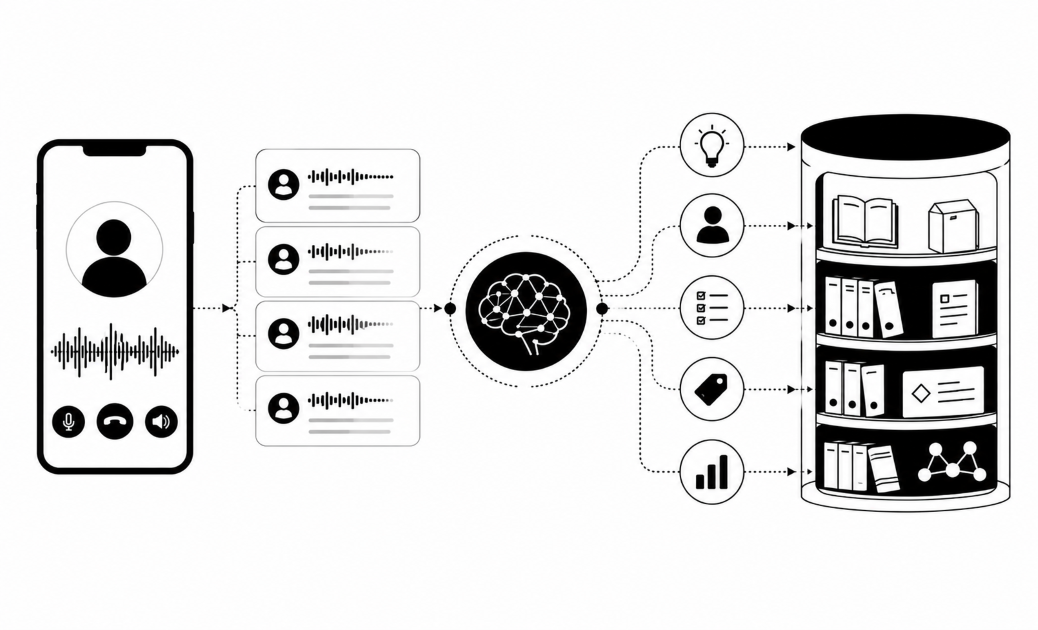
Insight7 scores call recordings automatically against custom rubrics and surfaces dimension-level performance data per rep. Teams using Insight7 alongside a tracker get the behavioral columns filled automatically from AI scoring rather than manual rep input, which eliminates self-reporting bias.
How Insight7 handles call performance monitoring
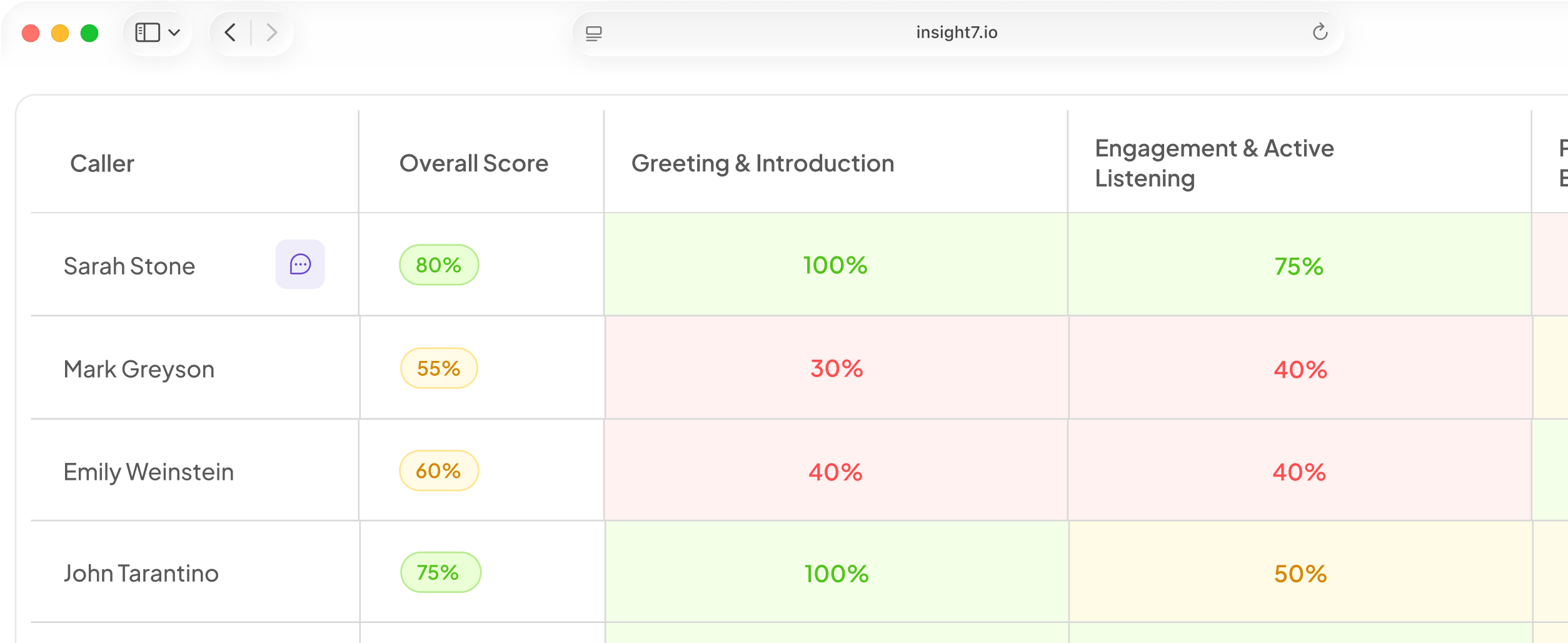
Insight7's dynamic evaluation criteria auto-detects call type and routes the correct scorecard. Agent scorecards cluster multiple calls into per-rep performance views with drill-down into individual call scores. Every criterion links to the exact quote in the transcript, so managers can verify any score without listening to the full recording. See how it works: insight7.io/insight7-for-sales-cx-learning/
Step 4: Run Weekly Rep-Level Reviews Against the Tracker
The value of a well-structured tracker is in the weekly review, not in the data entry. A 20-minute weekly review per rep, looking at their behavioral columns across the last 10 to 15 calls, surfaces coaching priorities that monthly CRM reporting cannot show.
Review sequence:
- Which behavioral column shows the lowest "yes" rate for this rep?
- Does the pattern hold across all call stages, or only specific stages?
- Is this new (last two weeks) or persistent (last 30 days)?
New patterns suggest an external factor (new competition, pricing change, territory shift). Persistent patterns suggest a skill gap. The coaching intervention differs for each.
Insight7's alert system flags reps when scores drop below threshold via email, Slack, or Teams, so managers receive the signal before the weekly review rather than discovering it during the review cycle.
How to improve sales performance in call center?
Improving sales performance in a call center requires separating activity metrics (calls per day, average handle time) from behavioral metrics (question quality, objection handling, next-step commitment). Track both, but coach only on behavioral metrics because those are the trainable variables. Set per-dimension thresholds for each role, score against them on 100% of calls, and connect below-threshold performance to targeted practice sessions within 48 hours.
Step 5: Use Tracker Patterns to Build Coaching Scenarios
A well-maintained tracker tells you which behavior to practice. It does not run the practice. For each behavioral gap identified in the tracker, build or assign a corresponding practice scenario.
Reps with a low next-step commitment rate need role-play scenarios focused specifically on trial close language and call-close frameworks. Reps with a low pain question rate need discovery call practice with customers who deflect or respond with surface-level problems.
Insight7's AI coaching module auto-suggests training scenarios based on QA scorecard performance. The connection from tracker gap to practice scenario is a single step rather than a manual workflow.
FAQ
How can call analytics improve sales rep performance and win rates?
Call analytics improves win rates by making behavioral gaps visible at the team level rather than relying on manager observation of individual calls. When you score 100% of calls against a consistent rubric, you can identify which specific behaviors separate your top quartile closers from your bottom quartile. Coaching those behaviors, rather than generic skills, produces faster and more durable performance improvement.
How to improve sales performance in call center?
Improving call center sales performance requires moving from activity monitoring (calls per day, handle time) to behavioral monitoring (question quality, objection handling, next-step commitment). Score calls against a rubric that reflects your actual conversion predictors. Set per-dimension thresholds, alert managers when reps drop below threshold, and connect each alert to a targeted practice assignment within 48 hours.
Sales managers ready to move from spreadsheet tracking to call analytics should see how Insight7 handles automated rep performance monitoring.