Import your qualitative data into Insight7 to uncover actionable insights. Easily upload text files from your computer or cloud storage, and let Insight7 organize, analyze, and extract key information, ensuring no insight is missed. There are three options for importing your data:
- Import from Computer
- Paste in Text
- Import from Google Drive/OneDrive
Import from Computer: #
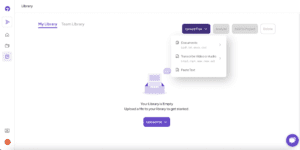
Simply drag and drop your text files or use the file browser to select them. Supported formats include .txt, .doc, .docx, .pdf, and .csv.
How to Do It: #
- Go to the “Library” section.
- Click on the “Upload Files” button
- Select “from Computer.”
- Choose your file from your device.
- The file will automatically upload and be ready for analysis.
Paste in Text: #
Paste the copied text into the designated text box, and Insight7 will prepare it for analysis.
How to Do It: #
- Go to the “Library” section.
- Select “Paste in Text” from the “Upload Files” options.
- Copy your desired text.
- Paste it into the provided text box.
- Click “Analyze” to proceed.
Import from Google Drive/OneDrive: #
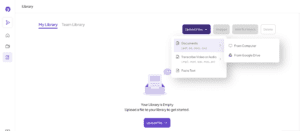
Link your Google Drive or OneDrive account to Insight7, allowing you to import documents directly from your cloud storage.
How to Do It: #
- Go to “Upload Data” and select “Import from Google Drive” or “Import from OneDrive.”
- Authorize Insight7 to access your account.
- Browse your cloud storage and select the file(s) you want to import.
- The file will be uploaded and ready for analysis.