 #
#
Why Use This: #
Whether you have audio or video files on your computer or in the cloud, Insight7 allows you to easily import and transcribe them for analysis.
How This Works: #
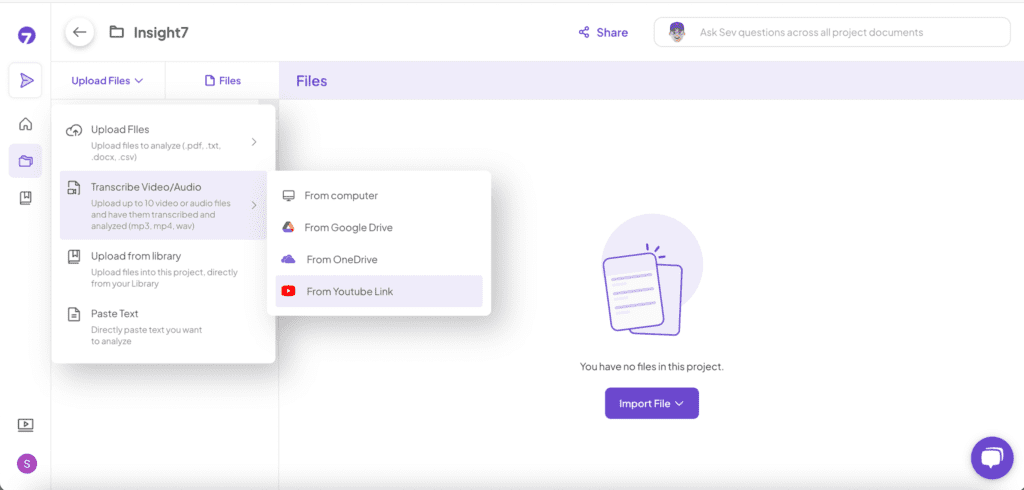
Import your media files from various sources, and Insight7 will automatically process them for transcription.
How to Do It: #
From Computer: #
- Select “Transcribe Video/Audio” under “Upload Files.”
- Choose “From Computer.”
- Browse your device for the file and upload it.
From Google Drive/OneDrive: #
- Select “From Google Drive/OneDrive.”
- Authorize access to your cloud storage.
- Select the media file and import.
From YouTube: #
- Choose “From YouTube.”
- Paste the YouTube video URL.
- Insight7 will fetch and transcribe the video.