Create polished, professional reports with Insight7, download it in your preferred format, and present findings clearly to stakeholders.
Publish Report #
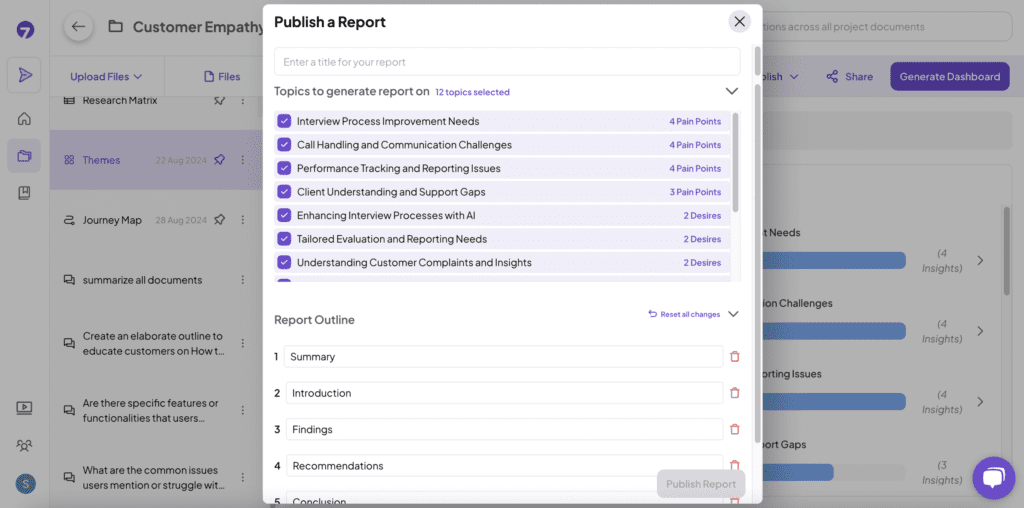
Once you’ve created a project, you can publish reports based on the themes or the research matrix. Customize the sections of your reports to fit your specific needs and preferences.
How to Do It: #
- Click on “Publish Reports” from either the Research Matrix or the Themes Dashboard.
- Name your report.
- Customize the sections as needed to tailor the report to your requirements.
- Click “Publish Report” to give you a preview of your report
Download Report: #
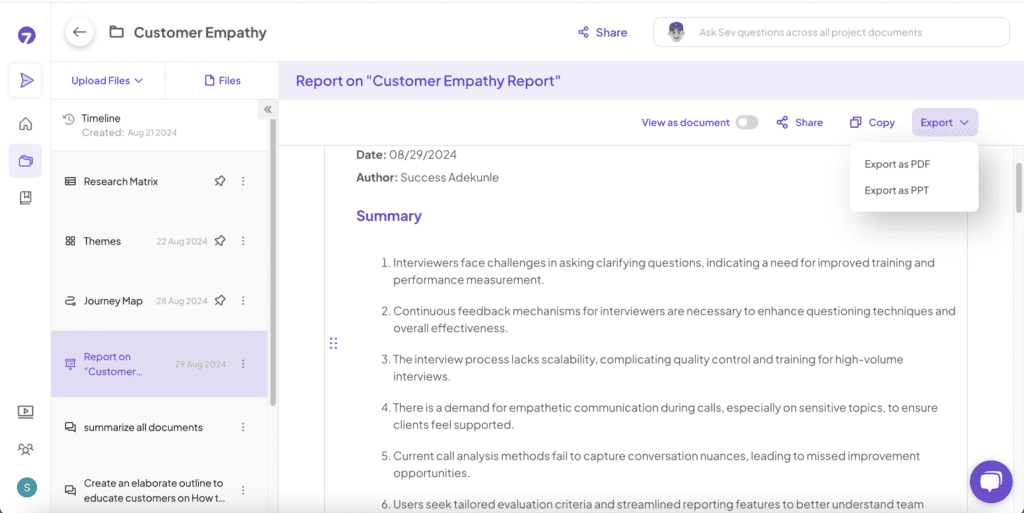
Once your report is published, you can download it in a format suitable for your needs.
How to Do It: #
- After Publishing a report, Click on “Download.”
- Choose your preferred file format (PDF, PPT).
- Download the report to your device.