Sales leaders have access to more customer conversations than ever. Yet most still have limited visibility into what those conversations reveal. Reps lose time to manual data entry, while managers review only a small portion of sales calls.
AI sales assistant software has evolved to address these gaps. However, platforms differ significantly in what they support and the outcomes they are built to improve.
In this guide, we’ll explain how AI sales assistant software works, the types it comes in, the problems it resolves, and which features deserve closer attention.
Unlike virtual assistants, AI sales assistant software uses artificial intelligence to handle routine sales tasks and help reps make better decisions throughout the sales cycle.
It works by connecting to the systems where sales activity already happens. These may include a CRM, an email platform, a meeting tool, or a call recording system.
These AI sales tools then collect information such as customer messages, call transcripts, and account history. It analyzes that data to identify patterns and risks, support sales forecasting, and suggest what reps should do next.
Depending on the platform, modern AI assistants may also prioritize a lead, draft a follow-up, summarize a call, flag a stalled deal, or point out a coaching opportunity.
Those recommendations are then shown to the rep or manager within their existing workflow. This reduces the time spent reviewing information manually and helps the team act on important sales signals sooner.
But their impact can go beyond saving time. According to Gartner, sales organizations providing sellers with AI-enabled next-best actions were 2.6 times more likely to achieve commercial growth.
This just shows that when AI tools help reps work more efficiently and focus on the right actions, stronger sales outcomes become more achievable.
More advanced sales engagement platforms also track what happens after a recommendation is made. Sales leaders can then see whether those actions are improving rep performance or sales results.
The quality of the guidance still depends on the information available. When the software has access to accurate CRM records and real customer conversations, it can produce recommendations that better reflect the team’s sales process.
An AI sales assistant is an umbrella category, and all the software under it serves different users and addresses different stages of the buying journey.
Understanding these distinctions helps you avoid choosing a platform solely for the breadth of its feature list and choose software that truly addresses your needs.
Prospecting assistants help reps decide which accounts deserve their attention first.
They review lead data, company information, and signals that suggest buying interest. From there, they use lead scoring to rank or group prospects based on how closely they match the sales team’s target customer.
This is especially helpful when reps have more names in their database than their sales efforts can realistically cover. The software narrows that list so they can spend more time on potential customers with a better chance of becoming qualified opportunities.
The quality of the recommendations still depends on the data behind them. Outdated records or a poorly defined ideal customer profile will lead to weak suggestions, even when the AI model itself is sophisticated.
Sales leaders should also check whether the tool reflects their real sales strategy. A lead score becomes far more meaningful when it accounts for territory rules, buyer fit, and the signals the team already trusts.
Email and outreach assistants help sales reps prepare messages and stay on top of follow-ups to sales outreach.
Most of these sales engagement tools use generative AI to draft emails based on information such as a prospect’s role, company, or recent activity. More advanced platforms also use CRM history and previous interactions to make the message more relevant.
The key benefits go beyond faster writing. The real value comes from helping reps maintain thoughtful communication without starting from a blank page every time.
Context also makes a noticeable difference when reps want to create more personalized customer interactions.
A message written from a name and job title will usually sound broad, but a message built from account history and earlier conversations has a much better chance of reflecting what the buyer cares about.
Nonetheless, sales professionals should still review every customer-facing message before it goes out. The AI can help with the first draft, while the salesperson remains responsible for the tone and accuracy.
Meeting assistants capture sales conversations and handle much of the follow-up work.
They record calls, create transcripts, and produce summaries. Many also pull out next steps so reps do not have to reconstruct the conversation later.
For teams with a high meeting volume, this can remove a meaningful amount of administrative work. Reps spend less time writing notes, while managers and account teams get a clearer record of what was discussed.
These AI-powered tools also reduce the risk of important details being forgotten. Buyer questions and agreed actions remain available after the call ends.
Yet accuracy still needs attention. A summary should reflect what the customer actually said, especially when it includes commitments or commercial details.
It is also worth separating meeting assistants from conversation intelligence platforms. Meeting assistants mainly document the call. But conversation intelligence goes further by interpreting what the call reveals about the buyer and the rep’s performance.
Conversation intelligence platforms help sales leaders understand what is happening inside customer conversations.
They capture calls and analyze what buyers ask about, as well as the customer sentiment expressed during those conversations. They also look at how reps respond, which concerns appear repeatedly, and where opportunities may be losing momentum.
This gives managers a wider view than manual call review can provide. They can see patterns from a larger portion of the team’s conversations rather than drawing conclusions from a small sample.
For example, the software might show that reps are skipping key discovery questions or struggling with the same objection. That analysis provides managers with a more focused starting point for coaching.
Buyers should look closely at how the platform defines successful sales behavior. The analysis is far more relevant when it reflects the company’s own sales process and coaching standards.
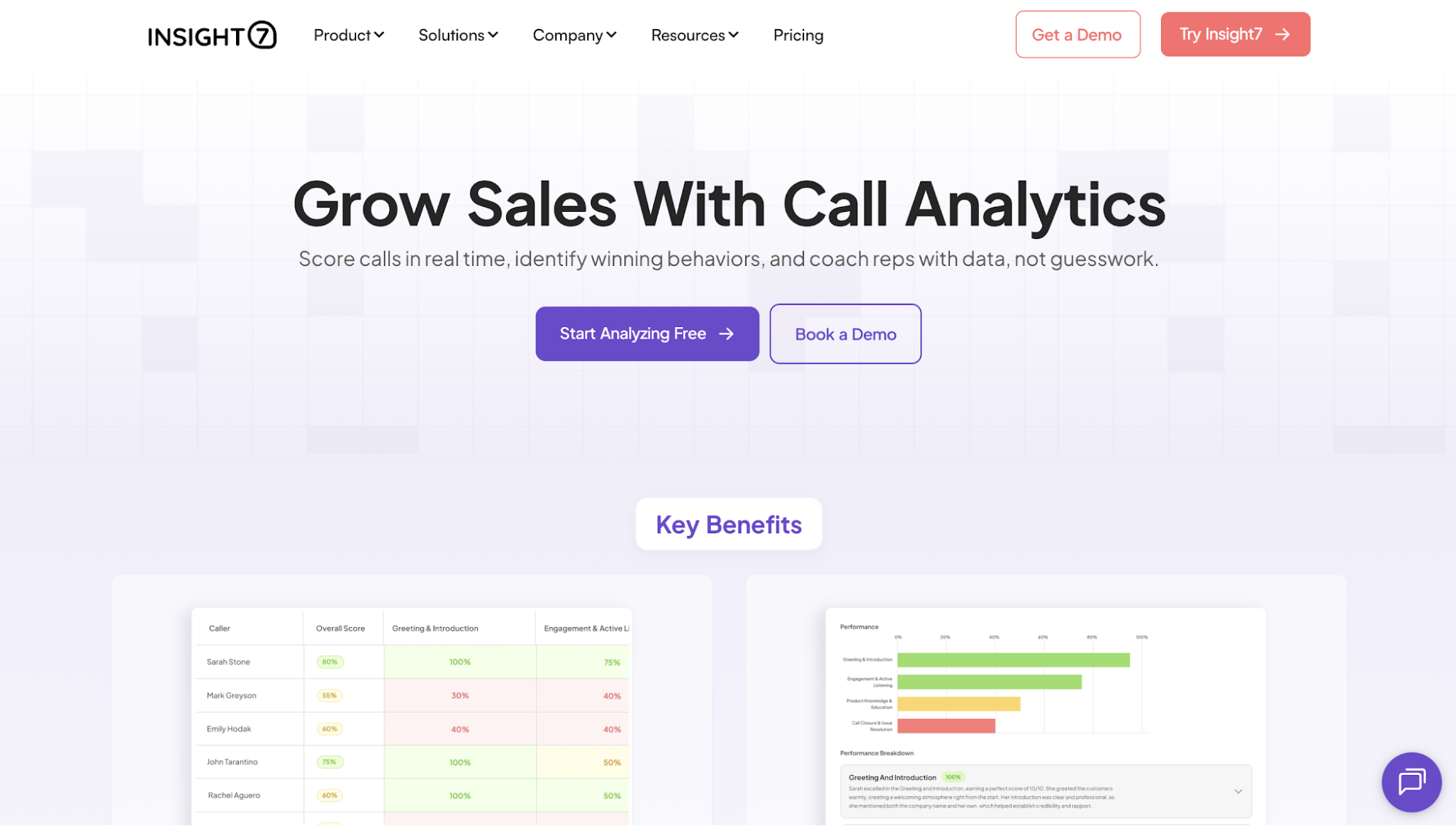
Platforms like Insight7 let teams evaluate conversations against custom scorecards, so managers measure the behaviors that matter most to their sales process instead of relying on generic AI scoring.
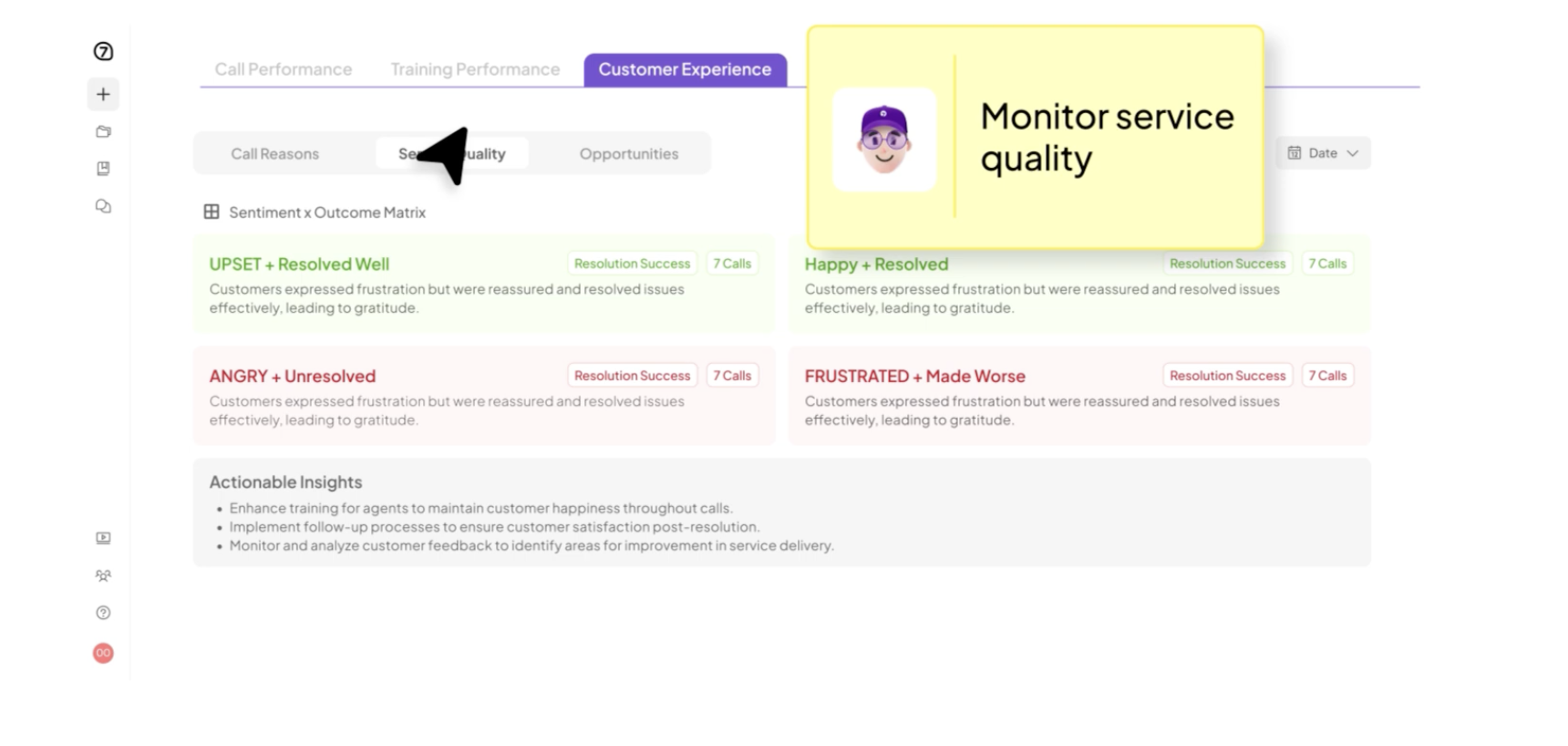
Try Insight7 and uncover the conversation patterns affecting your team’s performance today!
Sales coaching assistants give reps more opportunities to practice and receive feedback between manager-led sessions.
Many use AI roleplay to recreate realistic sales situations. Reps can practice discovery calls, handle an objection, or explain a complex offer to a simulated buyer.
AI roleplay software gives them space to practice specific skills before using them in a live conversation. It also makes it easier to repeat practice, which is often a challenge when every session depends on a manager’s availability.
The value of the experience depends on how closely the scenario matches the team’s actual work. Generic roleplays can feel disconnected from the conversations reps face each day.
Feedback should also be specific enough to act on. Telling someone to sound more confident gives them little direction.
Insight7 connects coaching back to real customer conversations, making it easier for managers to show the exact moment a discovery question was missed, or an objection wasn’t explored before reps practice similar scenarios through AI roleplay.
CRM and pipeline assistants help sales reps keep deal records up to date without spending as much time on manual updates.
They can summarize account activity, suggest field changes, and make it easier to retrieve opportunity information. Many also help reps prepare for meetings by bringing relevant CRM details into the tools they already use.
This reduces the time spent switching between systems. It also gives managers a current view of the sales pipeline as updates occur closer to actual sales activity.
These tools can support accurate sales forecasts, but only when the underlying records are dependable. Missing stages or outdated close dates will still weaken the forecast.
Once you understand the main software types, the next step is deciding which capabilities will make the biggest difference in your own sales environment.
The goal is to choose intelligent sales tools that fit the way your team works, and help them address the problem that led them to search for a solution in the first place.
Workflow automation should reduce repetitive work without removing the controls leaders need around customer-facing and revenue-related decisions.
That might include logging a meeting, preparing a follow-up, or creating a CRM task. When these steps happen more consistently, reps have more time to focus on customer conversations and active opportunities.
The workflow should still feel familiar to the team. Reps should not have to rebuild their entire process around the software just to benefit from it.
Sales leaders also need control over how much an AI sales agent is allowed to do on its own. Drafting a message is low risk. But letting AI agents send them requires more oversight.
The best setup strikes a sensible balance. It reduces repetitive tasks while keeping people involved in decisions that affect customers or revenue.
AI sales assistant software should help managers understand how reps are performing and where support is needed.
Broad statements are not enough. The software should point to specific moments, such as a missed discovery question or an objection that was not addressed clearly.
That gives managers actionable insights which can be used as a more focused basis for coaching. They can work from real examples instead of relying on memory or the last call they happened to review.
The platform should also show where its AI insights and recommendations came from.
For example, Insight7 links coaching insights directly to the customer conversations that generated them, allowing managers to review the interaction, understand why the recommendation was made, and coach with clear context instead of assumptions.
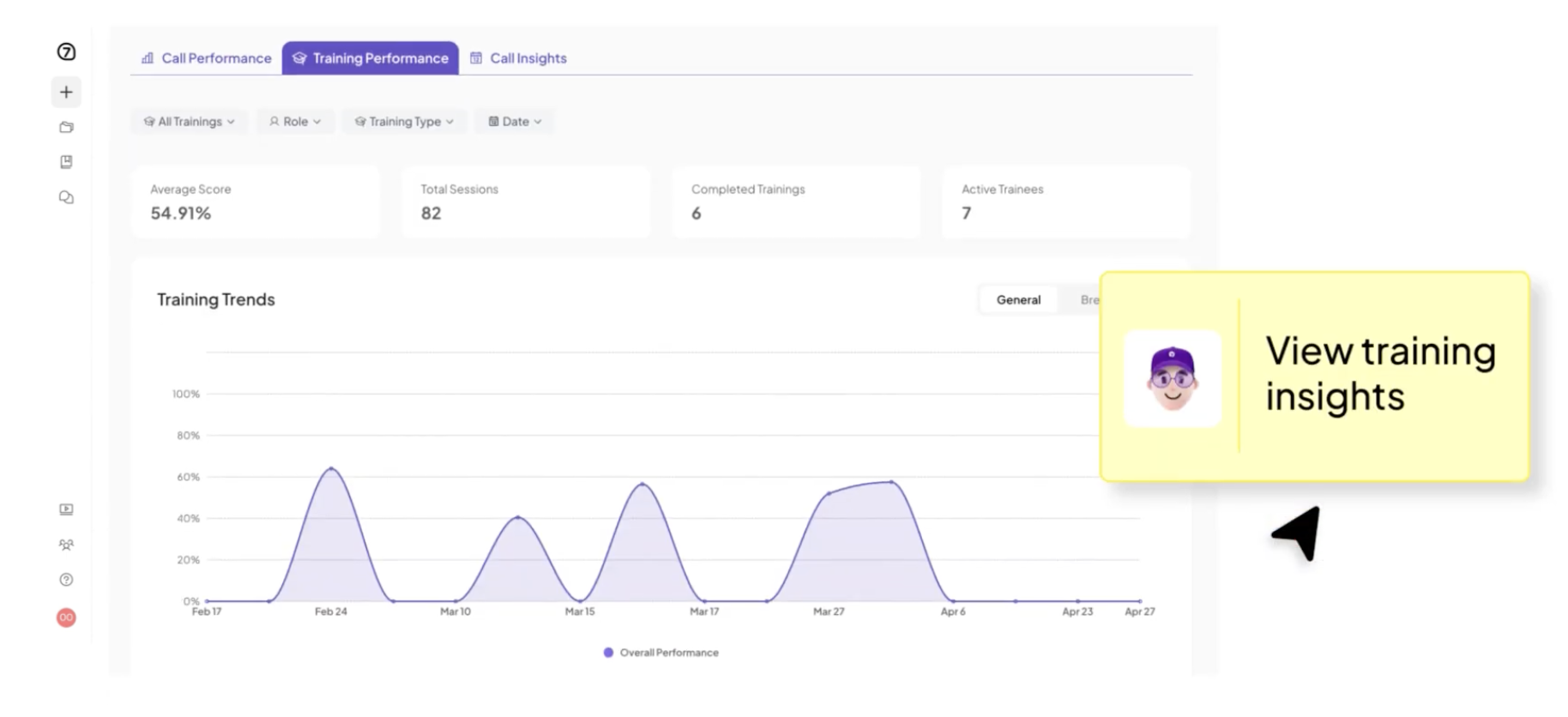
Coaching guidance works best when it supports the manager’s judgment. The AI helps surface the pattern, while the manager decides how to respond.
CRM integration allows the AI assistant to work with the account and opportunity information the team already uses.
Without that connection, reps may still need to move information between their CRM and sales engagement platforms. That limits the software’s value and creates more room for inconsistent records.
A deeper integration also gives the AI more context. When conversation insights and CRM information work together, platforms like Insight7 can evaluate customer interactions with a fuller understanding of the opportunity instead of treating every conversation in isolation.
It can consider the opportunity stage and earlier activity before generating a recommendation or summary.
Buyers should look beyond whether the CRM logo appears on the integrations page. They need to know which records the platform reads, what it updates, and how quickly those changes appear.
The right integration should make your existing sales and project management tools easier to use. It should not introduce another separate place where information has to be managed.
Sales intelligence tools may save time or generate recommendations, but revenue teams still need to know whether those capabilities are improving their performance.
Without clear reporting, sales operations teams may struggle to determine whether the software is delivering measurable value or merely adding another tool to the sales stack.
That is why buyers should look for sales analytics and reporting features that connect the software’s activity to the business problem you want to solve.
Usage data still has a role because it shows whether the team is adopting the software. However, adoption should be treated as an early signal rather than proof that the investment is working. A platform can have high login rates while making little difference to sales execution.
The reporting should also make the next action clear. Managers need enough detail to see which reps need support and which behaviors require attention. Sales leaders need a wider view of whether those improvements are affecting pipeline quality or team performance.
Insight7, for example, surfaces recurring coaching themes and conversation trends so managers can quickly identify which skills need attention instead of wasting their time manually reviewing dozens of individual calls.
Adrienne Hibbert, Research Manager at Teknicks, experienced this benefit when she used the platform. She said Insight7 helped her identify pain points, motivators, and behaviors within minutes, saving her hours while helping her team produce insights that affected their bottom line.
Other users who also left a review on G2, where Insight7 currently holds a 4.7 out of 5 rating, highlighted the same thing, stating that the platform was especially exceptional at generating actionable insights, shortening analysis time, and making large amounts of qualitative data easier to evaluate.
AI sales assistant software often handles some of a company’s most sensitive information, including customer conversations, CRM records, emails, and sales notes. As more of that data flows through the platform, protecting it becomes just as important as the AI features themselves.
That’s why it matters for buyers to look for a platform with features built to protect the information it collects.
Security features such as role-based access, encryption, audit logs, and data retention controls help make sure that customer data is accessible only to the right people and managed in accordance with company policies.
This becomes even more important for enterprise sales teams in regulated industries, where mishandling customer information can create compliance and legal risks.
Even companies outside those industries still need confidence that customer data is stored securely and handled responsibly.
So, when comparing AI sales assistant software, look for a platform whose security and compliance standards align with your organization’s requirements. Strong AI capabilities matter, but they should never come at the expense of protecting customer data.
Now that you know which features to look for, the next step is understanding how to introduce the software to your team.
Every sales team operates differently, so a successful rollout isn’t only about switching to a platform. It’s also about understanding where your software fits naturally into your existing sales workflows, how your team will adopt it, and how to build trust in the AI’s recommendations.
Before introducing AI sales assistant software, define what you want it to improve. This matters because the same platform can support different parts of the sales process, and the way you implement it should reflect the problem you’re trying to solve.
For example, if your goal is to improve coaching, managers should be the first to incorporate the platform into their coaching sessions. If you’re trying to reduce administrative work, the rollout should focus on helping reps use AI to automate CRM updates and meeting follow-ups.
Having a clear objective also gives your team context for why the software is being introduced. Instead of seeing it as another tool they have to learn, they understand the role it’s expected to play in their day-to-day work.
Before introducing the software, understand how your team performs today. Without that point of reference, it becomes difficult to tell whether the platform is improving the workflow you wanted to change.
The baseline should reflect the objective you established earlier.
If you’re introducing AI for coaching, you might measure how often reps receive coaching or how long managers spend reviewing calls. If the goal is reducing administrative work, you might track how much time reps spend updating the CRM after customer meetings.
These performance metrics don’t need to be extensive. They simply need to give your team a way to compare performance before and after the rollout.
AI sales assistant software depends on the quality of the data it receives. If the information is incomplete or disconnected, the AI will struggle to produce reliable recommendations, no matter how capable the platform is.
Before introducing the software to your team, make sure it has access to the systems it needs, such as your CRM, meeting platform, email, or call recordings. It’s also worth reviewing the quality of your existing data so the AI isn’t working with outdated or inconsistent information.
Taking time to prepare these systems helps your team gain valuable insights from the start, rather than losing confidence when the AI lacks the context it needs.
Once the platform is ready, introduce it to a smaller group before expanding the rollout.
Rolling out AI sales assistant software to the entire organization at once makes it harder to identify what’s working and what needs to change. Starting with one team or workflow lets you see how the software fits into your existing sales process before introducing it more broadly.
Choose a group that is closely connected to the objective you established earlier. Their experience will show where the platform supports the workflow naturally and where additional adjustments or training are needed.
A smaller rollout also makes it easier to gather feedback from managers and reps. Those early insights can help improve the implementation before the software reaches the rest of the organization.
As your pilot progresses, the next step is making sure the software reflects the way your team already works.
Your AI sales assistant should reinforce your existing sales process, not replace it. Configuring the platform to align with your team’s standards makes it easier for reps and managers to incorporate it into their daily work.
For example, if your team already follows a specific coaching framework or call evaluation criteria, the software should reflect those standards instead of introducing a different set of expectations.
Insight7 allows teams to configure custom evaluation criteria so managers can reinforce the same sales standards they’re already coaching instead of asking reps to adapt to a new scoring system.
That consistency helps people trust the platform because its recommendations align with the guidance they already receive.
When the AI supports familiar workflows, adoption becomes much more natural.
Even with the right configuration, however, your team still needs to understand how the software fits into their responsibilities.
Introducing AI sales assistant software isn’t just about showing people where to click. It’s about helping them understand how the platform supports the work they already do.
Managers should know how to use the platform to coach, review performance, and guide their teams. Reps should understand where AI fits into their daily workflow and when they should rely on their own judgment.
Training around real sales scenarios makes that transition easier, and Insight7 makes this possible. The platform analyzes real customer conversations to pinpoint the skills sales reps need to improve, giving managers a clearer basis for targeted coaching and realistic AI roleplay.
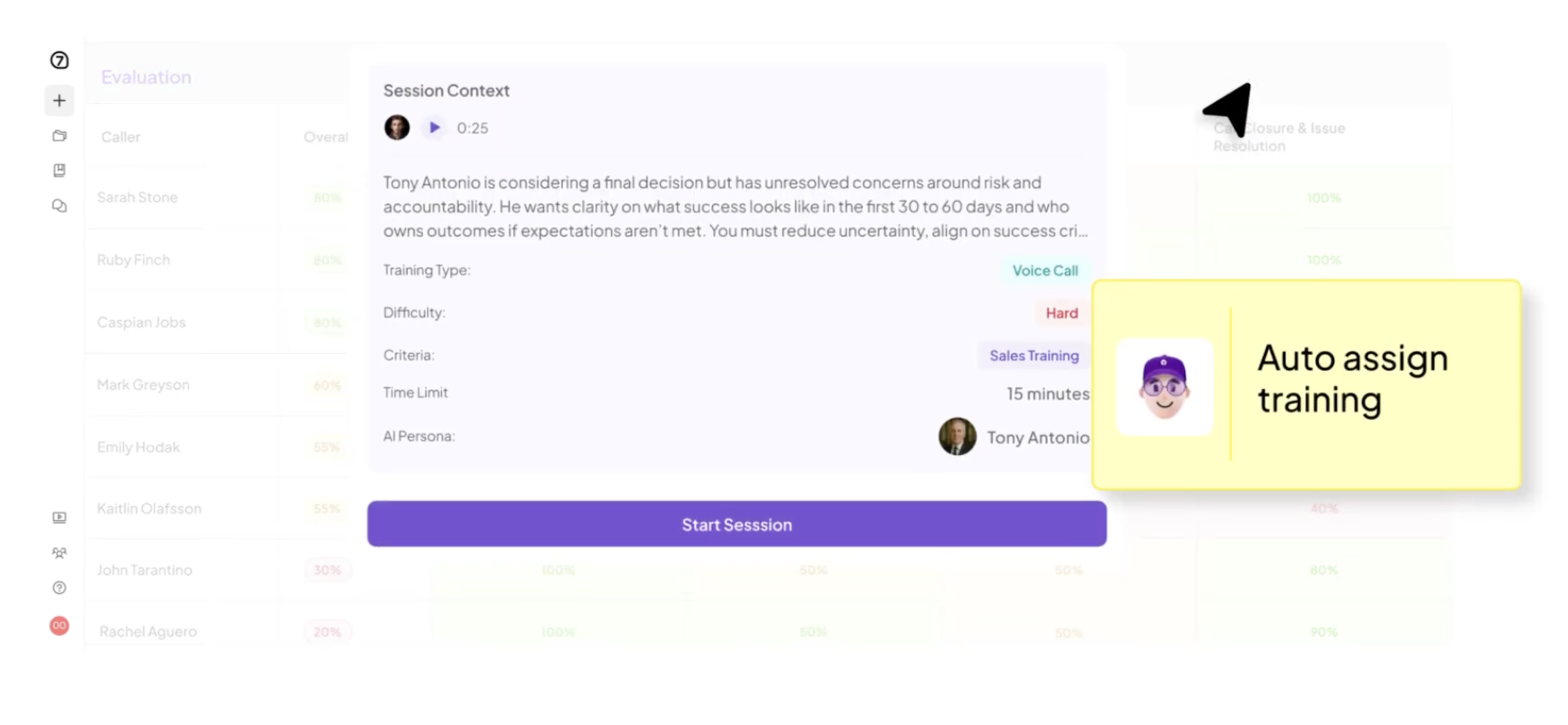
This helps the team keep learning from real conversations while using the same sales approach and standards they already follow.
Before introducing the software to the rest of the organization, take time to review how well the AI is performing. This helps make sure the recommendations are accurate and gives managers and reps confidence in the platform before they begin relying on it more often.
Compare AI-generated summaries, recommendations, or call evaluations with real customer conversations. If something doesn’t align with your team’s expectations, adjust the configuration before expanding the rollout.
Building that confidence early makes adoption smoother. When people see that the AI consistently supports their work instead of creating more uncertainty, they’re far more likely to make it part of their everyday sales process.
One practical way to build that trust is to test the platform against a defined set of source material before expanding usage.
Research leader Juliane von Kameke said her team tested Insight7 with around 30 interviews and found the analysis highly accurate, reinforcing the value of validating results on a smaller sample first.
Once AI sales assistant software is part of the team’s workflow, the next question is whether it can improve the conversations that drive sales.
Many tools can automate follow-ups or update the CRM. Those capabilities save time, yet they only address what happens around the conversation. The conversation itself still contains the clearest signs of what a buyer needs, where a rep is struggling, and why an opportunity may be losing momentum.
Conversation intelligence helps teams make sense of those signals. It analyzes sales calls to surface recurring objections, missed questions, and behaviors that influence the outcome.
Managers can then use those findings to give more focused coaching, while reps gain clearer guidance for future calls.
This also gives the AI-powered sales assistant a more complete view of performance. Instead of relying only on CRM fields or rep activity, it can connect what happened during the conversation with what happened next.
Insight7 gives sales leaders that added context by showing where specific behaviors appear in real calls and how often those patterns repeat within the team.
Daniel Patricio, CEO of Abra, said that the platform has helped his team analyze feedback from sales calls, conversations, and emails, which helped them address customer problems more effectively.
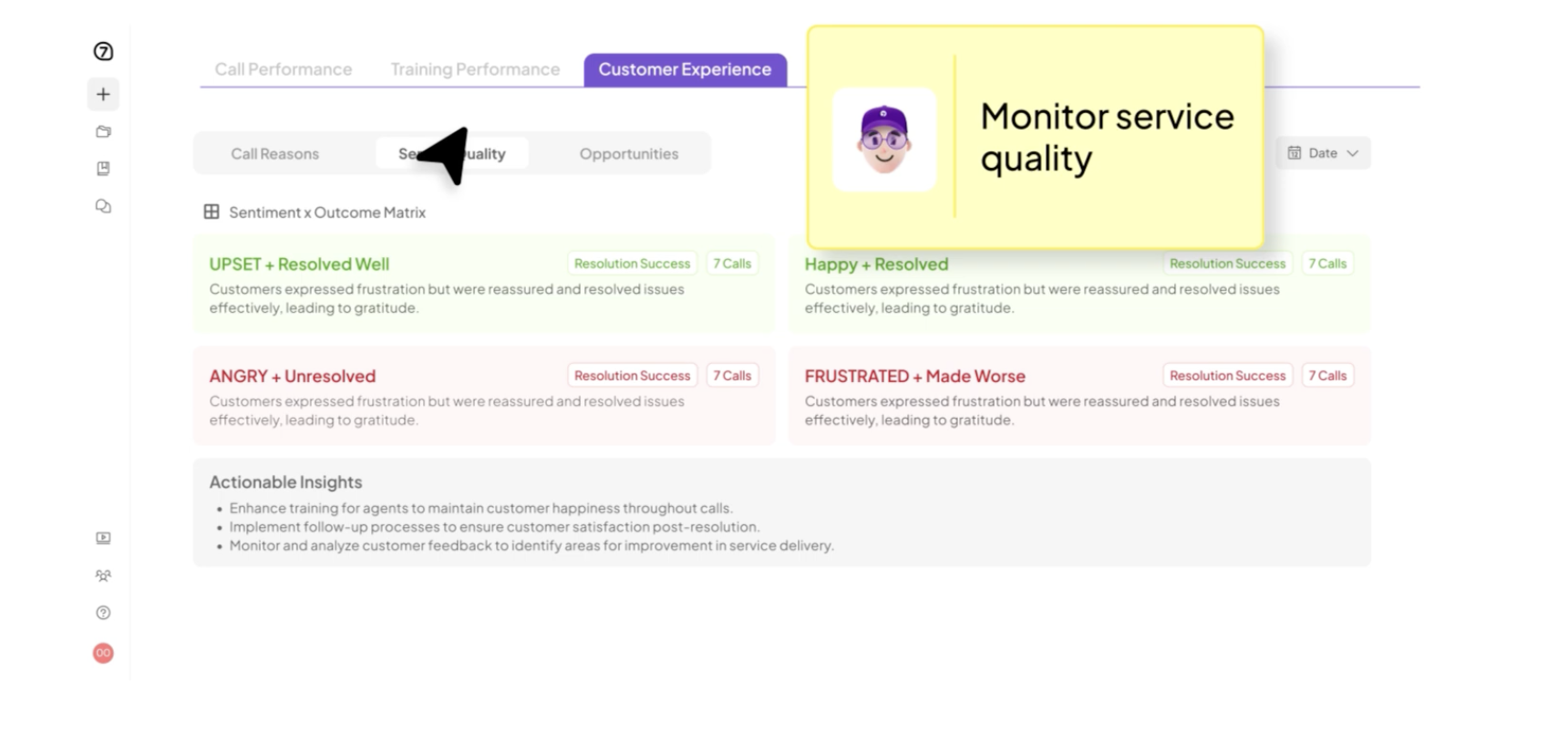
When weighing your options, consider whether the software only helps the team complete tasks or also helps them learn from customer conversations. That distinction often determines whether the tool simply makes the current process faster or helps the team improve how it sells.
AI sales assistant software creates the most value when it helps the team improve how it sells, rather than simply completing tasks faster. Automation may remove manual work, yet lasting gains come from using customer conversations to guide better decisions and more consistent execution.
Insight7 is built for organizations that want to use those conversations as an ongoing source of improvement. It gives managers clearer insight into what is happening on calls, so coaching can respond to real performance gaps and reps can carry that guidance into future conversations.

