
Key Takeaways
- Insight7 best for turning existing call recordings into QA scores, coaching moments, and compliance flags automatically.
- Dialpad best for teams that want real-time transcription built into their phone system itself.
- Five9 and NICE CXone best for large, compliance-heavy enterprise contact centers that need recording bundled with full contact center infrastructure.
- CloudTalk best for growing teams that want call recording and transcription without an enterprise price tag.
McKinsey research on AI in customer care says call centers manually review less than 5% of their calls, That means 95% of what your customers say (complaints, compliance risks, coaching opportunities) goes completely unseen.
The right call recording and transcription software for call centers can close that gap, but only if it does more than store audio and spit out a transcript.
Let’s compare five platforms that record and transcribe calls, so you can decide which one closes that gap for your team.
| Tool | Best For | Standout Feature | Starting Price |
|---|---|---|---|
| Insight7 | Turning recordings into QA scores and coaching | Automated scoring + coaching from one recording | Free; $99/month |
| Dialpad | Real-time transcription in a unified phone system | Live transcription during the call, not after | $95/user/month |
| Five9 | Compliance-heavy enterprise contact centers | 3,000 AI minutes per seat included | $119/user/month |
| NICE CXone | Large enterprises running multiple channels | Enlighten AI across voice and digital | $110/agent/month |
| CloudTalk | Growing teams on a budget | Unlimited call recording storage on Essential | $27/user/month |
Insight7: Best for Turning Call Recordings into QA Scores and Coaching
Insight7 isn’t a phone system. It’s the layer that sits on top of the calls you’re already recording(through Zoom, Teams, or your existing contact center software).
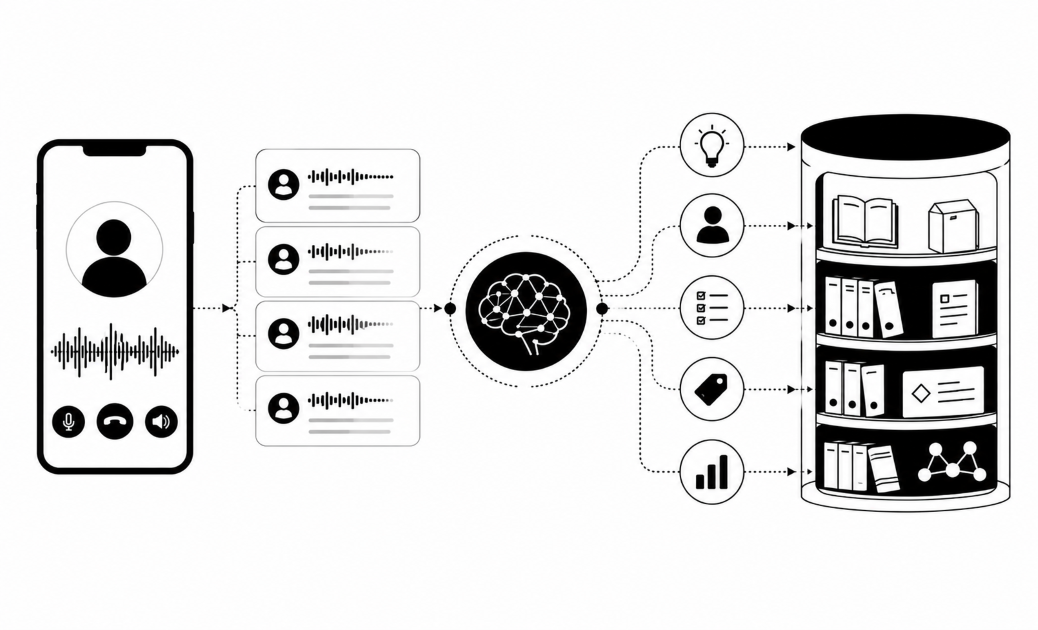
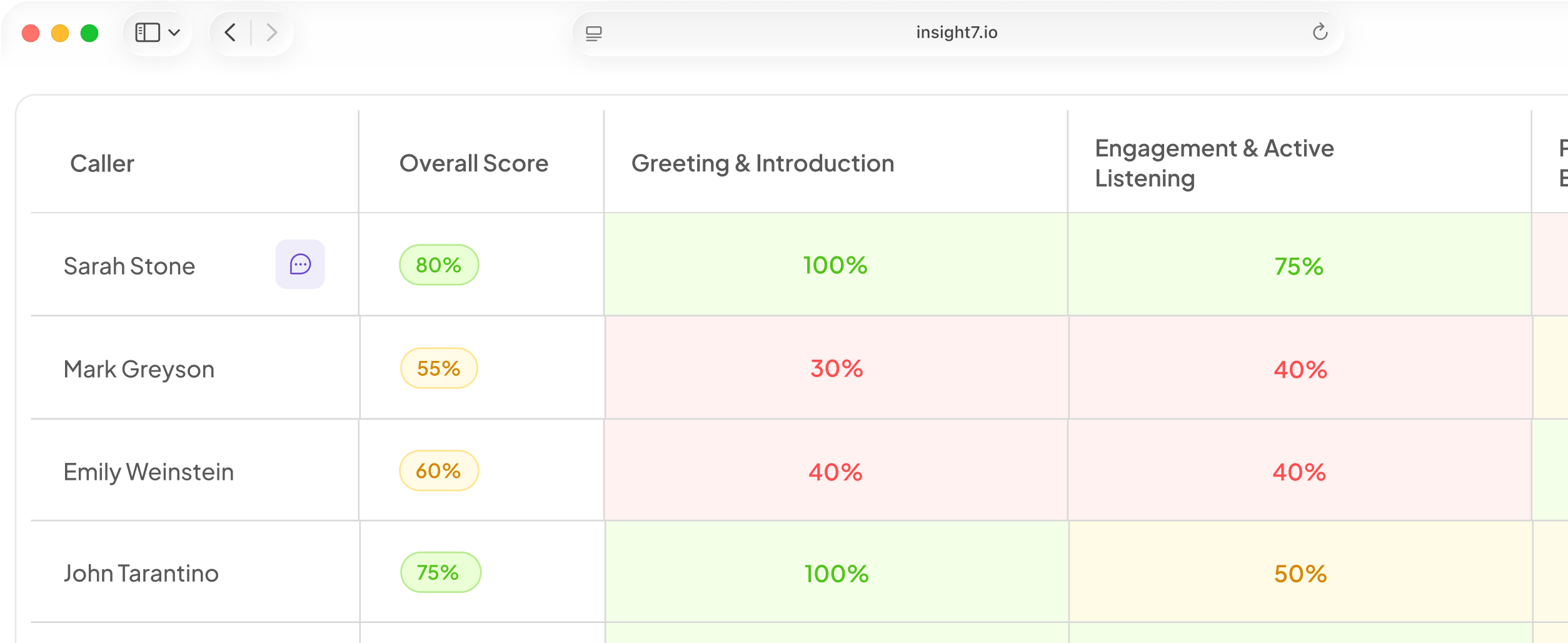
Rather than forcing your team to switch communication stacks, Insight7 ingests your existing recordings, generates precise transcripts, automatically scores performance, and pinpoints exact coaching opportunities.
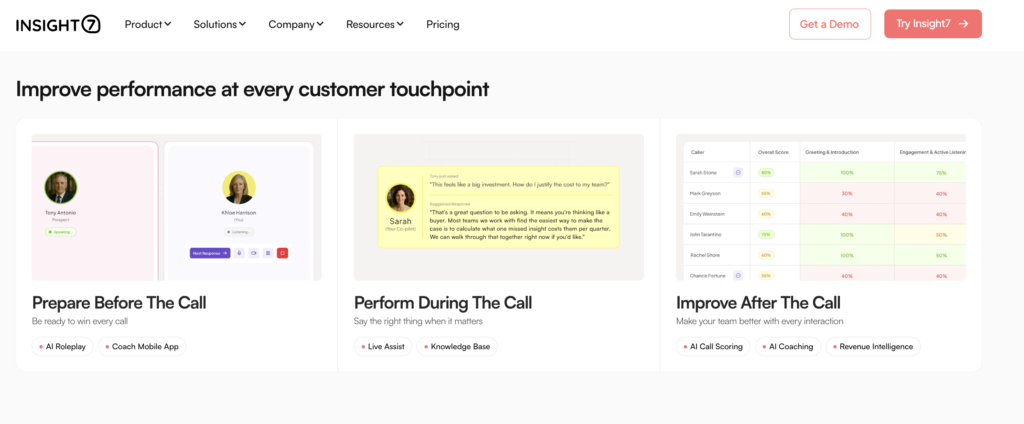
That distinction is critical: A transcript only tells you what was said; a QA score tells you whether it was said effectively, compliant with standards, and how to improve it.
Key Features
Automated call scoring
In traditional call centers, QA teams manually evaluate a tiny sample of calls, leaving massive blind spots across customer interactions. Insight7 solves this scale problem by evaluating 100% of your calls against your organization’s specific performance standards rather than a generic, one-size-fits-all template.
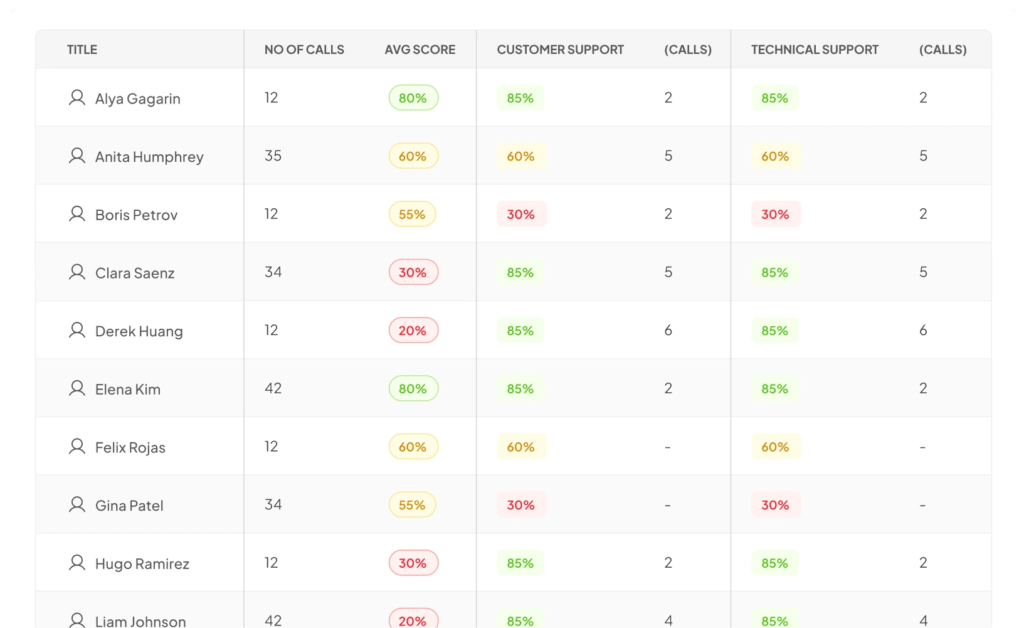
By eliminating manual sampling bias, QA leaders get an unbiased, data-backed view of team-wide script adherence and conversation quality.
Coaching built from real gaps
When Insight7’s analytics identify a recurring gap (such as a sales rep consistently struggling with competitor objections or a support agent skipping discovery questions) it generates a custom AI roleplay scenario designed around that specific rep’s real-world data.
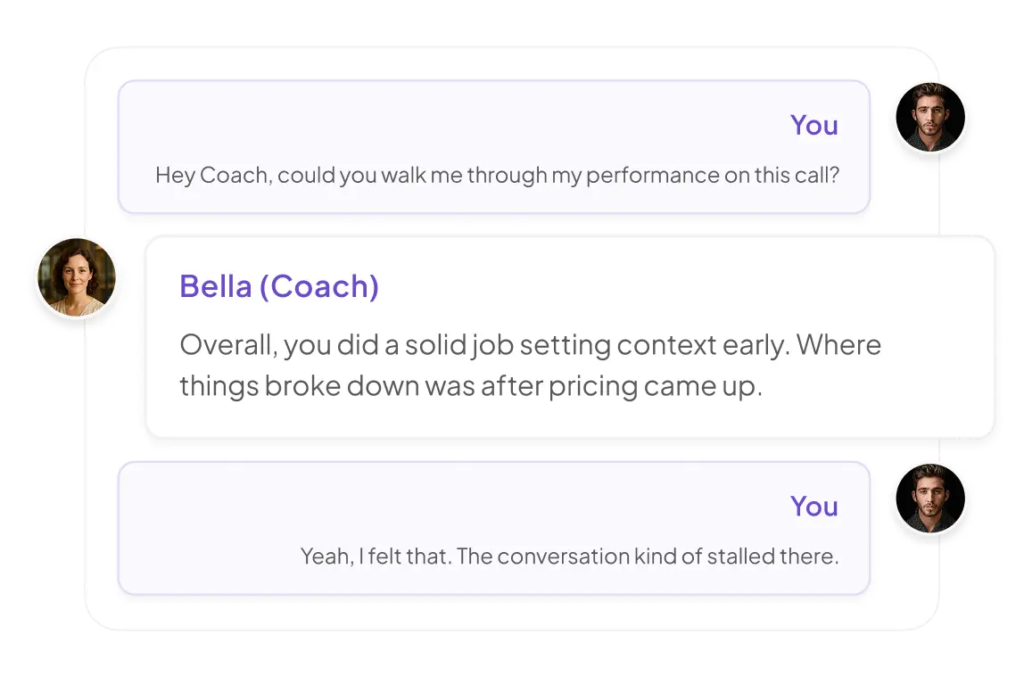
Reps practice the exact scenario they struggled with in a live call, refining their vocal execution before taking their next real customer interaction.
Multi-language, redacted transcription
For organizations operating in regulated sectors like healthcare, finance, or insurance, raw transcripts can quickly become a compliance nightmare if sensitive data is left exposed.
Insight7 transcribes calls across 60+ languages while automatically detecting and scrubbing Personally Identifiable Information (PII) and Protected Health Information (PHI) (such as credit card numbers, Social Security details, and patient data) before the transcript is viewed or stored.
This automated protection transforms high-stakes conversations into a safe, searchable knowledge asset, giving compliance officers peace of mind without slowing down performance reviews.
Pricing
| Plan | Price | Best For |
|---|---|---|
| Free | $0/month | Testing with a handful of calls |
| Pro | $99/month | Individuals scaling up review volume |
| Business | $299/month | Teams needing multiple users and redaction |
Note: Enterprise pricing is available by request for unlimited volume.
Where Insight7 Shines
- Coverage, not sampling: every call gets scored, not just the random 1-2% most QA teams manage to review by hand.
- One system for scoring and coaching: findings from a scored call feed directly into a coaching assignment, instead of living in a separate spreadsheet nobody opens again.
- Fast setup: teams have gone from connecting Zoom to reviewing their first batch of scored calls in about a week.
Where Insight7 Falls Short
- Free plan is a trial, not a workflow: three analyses is enough to see how it works, not to run ongoing QA.
Customer Reviews
“I’ve been manually reviewing Zoom recordings and using GPT, but a platform that does it simply and beautifully is perfect.” — Sean Withford, Founder & Director at Eloquent
“I would spend days getting recordings transcribed. Now I just upload them into Insight7 and all that work is done for me in minutes.” — Kevin Smith, Partner at Riggs Partners
Who Insight7 Is Best For
- QA managers who need every call scored, not a random sample.
- Contact center leaders in regulated industries who need compliance language flagged automatically, not caught after the fact.
See how Insight7 scores every call automatically — Free to start
Dialpad: Best for Real-Time Transcription in a Unified Phone System
Dialpad is a cloud phone system built around live AI. It transcribes as the call happens, a decent pick for teams that want calling and transcription in one place.
Key features
- Live transcription: captions appear on screen during the call.
- Real-time coaching alerts: supervisors see flagged moments as they happen.
- Sentiment analysis: built into the same dashboard as call routing.
Pricing
Dialpad Support (its contact center product) starts at $95/user/month for Essentials, $135/user/month for Advanced, and $170/user/month for Premium.
Where Dialpad shines
- Live, not delayed: transcription and coaching happen during the call.
- One platform for calling and QA: no separate tool to stitch together.
Where Dialpad falls short
- Big price jump for contact center features: the base Dialpad phone plan starts well below the $95/user/month contact center tier.
Customer reviews
One G2 reviewer said it “has been easy to adopt and works well for managing inbound and outbound calls.” Another noted manually-graded calls have “no way to automatically assign calls to a QA person or manager.”
Who it’s best for
- Support teams that want live transcription and coaching alerts built into their day-to-day phone system.
Five9: Best for Compliance-Heavy Enterprise Contact Centers
Five9 is a full cloud contact center platform, with call recording and AI transcription bundled into its core plans rather than sold separately.
Key features
- 3,000 AI minutes per seat included: transcription and insights bundled into every plan.
- Predictive dialer: built into Core for high-volume outbound teams.
- CRM connectors: Salesforce, ServiceNow, Microsoft, and Oracle.
Pricing
Digital starts at $119/user/month, Core (with voice) is $159/user/month, 50-seat minimum. Premium tiers require a custom quote.
Where Five9 shines
- Reliable dialing at volume: reviewers point to faster dial speeds and shorter wait times.
- Easy-to-navigate recording playback, useful when a manager needs one specific call fast.
Where Five9 falls short
- 50-seat minimum: rules Five9 out for smaller teams regardless of budget.
- Configuration takes real effort: G2 reviewers say workflows “can be challenging to configure.”
Customer reviews
Reviewers highlight Five9’s “faster dialing feature significantly reduces wait times between calls,” while others say it “can be challenging to configure for specific workflows.”
Who it’s best for
Enterprise contact centers with 50+ agents that need recording, dialing, and CRM integration in one contract.
NICE CXone: Best for Large Enterprises Running Multiple Channels
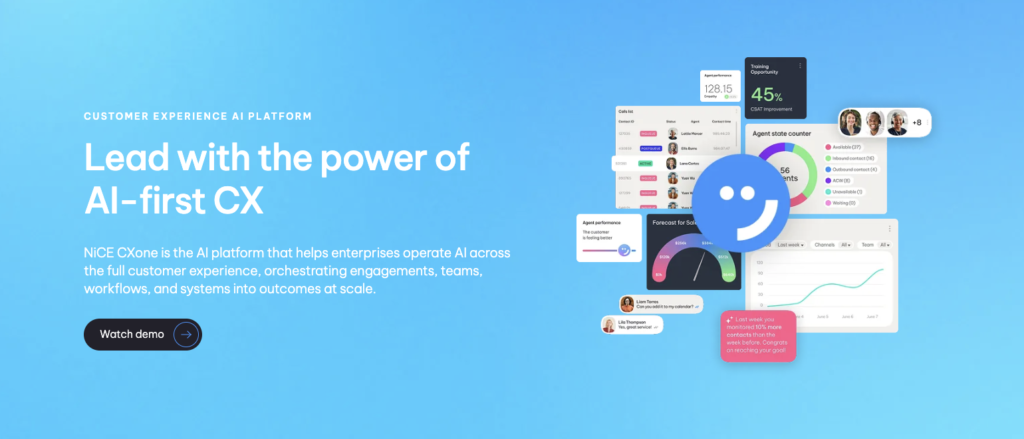
NICE CXone is an enterprise-grade contact center suite, an eight-time Gartner Magic Quadrant leader, built for teams handling voice alongside chat, email, and social in one queue.
Key features
- Enlighten AI: analyzes recordings for compliance issues, agent performance, and sentiment.
- Blended omnichannel routing: agents move between call, chat, and email in one tool.
- Screen and audio recording: captures the full agent interaction, not just audio.
Pricing
Omnichannel Suite starts at $110/agent/month; suites with AI and workforce tools run up to $249/agent/month.
Where NICE CXone shines
- Deep customization: reviewers describe tuning settings per agent profile.
- Strong integration depth with CRM and workforce tools already used at large enterprises.
Where NICE CXone falls short
- Support can be inconsistent: G2 reviewers describe delays getting timely answers.
- AI and workforce tools cost extra: the entry tier skips the compliance and coaching features most call centers buy this category for.
Customer reviews
One reviewer praised the “level of customization,” tuning settings for exactly what each agent does. Another flagged that support delays “make using NiCE CXone frustrating at times.”
Who it’s best for
Large, multi-channel enterprises that need recording as one piece of a much bigger contact center deployment.
CloudTalk: Best for Growing Teams on a Budget
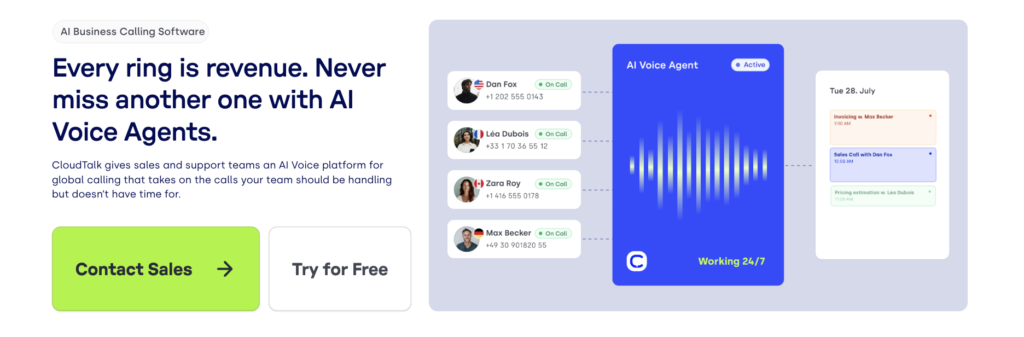
CloudTalk is a cloud phone system built for growing sales and support teams that want call recording without an enterprise contract.
Key features
- Unlimited call recording storage from the Essential plan up.
- AI Conversation Intelligence add-on: transcription and sentiment for $19/month extra.
- Fast setup: most teams are live within a day.
Pricing
Lite starts at $27/user/month, Essential (full recording and routing) is $39/user/month, Expert is $69/user/month.
Where CloudTalk shines
- Genuinely easy to set up: the most-cited strength in CloudTalk’s G2 reviews.
- Predictable, published pricing: no sales call needed to see what you’ll pay.
Where CloudTalk falls short
- Call quality issues come up repeatedly: G2 reviewers mention “call drops and intermittent problems.”
- Some call center essentials need add-ons, which pushes the real monthly cost above the sticker price.
Customer reviews
A G2 reviewer said CloudTalk offers “consistent reliability, ensuring excellent call connections.” Another noted, “Users often face call quality issues… which detracts from the overall communication experience.”
Who it’s best for
Small teams that want call recording and basic transcription without committing to an enterprise contract.
How to Choose the Right Call Recording and Transcription Software
The most expensive mistake teams make is evaluating conversation intelligence software based purely on transcription accuracy or brand popularity, rather than how efficiently the software turns raw audio into operational change.
To choose a platform that yields real ROI rather than digital shelfware, evaluate tools across three critical operational pillars:
Automated QA and objective scoring
A verbatim transcript requires a human to read it, interpret it, and grade it, creating a massive operational bottleneck. If your goal is enablement or compliance, look for software that automatically evaluates call flow, tone, key phrase adherence, and adherence to company playbooks.
Rather than treating QA as a separate manual process, integrated platforms like Insight7 embed automated scoring directly into the call stream.
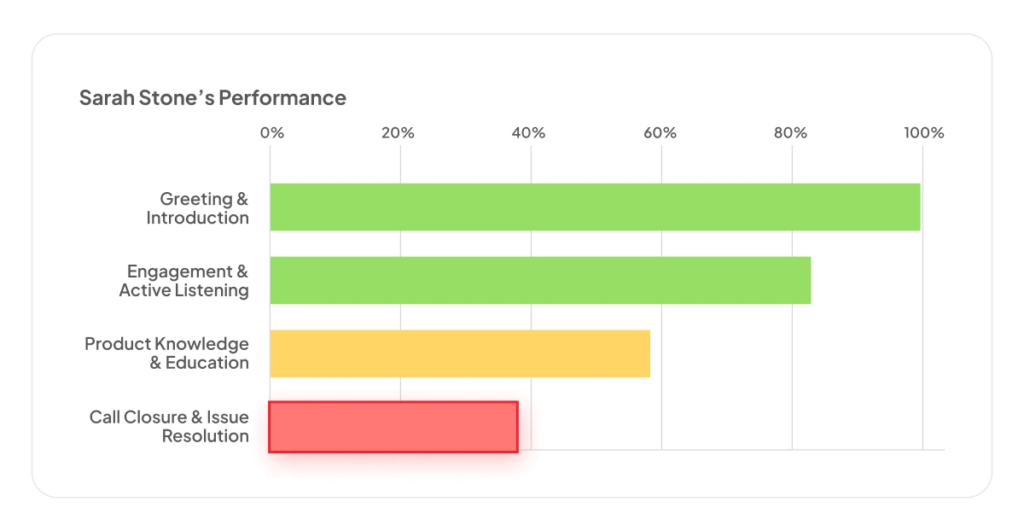
This turns unstructured speech into hard data points (like protocol compliance or objection performance) without requiring a QA manager to listen to a single minute of audio.
Eliminating the 95% blind spot
Traditional manual QA auditing misses over 95% of customer interactions. In a standard 50-agent organization, that leaves thousands of daily customer touchpoints completely unmonitored, hiding systemic churn risks, product bugs, and rep training needs.
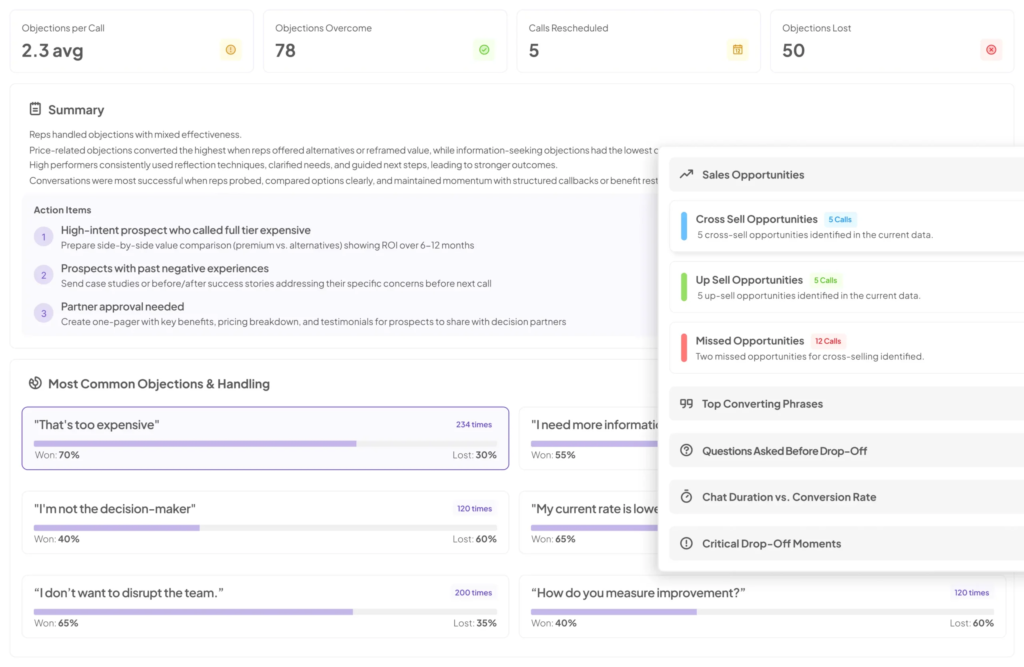
When selecting software, avoid pricing models or technical limits that force you to sample calls. Look for systems built for total visibility, capable of processing and scoring 100% of your call volume so your operational decisions are backed by complete data.
Turning analytics into rep practice
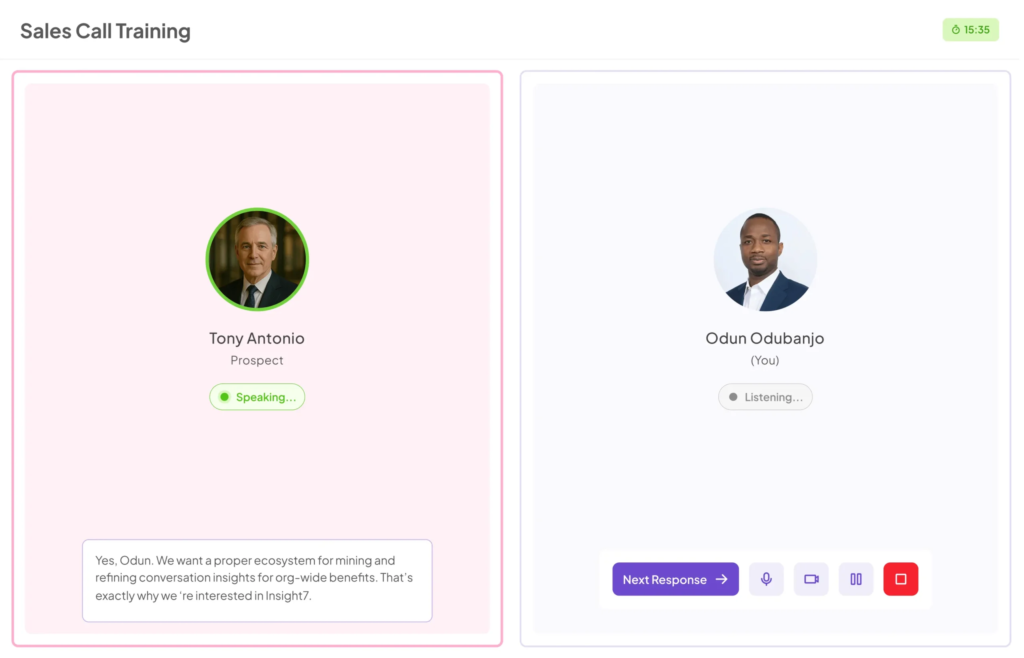
Collecting data is useless if it doesn’t change rep behavior. Yet, many managers average under 30 minutes a week on targeted coaching per rep, barely enough time to review a single call log, let alone build a practice drill. The strongest platforms bridge the gap between analytics and execution.
Instead of leaving managers to build roleplay scenarios from scratch, platforms like Insight7 feed real-time QA failure points directly into AI-driven practice simulations, allowing reps to rehearse real-world objections before jumping on their next live call.
Turn Your Call Recordings Into Coaching, Not Just Transcripts
Recording and transcribing calls is the easy part; most tools above handle that well. The harder question is what happens next: do those transcripts turn into scored calls and coaching sessions, or sit in a folder nobody opens again?
If your team already records calls and needs the analysis layer on top, see how Insight7 works with a free plan , no need to replace your phone system to get started.
FAQs
Does call recording software include transcription automatically?
Not always. Some tools record calls but charge extra for AI transcription. Check whether it’s bundled or sold separately.
Is call recording legal for call centers?
Yes, if you follow consent and disclosure rules, which vary by state and country. Check local requirements before recording.
Can I add QA scoring to calls I’m already recording?
Yes. Insight7 doesn’t require switching phone systems. You simply connect your existing recordings and get scoring and coaching on top.
What’s the difference between call recording and conversation intelligence software?
Recording software captures and stores audio. Conversation intelligence software, like Insight7, analyzes what’s in it (scoring, sentiment, coaching) instead of just storing it.