
Best Data Visualization Tools for Call Center Call Evaluations in 2026
The best data visualization tools for call center call evaluations are Insight7, MaestroQA, and Power BI. This list ranks five tools across four criteria weighted for QA managers who need to turn raw call evaluation data into actionable insights. The key differentiator in 2026 is AI-native categorization: tools that require minimal training data to start classifying call types and scoring behaviors rather than months of model preparation.
How We Ranked These Tools
Selection criteria:
| Criterion | Weighting | Why it matters for QA managers |
|---|---|---|
| AI categorization with minimal training data | 35% | QA teams need classification running in days, not months of data labeling |
| Call-level drill-down capability | 30% | Aggregate charts without call-level evidence produce no coaching action |
| Dashboard customization and role-based views | 20% | Supervisors, agents, and executives need different visualization layers |
| Integration with call recording platforms | 15% | Visualization is only as good as the pipeline feeding it |
Pricing and vendor brand were intentionally excluded. A recognizable brand with weak call-level drill-down fails QA managers regardless of market position.
Insight7 analyzed over 100,000 calls in Q4 2025 and found that teams using AI-categorized evaluation dashboards reviewed 12 times more calls than manual-only QA teams in the same period.
How do I choose data visualization software for call evaluations?
The single most important criterion for call center QA is whether the tool drills from an aggregate chart to the specific call and timestamp that generated that data point. Without call-level evidence, dashboards show that performance dropped but not which calls or behaviors caused the drop.
Use-Case Verdict Table
| Use Case | Insight7 | Power BI | MaestroQA | Tableau | Winner |
|---|---|---|---|---|---|
| AI categorization without training data | Native, zero-config | Requires custom model | Rubric config required | Requires custom model | Insight7 |
| Call-level drill-down | Direct transcript link | Not native | Direct call link | Not native | Insight7 / MaestroQA |
| Supervisor coaching view | Built-in per-agent scorecard | Requires custom build | Built-in | Requires custom build | Insight7 / MaestroQA |
| Cross-call theme analysis | AI-generated themes | Manual segment | Not available | Manual segment | Insight7 |
Source: vendor documentation and G2 category reviews, verified March 2026
What is the best data visualization tool for call center QA?
Insight7 is the best option for QA teams that need AI-native categorization with no model training. For teams already inside the Microsoft ecosystem, Power BI is the more cost-effective starting point. The right choice depends on whether your team has BI engineering support, not which tool has the most features.
Quick Comparison Summary
| Tool | Best For | Standout Feature | Price Tier |
|---|---|---|---|
| Insight7 | End-to-end call QA with AI scoring | Zero-training-data AI categorization | From $699/month |
| Power BI | Microsoft-stack teams with data engineers | Native Azure and Teams integration | From $10/user/month |
| MaestroQA | CX teams with structured manual QA | Grader calibration workflows | Custom pricing |
| Tableau | Org-wide analytics needing call data | Cross-system data blending | From $75/user/month |
The key difference across tools on AI categorization is whether classification runs on pre-trained language models or requires labeled historical data. Tableau and Power BI visualize data you supply but do not classify call content without a connected ML pipeline. Insight7 uses an LLM engine requiring no labeled training data: you define criteria in plain language and it applies them to 100% of calls immediately. MaestroQA requires rubric category configuration before automated scoring begins.
See how Insight7 handles AI categorization without a model build: insight7.io/improve-quality-assurance/
Tool Profiles
Insight7
Insight7 is a call analytics and QA platform that applies AI scoring to 100% of calls using evaluation criteria defined in plain language. It is purpose-built for contact center QA teams that need automated coverage without building a custom ML pipeline.
- AI categorization engine scores calls against weighted criteria with no pre-training required
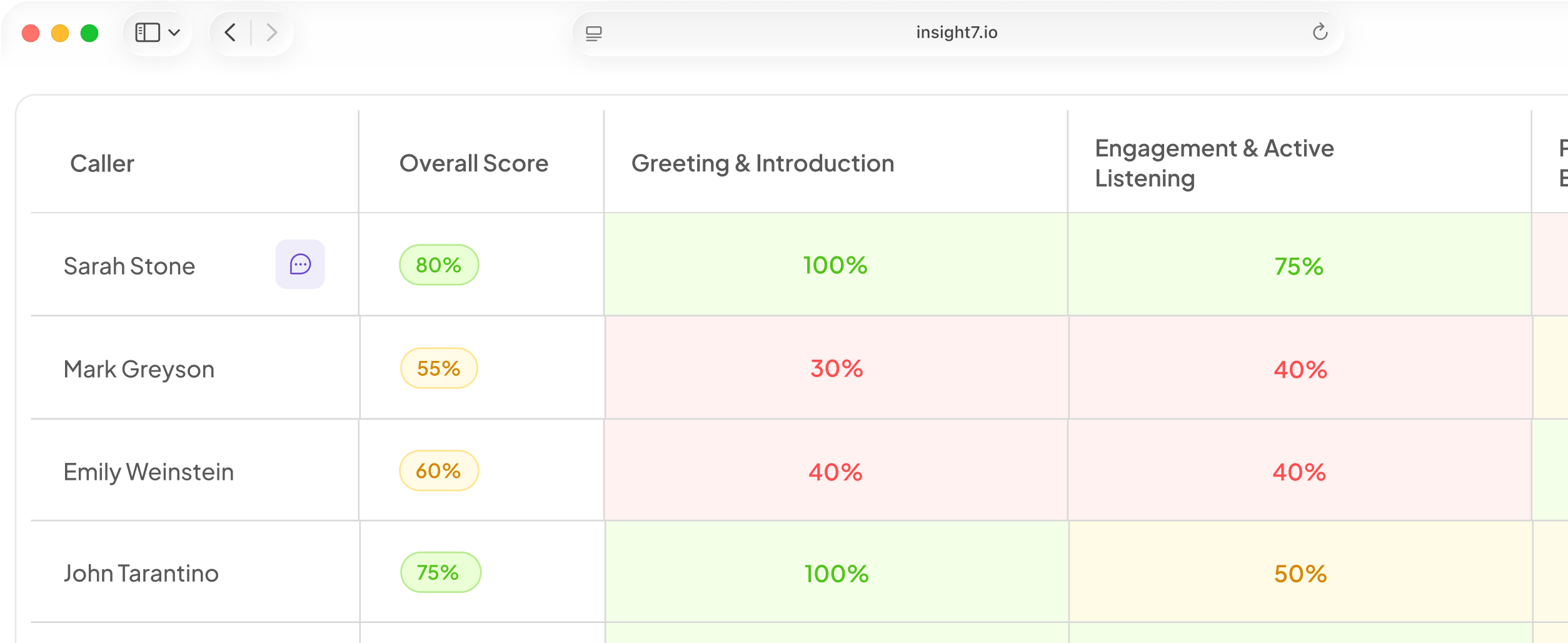
- Agent scorecards cluster multiple calls per period showing performance trend lines
- Compliance alert system flags keywords, policy violations, and score thresholds via Slack or email
- Evidence-backed scoring links every score to the exact transcript quote and timestamp
Pro: Insight7 produces actionable insights from call data in days because its LLM-based scoring layer requires no labeled training dataset. Teams can define criteria in a plain-language context field and see results immediately.
TripleTen integrated Insight7 with Zoom and was analyzing 6,000+ calls per month within one week of setup.
Con: Insight7 does not offer native CRM write-back to Salesforce. Teams needing deal-level QA correlation must use API export or a Zapier connection.
Pricing: From $699/month for call analytics (minutes-based). AI coaching add-on from $9/user/month.
Insight7 is best suited for QA managers at contact centers with 20 to 200 agents who need automated call scoring and coaching views without a dedicated BI team.
Bold key takeaway: Insight7 delivers AI categorization, call-level drill-down, and coaching workflows in a single platform with no model training required.
Power BI
Power BI is Microsoft's BI platform with native Azure integration, natural language querying, and row-level security for contact center data governance. It is the default choice for organizations running Microsoft 365 and Teams.
- Native connection to Microsoft Teams call recording data via Azure Communication Services
- Power Query editor for transforming raw call evaluation exports
- Natural language Q&A for ad hoc queries without SQL
Pro: For contact centers using Teams as their telephony layer, Power BI provides the tightest native data pipeline with minimal engineering overhead compared to Tableau or Looker.
Con: Power BI reads call evaluation data as generic numerical fields until a semantic model is configured. Call-specific concepts like empathy scores or compliance flags require setup before they are accessible.
Pricing: From $10/user/month (Pro license).
Power BI is best suited for Microsoft-stack organizations with Teams telephony that want call evaluation data inside their existing BI environment.
Bold key takeaway: Power BI is the lowest-cost entry point for Microsoft-stack teams but requires semantic model configuration before QA managers access call-specific insights.
MaestroQA
MaestroQA is a QA platform for support and CX operations offering rubric-based scoring, grader calibration, and coaching queue management. It connects with Zendesk, Salesforce, and major telephony platforms.
- Rubric builder with weighted criteria and calibration workflows for human graders
- Call-level evidence linking: every score links directly to the source interaction
- Coaching queues that route flagged calls directly to supervisor review
- Grader assignment and workload management for manual QA teams
Pro: MaestroQA's calibration workflow identifies scoring inconsistencies between human graders before they compound into unreliable trend data. This matters for teams where multiple supervisors evaluate the same call types.
Con: MaestroQA's AI scoring is limited to pre-defined rubric categories. It does not surface emergent themes or uncategorized patterns the way LLM-native tools do.
Pricing: Custom pricing. Contact MaestroQA for team-size quotes.
MaestroQA is best suited for CX operations teams with structured manual QA workflows that want calibration tools without replacing human graders.
Bold key takeaway: MaestroQA is the strongest option for teams with existing human QA processes who need calibration and coaching queues, not teams starting from scratch.
If/Then Decision Framework
If your primary use case is automated AI scoring with no training data required, then use Insight7, because its LLM layer applies plain-language criteria immediately without labeled datasets.
If your team is already running Microsoft Teams as its telephony platform, then use Power BI with the Azure Communication Services connector, because the native pipeline eliminates a custom ETL build and the per-user pricing is the lowest in this category.
If you have an existing manual QA team and need calibration workflows and coaching queues without replacing human graders, then use MaestroQA, because its rubric and calibration tools are built for hybrid human-AI QA operations.
If you need call evaluation data correlated with revenue and CRM metrics in a single view, then use Tableau, because its data blending handles cross-system joins that purpose-built QA tools cannot replicate.
If none of the above fits your situation (for example, you need real-time agent assist during live calls), then evaluate purpose-built real-time tools separately, as none of the platforms in this list offer live call intervention.
FAQ
What is the best data visualization tool for call center call evaluations?
Insight7 is the best option for QA managers who need AI categorization and call-level drill-down without a custom build. For Microsoft-stack teams, Power BI is the more cost-effective starting point. The right choice depends on whether your team has BI engineering support, not which tool has the most listed features.
How do I choose data visualization software for call evaluations?
The most important criterion is call-level drill-down: does the chart link to the specific call and timestamp that generated it? Without that, dashboards tell you something is wrong but not where to look. Evaluate this capability before pricing or feature count.
How much training data does AI call categorization require?
Tools built on pre-trained LLMs require no historical labeled data to start classifying calls. You provide evaluation criteria in plain language and the model applies them immediately. Traditional ML classifiers require hundreds to thousands of labeled examples before accuracy is meaningful. When evaluating tools, ask whether the product uses a pre-trained LLM or a supervised classifier.
QA manager building call evaluation dashboards for 20 to 200 agents? See how Insight7 handles AI call categorization without model training in a 20-minute walkthrough.