
Key Takeaways
- Insight7 is the strongest pick for teams that want QA scoring, coaching, and voice-of-customer analysis in one platform.
- Zendesk QA (formerly Klaus) fits teams already deep in the Zendesk ecosystem.
- MaestroQA (now Rippit) suits teams needing screen capture alongside conversation scoring.
- Calabrio ONE works for large enterprise contact centers, now operating under Verint following its 2026 acquisition.
Playvox built its reputation as the agile, mid-market-friendly option in a category full of enterprise giants. Teams that needed solid QA, coaching, and scheduling without NICE- or Verint-level complexity picked Playvox for exactly that reason.
That reason got a lot shakier in October 2024, when Playvox confirmed on LinkedIn and X that it had been acquired by NICE. The product is now marketed as Playvox by NICE, and NICE already sells nearly everything Playvox does through its own CXone platform. For a bank or CX team in Nigeria evaluating Playvox today, that overlap raises a question: are you buying an independent tool, or a feature set NICE may fold into its own roadmap over time.
This guide compares eight Playvox alternatives on pricing, features, and honest tradeoffs.
Best Playvox Alternatives: Quick Look
| Tool | Best For | Standout Feature | Starting Price |
|---|---|---|---|
| Insight7 | QA, coaching, and voice-of-customer in one platform | Turns a scored gap into a coaching roleplay automatically | $99/month |
| Zendesk QA | Teams already running Zendesk for support | Deep native integration with Zendesk tickets | $35/agent/month |
| MaestroQA (now Rippit) | Teams needing screen capture with scoring | Native screen recording alongside conversation review | Custom quote |
| Calabrio ONE | Large enterprise contact centers | Full WFM, QM, and analytics in one suite | Custom quote |
| Assembled WFM | Scheduling-first teams | Strong native integration with Google Calendar | $0.65 /conversation |
| EvaluAgent | Compliance-heavy QA programs | Highly rated evaluation templates and calibration tools | $35 /agent/month |
| Scorebuddy | Small teams new to formal QA | Simple, customizable scorecards | Custom quote |
| Kaizo | Teams wanting gamified coaching | Missions-based gamification tied to QA scores | Custom quote |
See how automated rep coaching works on your own team’s calls — Try Insight7 free
Insight7: Best for QA, Coaching, and Voice-of-Customer in One Platform
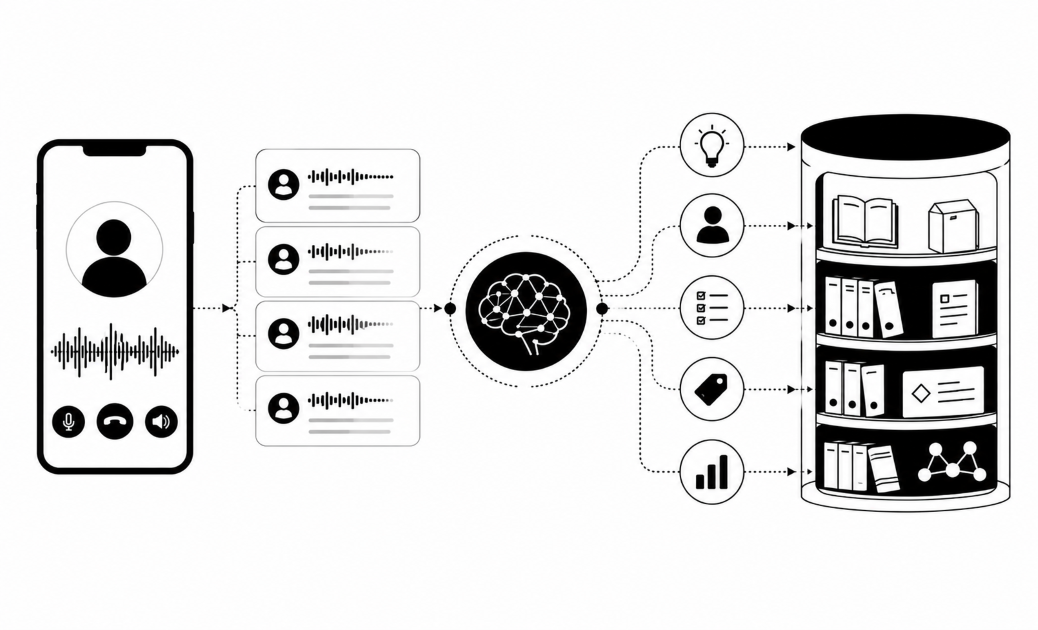
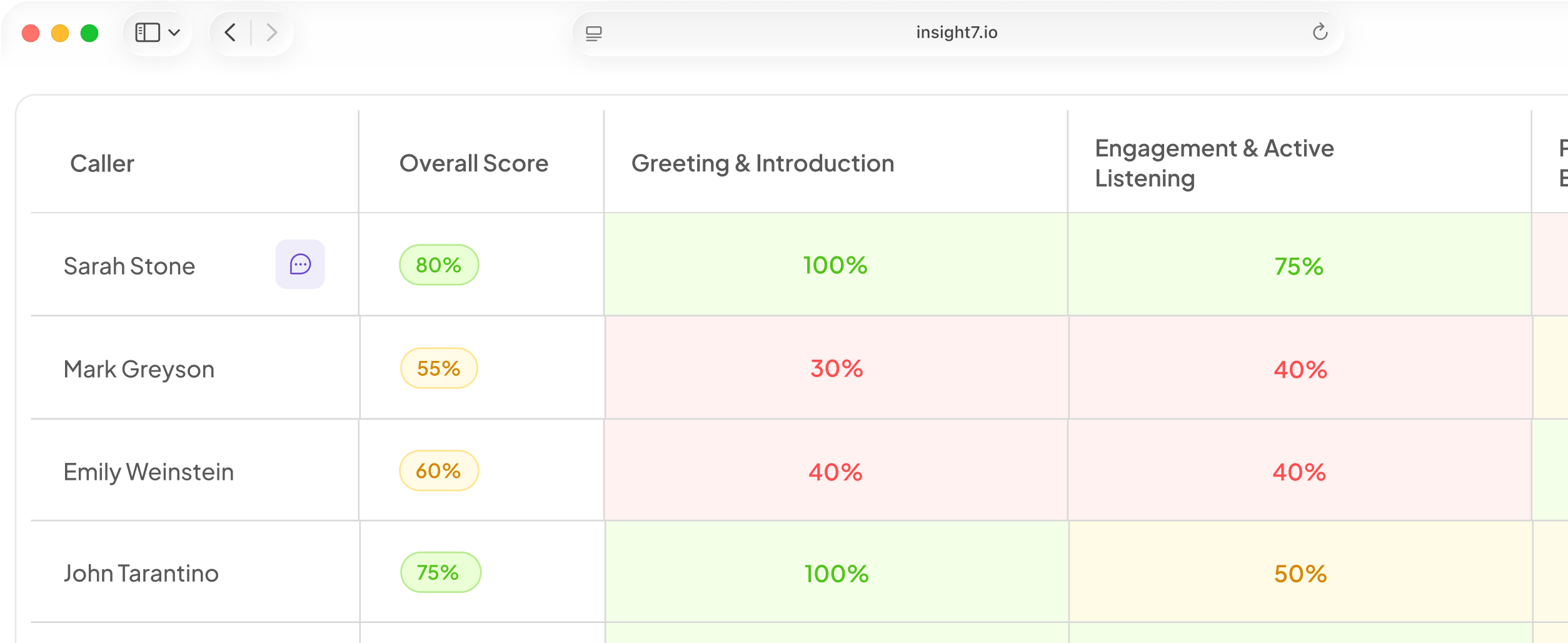
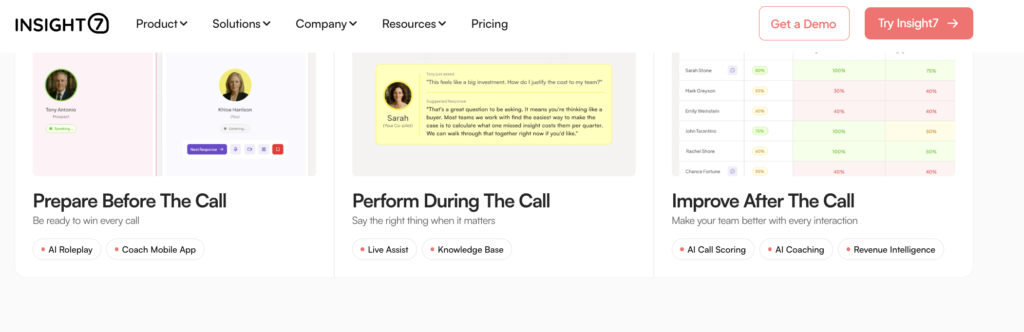
Insight7 is an AI call intelligence and coaching platform for sales, customer experience, and QA teams. It transcribes and scores 100% of customer conversations against criteria you define, then converts each flagged gap into a coaching plan without anyone moving the finding by hand.
Plus teams outside the US and Europe also get pricing that quotes as cleanly as it does anywhere else.
Key Features
- Automated Call Scoring Across Every Channel
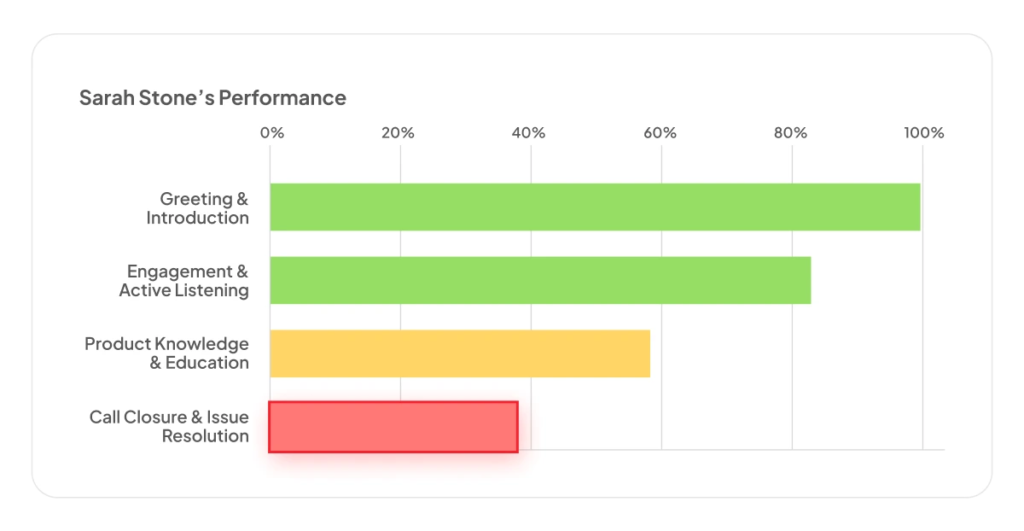
AI Call Scoring evaluates calls, chats, and text-based conversations against your own rubric, not a manually reviewed sample. A team can import an existing scorecard or build one from scratch, covering sales calls, support interactions, and compliance-specific criteria in the same workflow.
- Roleplay-Based Coaching Tied to the Actual Gap
Where most platforms in this category stop at a coaching note or a linked training module, AI Roleplays let an agent rehearse the exact flagged scenario against a simulated caller, with feedback on tone, talk ratio and objection handling delivered immediately.
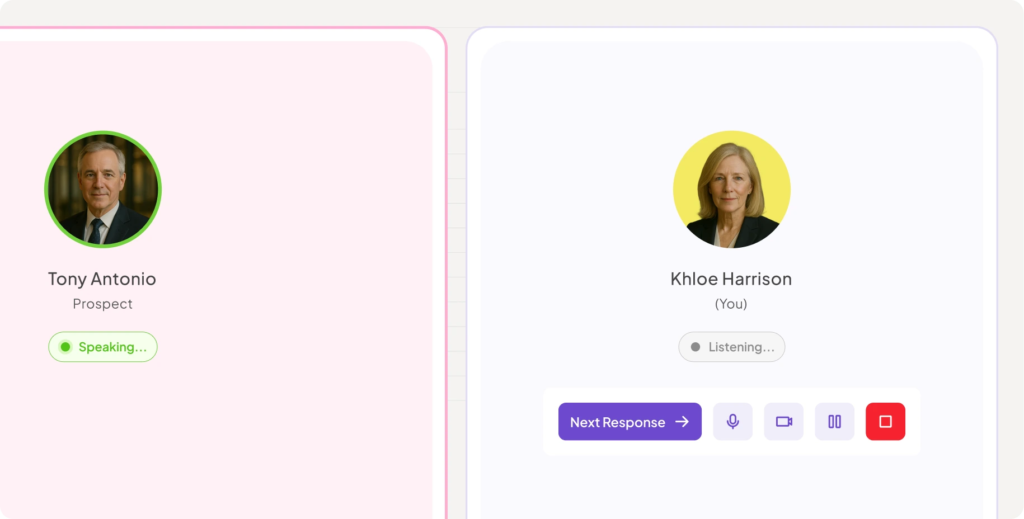
What decides which scenario they rehearse is the rep’s skill profile, built from every call they have handled rather than the one that triggered the flag.
So a rep whose empathy scores have been drifting downward for a month practises against that pattern instead of a single bad conversation, and the improvement shows up in the same profile that identified it.
- Multi-Language Transcription and Compliance Redaction
Transcription runs across 60+ languages, with automatic PII/PHI redaction built into the Business tier and above. For a Nigerian bank or CX team handling multilingual customer interactions and sensitive data like BVNs or card numbers, that’s a genuine requirement, not an add-on.
- Voice-of-Customer Analysis Beyond QA
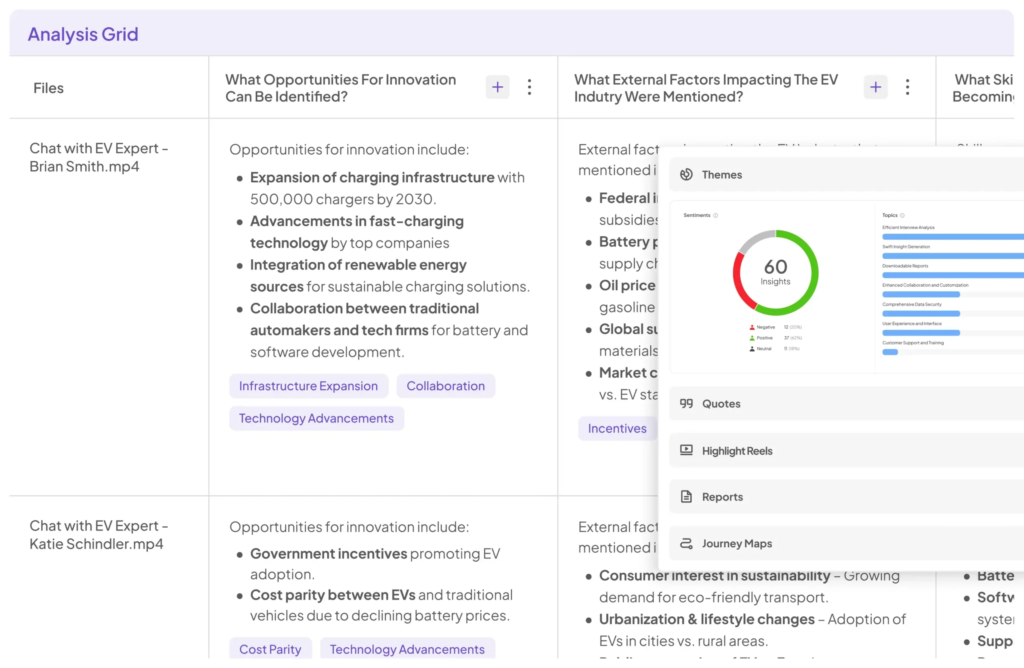
Insight7 extends past pure agent QA into Voice of Customer Insights, surfacing recurring complaint patterns, churn risk signals, and feature requests across thousands of conversations. A team using Insight7 for coaching can pull the same data for product and leadership reporting, without needing a second tool.
Pricing
| Plan | Price | Best For |
|---|---|---|
| Pro | $99/month ($990/year billed annually) | 1 user, 50 call analyses/month |
| Business | $299/month ($2,990/year billed annually) | 3 users, 200 call analyses/month, PII/PHI redaction, AI roleplays included |
| Plus | $1,499/month ($14,990/year billed annually) | 20 users, 2,500 call analyses/month, full AI coaching feedback |
| Enterprise | Custom | Unlimited users and analyses, API access, dynamic evaluation criteria |
Where Insight7 Shines
- Coaching that closes the loop: a flagged gap becomes a practiced roleplay automatically, not just a note in a scorecard.
- Breadth beyond agent QA: the same platform surfaces customer sentiment and recurring themes, useful for product and leadership, not just QA managers.
- Multilingual and compliance-ready out of the box: 60+ language transcription and automatic redaction, relevant for a multilingual customer base handling sensitive data.
Where Insight7 Falls Short
- Not a scheduling or WFM tool: teams that need shift scheduling and intraday adherence tracking alongside QA will still need a dedicated workforce management tool.
- Smaller ecosystem than the category incumbents: Tools like Zendesk QA and Calabrio both carry years of integration depth with specific helpdesk and telephony stacks that a newer platform is still building toward.
Customer Reviews
“I would spend days getting recordings transcribed… Now I just upload them into Insight7 and all that work is done for me in minutes.” — Kevin Smith, Partner, Riggs Partners
“I was able to analyze customer calls I had using Insight7 and I did find it valuable! I loved how it showed the sentiment behind each comment that the client made.” — Tobi Oluwole, Co-founder, 3skillz
Who Insight7 Is Best For
- QA and coaching leads who want a flagged gap to turn into practiced improvement, not just a score.
- Teams handling multilingual, sensitive customer data, where compliance redaction matters as much as scoring accuracy.
- CX and product teams that want QA and voice-of-customer insight from the same data, not two separate tools.
Zendesk QA (formerly Klaus): Best for Teams Already Running Zendesk
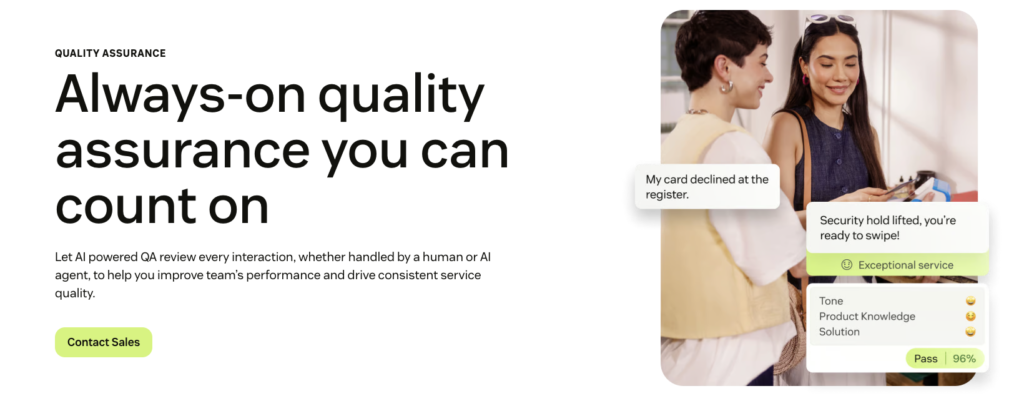
Zendesk acquired Klaus and rebranded it as Zendesk QA, folding conversation scoring directly into the broader Zendesk support suite.
Key Features
- Native Zendesk ticket integration: scores flow directly against tickets already in the Zendesk workspace, with no separate login.
- AutoQA: automated scoring across conversation summaries, sentiment, and churn risk detection.
- Calibration sessions: built-in tools for aligning QA scores across multiple reviewers.
Pricing
Zendesk QA is priced per Zendesk helpdesk seat, starting around $35/agent/month, with on-demand transcription billed separately at roughly $0.027 per minute.
Where Zendesk QA Shines
- Zero integration overhead for existing Zendesk users: no separate tool to stand up if support already runs through Zendesk.
- Strong AI forecasting and broad integration coverage, per customer feedback.
Where Zendesk QA Falls Short
- Locked to the Zendesk ecosystem: it isn’t usable as a standalone QA tool for teams on a different helpdesk.
- No AI coaching recommendations: scoring happens, but the platform stops short of turning a finding into a coaching action.
Customer Reviews
“The best part of Zendesk Contact Center is the level of visibility it brings into our workflows. I can see what’s coming in, how the work is distributed, and how quickly we’re responding.” — Verified G2 review
“The main challenge I run into with Zendesk Contact Center is that some workflows don’t behave consistently. For example, tickets that shouldn’t require a reply sometimes get reassigned, and certain metrics—like excluding out-of-hours messages from First Reply Time—require extra setup.” — Verified G2 review
Who Zendesk QA Is Best For
- Teams already fully invested in Zendesk who want QA without adding a new platform to the stack.
MaestroQA (now Rippit): Best for Screen Capture Alongside Scoring
MaestroQA rebranded to Rippit in March 2026, though the product itself and its G2 listing still largely go by the MaestroQA name.
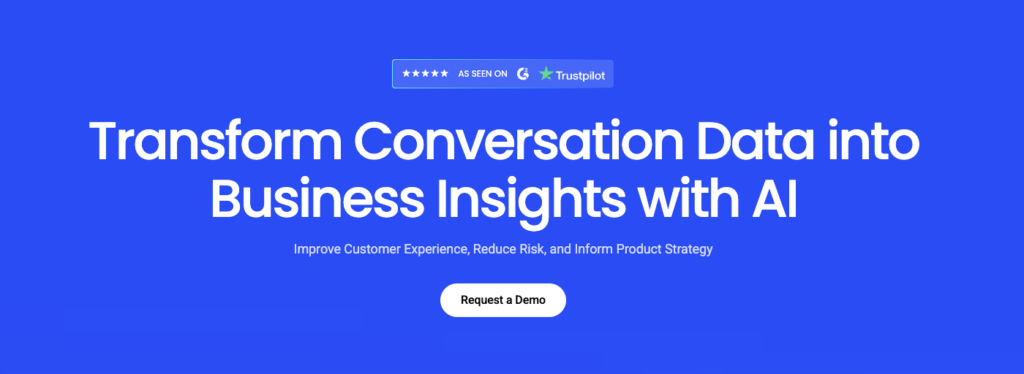
It remains one of the few tools in this category offering native screen recording alongside conversation scoring.
Key Features
- Native screen capture: records what an agent’s screen looked like during an interaction, alongside the conversation itself.
- Configurable AI Auto QA: custom scoring prompts without needing engineering support.
- Cross-platform support: works across Salesforce, Intercom, Front, and Kustomer, not just one helpdesk.
Pricing
MaestroQA doesn’t publish pricing upfront. Cost is determined by the number of agents graded and requires a sales quote.
Where MaestroQA Shines
- Screen capture is a genuine differentiator: no other tool in this list combines screen recording with conversation scoring natively.
- Platform independence: works across several major helpdesks rather than locking a team to one ecosystem.
Where MaestroQA Falls Short
- No published pricing: costs require a sales conversation, and per-agent grading costs can add up as a team scales.
Customer Reviews
“Maestro has a very simple interface that allows to easily manage scoring interactions following a template and adding notes to highlight specific aspects of the interaction.” — Verified Capterra review
“Accessing scored tickets and reviews can be sometime more complex than it should be for the advisor, and sorting/filtering might unintentionally leave some reviews unread.” — Verified Capterra review
Who MaestroQA Is Best For
- Teams that specifically need screen capture alongside standard conversation scoring.
Calabrio ONE: Best for Large Enterprise Contact Centers
Calabrio ONE is a full workforce optimization suite,built to handle the scale, forecasting, and administrative complexity of large enterprise contact centers.
Key Features
- Full WFM suite: scheduling, forecasting, real-time adherence, and intraday reforecasting in one platform.
- Quality management scoring 100% of interactions: built into the same suite as scheduling, not a bolt-on.
- Agent Assist included at no additional cost, unusual in a category where AI features are often gated behind a premium tier.
Pricing
Calabrio doesn’t publish pricing; cost depends on deployment size and typically requires a custom quote, with implementation and training fees common on top of the base subscription.
Where Calabrio Shines
- True enterprise scale: built for deployments from 100 up to 50,000 agents.
- Unified WFM and QM: eliminates the data silos that come from running separate scheduling and quality tools.
Where Calabrio Falls Short
- Cost and complexity: reviewers describe setup and ongoing maintenance as costly compared to simpler alternatives.
- Ownership uncertainty: the Verint acquisition raises the same product-direction questions Playvox customers are already facing with NICE.
Customer Reviews
“I find the reporting dashboard and data explorer in Calabrio ONE to be overly complex and not user-friendly. There are many options, but not all of them successfully pull in the required data. This forces me to generate the same report multiple times to gather data for different queues or departments within our organization.” — Verified G2 review
“I really appreciate Calabrio ONE’s capability to access individual agents’ information and listen directly to their calls. This feature is incredibly useful for my role in business analysis within a call center, as it provides me with a clear understanding of each agent’s interaction with customers.” — Verified G2 review
Who Calabrio ONE Is Best For
- Large, complex enterprise contact centers that need deep WFM alongside quality management and can absorb enterprise pricing.
Assembled WFM: Best for Scheduling-First Teams
Assembled leads with scheduling and forecasting, with QA as part of a broader operating picture rather than the headline feature.
Key Features
- Forecasting and intraday scheduling: built for teams whose primary pain point is staffing accuracy.
- Native Google Calendar integration: schedule changes sync directly, a specific strength reviewers call out.
- Quality assurance module: scoring and calibration tools included alongside the WFM core.
Pricing
Assembled WFM starts at $0.65 /conversation with the AI Copilot being priced at $35 /month and Workforce Management at $25 /month.
Where Assembled WFM Shines
- Scheduling integration depth: the Google Calendar sync in particular is a standout for teams managing frequent schedule changes.
- Strong ease-of-setup and ease-of-admin scores relative to larger enterprise suites.
Where Assembled WFM Falls Short
- QA is secondary to scheduling: teams whose primary need is quality management, not workforce scheduling, may find the QA module thinner than a dedicated tool.
- No published pricing, requiring a sales conversation before cost comparison is possible.
Customer Reviews
“To my understanding, it’s a good tool for real time monitoring. As a scheduler, I do not use that feature, but the team was able to set up alerts, so monitoring became easier.” — Verified G2 review
“I hate the fact that it does not have a section for us to insert agent’s work availabilities. That’s the whole point of getting a scheduling tool, so Assembled is super archaic on this feature.” — Verified G2 review
Who Assembled WFM Is Best For
- Teams whose primary pain point is scheduling and forecasting, with QA as a secondary need.
EvaluAgent: Best for Compliance-Heavy QA Programs
EvaluAgent leans into structured evaluation templates and compliance-specific scoring. Pricing starts at $35 per agent per month with a free trial available. Compliance depth is its clearest strength, with reviewers noting it effectively helps organizations adhere to industry regulations.
The gaps sit further downstream. There is no root cause analysis or AI coaching recommendation, so scoring stops short of the structured improvement workflow some competitors build around.
Scorebuddy: Best for Small Teams New to Formal QA
Scorebuddy positions itself as the accessible entry point into structured QA, built for teams graduating from spreadsheet-based review. Pricing is available on request, with a free trial offered. Ease of use is the most common theme in its reviews, and G2 reviewers regularly praise the interface and customizable scorecards for simplifying QA and improving collaboration.
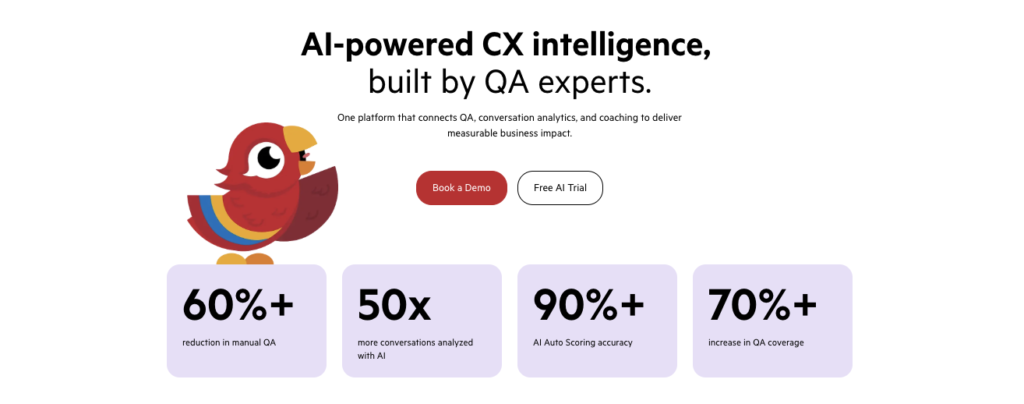
Reporting is the recurring weak point, with reviewers noting that reporting features could be more comprehensive. It’s best suited to smaller teams building their first formal QA program, who need something minimal capabilities.
Kaizo: Best for Gamified Coaching
Kaizo combines AI-driven QA with gamification, built for teams who want agent engagement handled inside the scoring system. The Missions system frames goals as challenges tied to real QA and productivity metrics, which keeps the game mechanics connected to performance instead of floating alongside it.
G2 reviewers highlight real-time performance visibility and the Missions system specifically. The gamified approach fits some floors better than others, so read your team culture before committing.
Kaizo also has a thinner base of long-term enterprise feedback than category incumbents, which makes reliability at scale harder to validate. Pricing is available on request.
Reasons to Consider an Alternative to Playvox
Playvox built a strong position in workforce engagement early, and plenty of teams still run it well. The reasons buyers look elsewhere tend to have less to do with capability than with fit, and they surface in four places.
Your roadmap questions may take longer to answer
Playvox was acquired by NICE, which folded it into a much larger workforce engagement suite. Acquisitions can be good for a product, bringing resources and integration depth that an independent vendor cannot match.
They also change how quickly a specific feature request moves, particularly for smaller accounts whose priorities compete with a broader enterprise roadmap. Ask directly during evaluation what the release cadence looks like now and who sets it.
Manual Sampling Still Undercuts Most QA Programs, Even With a Platform in Place
Buying a QA platform doesn’t automatically mean full coverage. Several tools in this category, including Playvox historically, are built around sampling a percentage of interactions rather than scoring everything, which means most of what happens on the floor still goes unreviewed even after the software is in place.
With tools like Insight7’s AI Call Scoring, you evaluate every recorded conversation, so coverage isn’t a separate line item to negotiate or a premium tier to unlock.
The platform assumes more scale than some teams have
Playvox is built for contact centres with dedicated QA and workforce management functions. Teams under about fifty agents often find they are paying for workforce management capability they will not use for another two years, while the QA and coaching layer they came for sits inside a bigger system than they needed.
The fit improves as headcount grows, which makes timing part of the decision.
A Score Without a Coaching Action Doesn’t Change Anything
Most platforms in this category stop at the scorecard. A low score gets logged, the manager sees it eventually, and whether it turns into real coaching depends on that manager finding the time. Plus you don’t get AI-driven coaching recommendation at all, just a score and a dashboard.
TripleTen, a coding bootcamp, used Insight7 to replace exactly this gap, integrating with Zoom in one week to process over 6,000 coaching calls a month at the cost of one project manager.
They turned scored gaps into a standardized, data-driven coaching framework instead of a backlog of unreviewed scores.
Move From Flagging Gaps to Fixing Them With Insight7
The right replacement depends on which part of Playvox you were relying on. Teams anchored to workforce management at enterprise scale will find Calabrio and Zendesk QA capable, keeping in mind that both now sit inside a larger consolidated platform’s roadmap rather than an independent one.
For everyone else, the frustration is watching a flagged gap sit in a dashboard for three weeks with no clear path to fixing it. Insight7 was built around closing that loop, scoring every conversation, turning each gap into a practiced roleplay, and redacting sensitive customer data automatically along the way.
Try Insight7 free and see what a closed coaching loop looks like on your own team’s calls.
FAQs About Playvox Alternatives
What’s the best Playvox alternative for a Nigerian bank or CX team?
It depends on whether the priority is compliance-grade QA with coaching built in, or enterprise-scale workforce scheduling. Insight7 fits the first case well, with multilingual transcription and automatic PII redaction relevant to regulated, multilingual customer bases.
Which Playvox alternatives handle multilingual customer conversations?
Insight7 transcribes across 60+ languages. That range matters for a bank fielding calls in English, Pidgin, since QA and coaching shouldn’t stop at whichever language a scorecard defaults to.
Do I have to replace my telephony system to switch from Playvox?
No. Insight7 works alongside your existing contact centre and CRM stack, connecting to platforms like Genesys, Zoom, Microsoft Teams, Dialpad, Aircall and RingCentral. The QA and coaching layer sits on top of what you already run, so switching does not mean re-implementing your phone system.