
Transcription tools get replaced for one of two reasons: the accuracy is too low to be useful, or the platform grew beyond what the tool can support. Most teams wait too long on both counts because the costs of a bad transcription layer are distributed and hard to attribute directly. This guide covers the specific signs that indicate your current tool is limiting your conversation intelligence capabilities, with decision criteria for when to act.
What is the most accurate transcription software?
Accuracy benchmarks vary by provider and audio conditions, but purpose-built conversation intelligence platforms consistently outperform general-purpose transcription tools on call audio. Insight7 targets 95% transcription accuracy and uses LLM-generated insight accuracy in the 90%+ range for analysis downstream of transcription. General transcription tools like Otter.ai and Notta are optimized for meeting recordings and structured audio, not for contact center calls with background noise, overlapping speech, or heavy accents.
Sign 1: Accuracy Drops Significantly with Accents or Background Noise
The most reliable sign that a transcription tool is not fit for purpose: it produces accurate transcripts in quiet, standard-accent audio and poor transcripts in your actual call environment. If your agents work in noisy environments, have regional accents, or handle calls in multiple languages, a tool calibrated for office meeting recordings will fail consistently.
The practical test: pull 20 calls that represent your hardest audio conditions. Run them through your current tool and count errors per 500 words. If errors exceed 10 per 500 words in those conditions, the tool is introducing noise that will corrupt any downstream analysis.
Insight7 supports 60+ languages and applies context programming to reduce accent-related errors. Where accent challenges remain, the platform flags low-confidence segments rather than silently producing inaccurate text.
Sign 2: Agent Attribution Is Unreliable
If your transcription tool cannot reliably separate agent speech from customer speech, QA scoring built on that output is measuring the wrong person. Speaker diarization failures produce two symptoms: the same dialogue appears attributed to both speakers depending on the call, or one speaker dominates the attributed turns regardless of who was actually talking.
Run a sample test: compare attributed speaker turns against a manually reviewed call. If attribution accuracy is below 90%, any behavioral analysis based on "what the agent said" is unreliable.
Sign 3: Manual Upload Is Required for Every Call
A transcription tool that requires individual file upload for each recording is not compatible with high-volume coaching workflows. At 100+ calls per week, manual upload creates a backlog that delays coaching feedback by days. The entire value of automated QA depends on calls being processed without a human handoff.
Insight7 ingests calls automatically from Zoom, Teams, RingCentral, Amazon Connect, Dropbox, Google Drive, and OneDrive. A 2-hour call processes in under a few minutes, and batch processing handles high-volume periods without queue delays.
Which conversation intelligence tool provides the most accurate transcription?
Purpose-built conversation intelligence platforms generally produce more accurate call transcriptions than general meeting transcription tools because they are trained and tuned on call audio specifically. Among platforms evaluated for contact center use, Insight7, Gong, and Chorus are consistently ranked for transcription quality in G2 reviews of conversation intelligence software. The right choice depends on call type, volume, and whether QA scoring is integrated downstream.
Sign 4: No Integration with Your Call Recording System
If your transcription tool operates independently of your call recording infrastructure, every workflow requires a manual step: export from the recorder, import to the transcription tool, export from the transcription tool, import to your QA system. Each step delays feedback and introduces attribution errors.
The upgrade threshold: if the data handoff between your recording system and your QA workflow involves more than one manual step, the integration architecture is costing you coaching velocity.
Sign 5: The Tool Cannot Scale with Your Call Volume
Transcription tools priced or designed for small-volume use produce unexpected costs or quality degradation at scale. Signs of a volume ceiling: per-minute costs that make 100% coverage prohibitive, API rate limits that cause processing delays during high-call periods, or dashboard performance that degrades when the call library exceeds a certain size.
Pull your projected 12-month call volume and calculate total transcription cost at your current per-minute rate. If the number is prohibitive at 100% coverage, you are operating a sampled QA program by cost necessity rather than design choice.
Sign 6: Output Format Is Not Compatible with QA Scoring
Transcription output that requires reformatting before it can feed a QA scoring workflow adds friction that slows the QA cycle. JSON output that does not preserve timestamps, plain text that strips speaker attribution, or word documents that require manual extraction are all signs of a tool built for a different use case than yours.
Purpose-built conversation intelligence platforms produce structured output designed for downstream analysis: timestamped turns, confidence scores, speaker attribution, and call metadata in a format that QA scoring can consume directly.
Sign 7: No Quality Monitoring for the Transcription Itself
A transcription tool with no confidence scoring or accuracy flagging gives you no signal about which transcripts are reliable. If the tool produces a transcript for every call at the same apparent quality level, you cannot distinguish calls that were accurately transcribed from calls where the tool silently failed.
Upgrade if your current tool provides no mechanism to flag low-confidence output or identify transcripts that may require human review before use in performance evaluations.
If/Then Decision Framework
If accuracy drops with accents or background noise and your team operates in those conditions, then upgrade regardless of other factors. Downstream analysis built on poor transcription produces compounding errors.
If manual upload is required at scale, then evaluate platforms with native integrations to your recording infrastructure before considering accuracy.
If accuracy is acceptable but integration gaps slow the coaching cycle, then evaluate integration architecture before full platform replacement. Some gaps can be closed with API connections.
If the tool handles transcription well but cannot provide QA scoring and coaching in the same environment, then evaluate conversation intelligence platforms that combine transcription, scoring, and coaching in one workflow.
FAQ
What's the top rated conversation intelligence software?
In G2 reviews of conversation intelligence software, top-rated platforms include Gong, Chorus, and Insight7. Insight7 is differentiated by its combined QA scoring, AI coaching, and 100% call coverage capability, making it suitable for contact center QA programs as well as sales intelligence use cases. The best choice depends on whether your primary need is pipeline intelligence (Gong) or QA-connected coaching (Insight7).
What are the best practices for evaluating a transcription tool upgrade?
Test accuracy on your actual call audio, not vendor demo files. Run a sample of 20 to 50 calls that represent your hardest conditions (accents, background noise, overlapping speech) through any candidate platform before making a decision. Evaluate speaker diarization accuracy separately from word error rate. Confirm integration options with your recording infrastructure before committing. The upgrade should reduce manual steps in the QA workflow, not just improve transcript text quality.
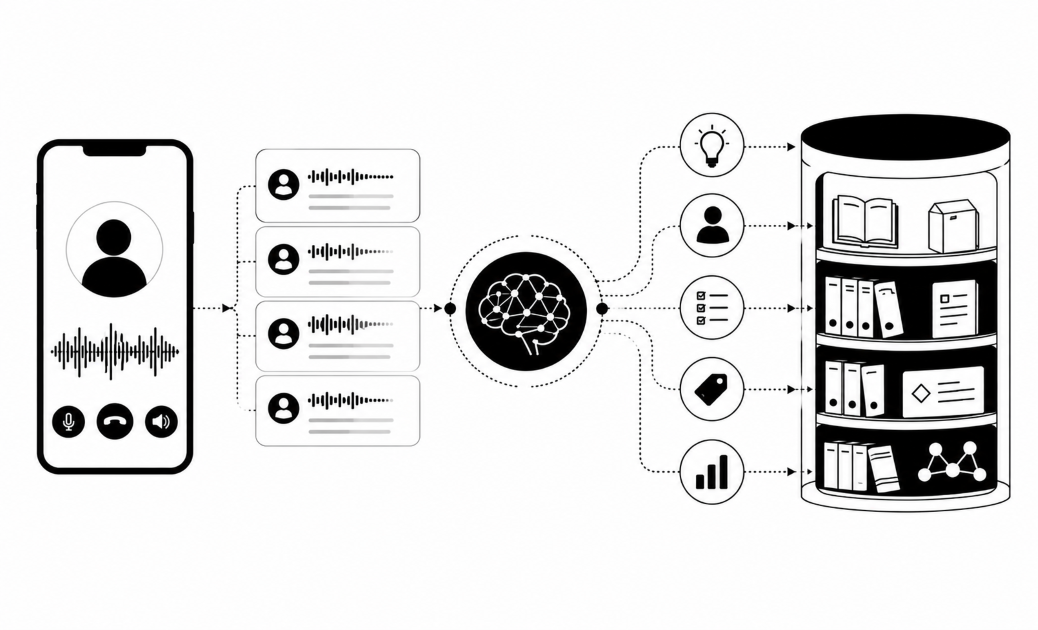
Contact center teams evaluating transcription accuracy and conversation intelligence capabilities: see how Insight7 handles call ingestion, transcription, and QA scoring in one platform at insight7.io/insight7-for-sales-cx-learning/.