
TL;DR
- Event-triggered outbound calls start when something happens in your CRM or app, like a drop-off, a due date or an outage.
- Each trigger needs an event, a wait rule, a guard and an owner.
- Start with the event where customers already leak, usually onboarding. Then add payments and outages.
What an event-triggered outbound call is
An event-triggered outbound call is a call that starts because something happened, such as a customer quitting a sign-up step, a bill falling due or a site going down. No one picks the call from a list or a calendar. The event fires it.
Two other campaign styles sit beside it. A scheduled campaign runs in a set window. A recurring campaign runs at a set cadence, like a monthly survey. A triggered call ties to customer activity in your CRM or app.
The event is the moment a customer is most likely to act, so the call lands while the problem is fresh. Still, Gartner's review of 432 AI customer-service use cases found only a quarter showed positive ROI, and 42% could not be measured. Decide how you will measure the call before you switch it on.
How a trigger works, step by step
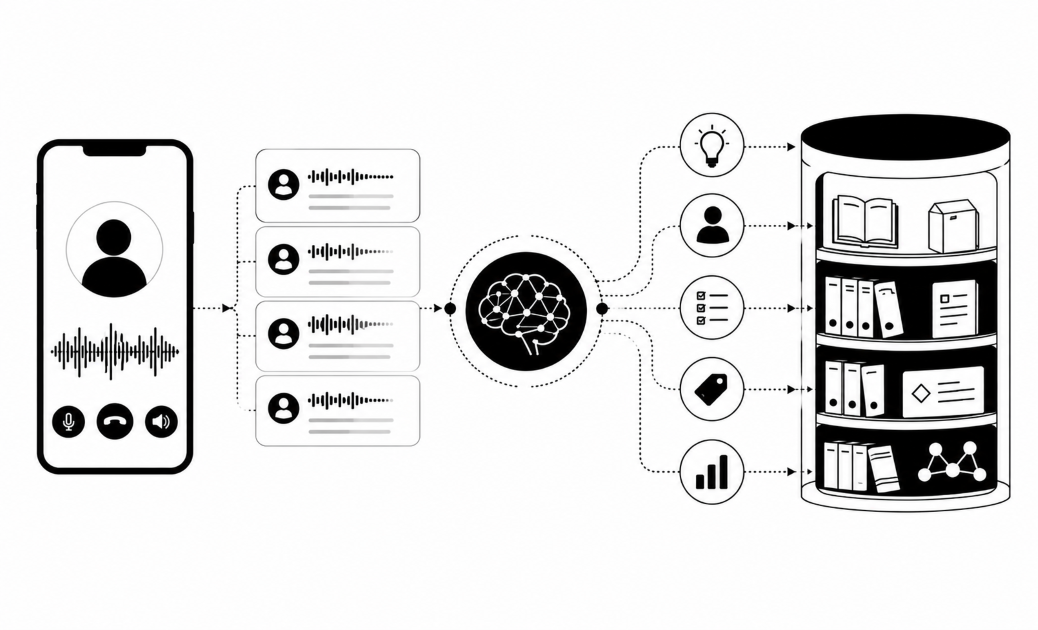
A trigger is a chain of five parts. A weak link means a wrong call or a double call.
- Event source. The event comes from your CRM, app events, a billing system, a monitoring tool or an automation tool like customer.io. A status change in your CRM can start the call.
- Condition and wait timer. A rule might say "KYC step not finished in 24 hours." The timer gives people time to finish on their own and stops a call landing on someone who is mid-task.
- Audience check. Before dialing, drop anyone already contacted, on the do-not-contact list or outside calling hours. A dedupe key, such as customer ID plus event type, stops two events from firing two calls.
- The call. It has a goal, a script, fields passed in from the CRM (name, amount, due date) and a human handover.
- Result written back. The transcript, outcome and score go back to the CRM, so the next trigger knows what happened.
Webhook or batch? A webhook or API push can fire within seconds, which matters for a speed-to-lead call. A batch sync often checks for changes every hour or every night. It is simpler, but the call lands late. Choose by how fast the moment fades.
Retries and "reached." A carrier refusal is a network fault, so it should not use up a retry. A call where only the AI spoke should not count as reached, because no person heard it. Count it and your reach rate will overstate the result.
Limited CRM access. Some CRMs expose very little API. Start with a spreadsheet upload, then move to a scheduled file export.
Start with four onboarding and reminder examples
Each example below has the same four parts: the trigger, the wait, what the call does, and the number to watch.
1. KYC or onboarding step abandoned
- Trigger: the customer starts identity checks and stops.
- Wait: a set period, such as a day after the drop-off.
- Call: ask what blocked them, then guide them to finish.
- Measure: completion rate against a group you did not call.
This one comes first. Fintech, investment and lending teams leak customers at the same few points, and email alone is not fixing it. One payments company we spoke with saw roughly 10 to 20% of onboardings drop off early, and completion ended under 10%. A gap that size is worth one trigger before anything else.
2. New sign-up or inquiry
- Trigger: a form, sign-up or application arrives.
- Wait: minutes, not hours.
- Call: confirm interest and qualify the lead. For an application, follow up on missing steps.
- Measure: share of leads reached, and time to first conversation.
3. Loan disbursed
- Trigger: the billing system marks a loan as paid out.
- Wait: often about a day.
- Call: confirm the customer took the loan and knows the installment, term and first repayment date.
- Measure: failed first repayments, and disputes raised later.
4. Pre-due-date reminder
- Trigger: a repayment is a few days from due.
- Wait: none after the event, because the due date is the event. Set the lead time, such as two or three days before.
- Call: remind the customer to fund the account so the automatic debit succeeds.
- Measure: failed automatic debits, compared with customers who got no call.
Keep reminders friendly, because a happy customer pays. Tone is part of the design, so write the script as help.
Pilot each trigger on a small sample first. Banks tell us they will not pay to find out whether it works. They want a short, low-risk test and a measured lift.
Four more: failed debits, outages and check-ins
Operators want proactive calls about outages, delays and incidents before a complaint arrives. Complaint handling is also regulated, and Nigeria's central bank fined institutions N430M in 2025 for slow complaint handling, so a fast first contact can matter for compliance too.
5. Missed or failed repayment
- Trigger: a debit fails, or a payment is a few days late.
- Wait: hours after a failed debit. For late accounts, a few days.
- Call: say the payment is overdue and offer other ways to pay.
- Measure: share of accounts paid within the grace period.
6. Service outage or delay
- Trigger: your monitoring tool flags an outage or a late delivery.
- Wait: none. Call once the cause is confirmed.
- Call: say what happened, give a time to fix it and offer a human.
- Measure: inbound complaint calls from the affected group, against a similar group you did not call.
7. Telecom or field site down
- Trigger: a site alarm fires.
- Wait: a short delay, to skip alarms that clear alone.
- Call: ring the responsible engineer, log a ticket, and escalate if nobody answers. Keep a person as the final step.
- Measure: time from alarm to a human acknowledging it.
8. Post-installation or post-incident check-in
- Trigger: an install finishes, or an incident closes.
- Wait: a few days.
- Call: ask if everything works and run a short survey. In our judgement, a customer whose product is failing is far less willing to pay, so check in before a payment is due.
- Measure: survey score, and on-time payment against uncalled customers.
The same trigger can win back dormant customers: set the event as "no activity for a set period."
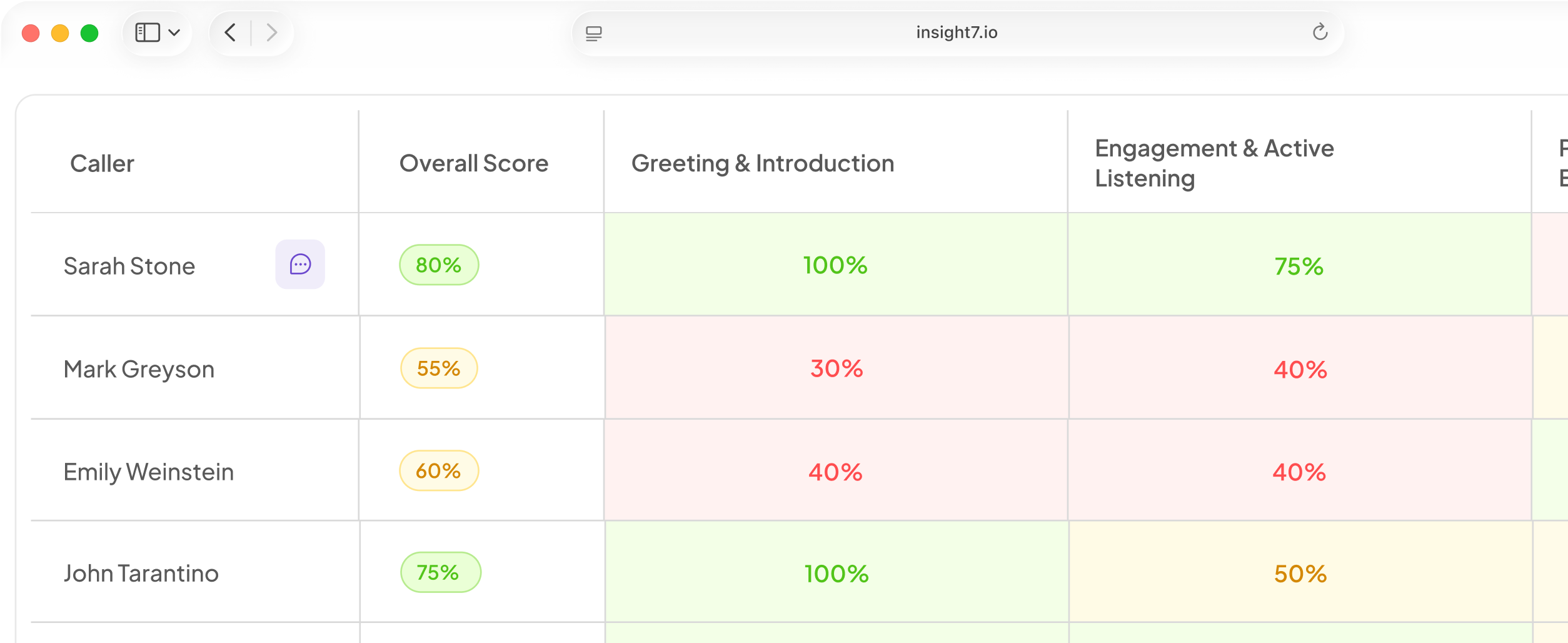
Insight7's outbound AI calling campaigns are in beta. A manager sets a goal, an audience, the AI caller and the rules. Campaigns include consent marking, calling hours, retry rules and a do-not-call list. A reviewer can read each transcript.
Set guardrails before any trigger goes live
A trigger without limits can break the law or annoy customers. Check these before launch:
- Consent. In the US, the FCC's 2024 ruling confirmed that TCPA rules cover calls using AI voices. The EU, the UK and other regions set their own consent rules, so check each market you dial.
- Say it is AI. The EU AI Act's Article 50 has applied since August 2026. Colorado's Chatbot Safety Act follows on 1 January 2027.
- Hours and retry caps. Set both per region, and stop after a fixed number of tries.
- A human exit. Gartner found that 87% of customers want a route to a person. Buyers raise handover design on their own.
- Call fatigue. A noisy trigger teaches customers to ignore you.
- Clean data. A wrong event field means a wrong call.
To prove the call caused the result, hold back a random group that gets no call and compare. Also watch the share of answered calls with no customer speech, which can signal a carrier fault.
Related reading: 10 Best AI Call Answering Services That Integrate With Your IVR and CRM, How to Connect an AI Voice Agent to Salesforce, HubSpot or Zoho for Personalized Calls and Amazon Connect, Twilio Flex and Five9 Outbound Calling Compared With Specialist Voice AI Platforms.
Questions people also ask
What is an event-triggered outbound call?
It is a call fired by a customer or system event, such as a failed debit or a closed incident, instead of a list or calendar. Four parts make it safe: an event, a wait rule, a guard and an owner.
What is the difference between triggered, scheduled and recurring outbound calls?
Triggered calls follow an event. Scheduled calls run in a set window. Recurring calls repeat at a set cadence. You can mix them, so a triggered call can still wait for your allowed calling hours.
Which events should trigger an outbound call first?
Start with the event where customers already leak, usually an abandoned identity check or a stalled sign-up. Pick one with a clear count of people affected.
How long should you wait after an event before calling?
It depends on how fast the moment fades. Use minutes for a new lead and about a day for a drop-off. Use no wait for an outage. Test timing on a small batch first.
Do event-triggered AI calls need customer consent?
Often yes. In the US, AI-voice calls fall under TCPA consent rules per the FCC's 2024 ruling. Rules differ by region, so mark consent on each contact before dialing.
Do triggered calls need a CRM integration to work?
No. A CRM sync gives the fastest, cleanest trigger. Without one, you can upload contacts by CSV. The catch is delay, because the list is only as fresh as your last export.
How do you measure whether a triggered call worked?
Compare called customers with a random holdout group that got no call. Track the outcome tied to the event, such as completed KYC or an on-time payment. In the beta dashboard, read transcripts and scores to see why.
Call on the event, then wait
A trigger is only as good as its event data and guardrails. Insight7 offers outbound AI calling campaigns in beta, built on goals, audiences and rules you set. Rule of thumb: call on the event, wait before you dial, and always give a human exit.