
You must choose between a live CRM link and a CSV list for connecting an AI voice agent to Salesforce, HubSpot or Zoho. The right one depends on which fields the agent reads, which outcomes you write back, and your plan's API access.
Decide which fields flow each way
Start by writing two short lists: what the agent reads, and what it writes back. Everything else in the setup follows from them.
Read list. Pull only what the script needs to sound personal:
- First name
- Phone in E.164 format, such as +14155550123
- Record owner
- Last activity date
- Product or loan stage
- Language
- Consent flag
- Do-not-call flag
- Time zone, so calls respect calling hours
Write-back list. Send these to the CRM after each call:
- Outcome and disposition
- Transcript link and summary
- Yes/no answers
- Next step
- Retry count
- Timestamp
The standard objects differ by CRM. Salesforce uses Lead, Contact and Task. HubSpot uses Contact and a Call engagement. Zoho uses Leads, Contacts and the Calls module. The vendors' own docs describe them: Salesforce REST API, HubSpot calls API and Zoho CRM API. Check exact names in your own org, because custom setups vary.
Read the minimum personal data. Buyers ask early where their data and recordings live, which AI models touch them, and who owns them. A short read list gives you a short answer.
You can keep the calling list in a spreadsheet at first. Every company with a working call centre asks whether a new tool replaces its stack or plugs into it. Insight7's voice campaigns, in beta, take contacts by CSV upload or typed entry. Each campaign also has consent marking, calling hours, a do-not-contact list and a test call to your own phone. A live CRM link is your own integration work, built on the CRM's API.
Connect and authenticate each CRM safely
Give the voice agent its own identity in each CRM, with the narrowest access that still lets it read your segment and write call results. Do this before you map a single field. Follow each vendor's developer docs for the exact steps.
Salesforce
- Create a connected app and use OAuth, so no password is ever stored.
- Make a dedicated integration user. Give it a permission set that covers only the Lead, Contact and Task objects and the fields on your two lists.
- Confirm your edition includes API access. API calls count against your org's limits, so check the number before you size a campaign.
HubSpot
- Create a private app for one account. Use an OAuth app only if you serve many accounts.
- Grant scopes to read and write contacts, plus the scope for logging calls. Leave out deals and tickets.
- Watch the rate limits on your plan and spread syncs out.
Zoho
- Register a client in the Zoho API Console.
- Request the narrowest module scopes that cover Leads, Contacts and Calls. An "all modules" scope gives the agent too much.
- Use the API domain for your data centre. A token from the wrong region fails with errors that can look like bad credentials.
- Store the refresh token securely, because access tokens expire.
Pick a sync trigger. A scheduled pull is simple and easy to debug. A webhook or workflow push is faster but needs retry handling. Most pilots do well with a scheduled pull of one segment.
If API access is limited, start with a CSV export and add the live link later. A CSV of one segment still gets a pilot running.
Map fields and sync your call list
Map each CRM field to a named variable the script can use, then sync only the segment you plan to call. Give every variable a fallback phrase, so a blank cell never becomes a spoken blank.
The names below are the usual API names for standard fields. Confirm them in your org's field list or the vendor docs linked above.
| Agent variable | Salesforce | HubSpot | Zoho |
|---|---|---|---|
| first_name | FirstName | firstname | First_Name |
| phone | MobilePhone (E.164) | phone (E.164) | Mobile (E.164) |
| owner | Owner | hubspot_owner_id | Owner |
| stage | Status | lifecyclestage | Lead_Status |
| due_date | custom field | custom property | custom field |
Build the segment in the CRM. Use a report or list view in Salesforce, an active list in HubSpot, or a custom view in Zoho. A segment such as "loan due in 7 days, consent on" keeps the pull small and the script relevant.
Clean before you sync. Convert phone numbers to E.164, merge duplicates, and fill the time zone. Write the fallback for each variable, for example "there" when the first name is missing.
Choose direction and frequency. Read from the CRM before each campaign launch, or on a schedule for rolling campaigns. Re-pull the do-not-call flag every time, because people opt out between syncs. Insight7 also leaves out anyone added to the do-not-contact list since the original when you duplicate a campaign.
Separately, Insight7's call analytics, such as recordings, summaries, transcripts and performance scores, write back to Salesforce and HubSpot, or export through its API. Write-back of voice campaign results is not covered, so build it yourself for any of the three CRMs.
Write call results back to the record
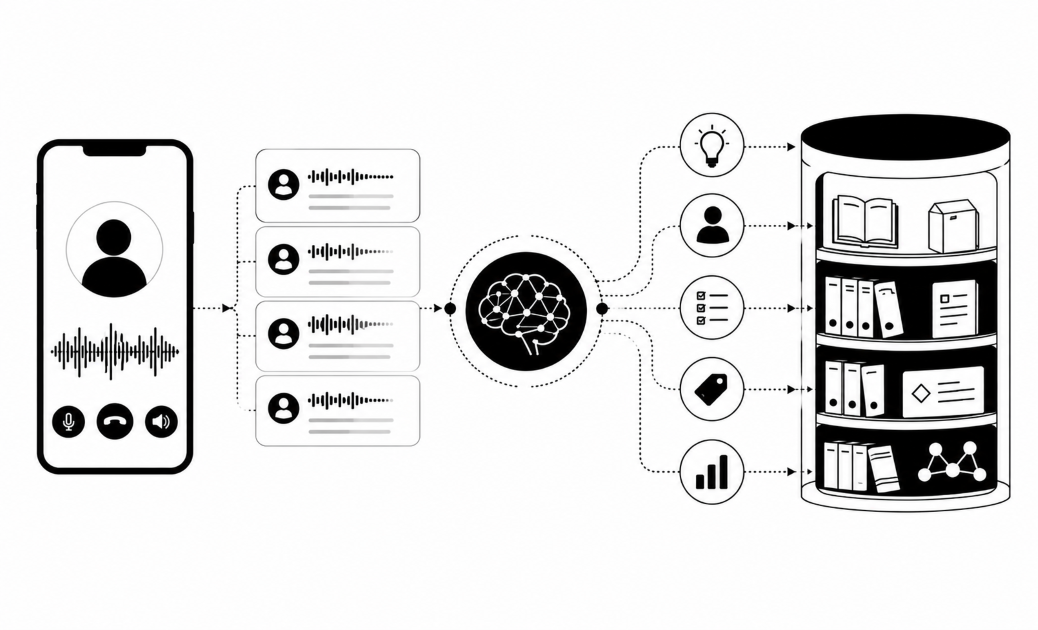
Log every finished call as an activity on the person's record, then update a few fields. The activity is the history and the fields are the current state.
Log the activity:
- Salesforce: create a Task or Event. The REST API creates a record for any object from the field values you send.
- HubSpot: post a call engagement with a properties object. Add an associations object to attach it to the contact.
- Zoho: insert a record in the Calls module through the Zoho CRM records API and link it to the Lead or Contact.
Put the summary and transcript link in the activity body.
Update only what changed. Set the outcome picklist, the next-step date, any consent change and the opt-out flag. Never overwrite a field a rep typed. Write to fields the agent owns, such as "AI call outcome".
Write only real conversations. In Insight7's beta, a dashboard shows each transcript when the call ends, and yes/no answers and outcomes are pulled from it. Calls where only the AI spoke are not counted as reached, and a carrier's temporary refusal does not use up a retry. Use those rules as a model for your own mapping logic. Otherwise your CRM will fill with "contacted" records nobody spoke to.
Prevent duplicates. Send a unique call ID with each write and check for it first. A network retry then updates the same record.
Write after extraction. Wait until the transcript and outcomes are ready. Then trigger your CRM flow: a task, a sequence enrolment, or an escalation.
Test with ten records before going live
Test in a sandbox first, with about ten seeded records. Use a Salesforce sandbox, a HubSpot developer test account or a Zoho sandbox, so no real customer gets a call by mistake.
Run these CRM-specific checks after each test call:
- Salesforce: open the Lead or Contact and find the new Task in its activity history. Confirm the integration user's permission set blocks any field outside your two lists, and watch the API usage count.
- HubSpot: open the contact timeline and find the call engagement, with the summary and transcript link in its body. Confirm it is tied to the right contact, and that your "AI call outcome" property updated.
- Zoho: open the Calls related list for the new record. Confirm the call is linked to the right person, and that the token and API domain match your data centre.
Seed the bad cases: a missing name, a bad phone number, a do-not-call contact, an opted-out contact, a wrong time zone and a duplicate. Each should be skipped or fall back to your default phrase.
Hear it yourself. Talk to the agent in the browser, with no phone number needed. Then use the test call to your own phone.
Check that:
- The script reads names, stages and dates correctly.
- The write-back lands on the right record, once.
- Retries are counted correctly.
- An opt-out syncs back to the CRM.
- API limits are not hit.
- Errors are logged, and someone is alerted.
Pilot on a small batch, and have a person read every transcript before you scale. The dashboard shows each transcript when the call ends, so review is quick. Banks want a short, low-risk pilot on a small sample, and will not pay to find out whether the tool works.
Confirm disclosure and consent. In the EU, Article 50 of the AI Act requires systems that talk to people to say they are AI, so the agent must say it from the start. In the US, the FCC ruled that AI-generated voices count as "artificial" under the TCPA, so calls need consent. Check local rules in every region you call, such as the UK, Canada, Australia, India or Nigeria.
Related reading: How to Send Proactive Outage Notification Calls to Customers With AI Voice Agents, Amazon Connect, Twilio Flex and Five9 Outbound Calling Compared With Specialist Voice AI Platforms and Outbound Dialers vs AI Voice Agents Compared for High-Volume Customer Campaigns.
Questions people also ask
Can an AI voice agent integrate with Salesforce?
Yes. It connects through a connected app with OAuth and reads your segment through the API. Check that your edition includes API access. If not, start with a CSV export of a report.
Does HubSpot work with AI voice agents?
Yes. A private app with contact and call scopes is enough. Create a custom property such as "AI call outcome" so the agent never touches fields your reps own. Log each call as an engagement.
How do I connect Zoho CRM to an AI calling tool?
Register a client in the Zoho API Console and request narrow scopes for Leads, Contacts and Calls. Use your data-centre domain. If the live link isn't ready, export a custom view as CSV.
What CRM fields does an AI voice agent need for personalized calls?
Five fields are enough: first name, E.164 phone, consent flag, do-not-call flag and time zone. Add one context field, such as loan stage or due date.
How do you write AI call outcomes back to a CRM?
Create one activity per finished call and update a few agent-owned fields. Map outcomes to a fixed picklist so reports stay clean. Add a unique call ID so retries never create duplicates.
How do I test a voice AI agent before it calls real customers?
Talk to the agent in the browser first, because no phone number is needed. Then run about ten seeded records in a sandbox. Set a pass rule: zero writes to the wrong record.
Do I need consent to make AI voice calls from CRM contacts?
Usually yes. A CRM contact is not consent, so store the consent source and date on the record. In the US, AI-voice calls already need consent under the TCPA.
Start small, then scale
Start with one small, clean segment and a short write-back list. Test ten records before any real customer gets a call. Ask in your next meeting: which three CRM fields must change after every call, and who owns each one?