
Your AI caller dials 1,000 contacts, and many calls end on a beep and a greeting. Each still bills by the minute. Here is how to detect voicemail on AI outbound calls, set rules for it, and count its cost.
Measure what voicemail costs you first
Wasted cost is dials × voicemail share × average billed seconds × per-minute rate. Run it before you change anything, so you know what a fix is worth.
Billing rounding makes the middle term bigger than it looks. Many carriers and platforms round billed time up to the next minute or the next small step, so check your own invoices. A 20-second greeting can bill as a full minute on per-minute plans. Carriers that bill in 6-second steps hurt less. Voice-engine and model charges often run per minute too, so add them to the rate.
Here is an example with placeholder inputs. Replace each one with your own numbers. Say you dial 1,000 contacts, and 30% reach voicemail. Each of those 300 calls bills one minute at an all-in $0.15. That is $45 per 1,000 dials, or $4,500 across 100,000 dials. Retries repeat the loss.
To find your voicemail share:
- Open the campaign dashboard and filter by call outcome.
- Read a sample of transcripts to confirm the tags.
- Drop calls where only the AI spoke from your "reached" count.
Answered does not mean reached. In one lender's test rounds, roughly 130 calls were answered, yet only about half became real conversations. So count cost per real conversation, not per answer.
Pick an answering-machine detection method
Choose the method that decides fastest without hanging up on people. Four signals are in common use, and strong setups combine them.
- Carrier signalling. Some networks flag a call as forwarded to voicemail. It is cheap and quick, but coverage varies by carrier and country.
- Audio analysis. The system times the greeting. A human says "hello" and stops. A machine plays a long, steady greeting with little gap between words.
- Beep detection. A tone marks the moment a message can start. It is the safest cue for when to speak, but it comes late, so you have already paid for the greeting.
- Transcript or LLM classification. A model reads the first words ("you have reached the voicemail of…") and labels the call. It handles odd greetings well, but adds a little delay.
Speed trades against accuracy. A long listen window gives a better guess, but a real person may say hello into silence and hang up. A short window cuts billed seconds, but it labels more humans as machines. Many platforms let you set this window, and some offer an async mode that reports the verdict while the call continues. Test your setting on a small batch first.
A false voicemail verdict costs more than a missed one. A missed machine wastes about a minute. A human you hang up on is a lost customer. When the signal is unclear, treat the call as human and let the agent speak.
Know what else answers. Carrier voicemail is only one case. A business IVR ("press 1 for sales") is not a machine you leave a message for. Call-screening tools may play a recorded prompt before a person decides to pick up.
Do not count a pickup as reached. Silent connections and calls where only the AI spoke are not reached. Set that rule in your reports, or your voicemail share will look smaller than it is.
Write voicemail rules before you launch
Decide what the agent does on a machine before the first dial, and write it down per campaign type. The agent should never improvise on a greeting.
| Campaign type | Voicemail rule | Reason |
|---|---|---|
| Customer survey | Hang up, retry later | A message cannot collect answers. |
| Lead follow-up | Short message with a callback number | The lead already asked to hear from you. |
| Cold outreach | Hang up | A message adds consent risk and rarely gets a reply. |
| Win-back | Short message, then one retry | A named reason to call back can restart the talk. |
Keep every message short. About 20 seconds is a sensible cap in our view. Give your company name, the reason for the call and one callback number. Leave out balances, health details and account numbers, because a voicemail can be overheard.
Say it is an AI in the first sentence. The law on AI voices points the same way in several regions:
- United States: AI-voice calls already need consent under the TCPA, per the FCC's 2024 ruling. Ask counsel whether a left message counts as an AI-voice call.
- European Union: Article 50 has applied since 2 August 2026. Any AI that talks to people, including automated phone systems, must say it is AI from the first interaction.
- Colorado: its Chatbot Safety Act takes effect on 1 January 2027 and requires public-facing conversational AI to disclose that it is AI.
Ask your counsel which rules cover your contact list. If someone calls back and asks to stop, add them to the do-not-contact list before the next retry.
In Insight7's voice campaigns, now in beta, a campaign has a type: survey, lead follow-up, cold outreach or win-back. It also has consent marking, calling hours, retry rules, a do-not-call list and a test call to your own phone. That detail is at spec level, so confirm it in the app. A duplicated campaign leaves out anyone added to the do-not-contact list since the original.
Set retry rules that skip dead numbers
Wait hours, not minutes, before you redial a number that went to voicemail. This is our judgement, so test it on your own data. A machine that picked up once may well pick up again minutes later, and you pay for the same greeting twice.
Change the time of day on each attempt. In our experience, test mornings and evenings against midday. Check your own answer rates by hour and shift the schedule to match.
Cap attempts at 3 or 4. That range tends to work best, because many customers only pick up on the second or third try. A fifth call mostly buys another greeting.
Use these rules to sort the outcomes:
- Busy or network refusal: retry soon, and do not charge it against the contact. A carrier's temporary refusal should not use up one of the contact's attempts.
- Voicemail: count it as an attempt and space the next one by hours. As a starting point, stop after two machine answers in a row, then tune it on your data.
- Disconnected or wrong number: stop at once and flag the record for your CRM team.
- Person asks to stop: move them to the do-not-contact list before any further dial.
Watch for silent carriers too. Some carriers connect the call and deliver no audio. The call looks answered and bills like one. Set your own rule to pause a campaign when most recent answered calls carry no customer speech.
Retry rules and a maximum attempt count are set when a campaign is built. That is spec-level in beta, so confirm the screen in the app.
Review misses and tune every week
Audit a sample of calls every week, because detection drifts as greetings and carriers change. Pull two groups from the dashboard and read their transcripts. The first is calls tagged voicemail. The second is calls tagged human with very little speech, for example under 5 seconds (tune this threshold), which often hide a person who hung up on silence.
Track three numbers:
- Voicemail share: the part of dials that hit a machine.
- False-voicemail rate: humans the agent treated as machines. Keep this near zero.
- Cost per real conversation: total spend divided by calls that reached a person, with AI-only calls left out.
Write down each rule change and compare cost per real conversation before and after. A shorter listen window should cut cost, but if the false-voicemail rate rises, undo it.
Plan the handoff too. When a human asks for a person, transfer the call or log a callback request for your team to work the same day.
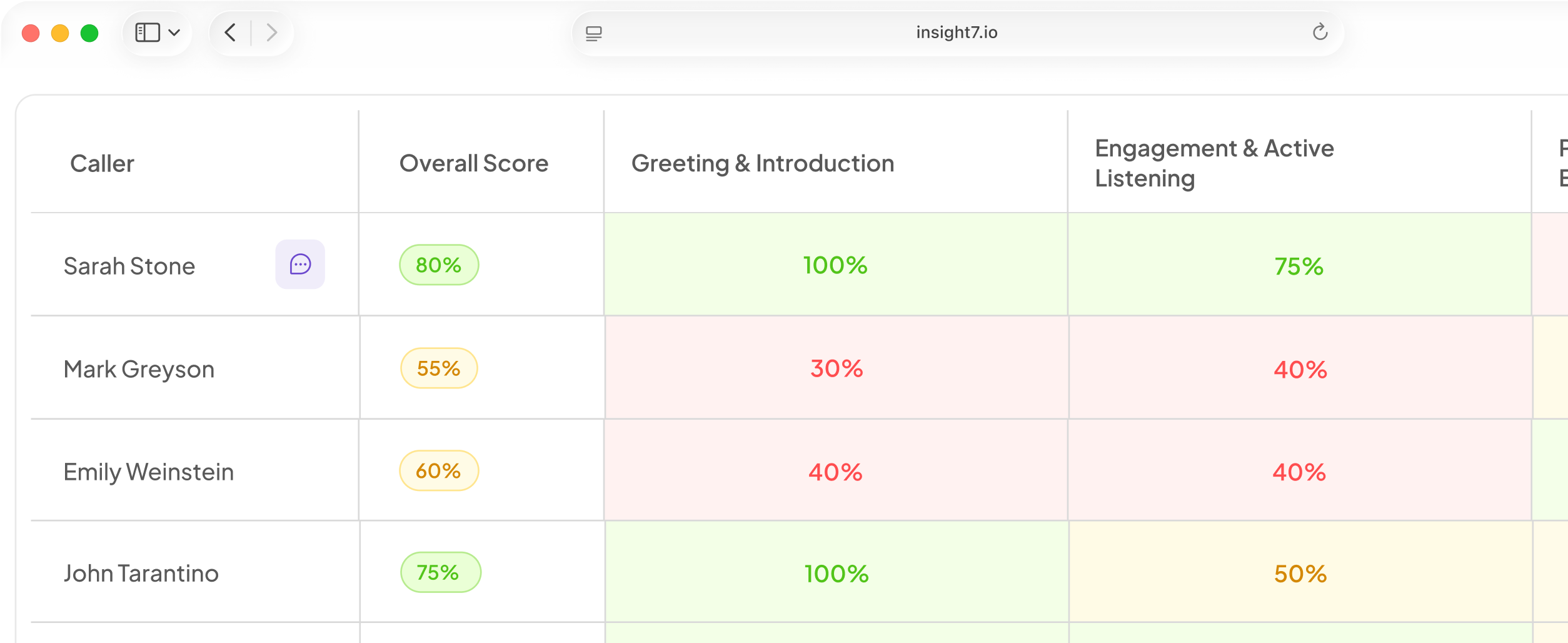
If you score calls for quality, you can exclude voicemail and too-short calls so they do not skew agent scores. Check that setting in the app first.
Related reading: Warm Transfer vs Callback vs Ticket Handoff for AI Voice Agents Compared, How AI Voice Agents Handle Callback Requests and Reschedule Calls Automatically and Do Not Call List Management Guide for AI Outbound Campaigns Including Opt-Outs and Wrong Numbers.
Questions people also ask
What is answering machine detection?
It is software that listens to the first seconds of a call and labels who picked up. Typical results are human, machine, fax or unknown. Your agent's script branches on that label.
How accurate is voicemail detection on AI calls?
No single figure applies, because results shift with carrier, greeting style and listen window. At a timeout, a platform can return "unknown" instead of guessing. To get your own rate, hand-label about 200 calls and compare.
Should an AI agent leave a voicemail?
Only when a callback has value, such as lead follow-up or win-back. Count callbacks per 100 messages left. If that stays near zero, switch the rule to hang up.
Do you get charged for calls that go to voicemail?
Yes. A voicemail pickup is a connected call, so billing starts when the machine answers. Ask each provider whether detection is a separate line item and what its rounding increment is.
How long should AI wait before deciding it is a voicemail?
Start near your platform's default and tune from there, because defaults vary by platform. Shorten the window only while false-voicemail rates stay flat, and check the result on a small batch first.
How many times should you retry a number that goes to voicemail?
Three or four attempts in total. One lender found that range worked best. Leave a message on only one attempt, usually the last.
Is it legal to leave an AI-generated voicemail?
Often yes, with conditions that vary by region. Treat consent as a field on each contact record. In the US, AI-voice calls already need consent under the TCPA. The EU duty to disclose AI also applies. Confirm with counsel.
Count real conversations, not dials
Judge the campaign by cost per real conversation, not cost per dial. Dial counts hide every minute spent on a greeting. Give your team one rule: hang up fast on machines, never on a human, retry at a different hour.