
An escalation call tree is an ordered list of people that an alert phones until someone owns the problem. The key is the acknowledgement. A person must confirm the call on purpose, and silence sends the alert to the next level on a timer.
Pick one alert source and set triggers
Choose one system as the single source of truth, and let only that system start calls. Suppose your network monitor, an uptime checker and an inbox rule all dial the same engineer about one outage. The engineer gets three calls and trusts none of them.
Most monitoring tools can hand an alert to the call tree by webhook, API or parsed email. Use the webhook when you can, because email parsing breaks the day someone edits a subject line.
The payload must carry four fields:
- Site or service: tells the router which contact map to read.
- Severity: decides whether a call happens at all.
- Start time: feeds the outage timer you will need later.
- Alert or ticket ID: lets repeat alerts join the same incident.
Then cut the noise before it reaches a phone:
- Dedupe on the ID, so one outage runs one tree.
- Set a severity threshold. Only critical alerts ring a phone. Lower ones go to SMS or a dashboard.
- Add maintenance windows, so planned work stays silent.
- Suppress flapping. Hold an alert that clears and returns within minutes until it stays down.
Noise is a safety problem. Google's SRE book warns that when pages come too often, people skim or ignore them, even a real page. The same chapter says every page should be actionable. If a trigger fails that test, it should not start a call.
Design call levels and the contact map
Build four levels and give each one a job. Level 1 (L1) is the owner of the asset. L2 is the backup, L3 is the team lead, and L4 is a manager or duty director.
Google's SRE book says many teams run a primary and a secondary on-call rotation. One common use of the secondary is to catch the pages the primary misses. Your L2 does that job.
The values below are a starting point. Tune them to your own response target. Voice comes first because it is hard to ignore, SMS leaves a written record, and push is the last nudge.
| Level | Who | Wait before next level | Retries | Channel order |
|---|---|---|---|---|
| L1 | Asset owner on shift | 3 minutes | 2 redials | Voice, SMS, app push |
| L2 | Backup on shift | 3 minutes | 2 redials | Voice, SMS, app push |
| L3 | Team lead | 5 minutes | 1 redial | Voice, SMS, app push |
| L4 | Manager or duty director | 5 minutes | 1 redial | Voice, SMS |
The same SRE chapter gives typical paging response times of 5 minutes for time-critical, user-facing services and 30 minutes for less urgent ones. If your service is time-critical, the first wait must be short.
Next, build the contact map. Key each row by site, service and shift. The site or service field in your payload picks the row, so the right L1 gets the call at 2 a.m. and not at noon.
Add a fallback for a stale roster. If a row has no one on shift, or a number fails, skip to the next level and notify the duty manager. Review the map weekly.
Treat a busy line or a carrier refusal as a call that never reached a person. Redial after a short pause without spending a retry. Cap these redials at three, then move to SMS so the tree cannot stall.
Require a real acknowledgement
Count only a deliberate confirmation as an acknowledgement. A pickup is not enough. Voicemail, a one-sided line and silence all count as no answer. Someone's pocket can answer a call at 3 a.m. and no human will know.
Pick one clear way to confirm:
- Press a key. "Press 1 to take this incident." It works on any phone.
- Say a phrase. "I have it." This suits an engineer who is driving or on a ladder.
- Reply on SMS. Use it as the backup when voice fails.
Give each level its own short acknowledgement timer. If it expires, the tree moves to the next level on its own. The engineer can still confirm late, but the next level keeps ringing until that confirmation arrives. Do not let a call that is still ringing hold up the escalation.
A common design is an automated voice call. It reads out the site and the fault, and listens for the confirmation. If nobody confirms, the next level gets the call.
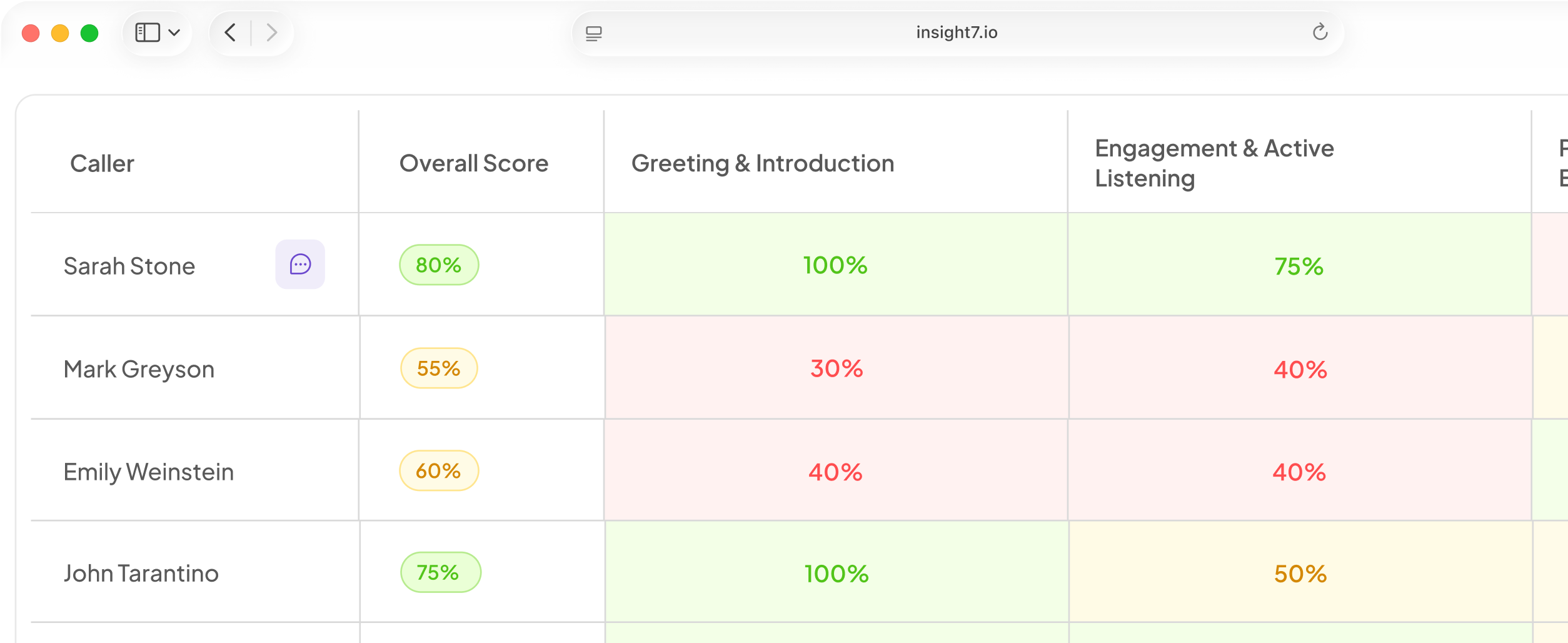
Insight7's outbound voice campaigns are in beta and are switched on per organisation. Managers set a goal, an audience, the AI caller and the rules, and each call is held as a real conversation and scored when it ends. Calls where only the AI spoke are not counted as reached. A reviewer can read each transcript when the call ends, and yes/no answers are pulled from it. Before go-live, you can talk to the agent in the browser with no phone number. For call analytics, Insight7 exports through an API or writes back to Salesforce and HubSpot.
Test the wording first. If the script is hard to follow, an engineer may confirm without knowing which site is down.
Open and update the ticket automatically
Create the ticket at the first alert, before anyone answers. Waiting for the acknowledgement leaves a gap where an outage has no record. Put the ticket ID in each call script and SMS.
Link the ticket to the call log, then write these fields back without anyone typing:
- Who was called and at which level.
- When each call started and ended.
- Acknowledgement time and the method used.
- Level reached before someone owned it.
- Outcome or transcript of each call.
Let the ticket drive the clock. An outage timer starts at the alert's start time. Outage duration should refresh on a fixed cycle, for example every 15 minutes, until the ticket closes and the site clears. It should read from the ticket and not be updated by hand.
Add a re-escalation rule. If the ticket sits unassigned past the acknowledgement timer, reopen the tree at the next level. Most ticketing tools show an unassigned incident as a distinct state, so you can trigger on it.
Check the ticketing tool's API early, since some tools expose only limited write access. Use a webhook for the alert and a simple API or export for the call data.
Close the loop and test the tree
Let the person who fixes the problem close the ticket, and make them write the root cause. Closing the ticket must cancel every pending call, SMS and retry. It must also clear the outage tracker, so no one is paged for an incident that is over.
Add two checks for mismatches:
- Alarm clears, ticket stays open. Send the fixer a message asking them to confirm or close.
- Ticket closed, alarm still firing. Reopen the ticket and restart the tree at L1.
Plan a last-resort path. If every level fails to acknowledge, loop back to L1 and notify the duty manager at the same time. A tree that ends in silence has no safety net.
Then drill it. Each quarter, run a dry-run alert against a test site:
- Place real calls to every level, including backups.
- Log the time to acknowledge at each level.
- Review each missed acknowledgement. Was it a wrong number, a bad shift row or a confusing script?
- Prune levels that never catch anything, and shorten waits that always expire.
Review real incidents the same way. Google's SRE book lists a monitoring failure as a common postmortem trigger. A page that arrived late or never fits that description. It also says blameless reviews focus on contributing causes, so people report missed calls honestly and you can fix the tree.
Related reading: 6 Fallback Designs for When an AI Voice Agent Can’t Answer a Customer’s Question, 8 Best Practices for Handing Off Calls From AI Voice Agents to Human Agents and AI Voice Agent Escalation Rules Template for Customer Service and Operations Teams.
Questions people also ask
What is an escalation call tree?
It is a ranked list of contacts that an alert calls in order, with a timer on each step. Unlike a phone chain, it runs by rule, so the system decides who rings next, not a dispatcher.
How do you create an escalation call tree template?
Make one row per level. Give each row five columns: who, the number, wait time, retries and channel. Add a site and shift key, then a closure rule at the bottom. Start with a spreadsheet and test it before you automate it.
How many escalation levels should an on-call policy have?
Use three or four. Fewer leaves no backup for a missed call. More makes the delay long. Add a level only when a drill shows a gap.
How long should you wait before escalating to the next level?
Keep the waits at all levels, added together, inside your response target. As examples to tune, the SRE chapter's 5 and 30 minute paging times suit time-critical and less urgent services. Adjust after your drills.
What counts as acknowledging an incident alert?
A deliberate action by a human who knows the fault. A key press, a spoken phrase or an SMS reply all count. Pick-up, voicemail and silence do not. Write the accepted phrase in the policy.
What is the difference between a call tree and an escalation policy?
The policy is the rulebook. It says who owns what, and when to hand off. The call tree turns it into a phone sequence. One policy can drive several trees, such as one per site.
How do you test an on-call escalation process?
Send a labelled test alert and tell the team a drill is under way. Place real calls and time each acknowledgement. Then break one thing on purpose, such as a dead number, to see that the tree skips ahead.
Drill the slowest handoff first
A call tree is only as good as its slowest handoff. Write down your levels, timers and closure rule, then drill them quarterly. When the first person stays silent, who gets called at minute ten?