
A voice-agent engineer replays a pilot call at her desk. The caller read out an account number over a bad mobile line, and the agent heard one digit wrong. The best of the speech-to-text APIs for AI voice agents is the one that holds up on your own accented, noisy 8 kHz phone audio at low streaming latency. A clean-audio benchmark score doesn't show that, so the ranking below follows that test.
How we ranked these 10 APIs
The order runs from 1 to 10 by how much each vendor publishes that a phone agent needs. That means streaming latency, turn detection, phone-format input and accuracy notes, then language reach. Almost no vendor page we read gives an 8 kHz accuracy figure, so treat the order as a shortlist. Your own audio decides the winner.
Phone lines carry narrowband audio, and that costs accuracy. Researchers at TU Braunschweig cite earlier work showing a 20% relative drop in word error rate when sampling doubles from 8 to 16 kHz. So a clean 16 kHz benchmark flatters every vendor.
Overall word error rate also hides what hurts an agent. One wrong digit in an account number fails the call, yet it barely moves the average.
Vendor facts come from each vendor's own pages, read on 29 and 30 October 2026, and every latency and accuracy figure is vendor-reported. Where a page is silent, the text says "not published".
Summary table: all 10 compared
1. Deepgram: built-in turn detection
Deepgram offers Nova-3 for general streaming and Flux, a model built for voice agents.
- Best for: agents that need to know when a caller has finished, without a separate voice activity detector.
- Accuracy and latency: Deepgram's Flux quickstart reports about 260 ms end-of-turn detection and built-in barge-in. It accepts 8 kHz mulaw phone audio. No accuracy figure is published.
- Languages: Flux Multilingual covers 10, while Nova models cover 60+.
- Pricing and self-host: Nova-3 monolingual and Flux English both cost $0.0077 a minute on pay as you go, billed per second. Self-hosted containers need NVIDIA GPUs and an Enterprise plan.
Test: send your own 8 kHz mulaw clips, tune the end-of-turn threshold, and log the delay.
2. AssemblyAI: names and numbers focus
AssemblyAI's top voice-agent model is Universal-3.6 Pro Realtime.
- Best for: account-number calls, where digits and names decide success.
- Accuracy and latency: the streaming page reports about 150 ms median latency and claims the highest accuracy on names and numbers. End-of-turn detection mixes acoustic, meaning and silence cues. It gives no 8 kHz figure.
- Languages: 32 on 3.6 Pro Realtime. Universal-Streaming is English only, and the multilingual version adds five more languages.
- Pricing and self-host: $0.45 an hour for 3.6 Pro Realtime and $0.15 for Universal-Streaming. Billing follows session length, so silence on the line still costs money. A Voice Focus add-on, at $0.10 an hour, isolates the main speaker. Self-host is not published.
Test: stream the same clips with Voice Focus on and off, and compare the digits.
3. Google Cloud Speech-to-Text: widest language reach
Google suits teams that serve many languages from one API.
- Best for: broad language coverage with word biasing.
- Accuracy and latency: Chirp 3 is its newest universal model, and streaming is supported. Model adaptation biases results toward words you supply, and Google says it also helps with noisy audio. Latency is not published.
- Languages: the product page says over 125 languages. A later line on the same page says 85+ languages and variants, so check the count for your target languages.
- Pricing and self-host: Standard V2 is $0.016 a minute for the first 500,000 minutes a month, falling to $0.004 above 2 million, and billing rounds up to the second. New customers get up to $300 in free credits. Self-host is not published.
Test: run phone_call and Chirp over the same 8 kHz clips and count digit errors.
4. Microsoft Azure Speech: custom models and containers
Azure suits teams that want to tune a model to their own vocabulary or keep audio inside their own network.
- Best for: product names and accented phrasing, through custom speech trained on human-labeled audio for supported locales.
- Accuracy and latency: not published as headline figures.
- Languages: see the locale table.
- Pricing and self-host: real-time transcription is billed per second and quoted per audio hour, with 5 free hours a month. Containers run on-premises, and fully disconnected use needs Microsoft's approval.
Test: train a custom model on your own clips, then measure whether it beats the base model on digits.
5. Amazon Transcribe: telephony and compliance tooling
Transcribe fits teams already on AWS that want call features built around the transcript.
- Best for: compliance workflows. Streaming supports PII redaction, and Real-time Call Analytics adds keyword alerts, sentiment and issue detection.
- Accuracy and latency: the API detects 8 kHz or 16 kHz input and picks the matching acoustic model. Adding several custom vocabulary entries helps with terms that sound different from how they are spelled. Latency is not published.
- Languages: streaming support varies by language in the supported languages table, and Hausa there is batch only.
- Pricing and self-host: per second and tiered. The worked example uses $0.01 a minute for streaming in US East, and redaction costs extra. Self-host is not published.
Test: check the digits on your 8 kHz clips, with and without custom vocabulary.
6. OpenAI transcription: familiar API, separate live models
Start here if your team already calls OpenAI models and wants one more endpoint.
- Best for: teams that will write their own end-of-turn logic.
- Accuracy and latency: gpt-transcribe streams partial text, but only while the model processes a completed recording. The live models differ. They do not support server-side voice activity detection, and return no word timestamps, speaker labels or confidence scores. The example uses 24 kHz PCM, so confirm how your 8 kHz audio is fed in. A delay setting trades earlier partial text against lower word error rate.
- Languages: Whisper supports 98, and accuracy varies by language.
- Pricing and self-host: gpt-transcribe is $0.0045 a minute for files. A live call needs gpt-live-transcribe or gpt-realtime-whisper, both $0.017 a minute. Open-source Whisper is the self-host route.
Test: try each delay setting on noisy 8 kHz clips.
7. ElevenLabs Scribe: broad languages, one vendor
Pick Scribe if you want transcription and voices from one vendor.
- Best for: agents that already speak with ElevenLabs voices.
- Accuracy and latency: Scribe v2 Realtime reports about 150 ms latency. It accepts μ-law and PCM from 8 kHz, so phone audio goes in as it is. Batch Scribe v2 claims over 98% accuracy, and the pages give no test conditions.
- Languages: 90+.
- Pricing and self-host: $0.39 an hour realtime, and $0.22 an hour for batch v2. Self-host is not published.
Test: stream your noisiest clips with keyterm prompting on for product names, and tally digit errors.
8. Speechmatics: accent and digit accuracy
Pick Speechmatics if accent handling and digit accuracy matter more to you than African language reach.
- Best for: accented callers reading numbers.
- Accuracy and latency: its product page claims sub-500 ms latency and 98.0% accuracy on digits, and does not tie that to 8 kHz audio. Linden 1 is a real-time voice-agent model with built-in turn detection.
- Languages: 55+. Swahili is the only African language on the list.
- Pricing and self-host: billed per hour, metered to the second. On-prem containers are Enterprise only.
Test: push your most accented clips through Linden 1 at 8 kHz.
9. Gladia: built for mixed-language callers
Pick Gladia if callers switch languages mid-sentence.
- Best for: code-switching and automatic language detection.
- Accuracy and latency: partial transcripts arrive in under 103 ms. No 8 kHz accuracy figure is published.
- Languages: 100+.
- Pricing and self-host: real-time costs €0.68 an hour (about €0.0113 a minute), and new accounts get €50 in free credits. Self-host is not published.
Test: use mixed-language 8 kHz clips and count digit errors.
10. Spitch: African language specialist
Pick Spitch if your callers speak African languages that the big clouds cover thinly.
- Best for: Yorùbá, Igbo, Hausa and Swahili callers. Local accent coverage can be a hard buying criterion, because listeners tune out voices that sound foreign.
- Accuracy and latency: its docs say speech-to-text handles audio and streams. No accuracy or latency figure is published.
- Languages: Yorùbá, Igbo, Hausa and Swahili.
- Pricing and self-host: $0.00042 a second. That is about $0.025 a minute, the dearest here per minute. Self-host is not published.
Also look at Intron. Its Sahara v2 page says it covers 57 African languages and over 500 accents, and mentions offline capability. Its pricing and latency are not published there.
Test: run clips in your target languages through both at 8 kHz, and note where digits break.
Test on your own calls before you buy
Collect 100 to 200 real clips that cover your accents, noise levels and codecs. Hand-label them, then compute overall word error rate and a separate error rate for digits and names.
Measure time to first partial and time to final transcript on each clip, and log cost per minute at your real volume, including add-ons.
Put every vendor behind one adapter interface, so a swap takes a config change, and keep a second vendor warm. Tune endpointing on your own pauses, because callers read digits slowly. Confirm your telephony path delivers 8 kHz audio, since a wrong codec setting ruins any model.
Where Insight7 fits in your stack
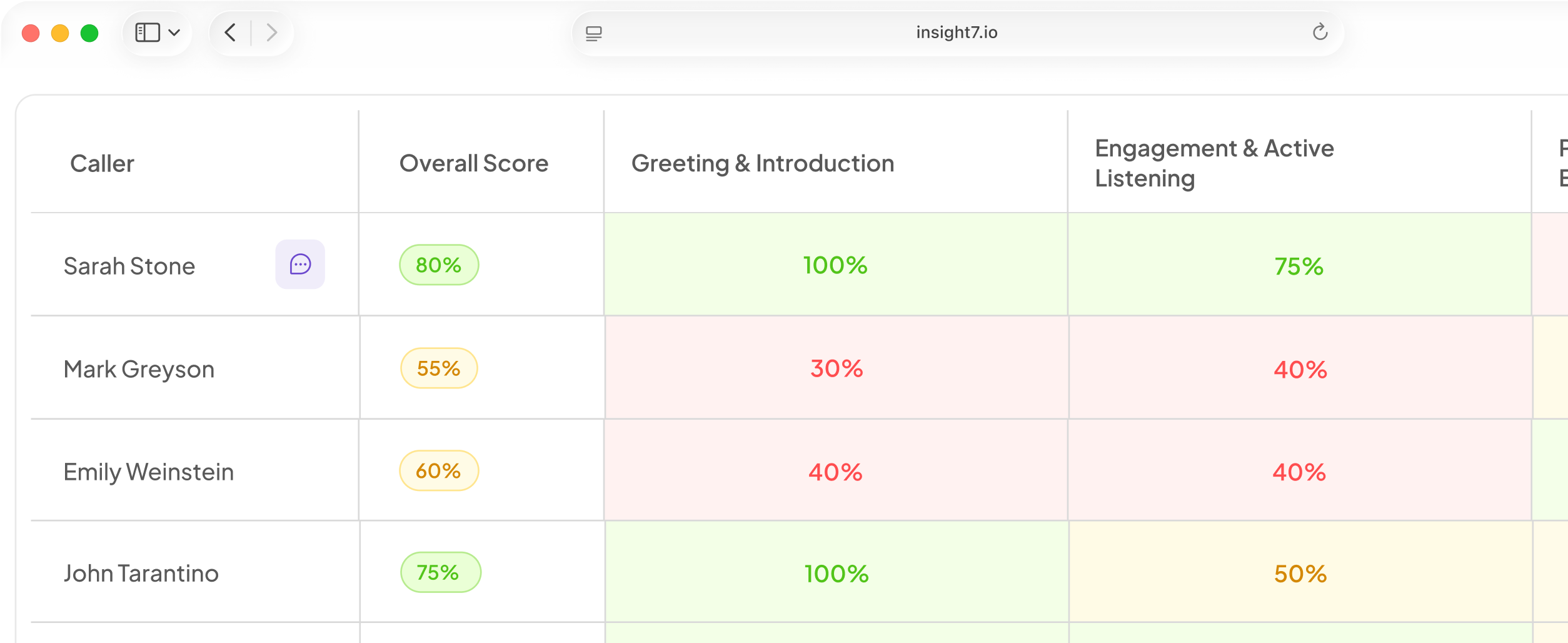
Once your agent is live, you still need to judge the calls it handles. Insight7 scores every call against a weighted scorecard your team owns. AI call scoring covers 100% of conversations instead of a 2% manual sample.
Related reading: AI Voice Agent Cost Per Call Broken Down by Telephony, Speech Recognition, LLM and Voice, Build vs Buy AI Voice Agents Cost Comparison With a 12-Month Total Cost of Ownership Model and AI Voice Agent Reliability Checklist for Carrier Failover, Uptime Monitoring and Concurrency Limits.
Questions people also ask
What is the best speech-to-text API for voice agents?
No single API wins on every phone line. Deepgram's Flux model pairs about 260 ms end-of-turn detection with phone-format input. AssemblyAI claims the best accuracy on names and numbers. Spitch and Intron target African languages. Pick two finalists from the ranking, then run your own 8 kHz clips through both. Your caller mix decides the winner.
What is the fastest speech-to-text API?
On vendor-reported numbers, Gladia is quickest to a first partial. Speed to a first partial is only part of the story. The delay callers feel is the time from the end of their sentence to the agent's reply, and that adds the final transcript, the language model and the voice. Measure p95 delay, not the median, because callers remember the slow turns.
What is the best real-time speech-to-text API?
The best real-time API for a voice agent streams partial text, detects when the caller stops, and accepts 8 kHz mulaw audio. Deepgram Flux and ElevenLabs Scribe v2 Realtime both list phone-format input. Also check barge-in. If the agent can't stop talking when the caller cuts in, the transcript speed won't save the call. Test how the API revises partial text and how it recovers when a connection drops.
What is the best cheap speech-to-text API?
On listed streaming prices, AssemblyAI's Universal-Streaming is the lowest in this ranking, and it is English only. Rates also use different units, so convert every one to cost per hour of audio you really stream. Then count what a miss costs. A wrong digit means a re-ask, which adds more speech-to-text, language model and voice minutes to the same call.
Is there any free speech-to-text API?
Yes, for testing. Open-source Whisper has no per-minute fee, and several vendors give credits or free hours. A 200-clip bake-off of one-minute clips is about 3.3 hours of audio, so a free allowance can cover it. Before sending real caller audio, read the data-use terms and the concurrency limits on any free tier. Free allowances rarely cover production call volume.
Does OpenAI have a speech-to-text API?
Yes. OpenAI sells transcription models through its API, in file and live versions. Match the model to the job. File models suit recorded calls, such as post-call review and quality checks. A live agent needs the live models. OpenAI's pricing page lists both. Because the live models leave out server-side voice activity detection, plan to build your own turn logic.
How do I use the ElevenLabs speech-to-text API?
Create an API key in your ElevenLabs account. Send audio to the speech-to-text endpoint with a Scribe model, and read the transcript from the JSON reply. For live calls, use the realtime version over a streaming connection. Scribe v2 Realtime accepts μ-law and PCM from 8 kHz, so you can pass telephony audio as it arrives. Add your product names as key terms.
How does background noise affect speech-to-text accuracy?
Noise raises the error rate, and short words suffer most. Digits such as "five" and "nine" sound close on a bad line, so one wrong digit can sit inside an otherwise good transcript. Test with and without any upstream noise filter. A filter can leave artifacts that the recognizer then misreads.
Should I build my own speech-to-text or buy an API?
Buy first, and build only if you have a hard reason such as data residency. A hosted API gets you running in days, while a self-run model needs GPUs, tuning and on-call engineers. Deepgram's self-hosted containers show the middle path, though they need GPUs and an Enterprise plan. Companies that built their own apps still tell us voice AI is too hard to build in-house.
Check your own audio first
A vendor ranking gives you a shortlist, and your own call audio picks the winner. Before you start, run 100 or more real, noisy, accented call clips through your top two APIs. Compare the error rate on names and numbers, because one wrong digit fails a call.