You have a board presentation on Thursday. The deck is done. The content is solid. But you have not said any of it out loud yet, and you know from experience that what reads well on a slide does not always land well when spoken. You need to rehearse, but your calendar has no room for a practice run with a colleague, and rehearsing alone in front of a mirror gives you zero feedback on whether you are rushing through the financial slide or leaning on filler words during the transition between sections.
AI tools for rehearsing presentations without an audience solve this specific problem. They record your delivery, analyze pacing, filler words, clarity, and tone, then give you specific notes on what to fix before you present for real.
The Insight7 Coaching AI adds a layer most rehearsal tools miss: it simulates the Q&A that follows your presentation, so you can practice handling pushback and follow-up questions, not just the monologue. For anyone rehearsing presentations without an audience, the right tool depends on whether your biggest risk is the delivery itself or what happens when the audience starts asking questions.
Here are six tools that cover both sides.
Quick Pick: Match Your Presentation Situation
| Your situation | Best fit | Why |
|---|---|---|
| Rehearsing a board, investor, or any presentation, including the Q&A | Insight7 Coach | Simulates post-presentation questions and pushback, not just delivery analysis |
| Tightening delivery on any presentation (filler words, pacing, clarity) | Yoodli | Strongest delivery analytics with a generous free tier |
| Quick run-through on your phone before a same-day presentation | Orai | Mobile-first, minimal setup, instant feedback |
| Rehearsing in a realistic room with a virtual audience | VirtualSpeech | VR-simulated environments with audience reactions |
| Presentation coaching integrated into your video meeting platform | Poised | Works inside Zoom/Teams/Meet, gives real-time nudges |
| Building long-term presentation habits with daily micro-practice | Speeko | Habit-based exercises for ongoing delivery improvement |
1. Insight7: Rehearse the Presentation and the Q&A
A sales director is presenting a new pricing strategy to the executive team on Monday. She has rehearsed the 15-minute walkthrough twice. But she knows from past experience that the real risk is not the presentation. It is the 20 minutes of questions afterward, when the CFO challenges the margin assumptions, and the VP of Sales asks why existing customers were not grandfathered.
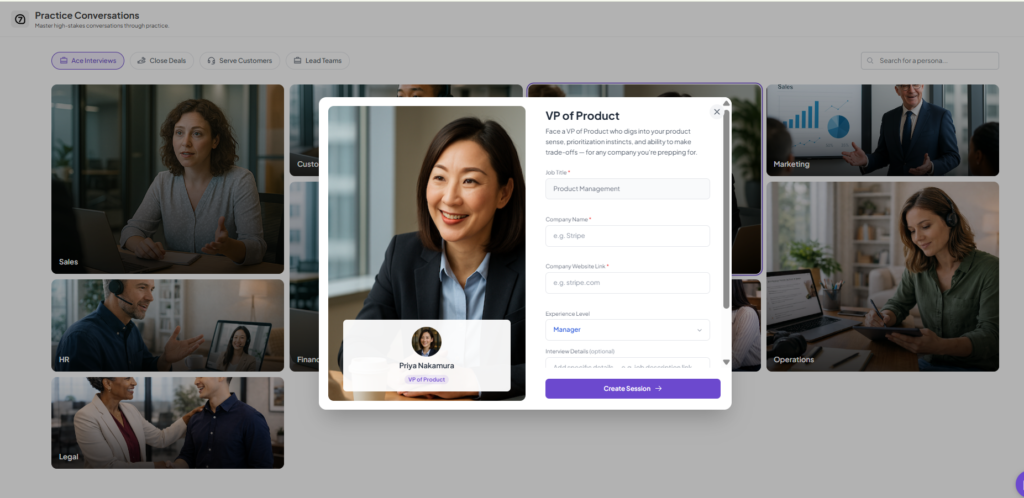
Most presentation rehearsal tools only analyze the monologue. Insight7 AI Coach simulates the full experience: you deliver your presentation, then the AI plays the audience and asks follow-up questions based on the scenario you defined. You practice handling objections, defending your reasoning, and thinking on your feet, which is where most presentations actually succeed or fail.
Built for professionals rehearsing presentations where the Q&A carries as much weight as the delivery: board meetings, investor pitches, executive reviews, sales presentations, and internal proposals.
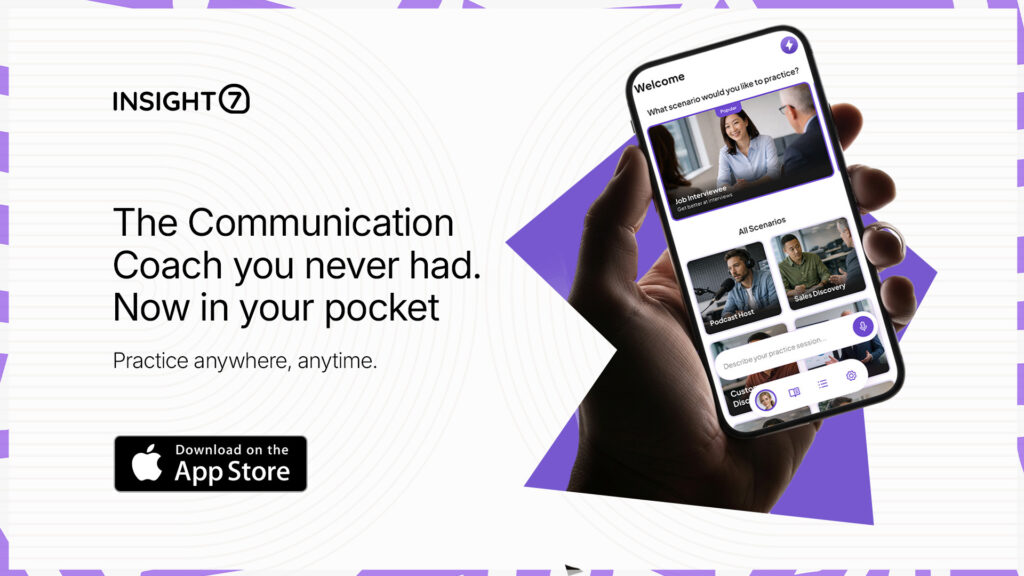
Available on iOS, the Insight7 mobile app lets you run a practice session from your phone wherever you are, no laptop or browser required.
2. Yoodli: Most Precise Delivery Feedback With Free Tier
A product manager is giving a 10-minute product update at the company’s all-hands. She tends to rush through technical sections and overuse “basically” as a filler word. She does not need Q&A practice. She needs someone to tell her exactly where she speeds up and how many times she says “basically.”
Yoodli is the strongest tool for this. It analyzes pacing (words per minute by section), filler word frequency and location, eye contact (if using webcam), tone variation, and clarity. The post-rehearsal report pinpoints the specific moments where delivery weakened, which is far more useful than a generic “reduce filler words” recommendation. The free tier includes 5 sessions, enough to rehearse a single presentation multiple times before the real thing.
Built for anyone rehearsing presentations without an audience who needs precise delivery analytics. Best-in-class filler word detection and pacing analysis across the category. The trade-off: Yoodli focuses on how you say things, not the strategic quality of what you say. It will not tell you that your argument structure is weak or that you buried the key insight on slide 14. For content-level feedback, you still need a human reviewer or an AI roleplay tool.
3. Orai: Phone-Based Rehearsal When You Have 15 Minutes
A consultant is sitting in a hotel lobby 30 minutes before a client meeting. She wants to run through her opening three slides one more time. She does not have a laptop. She does not have a quiet room. She has her phone and 15 minutes.
Orai is built for this grab-and-go scenario. The app is mobile-first, minimal in setup, and produces instant feedback on pacing, energy, clarity, and filler words. You open the app, record yourself speaking, and get a score with improvement tips within seconds.
Built for quick, mobile rehearsals when time and environment are constraints. Orai’s simplicity is its strength for last-minute practice. The trade-off: Orai’s analysis is shallower than Yoodli’s. It gives you directional feedback (speak slower, more energy) but less precision on exactly which moments need work. For a thorough rehearsal session, Yoodli is the better investment. For a quick confidence check before you walk into the room, Orai does the job.
4. VirtualSpeech: Rehearse in a Simulated Room
A newly promoted director is presenting to the full leadership team for the first time. Her content is prepared, but she is anxious about the physical experience of standing in front of 20 senior executives. She has never presented to a room that size and wants to acclimate before the real thing.
VirtualSpeech puts you inside a VR-simulated presentation environment: conference rooms, auditoriums, boardrooms with virtual audience members who shift in their seats and make eye contact. The simulation addresses the anxiety component that purely audio-based tools cannot touch.
Built for people whose primary obstacle is the physical and psychological experience of presenting to an audience, particularly if they have access to a VR headset (Meta Quest, Apple Vision Pro). The trade-off: without a VR headset, VirtualSpeech loses most of its differentiating value. The delivery feedback is lighter than Yoodli’s, and the tool does not simulate Q&A. If you do not own a headset, skip VirtualSpeech and use Yoodli or Insight7 Coach instead.
5. Poised: Real-Time Coaching Inside Your Video Meetings
A remote team lead gives weekly status presentations over Zoom. She does not need a separate rehearsal tool. She wants feedback during the actual presentation, surfaced privately on her screen while she speaks, telling her to slow down or that she has used “um” six times in the last two minutes.
Poised integrates directly with Zoom, Microsoft Teams, and Google Meet. It runs in the background during live meetings and provides real-time nudges on pacing, filler words, confidence cues, and energy. After the meeting, it generates a performance report.
Built for professionals who present regularly over video and want continuous improvement without scheduling separate rehearsal time. The trade-off: Poised is a live-meeting companion, not a rehearsal tool. It provides feedback during and after real presentations, not before. For pre-presentation rehearsal where you want to iterate on delivery before the stakes are real, a dedicated rehearsal tool like Yoodli or Insight7 Coach is the better choice.
6. Speeko: Long-Term Presentation Habits
A junior analyst wants to become a better presenter over the next six months. She does not have one specific presentation to rehearse. She wants to build the underlying skills (pacing control, storytelling structure, vocal variety) so that every future presentation is better.
Speeko takes a habit-formation approach with daily 5-minute exercises focused on specific communication skills. It gamifies progress and tracks improvement over time, making it the best fit for people playing a long game rather than preparing for a single event.
Built for long-term skill development in presentation delivery. Speeko rewards consistency and daily practice. The trade-off: Speeko is not a rehearsal tool for a specific upcoming presentation. If you have a board meeting on Friday, Speeko’s daily exercises will not prepare you for it. Use Yoodli or Insight7 Coach for event-specific rehearsal and Speeko for the ongoing development that makes future rehearsals easier.
How to Get the Most Out of Rehearsing Presentations Without an Audience
Three practices make AI-assisted presentation rehearsal actually improve your delivery rather than just measuring it.
Rehearse in sections, not all at once. Run your opening 60 seconds three times before moving to the next section. AI feedback is most actionable when applied to a small chunk and retested immediately. Running the full presentation once and reading the report afterward is less effective than iterating on the sections where you struggle.
Rehearse the transitions, not just the slides. Most pacing problems and filler word spikes happen between sections, when you are mentally shifting from one topic to the next. The moments between slides are where delivery breaks down. Pay attention to transition feedback specifically.
Rehearse the Q&A separately. If your presentation includes audience questions, the Q&A is a different skill from the monologue. Insight7 Coach lets you practice both, but even without a dedicated tool, recording yourself answering likely questions out loud and reviewing the playback catches the hesitations and weak answers that feel fine in your head but sound uncertain when spoken.
If you have a presentation coming up and want to rehearse both the delivery and the Q&A with AI feedback, download the Insight7 Coach app and run a practice session before the real thing.
Frequently Asked Questions
1. What is the best AI tool for rehearsing presentations without an audience?
The best tool depends on your biggest risk. Yoodli is strongest for delivery feedback (pacing, filler words, clarity). Insight7 Coach is best when the Q&A matters as much as the presentation itself. VirtualSpeech is best for overcoming anxiety about presenting to a live room.
2. Can AI tools replace practicing with a real person?
They replace the 80% of rehearsal that involves polishing delivery mechanics. The remaining 20%, strategic feedback on argument structure, audience-specific framing, and political dynamics of the room, still benefits from a human reviewer. AI and human practice are complementary, not substitutes.
3. How many times should I rehearse a presentation with AI?
Three to five full run-throughs with section-level iteration between each one is typically enough for a prepared presentation. Focus on the sections where AI flags the most issues rather than repeating the full talk each time. Most improvement happens in the first three attempts.
4. Do these tools work for rehearsing virtual presentations?
Yes. Insight7 Coach, Yoodli, and Orai all work from your laptop or phone for virtual presentation rehearsal. Poised goes further by providing real-time feedback during your actual Zoom, Teams, or Meet presentation. VirtualSpeech is the only tool focused on simulating an in-person room.
5. Are there free AI tools for rehearsing presentations?
Yoodli offers 5 free sessions on its starter plan, enough to rehearse one presentation multiple times. Orai and Speeko have limited free tiers. Insight7 Coach offers a free trial on its mobile app. For most single-presentation needs, Yoodli’s free tier is sufficient without upgrading.