
Key Takeaways
- Insight7: best for customer-facing teams (50–100 reps) who need risky language flagged across chat, calls, and email in one scored view. Free plan, Pro from $99/month.
- Aware, now part of Mimecast: best for IT and security leads watching internal Slack, Teams, and Zoom for harassment, leaks, and insider risk.
- Microsoft Purview Communication Compliance: best for Microsoft 365 shops already paying for E5.
- Sightengine and Azure AI Content Safety: best for product engineers adding chat message monitoring to a live app.
Toxic culture predicts attrition 10.4 times better than pay does, according to MIT Sloan research. If that’s true in your support org, the evidence is already sitting in chat logs nobody scores.
Tools for detecting risky language in chat messages close that gap by reading every message, not a sample, and flagging patterns before they turn into exits or EEOC filings.
This guide compares seven of them on price, channel coverage, and what happens after a flag fires
All 7 tools at a glance
| Tool | Best for | Standout feature | Price starting point |
|---|---|---|---|
| Insight7 | Sales, CS, and CX teams scoring risky language across chat, call, and email | 100% coverage scoring with keyword, scorecard, and performance alerts | Free plan; Pro $99/month |
| Aware (Mimecast) | IT, security, and compliance teams watching internal Slack and Teams | NLP built specifically for collaboration data, not email | Custom quote |
| Microsoft Purview Communication Compliance | Microsoft 365 organizations already on E5 | Prebuilt “detect inappropriate text” policy templates for Teams | Included with M365 E5 or the E5 Compliance add-on |
| Smarsh | Regulated finance and insurance firms facing FINRA or SEC exams | Lexicon policies plus machine learning across 100+ channels | Custom quote |
| Sightengine | Product teams moderating user-to-user chat inside an app | Text moderation API spanning 120+ detection classes | Free tier; Starter $29/month |
| Azure AI Content Safety | Developers adding guardrails to an AI chat feature | Severity scoring across hate, violence, sexual, and self-harm | Free tier: 5,000 text records/month |
| Perspective API | Small comment sections with a zero budget | Free 0–1 toxicity score, 18+ languages | Free (service ends after Dec 31, 2026) |
Why Keyword Blocklists Keep Failing You
Here is the version of this that plays out in companies.
A CX manager at a 250-person insurance brokerage sets up a blocklist. Twenty banned words. The system fires forty alerts in week one. Thirty-six are people saying “kill the ticket” or “that’s insane pricing.” The four that matter get buried.
Meanwhile, a rep types “people like you always have trouble with this” to a customer. Zero banned words or alerts.
Research published in the Journal of Artificial Intelligence Research on automated abusive language detection makes the point plainly: static blocklists miss context, sarcasm, and implicit harm, and detection needs contextual language models that understand intent rather than fixed word lists.
For your team, that translates into a specific failure mode. The obvious insults get caught. But the condescension, veiled threats, and marginalization that drives people out the door sail straight through.
And the cost of missing the subtle end is not theoretical. MIT Sloan Management Review research found toxic culture is 10.4 times more predictive of attrition than compensation.
Read that as a hiring math problem: if your 80-person support org loses six agents this year to a culture nobody documented, you are paying for six rounds of recruiting, six ramp cycles, and six months of degraded CSAT, all because the evidence lived in chat logs nobody scored.
The regulatory pressure moves the same direction. The EEOC reported 31,354 harassment charges in fiscal year 2023, a 28% jump over 2022 and 47% over three years prior.
When a claim lands, “we reviewed a random sample” is a weak position to defend from. You need a time-stamped record showing you flagged and acted on the message when it happened.
1. Insight7: Best for Customer Teams Monitoring Chat, Call, and Email Together
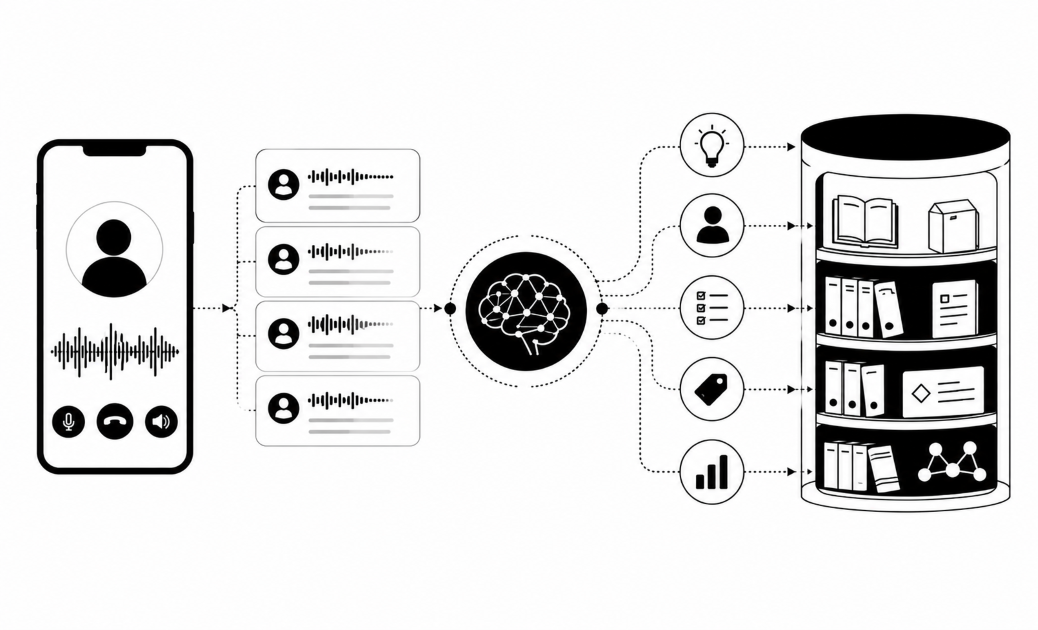
Insight7 is a call intelligence and coaching platform for customer-facing teams. It scores 100% of conversations across chat, calls, and meetings against criteria you define, then routes what it finds into coaching instead of leaving it in a compliance report.
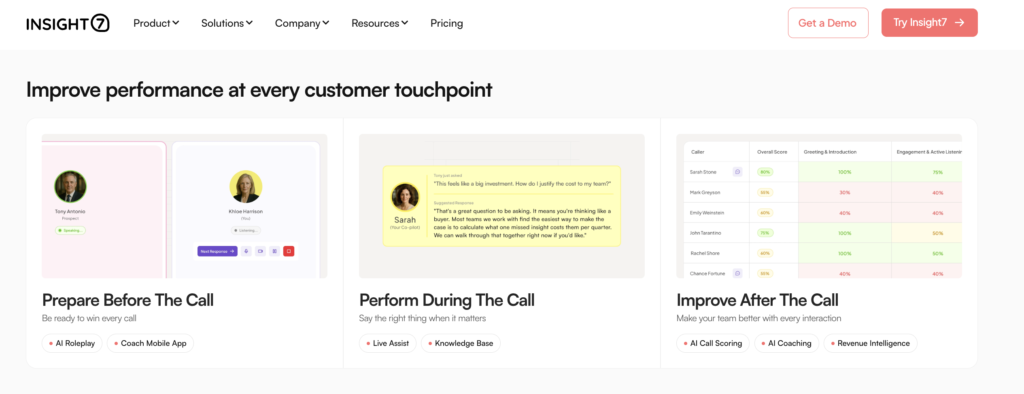
That last part is the difference. Detection tools tell you a message was risky. Insight7 tells you which rep said it, what pattern it belongs to, and what practice scenario fixes the behavior.
Key features
Three capabilities matter most when your risk lives in chat threads:
Custom evaluation criteria across every message
You build the rubric. Prohibited phrasing, required disclosures, tone, escalation handling. Every conversation gets scored against it, not a 2% sample.
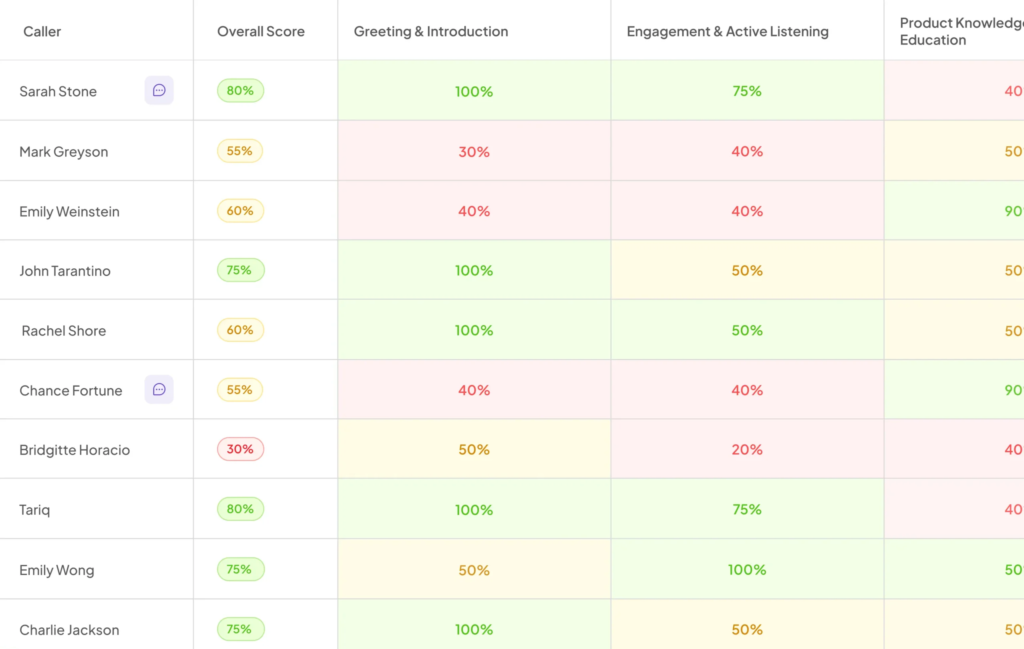
Insight7’s own Conversational Intelligence Market Map 2026 cites McKinsey research showing manual QA covers under 5% of customer conversations in most contact centers. The 95% you never read is where your exposure lives.
Keyword, scorecard, and performance alerts
Alerts fire when a tracked phrase appears or a score drops below your threshold. They land in Slack, Teams, or email while the thread is still warm. Fresh Prints, which reviews around 700 recorded interviews a month, used this to catch red flags across interviews that no human could screen at that volume.
Like their team put it, the system flags red flags and delivers coaching insights in a fraction of the time.
Practice scenario
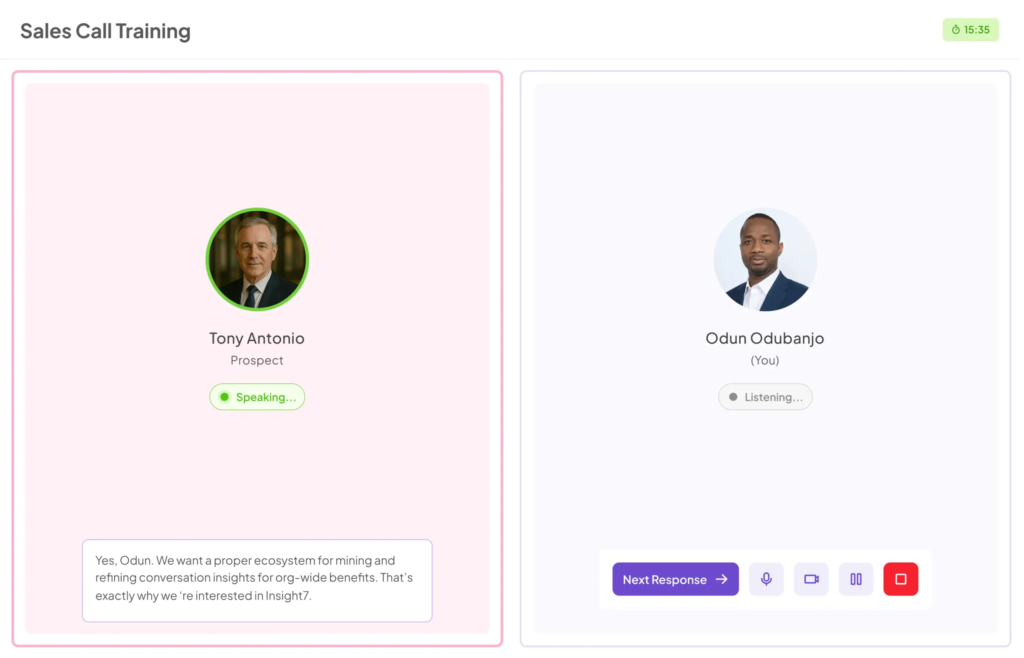
A flagged message becomes an AI roleplay scenario the rep can practice against. The rep who mishandles an angry customer gets a simulated angry customer, with feedback, that week. No manager time required.
Pricing
| Plan | Monthly price | What you get |
|---|---|---|
| Free | $0 | Basic features, no credit card |
| Pro | $99/month | 1 user, 50 call/transcript analyses, scorecards, evaluation criteria templates |
| Business | $299/month | 3 users, 200 analyses, keyword and scorecard alerts, PII/PHI redaction, AI roleplay |
| Plus | $1,499/month | 20 users, 2,500 analyses, full AI coaching and feedback |
| Enterprise | Custom | Unlimited analyses, APIs, dynamic evaluation criteria, live recording |
Where Insight7 shines
- Detection and correction on one data layer: A flagged phrase feeds the coaching module automatically. You skip the export-to-spreadsheet handoff between your QA reviewer and your team lead.
- Self-serve entry at mid-market budgets: You can start free and be scoring conversations the same afternoon. Enterprise supervision platforms in this category typically require a sales cycle, an implementation team, and a seat minimum before you see a single flagged message.
- Compliance posture that survives procurement: SOC 2 Type II, HIPAA, and GDPR, with PII and PHI redaction and no AI training on customer data.
Where Insight7 falls short
- Built for customer conversations, not internal water-cooler chat: If your goal is monitoring employee-to-employee banter in company Slack channels, Aware or Purview might fit that shape better.
Customer reviews
Reviewers on G2 point to speed without a quality trade-off. One describes the platform as easy to use with a straightforward interface, and credits it with saving significant time on qualitative analysis while keeping findings solid.
Another highlights how quickly it summarizes transcripts and consolidates key points, calling out a responsive support team and describing it as good value that saved days of tedious evaluation work.
The most common critique: free-plan outputs are limited, so you hit the ceiling quickly if you try to run a real evaluation on the free tier.
Who Insight7 is best for
- Heads of CX and support at 50–400 employee companies: You own quality across chat and voice, and one person is doing QA, coaching, and reporting.
- Compliance and QA leads in financial services or healthcare: You need 100% coverage plus redaction, and you cannot justify a $60K enterprise minimum.
- Enablement managers consolidating tools: You want detection, scoring, and coaching in one contract instead of three.
Score every conversation, not a sample — Try Insight7 free
2. Aware (Mimecast): Best for Internal Slack and Teams Risk
Aware, now part of Mimecast, watches the messages your employees send each other.
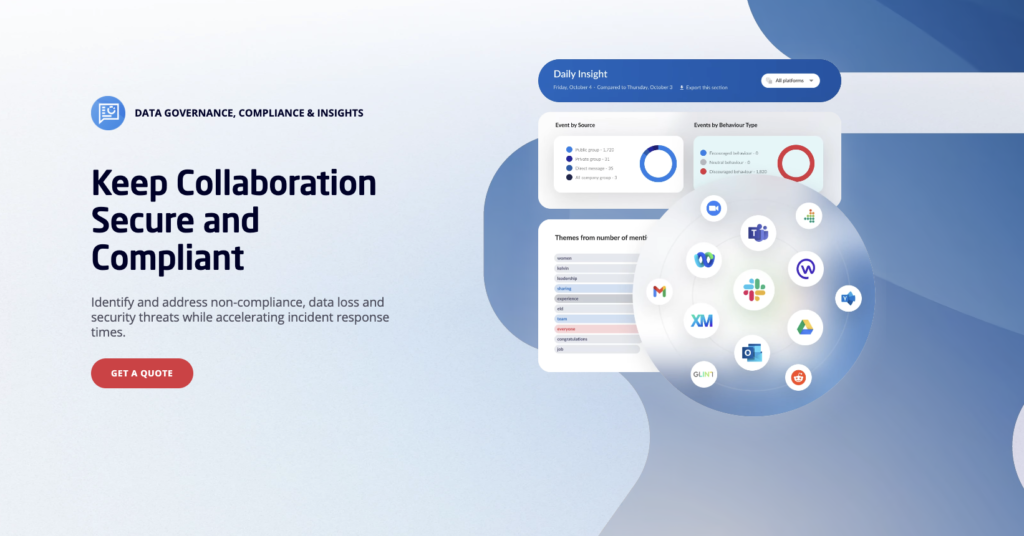
It ingests Slack, Teams, Zoom, and Workplace data into one console and applies natural language processing built specifically for collaboration data, which behaves nothing like email.
Key features
- Purpose-built collaboration NLP: Surfaces harassment and toxicity signals in threaded, fragmented, emoji-heavy chat where email-trained models struggle.
- Automatic tombstoning: When a message trips a policy, Aware can replace it and flag the event for admin review, so the content stops spreading while the investigation runs.
- Bidirectional retention policies: Granular control over what gets kept and what gets purged across every connected platform.
Pricing
Quotes are custom and typically sized by seat count and connected platforms.
Where Aware shines
- Depth on internal culture risk: This is one of the few tools designed around the assumption that the risky message is between two of your own employees, not between an employee and a customer.
- Real-time containment, not just reporting: Tombstoning gives you an action, not an alert you read on Friday.
Where Aware falls short
- No public pricing and no self-serve path: You cannot test it this week. Smaller teams often stall at the quote stage.
- Built for security and compliance, not coaching: It tells you a manager was dismissive in a thread. It does not help that manager get better.
- Enterprise sizing: The value case tightens at larger headcounts. Below roughly 200 employees, the effort of deploying it often outruns the risk it retires.
Customer reviews
Reviewers praise Mimecast Aware for effectively reducing human error through valuable cybersecurity training and reliable inbound/outbound email threat blocking, though some users note that certain user experience areas still need improvement.
Who Aware is best for
- IT and security directors at 200+ employee companies running multiple collaboration platforms.
- HR and legal teams building a defensible record on harassment claims.
3. Microsoft Purview Communication Compliance: Best for Microsoft 365 Shops
If your company already runs Microsoft 365 E5, you may own a risky language detection tool and not know it.
Purview Communication Compliance detects, captures, and lets you act on inappropriate messages across Teams chat, Exchange, Viva Engage, and Copilot interactions.
Key features
- Prebuilt policy templates: A “detect inappropriate text” template uses built-in classifiers for profanity, threats, and harassment. You can be live in an afternoon rather than authoring rules from scratch.
- Coverage across public channels, private channels, and 1:1 chats: Including the private DMs where the worst messages usually live.
- Employee self-reporting: Teams users can report a message directly through the “Report this message” option, routing it to your reviewers. Note this can take up to 30 days to activate after you first license it.
- Privacy-by-design pseudonymization: Usernames are hidden by default, with role-based access and full audit logs. That matters when works councils or employee reps need to sign off on monitoring.
- Third-party connectors: Pulls in WhatsApp and Slack data alongside native Microsoft sources.
Pricing
| Route | What it costs |
|---|---|
| Microsoft 365 E5 | Included natively |
| E3 or Business Premium | Requires the Microsoft 365 E5 Compliance add-on |
| Trial | 90-day Purview solutions trial |
Where Purview shines
- Zero incremental cost on E5: A compliance lead at a 300-person firm already paying for E5 gets chat monitoring without a new vendor, a new DPA, or a new security review.
- Native remediation inside Teams: Reviewers can remove a message from Teams directly, rather than filing a ticket and hoping.
- Connected to insider risk signals: Pairs with Purview Insider Risk Management to link communication patterns to broader behavior.
Where Purview falls short
- Licensing gets expensive fast if you are not already on E5: The add-on path means paying for a full compliance suite to use one module.
- Configuration complexity: Setup and policy tuning carry a real learning curve, and small teams without an M365 admin tend to stall.
- Microsoft-first coverage: Non-Microsoft channels work through connectors, which adds setup steps and gaps.
Customer reviews
On G2, one reviewer praises the breadth of policies available and how smoothly it runs given it is bundled into the E5 license. A more critical reviewer concludes it suits larger businesses with complex compliance needs but can be overkill or cumbersome for smaller organizations with simpler requirements.
Who Purview is best for
- IT and compliance leads at Microsoft-standardized companies already licensed for E5.
- Regulated firms needing pseudonymized monitoring that survives a privacy review.
4. Smarsh: Best for Regulated Financial Services Supervision
Smarsh captures and archives communications across more than 100 channels, then applies supervision policies on top. If your risk conversation involves FINRA, the SEC, or MiFID II, this is the category Smarsh was built for.

Key features
- Lexicon policies plus machine learning: Traditional keyword lexicons catch known phrases. ML models catch the ones your lexicon missed and cut the false positives that make reviewers stop reading alerts.
- Native-format capture across 100+ channels: Email, Teams, WhatsApp, SMS, voice, and generative AI tools, with conversation threading preserved so a flagged line keeps its context.
- Immutable, tamper-evident retention: Built to satisfy SEC Rule 17a-4 and FINRA Rules 4511 and 3110.
- Self-service policy publishing: Changes save and publish to production without a support ticket.
Pricing
Custom quote only.
Where Smarsh shines
- Regulatory defensibility: When an examiner asks for every message a rep sent about a specific product over 18 months, you produce it with chain of custody intact.
- Channel breadth: Few tools cover mobile carrier-level SMS, WhatsApp, and Teams voice in one archive.
Where Smarsh falls short
- Overbuilt for non-regulated teams: A 90-person SaaS company with no filing obligations pays for archiving infrastructure it will never be examined on.
- Archive-first, coaching-never: Smarsh documents risk. Changing the behavior that caused it is your problem.
- Enterprise procurement: Expect a long evaluation and no self-serve trial.
Customer reviews
One G2 reviewer credits Smarsh with solving a lexicon problem their previous vendor could not, noting the AI narrows alerts down to genuine compliance violations. Another says the Professional Archive gives them confidence that communications are fully captured for regulatory purposes, and highlights accurate search results during audits.
The recurring critique is cost and complexity relative to smaller firms’ needs.
Who Smarsh is best for
- Compliance officers at broker-dealers, RIAs, and insurance firms with examination obligations.
- Legal teams at regulated enterprises needing defensible e-discovery across chat and mobile.
5. Sightengine: Best for Moderating User Chat Inside Your Product
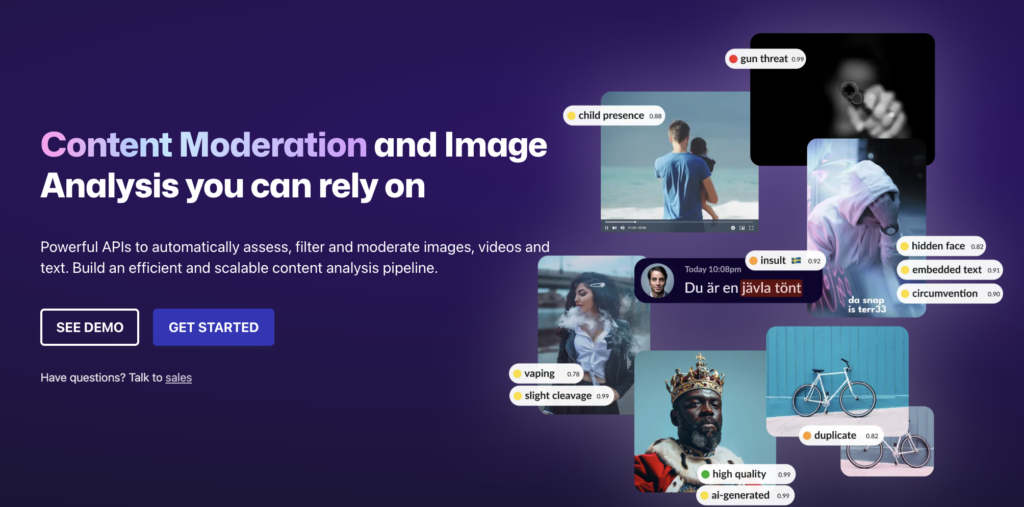
If your users message each other inside your app e.g a marketplace, a dating product, a community, you need moderation at the API layer, before the message renders. Sightengine does that across text, image, and video.
Key features
- Text moderation across 120+ detection classes: Hate speech, harassment, scams, personal data, and restricted activities, with sub-second responses.
- Real-time API calls: Screen the message before it appears, not after a user reports it.
- Multi-language coverage: English, Spanish, French, German, Italian, Portuguese, Dutch, Swedish, and Chinese.
- No human moderator in the loop: Your content stays private and is not shared with third parties.
Pricing
| Plan | Monthly price | Included |
|---|---|---|
| Free | $0 | Capped monthly operations, 1 req/sec |
| Starter | $29/month | 10,000 operations, 1 req/sec, email support |
| Pro | $99/month | Higher volume, 10 req/sec, live-stream moderation |
Where Sightengine shines
- Genuinely cheap to start: A product engineer at a 90-person marketplace can wire it into a staging environment before lunch and know the cost before asking for budget.
- One API for text and media: Chat risk is rarely text-only. Users send images too.
- Predictable, usage-based cost: You model spend against message volume instead of negotiating seats.
Where Sightengine falls short
- Throughput limits on lower tiers: The 1 req/sec cap on Free and Starter forces you to Pro for real-time moderation during traffic spikes, regardless of your monthly volume.
- No workplace supervision workflow: There are no reviewer queues, case management, or audit trails. You build that layer yourself.
Customer reviews
While positive reviews praise Sightengine for being intuitive and quick for building proposal layouts, negative reviews highlight severe inaccuracies in its production/shading estimates and criticize the company for unresponsive sales and customer support.
Who Sightengine is best for
- Product and engineering leads at consumer platforms shipping in-app chat.
- Trust and safety engineers who want an API, not a dashboard.
6. Azure AI Content Safety
Azure AI Content Safety scores text and images across hate, violence, sexual content, and self-harm, returning severity levels rather than a binary flag. It was built for teams shipping AI chat features who need guardrails on both what users type and what the model replies.
The free tier covers 5,000 text records a month, and the standard tier bills per 1,000 records, where one record equals up to 1,000 characters. That billing unit trips people up: a 7,500-character transcript counts as 8 records, so estimate against your average message length before committing. This tool is best for engineering teams already on Azure.
7. Perspective API
Google Jigsaw’s Perspective API returns a 0–1 toxicity score across attributes including severe toxicity, identity attack, insult, profanity, and threat, in 18+ languages. It is free, it has been used by over 1,000 platforms including major news publishers, and at peak it handled around 500 million requests a day.
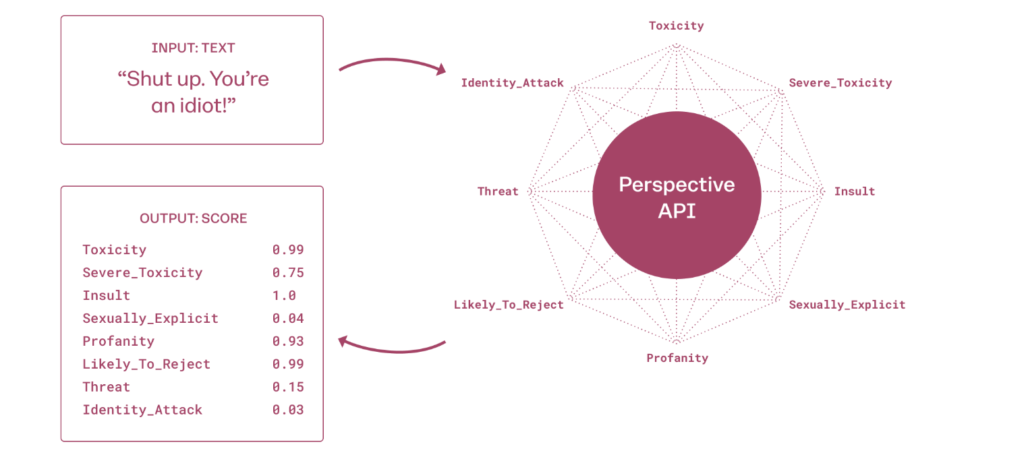
Jigsaw has confirmed the API shuts down after December 31, 2026, quota increase requests ended in February 2026, and no migration support is being offered. Treat Perspective as a prototyping option only. Building production chat monitoring on it now means a forced migration inside a year.
Watch out: Free tooling carries a hidden cost that shows up as engineering time. Perspective’s default rate limit is 1 query per second. At that ceiling, a busy community’s messages queue up and get scored after users have already seen them. Detection that arrives late is documentation, not prevention.
How to Choose the Right Risky Language Detection Tool
Four questions separate a tool that earns its cost from one that becomes shelfware.
1. Does it cover the channel where your risk lives?
Start by naming the conversation you are worried about. Employee-to-employee Slack banter, rep-to-customer support chat, and user-to-user in-app messaging are three different problems with three different tool categories.
A compliance lead who buys a collaboration-security tool and then discovers their real exposure sits in customer support chat has bought the wrong shape entirely.
Insight7 covers the customer-facing side (chat, voice, and email) on one data layer, which matters when a risky exchange starts in chat and escalates to a call.
2. Can you tune the threshold, or are you stuck with the vendor’s definition?
Every detection model produces false positives. The question is whether you can adjust. A fintech’s compliance vocabulary looks nothing like a gaming community’s.
If a tool ships with fixed categories and no custom criteria, your reviewers will spend more time dismissing alerts than acting on them, and once reviewers stop trusting alerts, the tool is already dead.
Insight7 lets you define your own evaluation criteria and set alert thresholds per scorecard, so a phrase that is routine in your industry stops firing after week one.
Pro tip: During any trial, run the tool against 200 conversations you have already reviewed manually. Count how many known problems it catches and how many clean messages it flags. That single test tells you more than any vendor accuracy claim.
3. What happens after a message gets flagged?
Ask each vendor: who gets notified, how fast, and what can they do from inside the tool? Smarsh routes to a supervisor queue with an audit trail. Purview lets a reviewer delete the message from Teams.
Insight7 turns the pattern into a coaching scenario the rep practices against, which is the only one of the three that reduces how often the message gets sent again.
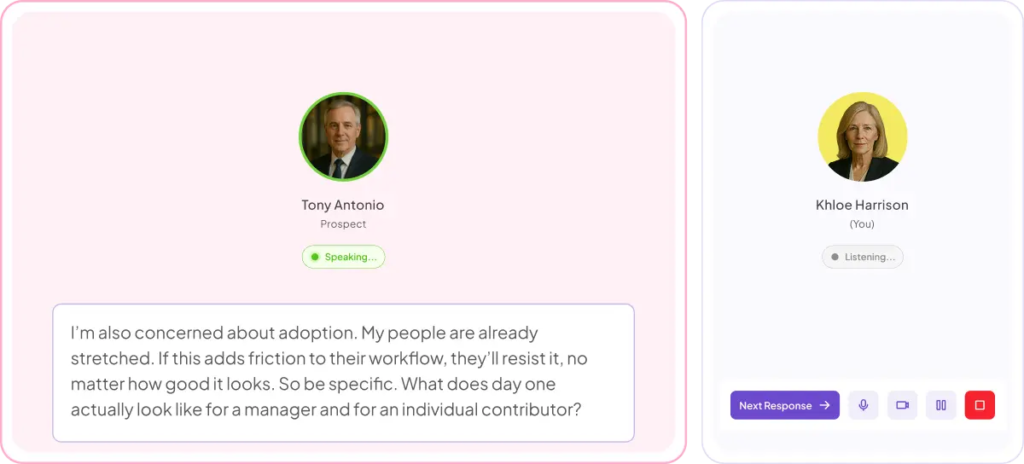
APEX Waste Solutions uses this loop for customer experience team training, moving from flagged interactions to targeted coaching rather than a monthly report nobody reads.
4. Will it hold up in a privacy review?
Monitoring employee and customer messages is a legal exercise as much as a technical one. Before you shortlist, confirm the vendor’s certifications, whether usernames are pseudonymized by default, whether PII is redacted, and whether your data trains their models.
Insight7 is SOC 2 Type II certified, HIPAA compliant, and GDPR compliant, with PII and PHI redaction and no AI training on customer data. Your security team will ask for all four.
Pro tip: Loop in HR and legal before the pilot. Monitoring rolled out without employee communication generates the exact culture problem you bought the tool to prevent.
Test how Insight7 scores every conversation for free — Book a demo
Catch Risky Language Before It Costs You a Customer or a Claim
Sampling 2% of your conversations means you find out about the bad ones from a customer complaint, an exit interview, or a lawyer.
If your risk sits in customer conversations, Insight7 scores all of it against criteria you set, alerts you when a tracked phrase or a dropping score shows up, and turns the pattern into coaching your reps practice against.
You can start on the free plan and have your first conversations scored today, or check on the go with the Insight7 mobile app.
Not ready to commit? Try our free call evaluation tools then.
FAQs
Can AI detect sarcasm and coded language in chat?
Contextual language models handle sarcasm far better than blocklists, but no vendor publishes independently audited accuracy figures. Test any tool against conversations you have already reviewed before trusting it.
Is monitoring employee chat messages legal?
It depends on jurisdiction, notice, and consent. Many tools pseudonymize usernames by default to support privacy requirements. Confirm your obligations with legal counsel before you deploy.
How much do chat monitoring tools cost?
Team platforms like Insight7 start at $99 a month. Enterprise supervision platforms are quote-based and typically five figures a year.
Do these tools work on customer support chat, not just internal messages?
Some do. Insight7 scores customer-facing chat, calls, and email. Aware and Purview focus on internal collaboration. Match the tool to the channel carrying your risk.
What is the biggest mistake teams make when rolling this out?
Turning on every alert at once. Start with three to five criteria tied to your actual incidents, tune for a month, then expand. Alert fatigue kills adoption faster than poor accuracy.