
Key Takeaways
- Insight7 is best for teams that need to know why customers behave a certain way, not just what they clicked. It turns interviews, support calls, and feedback into themes and sentiment automatically.
- Amplitude and Mixpanel are best for teams that want detailed, event-level product analytics — funnels, retention, cohorts.
- Heap is best for teams that don’t want to manually tag every click before they can analyze it.
- FullStory is best for teams that want to watch real user sessions, not just read charts.
- Pendo bundles analytics with in-app guidance, but at enterprise pricing.
Your dashboard says 40% of users drop off during onboarding but not why. That gap is exactly what the right AI tools for analyzing customer behavior in your product are built to close. Some trackiwhat users click, others understand and interprete what users say.
Below, we’ll walk through six tools, what each one is genuinely good at, and how to tell which one your team needs first.
| Tool | Best For | Standout Feature | Starting Price |
|---|---|---|---|
| Insight7 | Understanding the “why” behind product usage patterns | Turns interviews, calls, and feedback into themes automatically | Free; Pro from $99/mo |
| Amplitude | Deep, event-level product analytics | Behavioral cohorts and causal analysis | Free; paid plans custom |
| Mixpanel | Fast, self-serve product analytics | Transparent, event-based pricing | Free; paid plans custom |
| Heap | Retroactive analysis without manual tagging | Auto-captures every click, no instrumentation needed | Free; paid plans custom |
| FullStory | Watching real user sessions | Session replay paired with AI session summaries | Free; paid plans custom |
| Pendo | All-in-one analytics, guidance, and feedback | Bundles product analytics with in-app onboarding | Free (up to 500 MAUs); paid plans custom |
Insight7: Best for Understanding Why Customers Behave the Way They Do
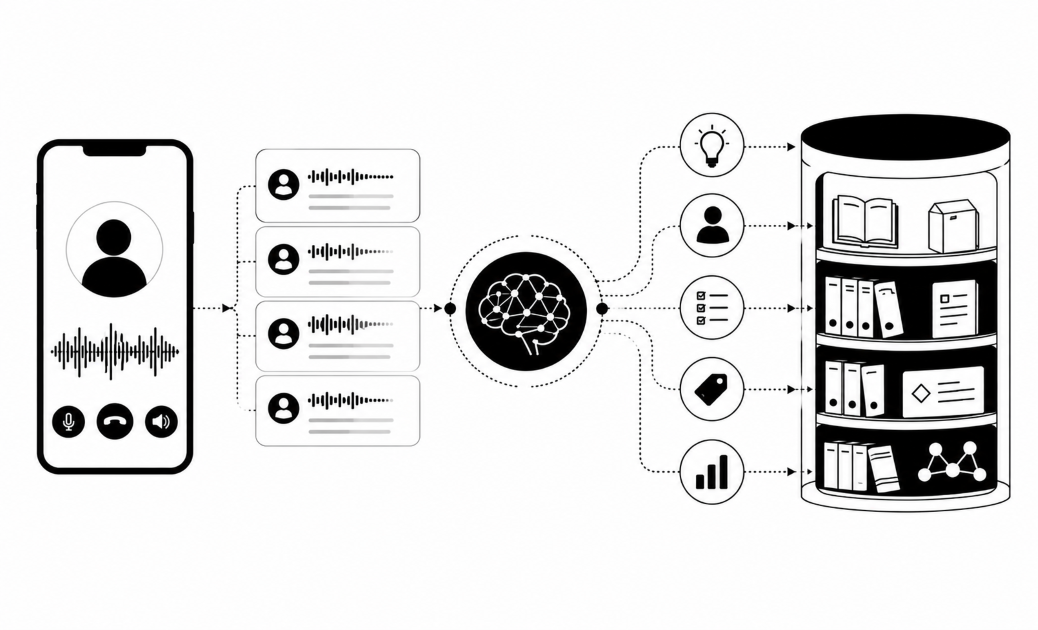
Insight7 takes customer interviews, support calls, feedback, and reviews, and turns them into themes, sentiment, and quotes; the context your usage charts can’t give you.
Quantitative dashboards are great at revealing what users do, but they are notoriously blind to why they do it. While product analytics platforms log drop-offs, churn rates, and abandoned carts, they leave product teams guessing at the human friction behind the numbers.
Insight7 fills this critical gap by transforming unstructured feedback (customer interviews, support transcripts, survey responses, and public reviews) into actionable themes, sentiment analysis, and exact customer quotes. It provides the qualitative clarity that raw usage charts simply cannot deliver.
Key Features
For product managers and user researchers trying to scale qualitative analysis without adding headcount, Insight7 automates the heavy lifting:
- Universal Bulk Data Ingestion
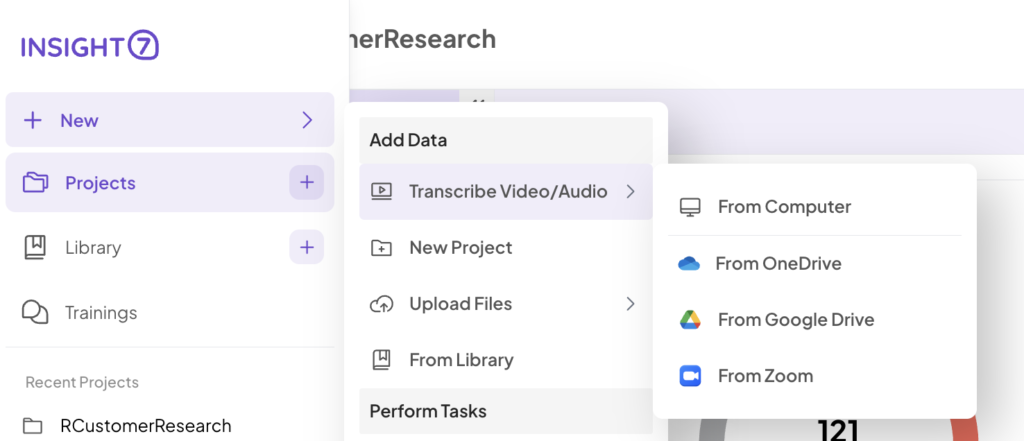
Connects directly to where customer conversations live. You can upload up to 100 files simultaneously from Zoom, Microsoft Teams, Google Drive, or OneDrive—processing text, audio, and video from sales calls, support tickets, and deep-dive user research.
- Automated Theme & Sentiment Extraction
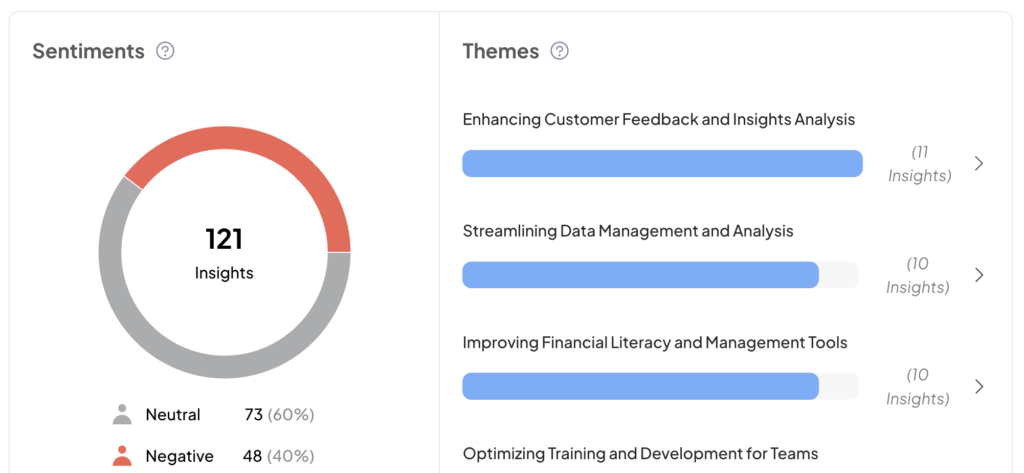
Eliminates manual tagging, highlight-reel building, and spreadsheet coding. Insight7 analyzes entire research repositories at once, automatically surfacing recurring user pain points, feature requests, and shifting customer sentiment.
- Ask Sev (AI Research Assistant)
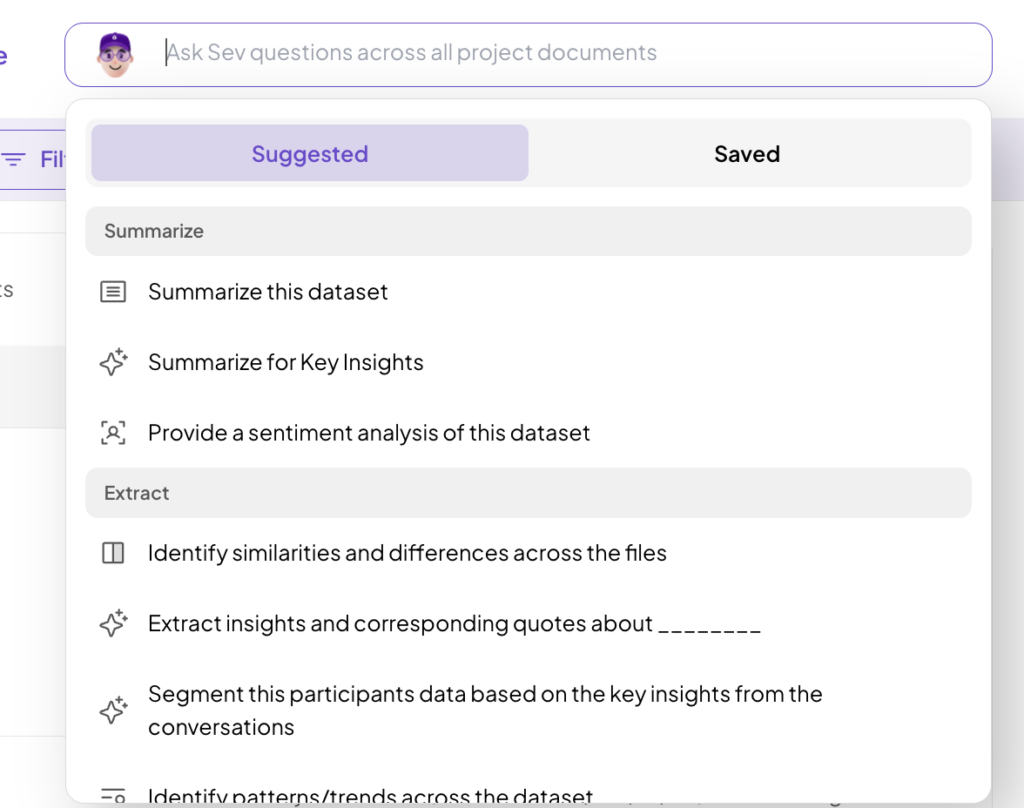
Query your qualitative dataset using natural language. Instead of manually skimming dozens of 45-minute interview transcripts to find a specific mention of a feature request, you ask Sev directly and receive an immediate answer backed by direct timestamped citations.
- Executive-Ready Dashboards & Journey Maps
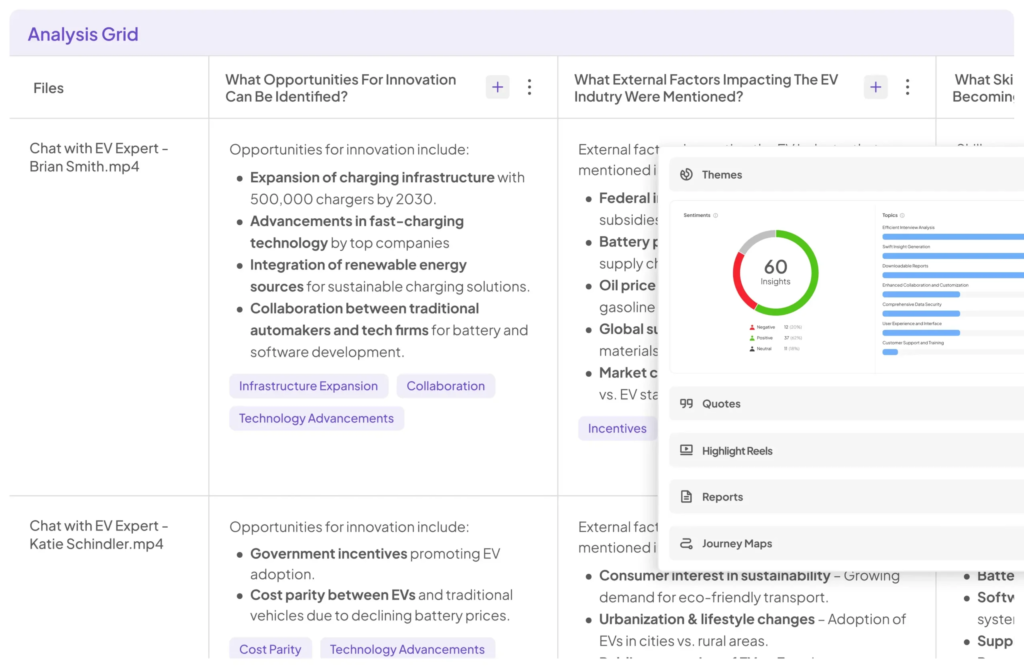
Automatically converts raw qualitative findings into visual persona profiles, customer journey maps, and shareable summaries built to align cross-functional stakeholders and justify roadmap decisions during leadership reviews.
Pricing
| Plan | Best For | Price |
|---|---|---|
| Free | Trying it out — 3 analyses, 1 project | $0/mo |
| Pro | Individuals analyzing more volume | $99/mo |
| Business | Teams — 3 users, 200 analyses/mo | $299/mo |
| Enterprise | Scale, APIs, unlimited usage | Contact Us |
Where Insight7 Shines
- Speed from raw data to answer: what used to take weeks of manual coding compresses into minutes.
- Handles messy, real-world files: audio, video, and text together; no format conversion first.
- Findings you can present: journey maps and dashboards, not just a spreadsheet of tags.
Where Insight7 Falls Short
- Not a clickstream tool: it won’t show which button got clicked, so pair it with Amplitude or Mixpanel for that half of the picture.
Customer Reviews
“We are using the insights from Insight7 on our projects. The transcription and sentiment analysis seems pretty good despite our messy data. ” — Darcy Bross, User
“Before Insight7, we manually analysed user feedback. It was time-consuming and limited product iteration. With Insight7, that time has been cut in half. We seamlessly extract product insights and generate reports efficiently.” — Toye Fatolu, Product Designer, Terragon Group
Who Insight7 Is Best For
- Product leaders who need the “why” behind a usage trend: pairs naturally with whatever analytics tool you already use.
- Teams sitting on unanalyzed interviews or support calls: if those files are piling up unread, this is the fastest way through them.
See it on your own data: Analyze your first file free
Amplitude: Best for Deep, Event-Level Product Analytics
Amplitude tracks product usage down to the individual event: every click, screen view, and conversion step, and lets you analyze it across cohorts over time.
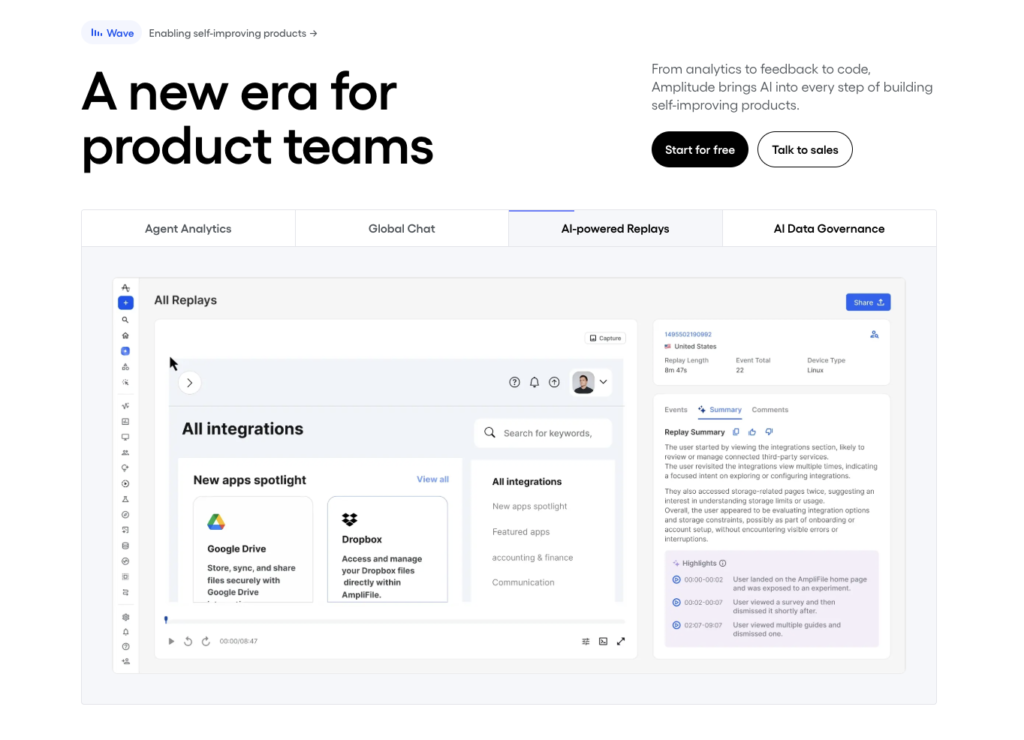
Key Features
- Behavioral cohorts: group users by what they did, then compare retention between groups.
- Causal analysis: goes beyond “what happened” to estimate what’s likely driving an outcome.
- Session replay and feature flags included: even the free plan bundles these in.
Pricing
| Plan | What’s Included | Price |
|---|---|---|
| Free | 10,000 tracked users, 2M events/mo | $0/mo |
| Growth / Enterprise | Custom volume and features | Contact Sales |
Where Amplitude Shines
- Generous free tier: 10,000 tracked users is enough for most early-stage products to run real analysis before paying.
- Depth for mature teams: causal analysis and predictive audiences aren’t offered by most competitors.
Where Amplitude Falls Short
- Costs scale fast: the median customer pays over $60,000 a year, well above the headline price.
- A/B testing costs extra: experimentation is often a separate line item past the Plus tier.
Customer Reviews
On G2, one reviewer praised how it “unifies product, marketing, and behavioral data.” Another flagged the pricing model “gets expensive fast as your user base grows.”
Who Amplitude Is Best For
- Growth and product teams past product-market fit: who need cohort-level analysis, not just basic event counts.
Mixpanel: Best for Fast, Self-Serve Product Analytics
Mixpanel tracks behavior by event rather than by user count, which makes its pricing more transparent than most tools on this list.
Key Features
- Event-based pricing: you pay for what you track, so small teams can see exactly where their bill comes from.
- No-code funnel and retention analysis: product managers can build reports without pulling in an engineer.
- Generous free tier: 1 million events a month, unlimited team seats.
Pricing
| Plan | What’s Included | Price |
|---|---|---|
| Free | 1M events/mo, unlimited seats | $0/mo |
| Enterprise | Custom volume, governance | Contact Sales |
Where Mixpanel Shines
- Fast onboarding: funnels and retention reports are quick to build without deep technical setup.
Where Mixpanel Falls Short
- Event volume can sneak up on you: one feature launch can double tracked events per user within a quarter.
- Lighter on context: it shows what happened in a session, not what the user was trying to do or how they felt.
Customer Reviews
On G2, a reviewer said it “helps us understand user behavior across every step of the funnel.” Another noted “pricing can get expensive quickly once event volume grows.”
Who Mixpanel Is Best For
- Lean product teams that want self-serve analytics: without committing to a long enterprise sales process first.
Heap: Best for Retroactive Analysis Without Manual Tagging
Heap (now part of Contentsquare) auto-captures every click and page view the moment you install it, so you can analyze behavior you didn’t think to track ahead of time.
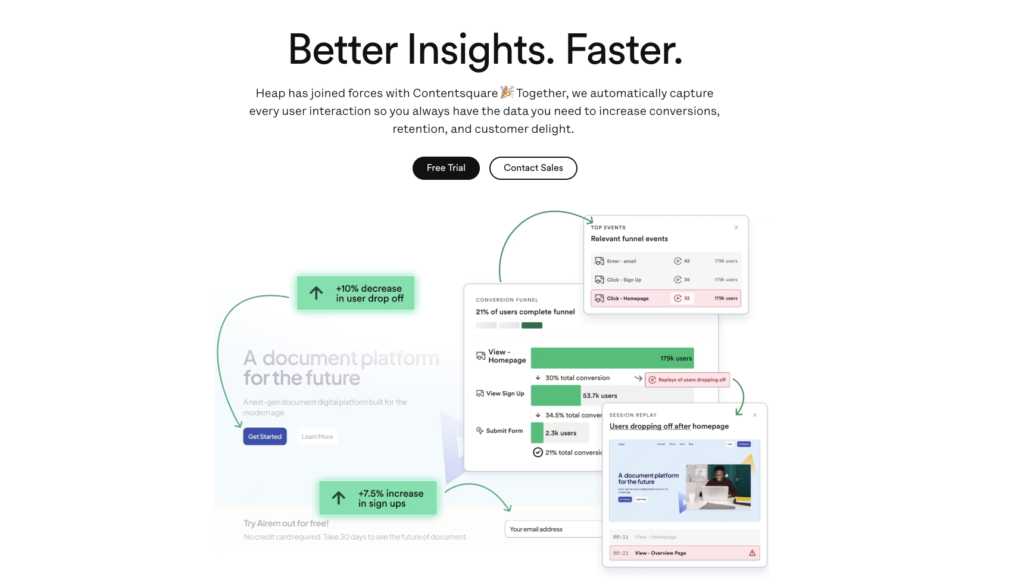
Key Features
- Automatic event capture: no need to define tracking code before seeing results. Heap records everything from day one.
- Retroactive analysis: ask a new question next month, and the historical data is already there.
- Visual event definition: point and click on a page element to define an event, instead of asking an engineer to instrument it.
Pricing
| Plan | What’s Included | Price |
|---|---|---|
| Free | 10,000 sessions/mo | $0/mo |
| Growth | Advanced features, custom volume | Free |
| Pro / Premier | Enterprise features | Custom session pricing |
Where Heap Shines
- No instrumentation lag: teams that forgot to track something elsewhere don’t lose that data since Heap was already capturing everything.
- Strong for journey mapping: automatic capture makes it easy to visualize the full path before a conversion or drop-off.
Where Heap Falls Short
- Pricing is opaque past free: most plans require a sales quote, and reviewers describe costs as unpredictable for smaller teams.
- Auto-capture creates noise: with everything tracked, filtering down to what matters takes extra setup.
Customer Reviews
On Capterra, one user called it “a really powerful web analytics platform” for tracking behavior at each step. Another flagged “the cost of the tool can be a lot higher for small businesses.”
Who Heap Is Best For
- Teams that don’t want to plan tracking in advance: and would rather capture everything now and ask questions later.
FullStory: Best for Watching Real User Sessions
FullStory pairs session replay with product analytics, so you can go from “conversion dropped” straight to watching the session where it happened.
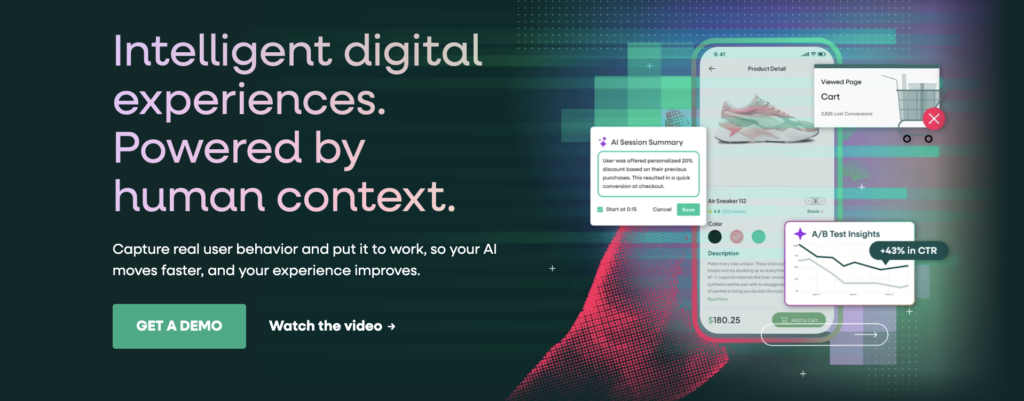
Key Features
- Session replay at scale: watch real sessions to see where someone hesitated, rage-clicked, or gave up.
- StoryAI session summaries: on paid plans, AI flags the sessions worth watching instead of you scrubbing through hours of video.
- Privacy-aware capture: sensitive data is masked at the browser level before it reaches FullStory’s servers.
Pricing
| Plan | What’s Included | Price |
|---|---|---|
| Free | 30,000 sessions/mo, 10 seats | $0/mo |
| Business / Advanced / Enterprise | Custom session volume and features | Contact sales |
Where FullStory Shines
- Turns a bug report into a five-minute fix: support and engineering watch the exact session instead of reproducing it from a description.
- Session summaries cut review time: StoryAI flags the sessions worth watching instead of leaving that to a human.
Where FullStory Falls Short
- Pricing complaints are consistent: reviewers frequently describe it as effective but expensive at scale.
- Data overload is a real risk: with everything captured, it’s easy to drown in sessions instead of the ones that matter.
Customer Reviews
On G2, one reviewer said it “transformed how we diagnose customer-reported issues.” Another noted “data overload can make it difficult to focus on the most relevant metrics.”
Who FullStory Is Best For
- Support and UX teams debugging real friction points: who need to see a session, not just read a chart about it.
Pendo: Best for Bundling Analytics with In-App Guidance
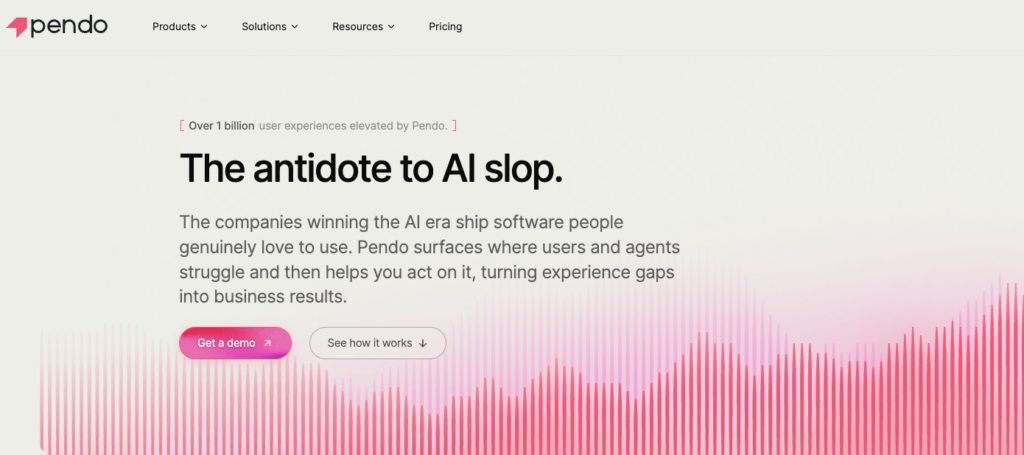
Pendo combines product analytics, in-app onboarding guides, session replay, and feedback collection in one platform, useful if you want fewer vendors rather than the deepest analytics in any single category. Its free plan covers up to 500 monthly active users with basic analytics and in-app guidance.
Paid plans (Base, Core, and Ultimate) are custom-quoted, and typically run well into five or six figures a year once a team scales past a few thousand users. It’s a strong fit for mid-market and enterprise product teams that want analytics and onboarding guidance managed in one place, and a heavier lift than most teams need if analytics is your only goal.
How to Choose the Right AI Tool for Analyzing Customer Behavior
Matching software capabilities to the specific business questions you need to answer should be how you select your customer analytics tool. Because many teams default to standard quantitative dashboards, they realize later that charts alone cannot explain user intent, frustration, or unexpected drop-offs.
Here are the most important factors to consider:
1. Identify Your Data Blind Spots
Quantitative platforms like Amplitude, Mixpanel, and Heap are masters of tracking what users do. They tell you which onboarding step has a 30% drop-off rate, or which new feature fails to retain users after 30 days. But no quantitative chart can tell you why users got frustrated.
As research authority Nielsen Norman Group notes, quantitative research gives you scale, but qualitative research gives you cause. High-performing teams use both.
The human reasons behind your metrics are usually buried in customer calls, support tickets, and sales notes.
This is where a specialized qualitative AI engine like Insight7 changes the equation. Rather than forcing you to guess why a metric moved, Insight7 ingests unstructured conversation data and translates raw customer voices into clear, contextual themes that sit right alongside your quantitative data.
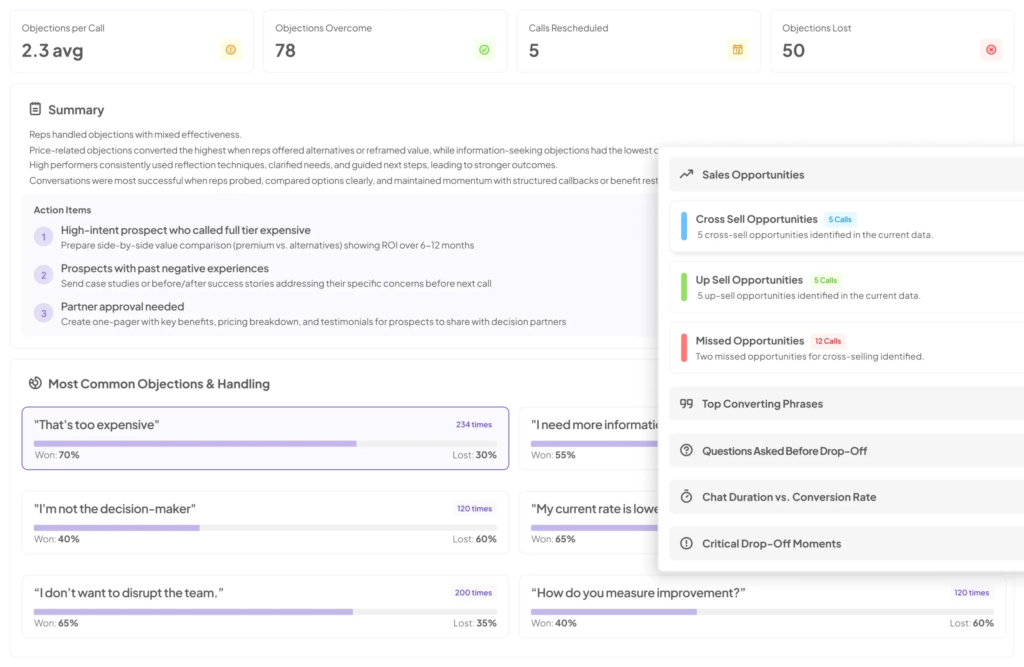
The takeaway: If you have hours of call recordings sitting in cloud storage unused, run them through Insight7 to immediately extract actionable user themes.
2. Engineering Effort vs. Instant Ingestion
Technical overhead is often a hidden bottleneck when rolling out behavioral analysis software. The time-to-value varies drastically based on how a platform collects data:
- Manual Instrumentation Required: Tools like Amplitude and Mixpanel require dedicated engineering sprints to write custom code, define tracking schemas, and instrument individual events before you see actionable data.
- Auto-Capture Solutions: Platforms like Heap and FullStory record every front-end interaction automatically. This eliminates upfront setup lag, though it often generates high signal-to-noise ratios that demand ongoing data cleanup.
- Zero-Code Qualitative Analysis: Solutions like Insight7 require no developer involvement or tracking implementation. Because it processes assets that already exist (e.g. recorded Zoom calls, survey exports, or support logs), product leads upload files and generate deep qualitative insights on day one without taking engineering resources away from the product roadmap.
3. True Cost at Scale
Platform pricing can be deceptive. Nearly every behavioral software vendor offers an inviting free tier, but costs escalate rapidly as user sessions, event volumes, or seat counts grow.
Before committing to an enterprise platform, map your projected data volume against long-term pricing tiers rather than judging a tool by its free trial.
Need rich, actionable customer intelligence without locking your team into an expensive enterprise contract? Insight7 offers a low-friction entry point, so you to analyze customer calls and feedback loop instantly without hidden usage penalties.
Add the missing context layer to your product strategy today. Try Insight7 for free and turn raw customer conversations into clear roadmap priorities.
Turning Customer Behavior Into Product Decisions
Quantitative metrics will always show you what happened inside your application, but sustainable growth comes from understanding the human motivation behind those numbers.
When you combine telemetry charts with the rich, unfiltered voice of your customer, roadmap decisions become obvious, cross-team alignment gets easier, and feature adoption skyrockets.
If your team already has interviews, support calls, or feedback sitting unanalyzed, that’s the fastest place to start.
Take a tour of how Insight7 turns those files into findings, or run your first free analysis on the platform.
FAQs
Do I need both a quantitative and a qualitative analytics tool?
Most product teams eventually do. Quantitative tools show behavior patterns; qualitative tools like Insight7 explain the reasons behind them.
What’s the cheapest way to start analyzing customer behavior?
Start with the free tiers. Amplitude, Mixpanel, Heap, FullStory, and Insight7 all offer a usable free plan before you commit to a paid contract.
Can AI tools replace user interviews entirely?
No. AI tools speed up analysis of interviews and calls you already have. They don’t replace talking to customers in the first place.
Is session replay the same as product analytics?
No. Session replay shows you individual user sessions. Product analytics (Amplitude, Mixpanel) aggregates behavior across many users into trends.