
The best way to practice a presentation is out loud, in five short rehearsals spread over a few days: a loose talk-through, focused work on the hardest sections, a timed full run, a run in front of one person, and a final run in real conditions. Each rehearsal has a different job, so you improve something specific every time.
This guide is for anyone with a presentation coming up: managers presenting at an all-hands, sales reps rehearsing a demo, team leads pitching a proposal, or students facing a graded talk. To rehearse as you read, open the free presentation practice tool. It times each section and measures your pace and filler words.
Why Rereading Your Slides Isn’t Practice
Rereading your slides or notes only tells you what you plan to say, not how it will come out. Thinking and speaking are separate skills, and many problems only appear when you talk: sentences that run on too long, transitions you haven’t worked out, and sections that take twice as long as you expected.
That’s why every rehearsal in this plan happens out loud. A silent read-through feels productive because the ideas are familiar, but familiarity isn’t fluency. You discover where you stumble only by hearing yourself stumble.
The mechanism: your audience only ever hears the spoken version. Every out-loud rehearsal turns a few written sentences into spoken ones you’ve already tested, so on the day there are fewer first attempts in front of a live audience.
How Many Times Should You Practice a Presentation?
Practice a presentation at least three times out loud from start to finish, plus extra rehearsals of your opening, your close and any section that trips you up. For a high-stakes talk, five rehearsals spread over several days works better than five run-throughs the night before, because spacing gives you time to fix what each run reveals.
The 5-Rehearsal Plan
Spread five rehearsals over three to five days. Start loose and private, then add a timer, then an audience, then real conditions. Each step catches a different kind of problem: unclear content first, then weak sections, then timing, then how you come across to someone else, and finally the room or camera itself.
| Rehearsal | When | What you do | What to check |
|---|---|---|---|
| 1. Talk-through | 3–5 days before | Talk through the whole presentation loosely, out loud, from your notes | Which parts are hard to explain, which slides you don’t need |
| 2. Section reps | 2–3 days before | Rehearse your opening, close and hardest section until they’re smooth | Opening makes your point in the first 30 seconds, close ends cleanly |
| 3. Timed full run | 2 days before | Present the whole talk against the clock and record it | Total time inside the slot with about 10% spare |
| 4. Audience run | 1 day before | Present to one colleague or friend and ask them one question | Where they got lost, what they remember |
| 5. Real-conditions run | The day before or on the day | Stand, use your clicker or screen share, and present in the room or on camera | Tech works, you can find your place without notes |
Rehearsals 1 and 2: get it out loud, then fix the weak parts. The first run will be messy, and that’s the point. Note where you hesitate, then cut or rewrite those slides. In the second rehearsal, focus on the opening and close, which audiences remember most, and on whichever section felt hardest. Repeating one section five times does more than running the whole talk again.
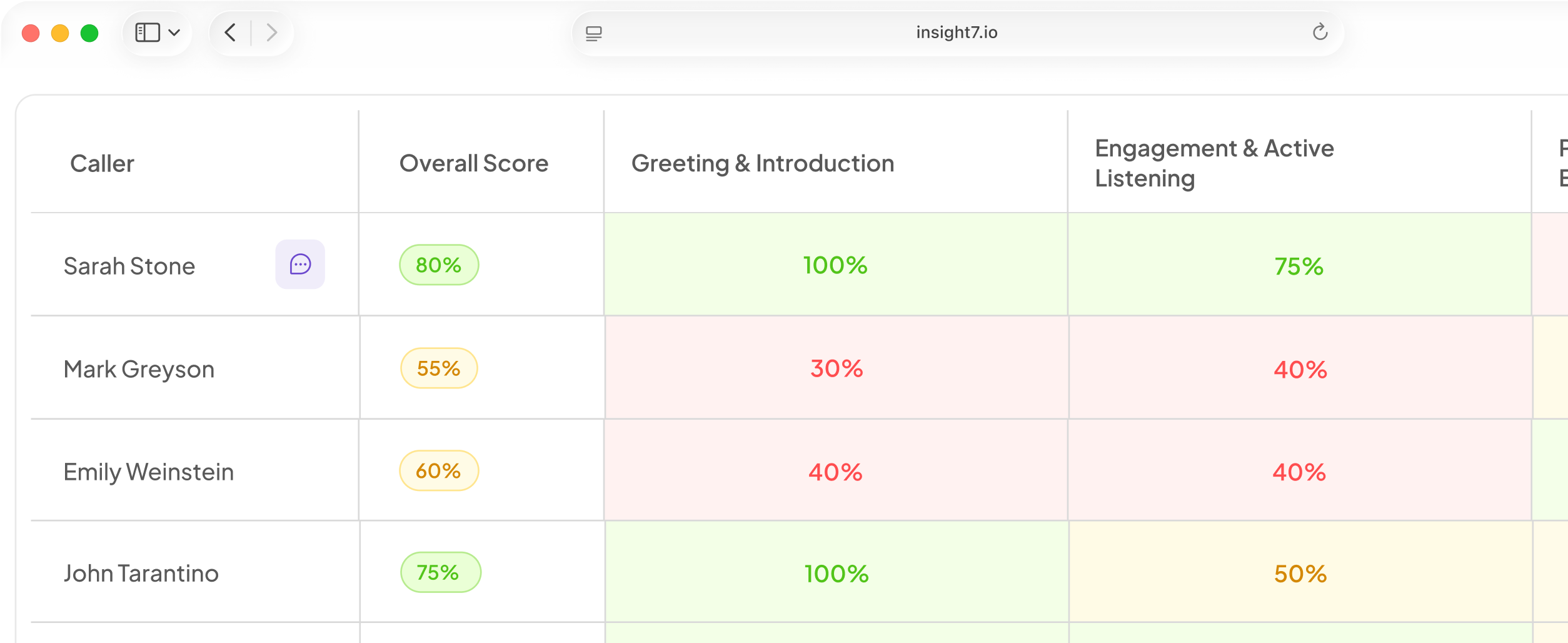
Practice section by section: the presentation practice tool lets you split your talk into named sections with a time budget for each. You can then record a single section or do a full run against the clock. It shows your words per minute, filler words and pauses for every take, and flags when a section runs over.
Rehearsals 3 to 5: add pressure gradually. Timing exposes sections that sprawl. An audience exposes jargon you no longer notice. Real conditions expose the practical problems, like a slow laptop, a clicker that doesn’t work or a camera angle that cuts off your face. By the final run, nothing about the day should be new.
What to Listen for When You Play Back a Rehearsal
Play back at least one recorded rehearsal and check five things: your pace, your filler words, your pauses, your opening and your close. Most people focus on content, but delivery problems such as rushing, saying “um” every few seconds or never pausing are what audiences notice first, and they’re usually the easiest to fix.
| Check | What good sounds like |
|---|---|
| Pace | About 125–150 words per minute, slowing down on key lines |
| Filler words | Fewer than 2 per 100 words |
| Pauses | A clear pause after each key point |
| Opening | Your main point within the first 30 seconds |
| Close | A signposted ending that finishes on a full stop, not “so, yeah” |
You can’t hear your own filler words or rushing in the moment, because you’re focused on what comes next. A recording separates speaking from judging, so you can listen like an audience member and fix the habits you’d never notice live. To check filler words in a single take, paste a transcript into the filler word counter.
How to Practice for Questions
Write down the five questions you’d least like to be asked, then answer each out loud in under 30 seconds. Practicing Q&A matters because it’s the one part of a presentation you can’t script, and a strong talk can lose its impact if the first tough question catches you off guard.
- Answer, then stop. Give your answer in one sentence, add one reason or example, and stop. Long answers to questions often sound defensive.
- Have a fallback line. “I don’t have that number with me, but I’ll send it to you this afternoon” is better than guessing.
- Ask your rehearsal audience to play skeptic. In rehearsal 4, ask them for the hardest question they can think of.
How Do You Practice a Presentation Without Memorizing It?
Memorize only your first two sentences and your last two, then practice everything in between from short bullet points or slide cues. Say each section slightly differently every time you rehearse. This keeps your delivery natural, and if you lose your place, you can recover from the next bullet instead of searching for an exact sentence.
Practicing for a Virtual Presentation
If you’re presenting on a video call, rehearse on the same platform you’ll use, with your slides shared, your camera on and the call recorded. Virtual talks bring their own problems: switching between windows, looking at the screen instead of the camera, and losing the audience reactions that usually tell you when to slow down.
Practice looking at the camera lens during your key points, run your screen share at least once, and keep a visible timer, since you won’t have a room to read. Without nods and laughter as feedback, speakers often rush, so aim for the slower end of your target pace.
Frequently Asked Questions
How long before a presentation should you start practicing?
Start practicing three to five days before a presentation, and earlier for a long or high-stakes talk. That gives you time to edit after the first rehearsal, sleep on it and come back fresh. Starting the night before leaves room for rehearsal but not for fixing what rehearsal reveals.
Should you practice a presentation in front of a mirror?
A mirror can help with posture and gestures, but it divides your attention between speaking and watching yourself. Recording a video works better, because you can present naturally and review it afterwards. For your final rehearsals, practicing in front of a real person is the closest you’ll get to the day.
How do I stop speaking too fast when presenting?
Build pauses into your notes after each key point, and practice one section at deliberately slow speed so the real pace feels manageable. Breathing out before you start each section helps too. Then check a recording: if you’re above about 150 words per minute, slow your opening and key lines first.
How do I calm my nerves before presenting?
Rehearsing in real conditions is one of the best ways to reduce nerves, because the day then feels familiar. On the day, take a few slow breaths with long exhales and know your opening lines by heart. The free public speaking anxiety quiz shows what drives your nerves most and suggests matching tips.
Rehearse it before you present it. Set up your sections in the free presentation practice tool and do your first timed run today. It shows your pace, filler words and timing for every section. To keep practicing on your phone, the Insight7 app coaches you on every take. https://apps.apple.com/us/app/insight7-ai-speaking-coach/id6740088271Try it free for 3 days