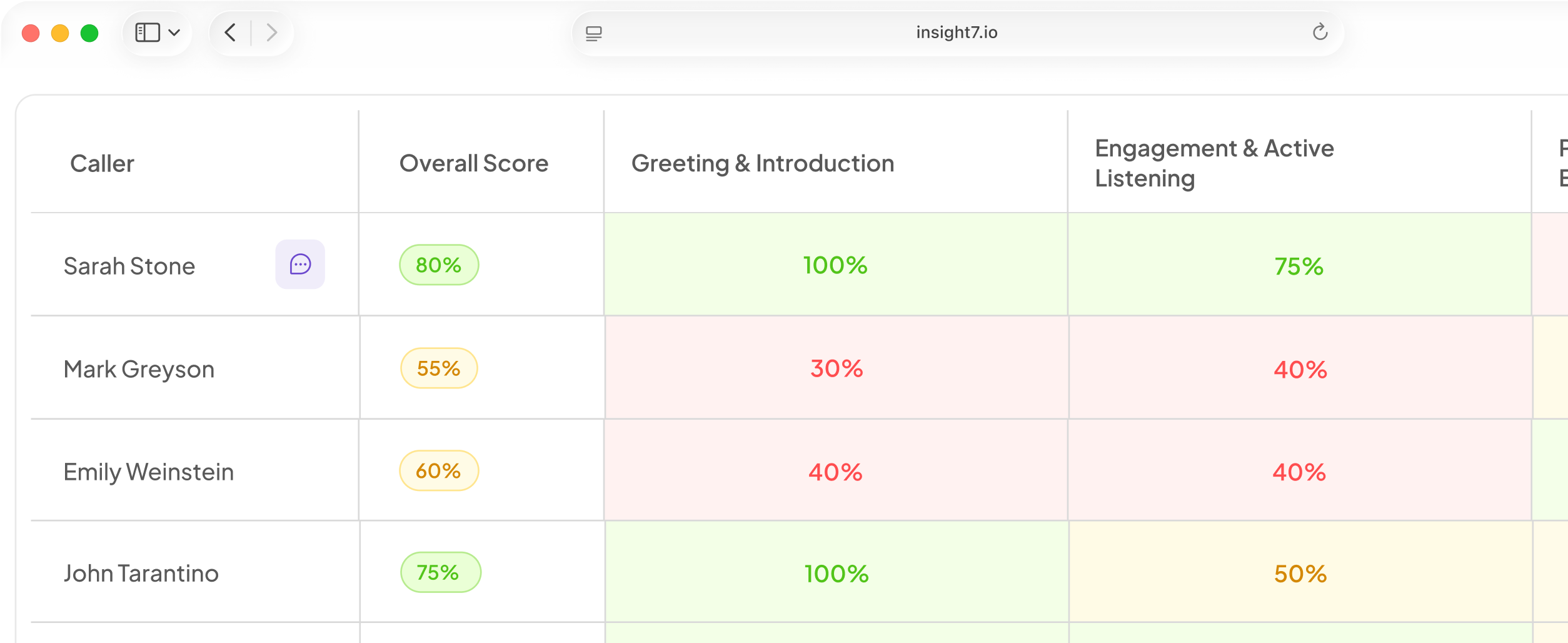

Choosing AI agent monitoring and QA tools means deciding whether one platform can score every call or you need a mix. It depends on whether you monitor humans, AI agents or both, which stack the tool must plug into, and how pricing scales.
Eight tools compared at a glance
The ranking weighs three things. One is whether a tool covers human and AI agent calls. Another is how much of the QA loop it closes, from scoring to coaching. The last is how openly it states its integrations. Observe.AI leads because it covers QA, live assist and AI agents on one platform, and the rest follow by how much of that loop they close. The market is moving the same way: platforms are replacing point tools, entry prices and seat minimums often reach $60K+, and QA tools now score AI agent calls alongside human ones. "Not published" means the vendor's pages we reviewed do not state it. Ask for it in writing before a demo.
| # | Tool | Best for | Key features | Integrations | Pricing model |
|---|---|---|---|---|---|
| 1 | Observe.AI | Large contact center floors | Analyze conversations, QA, real-time assist, Voice AI agents | Not published | Not published |
| 2 | Insight7 | Scoring every call, then coaching | Team-owned weighted scorecards, 100% call coverage, keyword and low-score alerts | Zoom, Teams, Dialpad, Aircall, RingCentral, Talkdesk, Five9, Salesforce, HubSpot | Not published |
| 3 | Level AI | Intent and insight analysis | QA-GPT scoring of calls, chats, emails, bot conversations | Not published | Not published |
| 4 | CallMiner | Regulated contact centers | Eureka analytics, redaction, real-time | Genesys, Five9, RingCentral, Salesforce | Not published |
| 5 | NICE CXone Mpower | Teams that want one suite | Quality management scoring 100% of interactions | Not published | Per-agent suite pricing |
| 6 | Cresta | Sales and service coaching | Quality Management, Coach, Agentic Assist, Training Simulator | Not published | Not published |
| 7 | MaestroQA | Support teams on helpdesks | Auto QA across tickets | Zendesk, Salesforce, Kustomer, LivePerson and more | Not published |
| 8 | Hamming | Teams running voice AI agents | Simulated-call testing, live monitoring | Vapi, Retell, ElevenLabs, any framework | Not published |
1. Observe.AI: QA, assist and AI agents together
Observe.AI suits a large floor that wants QA, live help and AI agents on one platform. Its site describes one platform that can analyze conversations, improve QA, assist frontline teams in real time and run Voice AI agents. It adds governance controls for complex CX operations. Integrations and pricing are not published, so get both in a written quote based on your seats and volume. Best fit: a contact center lead who wants auto QA, coaching and AI agents from one vendor.
2. Insight7: scoring every call, then coaching
Insight7 suits a QA lead who wants every call scored against criteria the team owns, then turned into coaching. Each call is scored on a weighted scorecard instead of a sample, and scores roll up to the person, project and organisation. Starter rubrics give you a first scorecard. Calls come in by upload, Google Drive or Zoom, and voicemail, one-sided, hold and too-short calls can be excluded. Alerts watch keywords and low scores and notify by email or Slack. Supervisor View, in early access, shows each supervisor only their own team's calls.
It connects to Zoom, Teams, Dialpad, Aircall, RingCentral, Talkdesk and Five9, and writes back to Salesforce and HubSpot. For AI agent monitoring, beta voice campaigns let you test an agent in the browser and read each transcript afterward. It is rated 4.9 on G2 and used by more than 1,000 businesses. Pricing is not published in this guide, so ask for a quote.
3. Level AI: QA with intent analysis
Level AI suits a contact center that wants QA, live help and analytics tied together. Its QA page says QA-GPT scores 100% of calls, chats, emails and bot conversations. The same page covers calibration and dispute handling. Integrations are not published on the pages reviewed, so check the full list against your stack. Pricing is not published. Best fit: a mid-sized or large floor that wants QA and insight reporting from one vendor.
4. CallMiner: analytics for regulated floors
CallMiner suits a regulated contact center that wants deep analytics across every conversation. Its Eureka page says the platform captures, redacts and analyzes interactions across voice and digital channels. Its integration listings name Genesys, Five9, RingCentral and Salesforce, plus workforce management data. Published pricing could not be found, so match any quote to your call volume. Best fit: a bank, insurer or healthcare floor where compliance review drives the decision.
5. NICE CXone Mpower: QA inside a suite
NICE suits a large floor that wants QA inside one contact center suite. Its quality management module evaluates 100% of interactions with AI and supports agent coaching. NICE lists usage-based suites from $110 to $249 per agent per month. These are listed prices and may change. Confirm which suite includes quality management. Its integration list is not published on the pages reviewed. Best fit: an enterprise replacing its contact center platform.
6. Cresta: QA with real-time coaching
Cresta suits a sales or service floor that wants QA, live help and coaching on one platform. Its site lists Quality Management, Coach, Agentic Assist and a Training Simulator, plus AI agents for voice and chat. Named integrations and pricing are not published there, so request both in writing. Best fit: a large sales or collections team that wants coaching tied to QA.
7. MaestroQA: QA for helpdesk teams
MaestroQA suits a support team that works mostly in tickets and wants QA inside its helpdesk. Its Zendesk page describes Auto QA across tickets. Its integrations page lists Salesforce, Zendesk, Kustomer, LivePerson, Qualtrics and workforce tools such as Assembled and Calabrio. Confirm voice call support with the vendor. Pricing is not published. Best fit: a support lead who reviews tickets, chat and some calls.
8. Hamming: test and monitor voice agents
Hamming suits a team that runs voice or chat AI agents and wants to test them before launch and watch them live. Its site describes auto-generated test scenarios, red-team probes, and monitoring of every production call with alerts. It imports agents from Vapi, Retell, ElevenLabs or any framework. Pricing is not published. Coval raised $28M in June 2026, a sign that voice-agent testing is now a funded category. Best fit: a team running voice AI agents in production.
How to choose between them
Start with who you monitor. A human-only floor needs strong scorecards and calibration, so look at Observe.AI, CallMiner, MaestroQA or Insight7. A mixed floor needs one tool that scores both. A team with only AI agents should start with a testing tool such as Hamming.
Next, check the stack. Buyers with a working contact center first ask whether a tool replaces what they run or plugs into it. Ask each vendor to show a live sync with your telephony, CRM and helpdesk, not a logo slide.
Then test the scoring logic. A checklist score can hide what matters, so one critical error should fail the whole call. Automated scores must also match your human auditor. One healthcare QA team saw repeated scoring mismatches and scaled back to mandatory checks. Start with checks your auditor agrees on, then compare tool scores with auditor scores on the same calls and adjust the criteria.
Look at handover. For AI calls, check how the tool flags a handover to a human. Is it polite, and does anyone chase one nobody picked up? Then insist on a pilot, because buyers want a short, low-risk one on a small sample, with payment only after a measured lift.
Finally, ask how the vendor proves results. In Gartner's analysis of 432 AI customer-service use cases, reported by CX Dive, only a quarter produced a return, and 42% could not be measured. Pick one before-and-after metric, such as score agreement with your auditors or time to coach a weak call.
Related reading: How to Monitor AI Voice Agent Latency, Dead Air and Interruptions in Production, How to Measure Whether AI Agent Changes Improved Results Using Holdout Groups and 10 Inbound AI Agent Metrics Including Containment Rate, Handoff Reasons and Dead Air.
Questions people also ask
What is the best call center quality assurance software?
The best one scores your own calls the way your best auditor would. It depends on whether you monitor humans, AI agents or both. Test your top two tools on the same recordings, then compare scores.
How do you monitor AI agents in a contact center?
Test the agent with simulated calls before launch. After launch, score every production call and read transcripts of flagged ones. Track handovers to humans and silent or failed calls.
What is quality assurance in a call center?
It is scoring conversations against set standards, such as compliance, script adherence, tone and resolution. The scores feed coaching, so agents fix specific gaps.
How much does call center QA software cost?
Most vendors quote privately. NICE lists usage-based suite prices of $110 to $249 per agent per month. Enterprise platform entry prices often reach $60K or more. Ask for a written range tied to your volume.
Can AI replace manual call monitoring and QA?
AI can replace the listening, but not the judgement. It scores every call, where manual QA reviews only a 2 to 5% sample. Humans still set criteria, review exceptions and override scores in calibration.
What should a contact center QA scorecard include?
Include weighted criteria for compliance, script adherence, tone and resolution. Add critical-error rules that fail the whole call. A starter rubric gives you a first draft.
How many calls should a QA team review?
Manual teams traditionally review only 2 to 5% of calls. Automated scoring covers 100%. Reviewers then focus on the lowest scores, disputed scores and calibration samples.
Test the scores on your own calls
Run a few dozen of your own recordings through your top two tools. Compare each score with your QA lead's, and trust the closer match. Check that before you sign anything.