
AI voice agent latency is the silence between a caller stopping and the agent answering. In our judgement, aim for about one second. People in a ten-language study most often answered within 200 ms. Past two seconds, callers may think the line dropped.
Latency is the pause before the agent speaks
Voice-to-voice latency is the time from the end of the caller's last word to the first sound of the agent's reply. The clock starts when the caller stops speaking. It stops when audio reaches the caller's ear. Everything in between counts: the network, the models and the wait to be sure the caller is done.
People set the baseline for this pause. The Stivers et al. study in PNAS compared turn-taking across 10 languages. It found that speakers in every language try to keep the gap between turns as small as they can. Typical gaps are about 200 ms.
In our judgement, callers do not expect 200 ms from a machine, but a long silence reads as confusion or a dropped line. Callers then repeat themselves or say "hello?" over the agent's first words. That talk-over makes the next turn harder to understand, so one slow reply can cause more trouble later in the call.
Six steps add up to every pause
Every pause is the sum of six steps, so find the slow one first. Rows with a link come from the vendor's own docs. Speech-to-text and LLM times vary by vendor, model and setup, so measure them in your own stack.
| Step | What happens | Typical range |
|---|---|---|
| 1. Phone network and audio transport | The caller's voice travels to your servers | 20 to 200 ms for a public internet round trip; phone routes can add more |
| 2. Endpointing | The system waits to be sure the caller is done | 300 to 500 ms in Deepgram's examples, set by you |
| 3. Speech-to-text | Final words are turned into text | Varies by vendor; measure it |
| 4. LLM first token | The model starts writing a reply | Varies by model, prompt length and lookups; measure it |
| 5. Text-to-speech first audio | The voice engine makes the first sound | About 75 ms of model time for ElevenLabs Flash; the full time to first audio is larger |
| 6. Return path | Audio travels back and the player starts | A 500 ms player buffer is common |
Add the figures you have. You can see why one second is hard to hit.
Endpointing is the hidden cost. The agent cannot answer until it is sure the caller has stopped. In Deepgram's docs, endpointing is a number of silent milliseconds you choose. Whatever you set is added to every turn.
The LLM is often the largest part. Four things push it up:
- A bigger model.
- A longer prompt.
- A tool or CRM lookup before the reply.
- Waiting for the full answer instead of streaming the first words.
On a refund-status call, the turn that checks an order system is the slowest turn.
Other drivers sit around the models. Carrier routing, extra telephony hops and a server far from the caller add delay. A cold start, where a model or service wakes up on the first request, can add a long wait. ElevenLabs also notes that the gap between model time and time to first audio is where most latency problems live.
Streaming helps most. Each stage passes partial results on at once, so the next stage starts early. Because the steps add up, one slow API call can double the pause.
Target one second, with a two second ceiling
Aim for about one second, and treat two seconds as a hard limit. In our judgement, a pause under about 800 ms feels natural and one second is acceptable. The bands below are our judgement, set against the human gap of about 200 ms.
| Pause after the caller stops | How it feels | Basis |
|---|---|---|
| Under about 800 ms | Natural | Our judgement |
| Up to about 1 second | Acceptable (our target) | Our judgement |
| 1 to 2 seconds | Noticeable and tiring | Our judgement |
| Over 2 to 3 seconds | Talk-over and hang-ups | Our judgement |
Standards cover only the network leg of the pause. ITU-T G.114 (1993) calls 0 to 150 ms one way acceptable for most uses. It calls anything above 400 ms unacceptable for general network planning. The 2003 edition adds that highly interactive tasks, such as many voice calls, can suffer at much lower delays. Your network eats part of the budget before any model runs.
Adjust the target by call type. On a short confirmation or reminder call, the caller expects a quick yes or no, so a long pause stands out. On a question-heavy call, callers forgive a little more. In our judgement, older callers tolerate longer pauses than younger ones, so test with your own caller mix.
Callers who lose patience want a person. Gartner found that 87% of 3,566 customers say a company using GenAI for service must offer a way to reach a human, so give a fast handover option.
Track the 95th percentile, not just the average. An average of one second can hide a small share of calls with very long pauses. People remember those calls.
Test latency on real calls, not demos
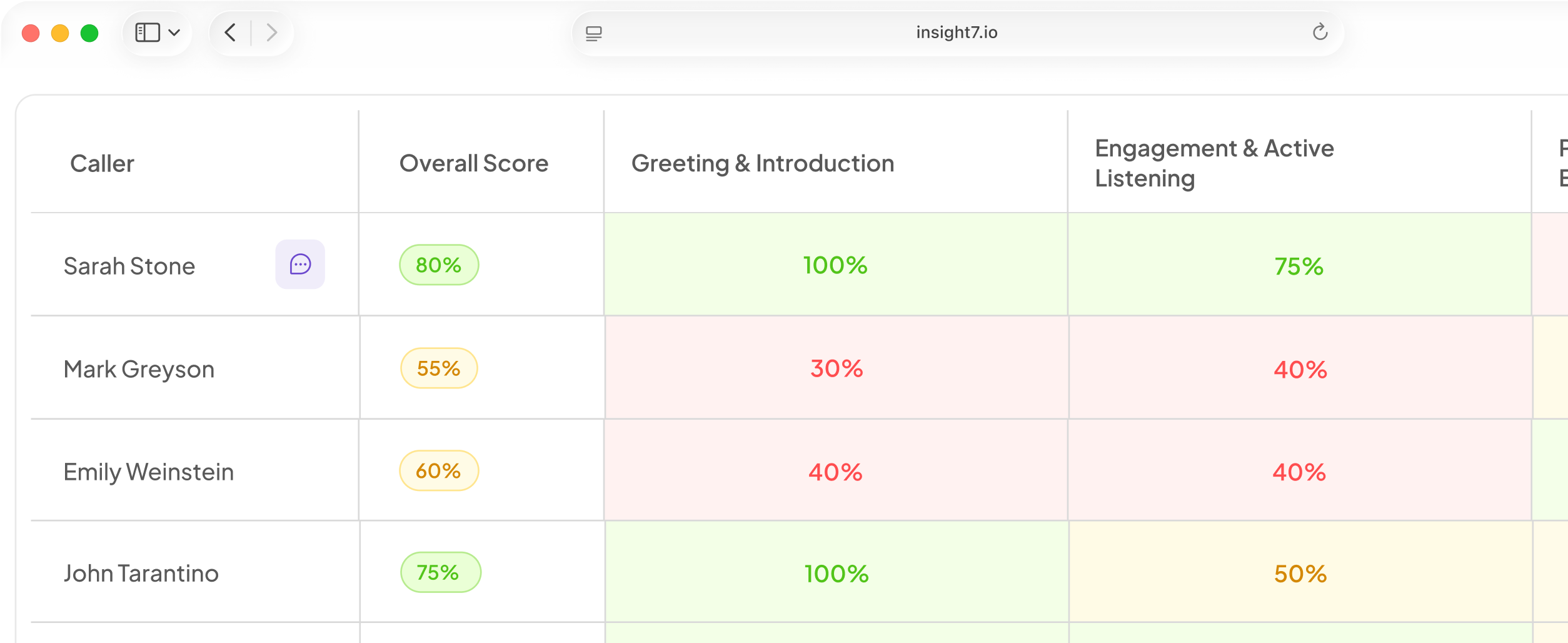
Test in stages, and start in the browser. Talk to the agent in the browser first. Insight7 campaigns allow this with no phone number, and the feature is in beta. The browser removes the phone network, so any delay you hear comes from the model and the voice. Then repeat the test on a real phone call. The extra delay there is telephony. A dashboard shows calls in progress, and a reviewer can read each transcript when the call ends.
Follow these steps:
- Set a budget per stage. Use the table above, and give endpointing, the LLM and the voice a limit each.
- Record calls end to end. Use a real phone line, not only the browser.
- Measure the pause. Time from the end of the caller's last word to the first agent audio. Use the waveform or the transcript timestamps.
- Run at least 20 calls, then 50 or more. Spread them across carriers, times of day and noisy lines. More calls make the 95th percentile less noisy.
- Report the median and the 95th percentile. The median shows the typical call. The 95th percentile shows the call people remember.
- Retest after every change. That means any new prompt, model or voice.
Include the hard cases. A long caller sentence, a turn that needs a CRM lookup and an interruption each stress a different step. Add a request for a human too. Buyers raise handover on their own. They ask whether it is polite, what happens with a disputed amount, and whether anyone chases a handover nobody picked up. Time that handover, because the caller is already unhappy by then.
Make the test call fair. Speakerphone and background noise make a call hard to judge. In our experience they can also delay endpointing, because the system hears noise and waits. Use the same handset and room for every run.
Check two more things. Listen for a first word cut off after a pause. Flag calls with no caller speech, because silence can mean a failed connection.
Cut delay without making the agent worse
Fix the biggest delays first, in this order.
- Stream every stage.
- Use a smaller, faster model for simple turns.
- Shorten the prompt.
- Run lookups ahead of time or in parallel.
- Keep servers close to callers.
- Tune endpointing.
Each fix has a cost. Faster endpointing cuts in on slow talkers. A smaller model may make more mistakes. Retest both after every change.
Filler phrases such as let me check that make a lookup turn feel shorter. Use them with care, because a filler before every reply sounds scripted.
Related reading: How to Clone a Team Member's Voice for AI Calls Safely and With Consent, How to Answer "Where Did You Get My Number?" on AI Outbound Calls With Example Responses and 9 Design Principles for Natural-Sounding Conversational AI in the Contact Center.
Questions people also ask
What is a good latency for an AI voice agent?
Aim for a median near one second and a 95th percentile under two seconds. These are our targets, not a standard. Set a tighter one for short confirmation calls.
What causes AI voice agent latency?
Six steps add up, but two often dominate: the endpointing wait and the language model's first token. Log a timestamp at every step for a few calls. The largest gap shows where to start.
How do I fix voice AI lag or delay?
Start with streaming, then trim the prompt and move lookups out of the reply path. Change one thing at a time and retest, so you can tell which one helped.
How do I measure voice AI latency?
Record the call with the caller and the agent on separate audio channels. Mark where the caller's last word ends and where the agent's first sound begins. The gap is the pause. Repeat across many calls.
How long a delay will callers tolerate before they hang up?
No single cutoff exists. In our judgement, talk-over and hang-ups rise past two to three seconds, and sooner on short calls. Make the route to a person quick and clear.
How do I test a voice AI agent before going live?
Test in the browser first, then on real phone lines. Include long sentences, lookups, interruptions and handover requests. Then run a small pilot on a limited contact list and read every transcript.
Does a phone call add more latency than a web call?
Yes, usually. A phone call crosses carrier networks and a telephony gateway first. ElevenLabs puts a public internet round trip at 20 to 200 ms, and phone routes can add more. Measure it.
Set your latency budget this week
Latency is measurable, so set a budget. This week, place 20 test calls to your own agent over a real phone line. Time the pause after each caller turn, and fix the slowest three first. Insight7's browser test, in beta, is a quick place to start.