
Logging the first polite answer to "why did you leave?" is the most common mistake in churn research. The team then fixes the wrong problem. These 20 churn interview questions for AI exit calls dig deeper, grouped by reason, experience and win-back potential.
Ask these questions on AI exit calls
Treat the first answer as the start of the probe. Customers often say "price" because it is short and polite, so each question below pushes past it.
Open every call with the brand name, the reason for calling and a plain line that the caller is an AI. Lapsed customers may not recognise the caller, so lead with who you are. Lapsed customers are hard to reach, so expect high drop-off on churn research calls.
Cancelled customers have formally left, so ask about the decision. Inactive customers are still on the books but silent, so ask about the quiet. Ask one question at a time and let people opt out at any point.
A voice agent suits this work because it has no rep to please. A person must also be easy to reach on request, since 87% of surveyed customers say a company using GenAI for service must offer a way to reach a human.
Rules differ by region, and other regions have their own. Examples: US TCPA consent now covers AI voices, EU AI Act Article 50 disclosure, and Colorado's chatbot disclosure law from 2027.
1. Questions that find the real reason
Seven questions find the cause behind the first answer. Set up the agent so each answer gets a reason tag from a fixed code list, such as price, missing feature, support, timing, competitor or no longer needed. The agent should also save the customer's exact words next to the tag. Reason tags let you aggregate themes across thousands of transcripts.
1. "What happened right before you cancelled?"
This finds the trigger moment. A good answer names an event, such as a failed export or a renewal email. For inactive customers, ask: "When did you last open it, and what was going on then?"
2. "What job did you hire us to do?"
This shows what the customer expected. A good answer describes an outcome, such as "get reports out faster." If the answer is vague, ask for the last time they needed that job done.
3. "What did you do instead?"
The answer may be a competitor, a spreadsheet or nothing at all. "Nothing" often means the need went away, which is a different problem from losing to a rival.
4. "You mentioned cost. What would it have had to be worth?"
Price is often a value gap. A good answer gives a concrete benefit they never saw, such as "it would need to save me a day a week."
5. "Whose decision was it to stop?"
This tells you whether the user left or someone else cut the budget. If the budget holder never used the product, your fix is a champion plan.
6. "Was timing or budget a factor?"
A frozen budget or a team change points to a later win-back. A good answer includes a date, such as "after January."
7. "And what else?"
Ask this after every first reason. The second answer is often the real one. The agent should stop after two probes so the call does not feel like an interrogation.
Build the follow-up logic around vague words. When the agent hears "too expensive," "not useful" or "no time," it asks for a specific example first.
2. Questions that expose the experience
Seven questions show where the product or service let the customer down. Listen for the one failure that outweighs many good moments. QA leaders say a checklist score can hide what matters, and one critical error should fail the whole call. The same logic applies to exit calls.
8. "How did your first week go?"
This finds the first value moment. A good answer names the day something worked. "I never got it set up" points to an onboarding gap that no feature fix will close.
9. "When did it last give you real value?"
The date shows how long the decline ran. For inactive customers, ask: "What was the last thing you got done with it?"
10. "Tell me about your last contact with support. Did it solve the problem?"
Listen for whether the issue was solved. A polite agent can still leave an issue open.
11. "Was a feature missing, or did something we promised not happen?"
A missing feature goes to product. A broken promise goes to sales. The agent should tag them separately.
12. "In a normal week, what do you use instead?"
This shows the workflow that replaced you. A good answer names a tool or a habit, such as "I just email the team."
13. "Who on your team stopped using it first?"
Adoption usually fades from one person outward. The first person to quit is often the clearest witness.
14. "What almost made you leave sooner?"
This finds the near miss. A good answer names an earlier warning sign you could have caught while the customer was still paying.
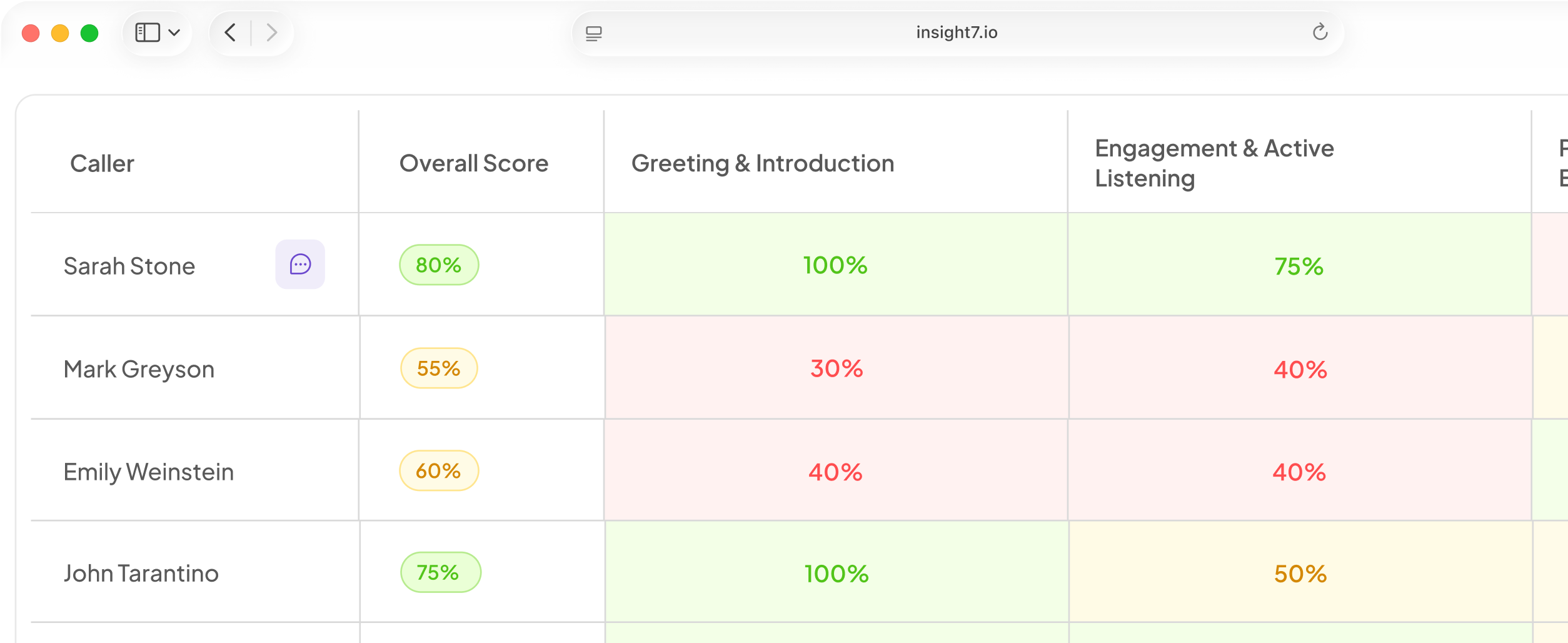
Insight7 offers a way to run and check these calls. In its voice campaigns (beta), a reviewer can read each transcript when the call ends, and yes/no answers and outcomes are pulled from it. A campaign can be set to the win-back type, with consent marking, calling hours, retry rules and a do-not-call list (confirm the detail in the app). A duplicated campaign leaves out anyone added to the do-not-contact list since the original. A call where only the AI spoke is not counted as reached, so your hot and later counts hold real conversations. Insight7 can also score 100% of conversations instead of a 2% manual sample, against a weighted scorecard your team owns. Score the original support calls for the same customers. If many leavers said "support never fixed it," the scores will show whether that was true. To look at a few recordings first, try the Call Quality Monitor.
3. Questions that test win-back potential
Six questions show who might return and what it would take. Score each call as hot, later or gone, then route it. The agent listens, tags the answer and never argues the customer back.
15. "What would have to change for you to come back?"
A good answer is specific and within your control, such as "a cheaper plan for two users." "Nothing" is also useful. Tag it as gone.
16. "Would you return at a different price or plan?"
Ask this only after question 4 has shown price is a real factor. A yes with a number gives you an offer to test. A flat no means price was the polite answer.
17. "What are you using now, and how is it going?"
Disappointment with the new tool is the best sign of a win-back. For inactive customers, ask what they use for that job today.
18. "Does anyone else on your team still use it?"
A remaining user is a way back in. If nobody does, the account is probably gone.
19. "What is the best way and time to follow up?"
This gives you a channel and a calling window. Save both with the contact.
20. "May we contact you again?"
Take the answer as final. A yes marks consent. A no goes onto the do-not-contact list.
Route each outcome
- Hot: the customer names a change you can make. Send a callback to a human.
- Later: timing or budget was the issue. Put the customer in a win-back campaign with a dated offer.
- Gone: the need ended, or the customer said no. Flag do-not-contact and stop.
Design the hand-off before launch. Buyers ask on their own: is it polite, what happens to a disputed amount, and does anyone chase a missed handover? The agent should transfer when a customer asks for a person or sounds upset. A named owner should check the queue daily.
Then read the first 20 to 30 transcripts by hand, as a suggested starting sample. Fix any probe that sounds vague or pushy, then scale the calls. Count reasons by tag and by customer segment, pick the one reason that touches the most revenue, and fix that first. Report to the one sponsor who owns churn. Buyers want proof that behaviour changed. Track whether the reason you fixed shrinks in next month's calls.
Related reading: 15 Customer Feedback Questions to Ask on AI Survey Calls That Your NPS Score Misses, Voice of the Customer Program Guide for Teams Using AI Phone Calls and How to Turn Customer Call Transcripts Into Product and Marketing Decisions.
Check consent first
Good exit calls turn polite answers into a fix you can measure, and that only works if customers want the call. Keep the script short, keep a human within reach, and track one reason at a time. Before you launch, confirm that every customer on the list has agreed to be called.