
Generating Accurate YouTube Video Transcripts
Precise transcript creation is a crucial element in maximizing the impact of YouTube videos. As content creators strive to reach wider audiences, accurate transcripts play a pivotal role in enhancing accessibility, improving search engine optimization, and providing valuable resources for viewers. By meticulously capturing every word and nuance, transcripts open up new possibilities for content consumption and engagement. In today's digital landscape, where video content dominates online platforms, the importance of high-quality transcripts cannot be overstated. These written representations of spoken content not only cater to viewers with hearing impairments but also serve those who prefer reading or need to access information quickly. Moreover, precise transcripts enable content creators to repurpose their videos into blog posts, articles, or social media snippets, extending the reach and lifespan of their content across multiple channels. Key Factors Influencing Precise Transcript Creation Generating accurate YouTube video transcripts hinges on several key factors that significantly influence the precision of the final output. The foundation of precise transcript creation lies in the quality of the audio input and the sophistication of the transcription software employed. High-fidelity audio recordings, free from background noise and distortions, provide a clear base for the transcription process. Advanced transcription services utilize cutting-edge speech recognition algorithms, often powered by machine learning, to convert spoken words into text with remarkable accuracy. However, the true power of these systems shines when combined with human expertise. Customizable features, such as domain-specific vocabularies and language models, allow users to fine-tune the transcription process for their particular needs. This adaptability is crucial when dealing with specialized terminology, accents, or industry-specific jargon that might otherwise confuse standard transcription systems. By leveraging these customization options and employing post-processing techniques, content creators can achieve transcript accuracy rates approaching 99%, ensuring their YouTube videos are accessible, searchable, and valuable to a wider audience. Understanding YouTubes Auto-Generated Transcripts YouTube's auto-generated transcripts have revolutionized content accessibility, but they often fall short in accuracy. While convenient, these machine-generated scripts frequently misinterpret words, struggle with accents, and fail to capture nuanced terminology. For content creators and viewers alike, this can lead to frustrating miscommunications and lost context. Fortunately, there are ways to enhance transcript precision. By utilizing custom vocabulary features, users can input specific keywords or industry jargon that may not be in the standard lexicon. This tailored approach significantly improves transcription quality, especially for niche topics or technical discussions. Additionally, manual editing options allow for fine-tuning, ensuring that the final transcript accurately reflects the video's content and intent. The Role of Clear Audio in Ensuring Accuracy Clear audio is the foundation of precise transcript creation. When generating YouTube video transcripts, the quality of the original audio can make or break the accuracy of the final product. High-quality audio ensures that speech recognition software can easily distinguish between words, reducing errors and misinterpretations. To achieve optimal results, content creators should prioritize recording in a quiet environment with minimal background noise. Using professional-grade microphones and proper audio mixing techniques can significantly enhance the clarity of spoken words. Additionally, speakers should enunciate clearly and maintain a consistent volume throughout the recording. These practices not only improve the viewer's experience but also contribute to more accurate automated transcriptions, saving time and effort in the post-production phase. Tools and Techniques for Generating Accurate Transcripts Generating accurate transcripts for YouTube videos requires a combination of advanced tools and meticulous techniques. Transcription services have evolved significantly, offering high-quality results with up to 99% accuracy. However, content creators can further enhance precision by employing custom vocabulary features. This allows for the inclusion of domain-specific keywords or unique terms that may not be recognized by standard transcription algorithms. To achieve precise transcript creation, it's crucial to utilize services that offer customizable insights. These tools enable users to extract specific information from transcripts, such as pain points, desires, and behaviors, which is particularly valuable for customer interview calls. By leveraging these advanced features, content creators can not only obtain accurate transcripts but also gain deeper insights into their audience's needs and preferences, ultimately improving the overall quality and relevance of their content. Using Automated Transcription Services Automated transcription services have revolutionized the process of creating accurate YouTube video transcripts. These advanced tools employ sophisticated algorithms to convert spoken words into written text with remarkable precision. By utilizing cutting-edge speech recognition technology, these services can generate highly accurate transcripts in a fraction of the time it would take to transcribe manually. One of the key advantages of automated transcription services is their ability to handle various accents, dialects, and speaking styles. This versatility ensures that content creators can obtain reliable transcripts regardless of the speaker's linguistic background. Additionally, many of these services offer features like custom vocabulary integration, allowing users to input specific terminology or jargon relevant to their content. This customization enhances the overall accuracy of the transcript, making it an invaluable tool for content creators seeking to maximize the accessibility and reach of their YouTube videos. Enhancing Precision with Manual Editing Manual editing plays a crucial role in refining transcripts for optimal accuracy. While automated transcription services offer impressive precision, human intervention can elevate the quality to near-perfection. By carefully reviewing the generated text, editors can catch nuanced errors that machines might miss, such as industry-specific jargon or context-dependent phrases. One powerful tool in the editor's arsenal is the custom vocabulary feature. This allows users to input specific keywords, technical terms, or proper nouns that are relevant to their project. By incorporating these specialized terms, the transcription service can better recognize and accurately transcribe them, significantly enhancing the overall quality of the output. This level of customization is particularly valuable for projects dealing with niche subjects or industry-specific content, ensuring that the final transcript captures the intended meaning with utmost precision. Conclusion: Final Thoughts on Precise Transcript Creation for YouTube Success Precise transcript creation is a crucial element for YouTube success, offering content creators a powerful tool to enhance their videos' reach and accessibility. By leveraging accurate transcripts, creators can improve their
Converting YouTube Videos to Text Transcriptions: Free Tools
Video to text transcription has revolutionized content creation and accessibility in the digital age. As YouTube continues to dominate the online video landscape, creators and businesses are increasingly seeking ways to repurpose their video content. This shift has given rise to a plethora of free tools designed to convert YouTube videos into text transcriptions, opening up new possibilities for content distribution and engagement. The demand for video-to-text conversion stems from various needs, including improving SEO, creating subtitles for global audiences, and repurposing video content for blogs or social media posts. As technology advances, these free tools have become more accurate and user-friendly, making it easier than ever for content creators to maximize the value of their video assets. By transforming spoken words into written text, these tools are bridging the gap between audio-visual and textual content, catering to diverse audience preferences and consumption habits. Why Convert Video to Text? Converting video content to text opens up a world of possibilities for content creators and consumers alike. By transforming visual and auditory information into written form, you can make your content more accessible, searchable, and versatile. This process allows viewers to quickly scan through transcripts, making it easier to find specific information or revisit key points without rewatching entire videos. Moreover, video-to-text conversion enhances content discoverability through search engines. Text-based content is more easily indexed, potentially boosting your video's visibility in search results. This can lead to increased views and engagement, as users can find your content through text-based searches. Additionally, transcriptions provide valuable material for repurposing content into blog posts, social media snippets, or even e-books, maximizing the reach and impact of your original video content. Enhancing Accessibility In the digital age, accessibility is paramount, and converting YouTube videos to text transcriptions is a game-changer for many users. Whether you're a content creator, researcher, or simply someone who prefers reading over watching, there are several free tools available to help you transform video content into written form. These video-to-text conversion tools offer a range of benefits, from improved comprehension to enhanced searchability. For those with hearing impairments, transcriptions provide equal access to information. Students and professionals can easily reference and quote video content in their work. Moreover, text versions of videos can boost SEO efforts, making content more discoverable online. By exploring these free options, you can unlock the full potential of video content and make it accessible to a wider audience. Improving Content Searchability Converting YouTube videos to text transcriptions has become increasingly important for content creators and businesses alike. Several free tools are available to streamline this process, making it easier than ever to transform video content into written form. These tools utilize advanced speech recognition technology to generate accurate transcriptions, saving time and effort. One popular option is YouTube's built-in automatic captioning feature, which creates subtitles for uploaded videos. While not perfect, it provides a solid foundation for further editing. Another free tool worth exploring is Otter.ai, which offers real-time transcription capabilities and can handle multiple speakers. For those seeking more specialized features, VoiceBase offers a free tier with basic transcription services. By leveraging these tools, content creators can improve accessibility, boost SEO, and repurpose their video content across various platforms. Free Tools for Video to Text Transcription In the digital age, converting YouTube videos to text has become increasingly important for content creators, researchers, and businesses alike. Fortunately, there are several free tools available that can help you transcribe your videos with ease. These tools utilize advanced speech recognition technology to convert spoken words into written text, saving you time and effort. One popular option is YouTube's own auto-generated captions feature, which provides a basic transcription for most videos on the platform. While not always perfect, it can serve as a good starting point. Another free tool worth exploring is Otter.ai, which offers 600 minutes of free transcription per month. For those looking for open-source solutions, there's AutoSubSync, a GitHub project that aligns existing subtitles with video content. These tools make video-to-text conversion accessible to everyone, regardless of budget constraints. Using YouTube’s Built-in Features YouTube, the world's largest video-sharing platform, offers built-in features for converting videos to text transcriptions. These free tools can be a game-changer for content creators, educators, and businesses looking to make their videos more accessible and searchable. While not as advanced as some third-party solutions, YouTube's native transcription capabilities provide a solid starting point for those venturing into video-to-text conversion. To utilize YouTube's transcription features, follow these steps: Upload your video to YouTube (it can be set as unlisted if you don't want it public). Once processed, go to your YouTube Studio and select the video. Click on "Subtitles" in the left-hand menu. Choose "Auto-generate" to create an automatic transcription. Review and edit the generated transcript for accuracy. Save the finalized version, which can then be downloaded as a text file. While this method may require some manual editing, it's a cost-effective way to obtain text versions of your video content without relying on external tools or services. Third-Party Transcription Tools Third-party transcription tools have revolutionized the process of converting YouTube videos to text. These free tools offer a convenient solution for content creators, researchers, and students who need accurate transcriptions without breaking the bank. Many of these tools utilize advanced speech recognition technology to generate high-quality transcripts in multiple languages. One popular option is the YouTube Auto-Transcribe feature, which automatically generates captions for uploaded videos. While not perfect, it provides a solid starting point for further editing. Another noteworthy tool is Otter.ai, which offers real-time transcription and can be used to transcribe downloaded YouTube audio. For those seeking more specialized features, tools like Sonix and Trint offer AI-powered transcription with additional editing capabilities and collaboration options. Benefits of Video to Text Transcription Transforming video content into text opens up a world of possibilities for content creators and marketers. By converting YouTube videos to text transcriptions, you can enhance accessibility, improve search engine optimization, and repurpose your content across various platforms.
How to Analyze In-depth Interviews With AI Tools

[vc_row type=”in_container” full_screen_row_position=”middle” column_margin=”default” column_direction=”default” column_direction_tablet=”default” column_direction_phone=”default” scene_position=”center” text_color=”dark” text_align=”left” row_border_radius=”none” row_border_radius_applies=”bg” overflow=”visible” overlay_strength=”0.3″ gradient_direction=”left_to_right” shape_divider_position=”bottom” bg_image_animation=”none”][vc_column column_padding=”no-extra-padding” column_padding_tablet=”inherit” column_padding_phone=”inherit” column_padding_position=”all” column_element_direction_desktop=”default” column_element_spacing=”default” desktop_text_alignment=”default” tablet_text_alignment=”default” phone_text_alignment=”default” background_color_opacity=”1″ background_hover_color_opacity=”1″ column_backdrop_filter=”none” column_shadow=”none” column_border_radius=”none” column_link_target=”_self” column_position=”default” gradient_direction=”left_to_right” overlay_strength=”0.3″ width=”1/1″ tablet_width_inherit=”default” animation_type=”default” bg_image_animation=”none” border_type=”simple” column_border_width=”none” column_border_style=”solid”][vc_column_text] What are In-Depth Interviews? In-depth interviews are a qualitative research technique that involves one-on-one conversations between a researcher and a participant. These interviews are designed to delve deep into the participant’s thoughts, experiences, motivations, and perceptions regarding a specific topic or subject matter. Unlike surveys or focus groups, in-depth interviews offer a more personal and intimate setting, allowing for a free-flowing exchange of ideas and the exploration of complex issues. Importance of In-Depth Interviews in Research In-depth interviews play a crucial role in various research domains, including market research, user experience (UX) studies, psychology, sociology, and anthropology. They provide researchers with rich, nuanced data that can uncover hidden insights, unmet needs, and underlying motivations that may not be easily captured through quantitative methods alone. By engaging in deep, open-ended conversations, researchers can gain a holistic understanding of participants’ perspectives, emotions, and thought processes, enabling them to make more informed decisions, develop better products or services, and create more effective strategies. Click here to analyze your interview recordings in seconds. Challenges of Manual Analysis While in-depth interviews offer invaluable insights, the process of analyzing these interviews can be time-consuming and labor-intensive, particularly when dealing with large datasets. Manual analysis often involves meticulous transcription, coding, and interpretation, which can be prone to human error, bias, and inconsistencies. Additionally, manually identifying patterns, themes, and underlying emotions across multiple interviews can be a daunting task, potentially leading to missed opportunities or oversights. Introduction to AI-Powered In-depth Interview Analysis Advancements in artificial intelligence (AI) and natural language processing (NLP) have opened up new possibilities for streamlining and enhancing the analysis of in-depth interviews. AI tools can automate many of the tedious and time-consuming tasks involved in the analysis process, while also providing powerful capabilities for uncovering deeper insights and patterns that may be difficult for human researchers to detect. By leveraging AI technologies, researchers can not only save time and resources but also gain a more comprehensive and unbiased understanding of their in-depth interview data, ultimately leading to more informed decisions and actionable insights. Benefits of AI-Powered Analysis Efficiency and Time-Saving One of the primary benefits of AI-powered analysis is its ability to significantly reduce the time and effort required for processing and analyzing in-depth interviews. AI tools can automate tasks such as transcription, coding, and sentiment analysis, freeing up researchers to focus on higher-level analysis and interpretation. Accuracy and Consistency AI algorithms are designed to process and analyze data with a high degree of accuracy and consistency, minimizing the risk of human error or bias. This ensures that the insights derived from in-depth interviews are reliable and reproducible, enabling researchers to make more informed decisions based on objective data. Scalability and Handling Large Datasets AI tools excel at handling large volumes of data, making them invaluable for researchers conducting numerous in-depth interviews or working with extensive datasets. These tools can process and analyze data at scale, identifying patterns and insights that may be challenging or impossible for human researchers to detect manually. Uncovering Hidden Patterns and Insights AI algorithms are adept at uncovering hidden patterns, correlations, and insights that may not be immediately apparent to human researchers. By leveraging techniques such as natural language processing, topic modeling, and sentiment analysis, AI tools can uncover subtle nuances, emotional cues, and underlying themes within in-depth interview data, providing researchers with a deeper understanding of their participants’ perspectives. Step-by-step Guide on how to Analyze In-depth Interviews With AI tools Analyzing in-depth interviews with AI tools can be a highly effective way to extract valuable insights from qualitative data. Here’s a step-by-step guide on how to do it: 1. Prepare Your Data: – Start by transcribing your in-depth interviews into text format. You can use transcription software or services to convert audio recordings into written transcripts. – Ensure that your transcripts are clean and free from errors. Review them for accuracy and make any necessary corrections. 2. Choose the Right AI Tool: – Research and select an AI tool like Insight7 that best suits your analysis needs. Consider factors such as the tool’s capabilities, ease of use, and compatibility with your data. – Look for AI tools that offer features such as natural language processing (NLP), sentiment analysis, topic modeling, and emotion detection. Get Started for free today or Book a demo 3. Pre-Process Your Data: – Before you can analyze your in-depth interview transcripts with AI tools, you may need to pre-process your data. This may involve tasks such as removing stop words, punctuation, and irrelevant information. – Some AI tools may also require you to format your data in a specific way or provide additional metadata, such as participant demographics or interview context. 4. Choose Your Analysis Techniques: – Determine which analysis techniques you want to use to extract insights from your interview data. Common techniques include sentiment analysis, topic modeling, and keyword extraction. – Consider the research questions or objectives of your study and choose analysis techniques that will help you answer them effectively. 5. Perform the Analysis: – Upload your pre-processed interview transcripts to the AI tool of your choice. – Configure the tool to perform the desired analysis tasks, such as sentiment analysis or topic modeling. – Run the analysis and wait for the tool to process your data. Depending on the size of your dataset and the complexity of the analysis, this may take some time. You can upload your interview here to get an accurate analysis. 6. Review and Interpret the Results: – Once the analysis is complete, review the results generated by the AI tool. – Look for patterns, themes, and trends in the data. Pay attention to any significant findings or insights that emerge from the analysis. – Consider the context of the interviews and how
How to Generate Automatic Transcription With AI Tools in 2025
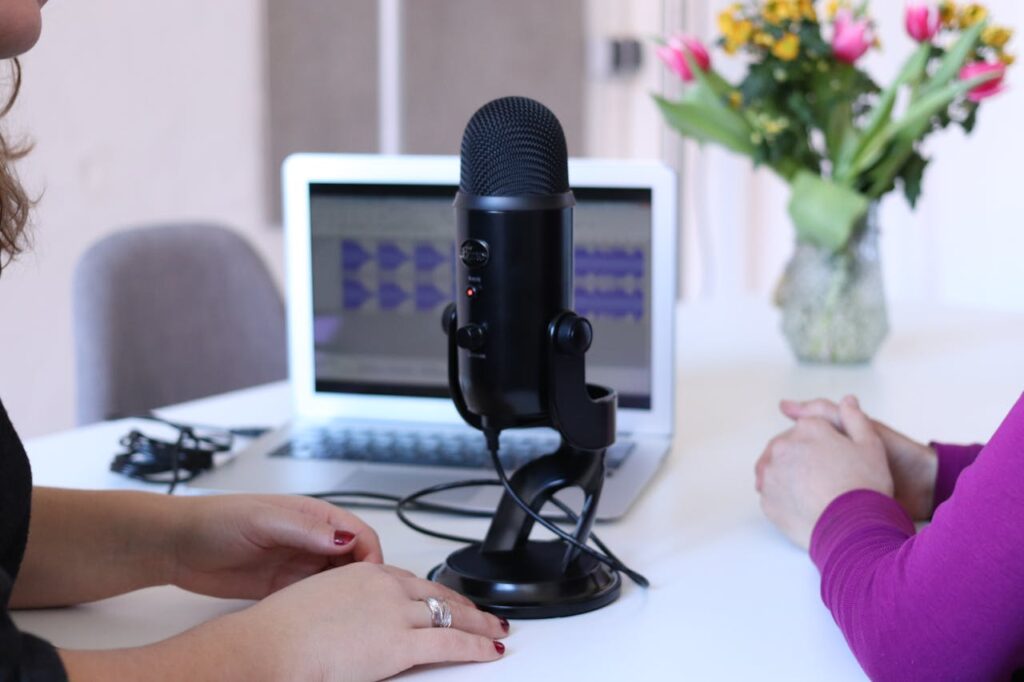
[vc_row type=”in_container” full_screen_row_position=”middle” column_margin=”default” column_direction=”default” column_direction_tablet=”default” column_direction_phone=”default” scene_position=”center” text_color=”dark” text_align=”left” row_border_radius=”none” row_border_radius_applies=”bg” overflow=”visible” overlay_strength=”0.3″ gradient_direction=”left_to_right” shape_divider_position=”bottom” bg_image_animation=”none”][vc_column column_padding=”no-extra-padding” column_padding_tablet=”inherit” column_padding_phone=”inherit” column_padding_position=”all” column_element_direction_desktop=”default” column_element_spacing=”default” desktop_text_alignment=”default” tablet_text_alignment=”default” phone_text_alignment=”default” background_color_opacity=”1″ background_hover_color_opacity=”1″ column_backdrop_filter=”none” column_shadow=”none” column_border_radius=”none” column_link_target=”_self” column_position=”default” gradient_direction=”left_to_right” overlay_strength=”0.3″ width=”1/1″ tablet_width_inherit=”default” animation_type=”default” bg_image_animation=”none” border_type=”simple” column_border_width=”none” column_border_style=”solid”][vc_column_text] The ability to efficiently generate automatic transcription of audio and video content has become increasingly valuable. Whether you’re a researcher, journalist, podcaster, or content creator, having accurate transcripts can streamline your workflow, enhance accessibility, and unlock new opportunities for analysis and repurposing. Transcription, however, can be a time-consuming and labor-intensive task, especially when dealing with large volumes of content for market research. This is where automatic transcription with AI tools comes into play, offering a game-changing solution that can save you countless hours while ensuring accuracy and efficiency. In this comprehensive guide, we’ll explore how to automate transcription, how to choose the right tools for transcription, the best AI transcription tools in the market, the benefits of embracing automated transcription and provide you with challenges you might face with automated transcription with AI Tools. What is Automatic Transcription Automatic transcription is the process of converting audio or video content into written text format using advanced speech recognition and natural language processing (NLP) technologies. AI-powered transcription tools like Insight7 leverage machine learning algorithms to accurately capture spoken words, punctuation, and even speaker identification, making it easier to generate high-quality transcripts quickly and efficiently. Step-by-Step Guide to Generating Automatic Transcriptions Prepare Your Audio/Video Files Ensure your files are in a compatible format (MP3, WAV, MP4). Check the tool’s documentation for specific requirements to avoid compatibility issues. Select an AI Transcription Tool Choose a reliable AI transcription tool such as Insight7. Your choice affects the quality and efficiency of the transcription process. Consider factors like accuracy, language support, and user experience. Upload or Import Your Files Navigate to your chosen tool’s interface and upload your files. Some tools offer options to select the language or provide additional context for better accuracy. Configure Transcription Settings Customize settings based on your needs. This may include enabling speaker identification, setting profanity filters, or adjusting accuracy levels. Proper configuration ensures better results. Initiate the Transcription Process Start the transcription. Most AI tools, including Insight7, provide a straightforward interface to begin the process. The duration may vary based on file length and complexity. Review and Edit the Transcript Once the transcription is complete, review it carefully. Look for errors or misinterpretations and make necessary corrections. AI tools may not be perfect, so manual review is crucial. Utilize Editing and Collaboration Tools Many tools offer features for editing and collaboration. Use built-in editing tools to make adjustments, add formatting, or insert timestamps. Collaborative features can streamline the review process. Export and Share the Transcript After finalizing the transcript, export it in the format you need, such as plain text, Word, PDF, or subtitle files. Choose the format that best suits your purposes. How to Choose the Right AI Automatic Transcription Tool Selecting the right tool involves evaluating several factors: Accuracy Look for tools with high accuracy rates, capable of handling different audio qualities, accents, and languages. Accuracy is crucial for reliable transcripts. Supported Languages Ensure the tool supports the languages you need, including the ability to handle multilingual content within a single file. Customization and Adaptation Some tools allow customization of vocabularies and language models. This is useful for technical terms or industry-specific jargon. Integration and Compatibility Choose a tool that integrates seamlessly with your existing workflow and software. Consider tools with APIs, plugins, or compatibility with productivity platforms. Pricing and Cost Structure Evaluate pricing models, including pay-per-minute rates, subscriptions, or one-time fees. Select a tool that fits your budget and transcription needs. User Interface and Experience A user-friendly interface enhances productivity. Look for tools with intuitive file management, editing capabilities, and a streamlined process. Security and Privacy For sensitive content, prioritize tools with strong security measures, such as encryption and data protection compliance Best Automatic Transcription AI Tools in 2025 With so many options available, it can be overwhelming to choose the right AI transcription tool. To help you get started, here are some of the top tools to consider: 1. Insight7 Offering accurate transcriptions with a user-friendly interface, Insight7 is a popular choice for individuals and businesses alike. It integrates with various productivity tools and also provides visualization after transcription and transcript analysis. Get a glimpse of Insight7 in action: Watch one of our 1-minute demo below. Get Started for free 2. Rev Combining the power of AI and human transcriptionists, Rev delivers high-quality transcripts with exceptional accuracy, making it a reliable option for those seeking top-notch results. 3. Otter.ai Known for its live transcription capabilities, Otter.ai is an excellent choice for real-time transcription of meetings, interviews, or lectures. It also offers powerful collaboration features and integrations. 4. Amazon Transcribe Part of the Amazon Web Services (AWS) suite, Transcribe leverages advanced speech recognition technology to deliver accurate transcriptions, with support for multiple languages and customizable vocabularies. 5. Google Speech-to-Text Google’s Speech-to-Text API offers robust transcription capabilities, with advanced features like speaker diarization, multi-channel recognition, and support for over 120 languages. 6. IBM Watson Speech to Text Powered by IBM’s cutting-edge AI technology, Watson Speech to Text provides accurate transcriptions, with the ability to customize language models and vocabularies for specific domains. 7. Descript More than just a transcription tool, Descript is an all-in-one platform for transcribing, editing, and creating multimedia content, making it a powerful solution for content creators and podcasters. 8. Sonix With its intuitive interface and advanced features like speaker identification and keyword search, Sonix is a versatile AI transcription tool suitable for various use cases, from academic research to media production. While this list is not exhaustive, it provides a starting point for exploring some of the most popular and highly-rated AI transcription tools on the market. Remember to evaluate each tool based on your specific needs and requirements to ensure you find the best fit for your transcription workflow. Benefits
How to Analyze Interview Transcription in Two Minutes

[vc_row type=”in_container” full_screen_row_position=”middle” column_margin=”default” column_direction=”default” column_direction_tablet=”default” column_direction_phone=”default” scene_position=”center” text_color=”dark” text_align=”left” row_border_radius=”none” row_border_radius_applies=”bg” overflow=”visible” overlay_strength=”0.3″ gradient_direction=”left_to_right” shape_divider_position=”bottom” bg_image_animation=”none”][vc_column column_padding=”no-extra-padding” column_padding_tablet=”inherit” column_padding_phone=”inherit” column_padding_position=”all” column_element_direction_desktop=”default” column_element_spacing=”default” desktop_text_alignment=”default” tablet_text_alignment=”default” phone_text_alignment=”default” background_color_opacity=”1″ background_hover_color_opacity=”1″ column_backdrop_filter=”none” column_shadow=”none” column_border_radius=”none” column_link_target=”_self” column_position=”default” gradient_direction=”left_to_right” overlay_strength=”0.3″ width=”1/1″ tablet_width_inherit=”default” animation_type=”default” bg_image_animation=”none” border_type=”simple” column_border_width=”none” column_border_style=”solid”][vc_column_text] Analyzing interview transcription is like searching for pearls underwater. Whether you’re conducting market research, academic studies, or journalistic interviews, analyzing lengthy interview transcripts can be a daunting and time-consuming task. However, with of artificial intelligence (AI) tools, this process can be streamlined, allowing you to uncover valuable insights in a matter of minutes. Click here to analyze your transcripts now. Understanding AI-Powered Interview Transcription Analysis AI-powered transcript analysis tools leverage advanced natural language processing (NLP) and machine learning algorithms to quickly analyze and extract key information from interview transcripts. These tools are designed to identify patterns, sentiments, and relevant themes, providing a comprehensive overview of the data in a fraction of the time it would take to manually review the transcripts. Key Features of AI Interview Transcription Analysis Tools Automated Summarization AI tools can generate concise summaries of lengthy interview transcripts, highlighting the most salient points and key takeaways, allowing users to quickly grasp the essence of the discussion. Sentiment Analysis By analyzing the language used in the transcript, AI tools like Insight7 can detect and quantify the sentiment expressed by the interviewees, providing valuable insights into their opinions, emotions, and attitudes toward specific topics. Topic Modeling AI algorithms can automatically identify and categorize the main topics discussed during the interview, enabling users to quickly navigate and focus on areas of interest. Entity Extraction AI tools can recognize and extract entities such as names, organizations, locations, and industry-specific terms, making it easier to understand the context and identify relevant information. Keyword Analysis By analyzing the frequency and context of specific keywords or phrases, AI tools can uncover important themes and insights that may have been missed during a manual review. Data Visualization Many AI transcript analysis tools offer intuitive data visualization features, such as word clouds, sentiment graphs, and topic clusters, allowing users to quickly identify patterns and trends within the data. How to Analyze Interview Transcripts in 2 Minutes with AI Tools The process of analyzing interview transcripts is simple: Step 1: Transcribe the Interview Step 2: Upload the Transcript Step 3: Run Automated Analysis Step 4: Review the Results Step 1: Transcribe the Interview The first step is to generate an accurate transcript of your interview using an AI-powered transcription tool. Many of the popular tools mentioned above offer transcription capabilities in addition to analysis features. Step 2: Upload the Transcript Once you have your transcript ready, upload it to your chosen AI transcript analysis tool. Most tools support various file formats, such as .txt, .doc, or .pdf, making it easy to import your transcripts. Step 3: Run Automated Analysis With the transcript uploaded, simply initiate the automated analysis process within the AI tool. Depending on the tool’s capabilities, you can choose to run specific analysis tasks, such as generating a summary, identifying key topics, or conducting sentiment analysis. Step 4: Review the Results Within a matter of seconds or minutes, the AI tool will process your transcript and present the analysis results. Most tools offer user-friendly interfaces with visualizations and interactive features, allowing you to quickly navigate and explore the insights. Step 5: Dive Deeper (Optional) While the initial analysis results will provide a high-level overview of the key insights, many AI tools offer the ability to dive deeper into specific areas of interest. For example, you can explore sentiment trends across different topics, view word clouds or phrase clouds to identify frequently used terms, or search for specific keywords or entities within the transcript. Best AI Interview Transcription Analysis Tools 1. Insight7 Insight7 is a cutting-edge AI-powered transcription tool designed to streamline the process of converting interview recordings into accurate, well-formatted transcripts. Leveraging advanced speech recognition and natural language processing technologies, Insight7 offers a comprehensive solution for researchers, journalists, legal professionals, and businesses across various industries. User-Friendly Interface: With its intuitive and user-friendly interface, Insight7 ensures a seamless experience for users of all technical backgrounds. The platform is designed to be accessible and easy to navigate, allowing users to focus on their core tasks without getting bogged down by complex interfaces or steep learning curves. AI-Driven Accuracy: At the core of Insight7 lies a sophisticated AI engine that delivers highly accurate transcriptions, capable of handling multiple speakers, accents, and background noise with ease. This ensures reliable and consistent results, even for the most challenging audio or video recordings. Intelligent Formatting: One of the standout features of Insight7 is its intelligent formatting capabilities. The tool automatically formats transcripts with proper punctuation, capitalization, and paragraph breaks, enhancing readability and consistency. Additionally, Insight7 can identify and label different speakers, making it easier to follow multi-speaker conversations. Time-Stamping and Navigation: With Insight7, users can easily navigate through transcripts and locate specific sections of the audio or video recording with the help of time-stamping. This feature facilitates efficient review and analysis, making it easier to cross-reference the transcript with the original recording. Collaborative Editing: Insight7 offers collaborative editing features, enabling multiple team members to review, annotate, and contribute to the transcript simultaneously. This streamlines the review and approval process, fostering efficient collaboration and ensuring that valuable insights are captured from various perspectives. Integration Capabilities: Insight7 can seamlessly integrate with various productivity tools, project management software, and cloud storage services, ensuring a smooth workflow and efficient data sharing across different systems. This integration capability enhances productivity and facilitates a more streamlined interview transcription process. Scalability and Efficiency: Insight7 is built to handle large volumes of interview recordings, making it suitable for organizations conducting numerous interviews or studies simultaneously. Its AI-powered transcription capabilities ensure efficient and cost-effective transcription, enabling organizations to save time and resources while maintaining high-quality output. Whether you’re conducting market research, academic studies, journalistic interviews, or legal proceedings, Insight7 empowers you to efficiently transcribe and analyze interview
Ai Tools for Generating & Formatting Interview Transcripts

[vc_row type=”in_container” full_screen_row_position=”middle” column_margin=”default” column_direction=”default” column_direction_tablet=”default” column_direction_phone=”default” scene_position=”center” text_color=”dark” text_align=”left” row_border_radius=”none” row_border_radius_applies=”bg” overflow=”visible” overlay_strength=”0.3″ gradient_direction=”left_to_right” shape_divider_position=”bottom” bg_image_animation=”none”][vc_column column_padding=”no-extra-padding” column_padding_tablet=”inherit” column_padding_phone=”inherit” column_padding_position=”all” column_element_direction_desktop=”default” column_element_spacing=”default” desktop_text_alignment=”default” tablet_text_alignment=”default” phone_text_alignment=”default” background_color_opacity=”1″ background_hover_color_opacity=”1″ column_backdrop_filter=”none” column_shadow=”none” column_border_radius=”none” column_link_target=”_self” column_position=”default” gradient_direction=”left_to_right” overlay_strength=”0.3″ width=”1/1″ tablet_width_inherit=”default” animation_type=”default” bg_image_animation=”none” border_type=”simple” column_border_width=”none” column_border_style=”solid”][vc_column_text] Generally, formatting interview transcripts demands a lot of tact. Conducting interviews is a crucial aspect of various processes, including hiring, market research, journalism, and academic research. However, transcribing these interviews can be a time-consuming and error-prone task, particularly when dealing with large volumes of audio or video recordings. Fortunately, the advent of artificial intelligence (AI) has paved the way for innovative tools that can streamline the transcription process, ensuring accuracy, efficiency, and professional formatting. If you want to transcribe, format and analyze your interview files automatically, try Insight7 today. Popular AI Powered Transcription Tools AI-powered transcription tools leverage advanced speech recognition and natural language processing (NLP) technologies to convert audio or video recordings into written text. These tools are designed to handle multiple speakers, accents, background noise, and various audio/video formats, making them ideal for transcribing and formatting interview transcripts. 1. Insight7 – AI Powered Transcription and Formatting Solution Insight7 is a powerful AI-driven transcription and transcript formatting tool designed to streamline the process of converting audio and video recordings into well-structured, accurately formatted transcripts. Leveraging advanced speech recognition and natural language processing technologies, Insight7 offers a comprehensive solution for professionals across various industries, including market research, journalism, legal, and academia. Key Transcription Features Insight7 Users Love Accurate Transcription: Insight7’s AI engine delivers highly accurate transcripts, capable of handling multiple speakers, accents, and background noise, ensuring reliable results for even the most challenging audio or video recordings. Intelligent Formatting: The tool automatically formats transcripts with proper punctuation, capitalization, and paragraph breaks, enhancing readability and consistency. Additionally, Insight7 can identify and label different speakers, making it easier to follow multi-speaker conversations. Customizable Vocabularies: Users can upload custom vocabularies or lexicons, ensuring accurate transcription of industry-specific terms, technical jargon, and proper nouns, providing a tailored experience for specialized domains. Time-Stamping: Insight7 includes time-stamping capabilities, allowing users to easily navigate through the transcript and locate specific sections of the audio or video recording, facilitating efficient review and analysis. Collaborative Editing: The platform offers collaborative editing features, enabling multiple team members to review, annotate, and contribute to the transcript simultaneously, streamlining the review and approval process. Integration Capabilities: Insight7 can integrate with various productivity tools, project management software, and cloud storage services, ensuring seamless workflow and data sharing across different systems. With its advanced AI capabilities and user-friendly interface, Insight7 empowers organizations to efficiently generate accurate and professionally formatted transcripts, saving time and resources while ensuring high-quality output for various applications, such as market research studies, legal proceedings, academic research, and journalistic interviews. Get a glimpse of Insight7 in action: Watch one of our 1-minute demo below. Get Started for free 2. Trint Trint is a powerful transcription tool that utilizes AI to generate accurate transcripts from audio and video recordings. It offers features such as speaker identification, time-stamping, customizable vocabularies, and intelligent summarization, making it ideal for interview transcription in various industries. 3. Rev Rev combines AI-powered transcription with human proofreading, ensuring high accuracy levels. It supports over 20 languages and offers various formatting options, including speaker labeling, time-stamping, and customizable templates for different use cases, such as legal depositions or market research interviews. 4. Descript Descript is a comprehensive transcription and video editing tool that uses AI to generate transcripts and allows users to edit video by editing the text transcript directly. It offers features like speaker labeling, automated punctuation, and deep integration with popular video editing software. 5. Sonix Sonix is an AI-powered transcription platform that supports over 40 languages and offers features like speaker identification, customizable vocabularies, collaborative editing, and advanced formatting options, making it suitable for various interview transcription needs. 6. Amazon Transcribe Amazon Transcribe is part of the Amazon Web Services (AWS) suite and provides highly accurate speech-to-text transcription services. It supports multiple languages, offers customizable vocabularies, and can be integrated with other AWS services for advanced use cases. 7. Google Cloud Speech-to-Text Google Cloud Speech-to-Text is a part of the Google Cloud Platform and leverages Google’s cutting-edge speech recognition technology. It supports over 125 languages and dialects, offers speaker diarization (separating different speakers), and can be customized with industry-specific vocabularies. Formatting Interview Transcripts with AI Tools One of the key advantages of using AI transcription tools is their ability to format transcripts in a professional and consistent manner. Here are some formatting best practices: Speaker Labeling Clearly label each speaker’s dialogue with their name, initials, or a designated identifier, making it easier to follow the conversation flow. Some tools allow customizing speaker labels with colors or icons for better visual differentiation. Time-Stamping Include time-stamps at regular intervals or at the beginning of each speaker’s turn, allowing users to quickly locate specific sections of the audio or video recording. Time-stamps can be customized to display in different formats (e.g., HH:MM:SS or elapsed time). Paragraph Breaks Insert paragraph breaks whenever a new speaker starts talking or when a new topic is introduced, improving readability and organization. Consistent use of paragraph breaks helps segment the conversation into logical sections. Annotations Use annotations or inline comments to highlight important sections, provide context, clarify ambiguities, or add supplementary information to the transcript. Some tools allow for rich formatting options, such as highlighting or color-coding annotations. Consistent Styling Apply a consistent style for formatting elements such as speaker labels, time-stamps, annotations, and headers/footers, ensuring a professional and cohesive appearance throughout the transcript. Proofread and Edit While AI transcription tools are highly accurate, it’s recommended to proofread and edit the transcript to ensure accuracy, correct any errors, and make necessary clarifications or adjustments based on the context. Redaction Some AI tools offer redaction capabilities, allowing users to easily remove sensitive or confidential information from the transcript while maintaining the overall flow and context. Customizable Templates Many AI transcription platforms provide customizable
How to Generate Transcript for an Interview With AI Tools
Unlocking Efficiency: How to Generate Transcript for an Interview With AI Tools Generating transcript for an interview is the best way to mine insights from that recording. In the world of research, journalism, legal proceedings, and business, interviews are a crucial source of valuable insights and information. However, the process of transcribing these interviews can be a significant bottleneck, requiring extensive time and resources. Manually transcribing audio or video recordings is not only tedious but also prone to errors, leading to potential inaccuracies and misinterpretations. This is where AI (Artificial Intelligence) transcription tools come into play, offering a game-changing solution for generating accurate transcripts for interviews efficiently. These cutting-edge tools leverage advanced speech recognition, natural language processing, and machine learning algorithms to convert spoken words into written text with remarkable speed and precision. In this comprehensive guide, we’ll explore the world of AI-powered transcription tools and their application in generating transcripts for interviews. We’ll delve into the benefits of using AI for transcription, the key features to look for in these tools, and step-by-step processes to ensure optimal results. Whether you’re a researcher, journalist, legal professional, or business executive, this article will equip you with the knowledge and strategies to streamline your interview transcription process, saving valuable time and resources while ensuring accurate and reliable transcripts. NB: This is going to be a long read. So f you already have interview files you’d like to transcribe and analyze, visit the Insight7 app rightaway to save time. The Importance of Accurate Transcript for an Interview Accurate transcripts are crucial for a variety of reasons across different domains that rely on interviews as a primary source of information. Here are some key benefits of having precise transcript for an interview: 1. Data Integrity and Reliability Interviews often contain valuable insights, expert opinions, and critical information that can shape research findings, legal proceedings, or business decisions. Every accurate transcript from an interview ensures that the raw data from these interviews is preserved in its entirety, minimizing the risk of overlooking or misinterpreting crucial details. 2. Improved Analysis and Interpretation The average transcript from an interview provides a written record of the interview, allowing researchers, analysts, or decision-makers to thoroughly review and analyze the content multiple times. This facilitates a deeper understanding of the interviewee’s perspectives, experiences, and thought processes, enabling more comprehensive analysis and interpretation. 3. Accessibility and Inclusivity Transcripts make interview content accessible to individuals with hearing impairments or those who prefer to consume information in written form. By providing accurate transcript from an interview, organizations can promote inclusivity and ensure that valuable information is accessible to a wider audience. 4. Compliance and Legal Requirements In certain industries, such as legal and healthcare, there may be strict regulations and compliance requirements mandating accurate transcription of interviews or proceedings. Precise transcript from an interview can help organizations meet these regulatory obligations and provide a reliable record for legal or compliance purposes. 5. Collaboration and Knowledge Sharing Transcripts facilitate collaboration and knowledge sharing within teams or organizations. By having a written record of interviews, multiple individuals can review and contribute their insights, fostering a more collaborative and informed decision-making process. 6. Ease of Reference and Citation Accurate transcript from an interview make it easier to reference and cite specific quotes or excerpts from interviews in research papers, legal documents, or business reports. This enhances the credibility and transparency of the work while providing a clear trail of evidence. The Benefits of Using AI for Generating Accurate Transcript From an Interview While manual transcription has been the traditional approach, AI transcription tools like Insight7 offer numerous advantages that make them an increasingly popular choice for generating transcript for an interviews: 1. Increased Efficiency and Time-Saving One of the most significant benefits of AI transcription tools is their ability to dramatically reduce the time and effort required for transcribing interviews. These tools can generate transcripts in a fraction of the time it would take a human transcriber, allowing organizations to save valuable resources and accelerate their workflows. 2. Improved Accuracy AI transcription models are trained on vast amounts of data, enabling them to recognize and accurately transcribe a wide range of accents, dialects, and speech patterns. These models continuously learn and adapt, improving their accuracy over time. Additionally, many AI transcription tools offer customization options, allowing users to fine-tune the transcription process for specific domains or terminologies, further enhancing accuracy. 3. Scalability and Versatility AI transcription solutions can handle large volumes of audio and video content with ease, making them highly scalable and suitable for various applications. Whether you need to transcribe a single interview or a vast archive of recordings, AI transcription tools can adapt to your needs, ensuring consistent and reliable results. 4. Cost-Effectiveness While professional transcription services can be expensive, especially for large-scale projects, AI transcription tools offer a more cost-effective solution. Many AI transcription platforms offer pay-as-you-go or subscription-based pricing models, allowing you to optimize costs based on your specific needs and usage. 5. Multilingual Support Many AI transcription tools offer multilingual support, allowing organizations to transcribe interviews conducted in various languages without the need for specialized human transcribers. This feature is particularly valuable for organizations operating in global markets or conducting research across different regions. 6. Integration and Automation AI transcription tools often offer integration capabilities with other software and platforms, enabling seamless workflow automation. For example, these tools can integrate with video conferencing platforms, allowing for real-time transcription during virtual interviews or meetings. Key Features to Look for in AI Transcription Tools When evaluating AI transcription tools for generating transcripts for interviews, it’s essential to consider several key features to ensure optimal performance and accurate results. Here are some crucial factors to consider: 1. Accuracy and Language Support Accuracy is paramount when it comes to transcribing interviews. Look for tools that consistently deliver high accuracy rates, especially for the languages and accents you need to transcribe. Additionally, consider the tool’s language support, as some may offer better performance for
Top 10 AI Interview Analysis Tools in 2025

[vc_row type=”in_container” full_screen_row_position=”middle” column_margin=”default” column_direction=”default” column_direction_tablet=”default” column_direction_phone=”default” scene_position=”center” text_color=”dark” text_align=”left” row_border_radius=”none” row_border_radius_applies=”bg” overflow=”visible” overlay_strength=”0.3″ gradient_direction=”left_to_right” shape_divider_position=”bottom” bg_image_animation=”none”][vc_column column_padding=”no-extra-padding” column_padding_tablet=”inherit” column_padding_phone=”inherit” column_padding_position=”all” column_element_direction_desktop=”default” column_element_spacing=”default” desktop_text_alignment=”default” tablet_text_alignment=”default” phone_text_alignment=”default” background_color_opacity=”1″ background_hover_color_opacity=”1″ column_backdrop_filter=”none” column_shadow=”none” column_border_radius=”none” column_link_target=”_self” column_position=”default” gradient_direction=”left_to_right” overlay_strength=”0.3″ width=”1/1″ tablet_width_inherit=”default” animation_type=”default” bg_image_animation=”none” border_type=”simple” column_border_width=”none” column_border_style=”solid”][vc_column_text] Drowning in interview data? You’re not alone. As researchers, we know the struggle of sifting through hours of interviews to find those golden nuggets of insight. But here’s some good news: AI interview analysis tools are changing that narrative. These smart assistants are making our lives easier, helping us uncover insights faster and more accurately than ever before. In this article, we’ll dive into the top 10 AI interview analysis tools that are revolutionizing market research in 2025. We’ll explore how these tools can supercharge your interview analysis process, saving you time and uncovering insights you might have missed. And guess what? Insight7 stands out among these tools with its user-friendly interface and comprehensive feature set. But let’s not get ahead of ourselves – we’ll explore each tool’s unique strengths. Let’s dive in and see what each has to offer! Why AI Interview Analysis Matters Before we get to the tools, let’s talk about why AI interview analysis is such a big deal. Think about your last big research project. How many hours did you spend transcribing interviews, coding responses, and trying to spot patterns? It’s exhausting work, right? AI interview analysis tools take a lot of that grunt work off your plate. They can transcribe interviews automatically, identify key themes without manual coding, and even pick up on emotional nuances that might slip past a human analyst. This means you can spend less time on tedious tasks and more time on what really matters – understanding your data and crafting compelling insights for your clients. Benefits of AI Interview Analysis: Automated Transcription: AI tools save hours of manual labor by automatically converting audio and video files into accurate text formats. This step alone significantly reduces the workload and allows researchers to focus on analyzing the content instead of preparing it. Theme Identification: Advanced algorithms detect patterns and recurring themes within the text, offering an organized view of the data. This makes it easier to understand underlying trends and opinions across multiple interviews without manually sifting through the text. Emotional Insights: Many AI tools are equipped with sentiment analysis capabilities that capture the emotional tone of participants. This feature helps researchers identify subtle cues that may indicate satisfaction, frustration, or other emotions that are essential for understanding the depth of respondents’ perspectives. Focus on Analysis: By handling transcription and preliminary data sorting, AI tools allow researchers to spend more time on interpretation and decision-making. This focus enables a deeper understanding of the data, leading to more meaningful insights and strategic decisions. Top AI Interview Analysis Tools 1. Insight7: Your All-in-One AI Interview Analysis Powerhouse This tool is a game-changer for interview analysis in market research. It uses cutting-edge AI to analyze your interview transcripts, picking up on things that even the most experienced researcher might miss. Features: User-Friendly Interface: Insight7 offers an intuitive interface that allows users of all experience levels to navigate the platform easily. You don’t need to be a tech wizard to use it. Just upload your interview transcripts, and Insight7 gets to work. This accessibility makes it an excellent choice for market researchers who may not have a technical background. Automated Analysis: The platform’s AI capabilities automatically identify key themes and sentiments, giving researchers an organized overview of the main insights drawn from interviews. Visualization Tools: Insight7 provides powerful visualization tools that help researchers present their findings through charts, graphs, and mind maps. These visual representations make it easier to communicate insights to stakeholders. Comprehensive Tools: With features that include generating customer journey maps, reports, and slides, Insight7 provides a complete package for market researchers looking to deliver impactful presentations and reports. It can even help create compelling brand messages, offering a comprehensive suite of tools for your research needs. Integration: Seamlessly integrates with Google Meet, Google Drive, Microsoft Teams, SharePoint, Gong, and more, making data access effortless. This compatibility ensures that users can work efficiently across different platforms without switching between applications. 2. NVivo It’s widely used in academic and market research for analyzing interviews, focus groups, and other forms of unstructured data. Features: Automated Transcription: NVivo offers robust transcription capabilities, turning hours of audio into text quickly and accurately. This feature significantly reduces the time researchers spend preparing data. Coding Tools: The platform supports both manual and automated coding, allowing researchers to apply codes to data points, facilitating the identification of themes and patterns. Visualization Options: With NVivo, researchers can create word clouds, charts, and mind maps to represent data visually, making it easier to spot trends and present findings effectively. Sentiment Analysis: NVivo’s sentiment analysis tools detect emotional tones in responses, providing insights into participants’ attitudes and feelings toward specific topics. Team Collaboration: The platform supports multiple users, enabling researchers to collaborate on projects in real-time, which is ideal for large-scale studies involving multiple analysts. Pros: Feature-Rich: NVivo offers an extensive array of tools for in-depth qualitative analysis, making it a preferred choice for complex research projects. Established: With a long-standing reputation in the field, NVivo is trusted by researchers worldwide for its reliability and effectiveness. Cons: Steep Learning Curve: The platform’s extensive features can be overwhelming for new users, particularly those who are not familiar with qualitative research software. Complexity: For smaller teams or projects requiring more straightforward solutions, NVivo’s comprehensive capabilities might be more than necessary. NVivo is ideal for those who require advanced analysis tools and are willing to invest time in learning the platform. Otherwise, exploring more user-friendly options like Insight7 may be beneficial 3. Cogito Cogito stands out for its real-time analysis capabilities. It can give you insights during live interviews, which is pretty impressive. However, it’s worth noting that Cogito was primarily designed for call centers and customer service interactions. While it can be adapted
Analysis Of Focus Group Data: Top AI Tools For FGD Analysis
[vc_row type=”in_container” full_screen_row_position=”middle” column_margin=”default” column_direction=”default” column_direction_tablet=”default” column_direction_phone=”default” scene_position=”center” text_color=”dark” text_align=”left” row_border_radius=”none” row_border_radius_applies=”bg” overflow=”visible” overlay_strength=”0.3″ gradient_direction=”left_to_right” shape_divider_position=”bottom” bg_image_animation=”none”][vc_column column_padding=”no-extra-padding” column_padding_tablet=”inherit” column_padding_phone=”inherit” column_padding_position=”all” column_element_direction_desktop=”default” column_element_spacing=”default” desktop_text_alignment=”default” tablet_text_alignment=”default” phone_text_alignment=”default” background_color_opacity=”1″ background_hover_color_opacity=”1″ column_backdrop_filter=”none” column_shadow=”none” column_border_radius=”none” column_link_target=”_self” column_position=”default” gradient_direction=”left_to_right” overlay_strength=”0.3″ width=”1/1″ tablet_width_inherit=”default” animation_type=”default” bg_image_animation=”none” border_type=”simple” column_border_width=”none” column_border_style=”solid”][vc_column_text] The success of marketing and product development often hinges on how well we analyze focus group data. Focus groups offer a unique window into customer needs, behaviors, and motivations. But the real value comes from turning those raw discussions into clear, actionable insights that can drive impact across product strategy, marketing, experience design, and business planning initiatives. What is FGD Analysis? FGD (Focus Group Discussion) analysis refers to the systematic examination of data collected during a focus group session. It involves transcribing discussions, identifying key themes, and interpreting the data to uncover insights related to the research question. The process is often qualitative and involves understanding the dynamics of group interactions, such as how participants influence each other’s opinions or how certain ideas dominate the conversation. What Methodology is Commonly Used by Focus Groups? The qualitative research methodology is most commonly used in focus group studies. Specifically, methodologies like thematic analysis and grounded theory are popular because they allow for in-depth exploration of participant perspectives and social dynamics. The focus is often on understanding subjective experiences rather than measuring them quantitatively. The goal is to gather rich, descriptive data rather than numerical data. This makes the analysis more nuanced than just crunching numbers from surveys. And It requires a keen eye to spot patterns and extract meaning. However, some researchers may use mixed methods, combining qualitative focus group data with quantitative surveys to validate their findings. What Type of Analysis is Best for Focus Groups? The best type of analysis for focus group data depends on the nature of the research and its objectives. Here are some common analysis types used: Thematic Analysis: This is the most widely used method in focus group analysis. It involves identifying recurring themes, patterns, and concepts across the data. Thematic analysis is especially useful for understanding participants’ attitudes, beliefs, and behaviors in relation to the topic being studied. Content Analysis: Another common approach is content analysis, which involves quantifying the frequency of certain words or themes that appear during the discussions. This method is effective when researchers are interested in understanding the prevalence of specific ideas or terminologies. Discourse Analysis: If the focus is on how people use language in social interactions, discourse analysis may be more appropriate. This method looks at the language used by participants and how it reflects underlying social and cultural norms. Grounded Theory: Grounded theory is useful when the goal is to generate theories based on the data itself. It is an inductive approach where researchers develop theories by continuously comparing emerging themes across the focus group data. Narrative Analysis: In cases where the researcher is more interested in individual stories and how they are constructed, narrative analysis might be the best approach. This method allows a deeper dive into how participants frame their personal experiences in the group context. What Are the Four Critical Qualities of Focus Group Analysis? Depth: Focus group analysis should go beyond surface-level observations, exploring the underlying reasons and motivations behind participants’ opinions. Context: Analysis must consider the broader social and cultural context in which participants’ opinions are formed. Credibility: The findings should be supported by clear evidence, typically through direct quotes from participants, and should be triangulated with other data sources when possible. Systematic Approach: A rigorous, systematic method must be used to ensure that the analysis is thorough and free from researcher bias. This includes transparent coding processes and a clear explanation of how themes were derived from the data. How is Focus Group Data Analyzed? Focus group data analysis involves several systematic steps aimed at deriving insights from participant interactions. The process starts with data collection, typically through video or audio recordings of the focus group discussions (FGD). These recordings are then transcribed into written documents for further analysis. The analysis generally involves multiple stages, including: Transcription: Converting the verbal exchanges from the focus group into text, ensuring that no information is lost in the process. This often includes noting non-verbal cues like tone or body language, as they can add context to the dialogue. Coding: After transcription, researchers typically categorize the data by identifying recurring themes, keywords, or concepts. Coding can be done either manually or with the help of qualitative analysis software like NVivo or Insight7, which offers AI-powered analysis for qualitative data. Thematic Analysis: The next step is to conduct thematic analysis, identifying patterns or themes across the group discussions. These themes represent common ideas or perceptions shared by participants, providing insight into their collective opinions. Categorization: The data is further categorized to highlight similarities and differences across various groups, or even between individuals. This helps in understanding the range of perspectives. Interpretation: Once themes are identified, the next step is interpreting the findings in the context of the research objectives. Researchers analyze how participants’ opinions and attitudes relate to the research questions. Visualization and Reporting: The final step in focus group analysis is presenting the results, typically through detailed reports, visual charts, or graphs to make the data accessible and interpretable. Before Transcription, How Do You Record Data from a Focus Group? Data from a focus group is typically recorded through audio or video devices. Audio recordings allow the researcher to capture all verbal exchanges, while video recordings can also capture non-verbal cues, like gestures or facial expressions, which can provide additional context. These recordings are then transcribed for analysis. How Long Does It Take to Analyze Focus Group Data? The time it takes to analyze focus group data can vary significantly depending on the size and complexity of the data, the method used for analysis, and the software tools employed. Generally, for a single focus group session, the process might take 1-2 weeks. Here’s a breakdown: Transcription: Depending on the length of the
What is a Focus Group in Research: Focus Group Data Analysis

What is a Focus Group in Research? If you work in marketing, product development, user experience, or any other customer-facing role, you’ve likely heard or asked “what is focus group in research” before. So what exactly is a focus group? How do they work? And what value do they provide for research? A focus group is a carefully planned discussion involving a small group of people whose beliefs, attitudes, experiences, and insights are relevant to the research topic at hand. The discussion is led by a trained moderator in an informal setting that is designed to spark insightful feedback and foster an open exchange of ideas. Focus groups are a type of qualitative market research technique used across many industries to gain an in-depth understanding of a target audience’s opinions, motivations, preferences, and pain points. They fill a critical role in customer/user research. This is done by uncovering the “why” behind people’s behaviors, needs, and decision-making processes – something that can’t be fully captured through quantitative methods like surveys alone. In this article, we will examine the place of focus group in research and how to analyze focus group data. However, in the meantime, click here to analyze transcripts from your research. The use of Focus Groups • Testing new product concepts, designs, marketing campaigns, etc. prior to launch • Understanding attitudes and perceptions around an existing product/service • Exploring customer experiences, unmet needs, and points of friction • Generating new ideas from engaged consumers/users • Assessing reactions to things like pricing, branding, and messaging At their core, focus groups provide businesses and organizations with a direct line of communication to their target customers or end-users. This first-hand feedback is invaluable for making more informed, customer-centric decisions during product development, marketing campaigns, user experience design, and beyond. How Does a Focus Group Work? The specific process can vary based on research objectives, however, most focus groups follow a similar basic format: 1. Recruiting Participants who match pre-determined screening criteria (e.g. demographics, behaviors, experiences, etc.) are recruited through various channels. This ensures the participants are relevant to the research topic. Typical group size is 6-10 people. 2. Logistics A facility is selected that has an observation room with a one-way mirror, as well as audio/video recording capabilities. The participants are brought into a controlled discussion room with a trained moderator. 3. Discussion Guide The moderator follows a pre-set discussion guide covering specific topics and questions, but allowing for a natural flow of dialog. Guides are carefully structured to create an open environment for sharing thoughts and opinions. 4. Group Dynamics One of the key strengths of focus groups is the ability for diverse individuals to share perspectives, build off each other’s comments, and spark new insights through triggered memories and associations. Skilled moderators facilitate these rich interactions. 5. Activities To further promote engagement, moderators will often incorporate exercises, product samples, visuals, and other activities into the session. This could involve evaluating mock-ups, sampling products, or role-playing scenarios. 6. Observation There is typically a one-way mirror or video stream where clients/stakeholders can observe the sessions live. This allows them to experience first-hand reactions and catch important non-verbal cues. 7. Analysis After a focus group, recordings are reviewed and key insights are comprehensively analyzed using AI tools like Insight7. Reports summarize major themes, significant quotes, and strategic recommendations. While there are many variables to conducting effective focus groups, some guiding best practices include: • No more than 10 participants to ensure everyone can actively participate • A skilled moderator experienced in managing group dynamics • Comfortable, casual setting to facilitate open discussion • Incentives for participants in exchange for their feedback • A mix of question types (e.g. open-ended, projective, etc.) • Incorporating interactive exercises beyond just verbal Q&A The Role of Focus Groups in Research Within the field of market research, focus groups occupy an important space in the qualitative research realm. They complement and enhance quantitative data gathered through methods such as surveys by capturing the much-needed context behind the “what” and revealing the “why.” For example, let’s say a software company is preparing to launch a new enterprise product. They’ve surveyed hundreds of target customers to measure demand, assess feature prioritization, and gauge pricing sensitivity. This quantitative data reveals important statistics like what percentage of people are interested in the product, which features rank as most valuable, and what the acceptable price range is. But what those rating scales and multiple-choice questions can’t uncover is the reasoning and motivations behind why customers made those selections. That’s where focus groups play a critical role –allowing the researchers to explore the underlying beliefs, experiences, hesitations, and use cases that inform those decisions. What is Focus Group in Research? Why do customers value certain features more than others? What problems are they really trying to solve? What objections exist that could prevent them from adopting the product? Whose opinions and perspectives influence their choices? The live, dynamic nature of a focus group allows researchers to peel back the layers and uncover the rich personal context and stories behind people’s behaviors and preferences. These real-world anecdotes and revelations not only provide strategic direction for developing better solutions, but also cultivate deeper empathy and understanding of the customer mindset. At the end of the day, businesses are creating products and services for human beings – not just data points on a spreadsheet. Success hinges on being able to connect with target audiences on a deeper, emotional level. Through their unique ability to facilitate open-ended dialog, focus groups play an instrumental role in humanizing the research findings and crystallizing a customer-centric point of view. When used properly as part of a mixed-methods research approach, they serve as a powerful complement to quantitative data by capturing the authentic voices and personal perspectives that numbers alone cannot convey. However, it’s important to note that focus groups do have some inherent limitations. Compared to many quantitative methods, focus groups: • Involve small sample sizes that may not be
