
10 Mindmapping Tools to Boost Your Productivity
Productivity Mindmapping Tools serve as essential resources for individuals seeking to enhance their organization and creativity. With the growing need for efficient planning and brainstorming, these tools enable users to visualize ideas and tasks in a structured manner. By breaking down complex concepts into manageable parts, users can gain clarity and direction in their projects. These mindmapping tools offer various features, including collaborative options, intuitive interfaces, and integration with other productivity software. Whether you are a student, professional, or entrepreneur, embracing these tools can significantly boost your productivity. As we explore ten of the best options available, you’ll discover how they can transform your approach to planning and project management. Top 10 Mindmapping Tools to Boost Your Productivity Mind mapping can significantly enhance your workflow and creativity, making it a powerful tool for boosting productivity. Below are ten productivity mind mapping tools that stand out for their unique features and user-friendly interfaces. These tools cater to various work styles and preferences, ensuring you find one that meets your needs. MindMeister: This tool offers real-time collaboration, ideal for teams brainstorming together. It integrates seamlessly with other applications, boosting overall workflow. XMind: Known for its sleek design and extensive template options, XMind excels in mind mapping for project management and personal organization. Coggle: Coggle allows for unlimited image uploads and provides a beautiful and simple interface, perfect for visual thinkers. Lucidchart: While primarily a diagramming tool, Lucidchart supports mind maps and offers extensive integration options for enhanced productivity. Miro: Best suited for remote teams, Miro combines mind mapping with a collaborative whiteboard platform, enabling diverse brainstorming sessions. MindNode: This intuitive app caters to Apple users, making it easy to create and organize ideas with visual clarity. Ayoa: Ayoa combines brainstorming with task management, allowing users to assign tasks directly within their mind maps. Scapple: Developed by Literature & Latte, Scapple is great for free-form brainstorming, giving users the freedom to jot down ideas without strict structures. SimpleMind: This tool offers cross-platform compatibility and simple layouts, ensuring ease of use for beginners. Bubble.us: This web-based tool allows users to create colorful mind maps quickly, making it accessible for anyone with an internet connection. Incorporating these productivity mind mapping tools into your routine can streamline your processes, spark creativity, and enhance collaboration within your team. Choose the one that aligns best with your goals and workflows, and watch your productivity soar. 1. MindMeister: Collaborative Productivity Mindmapping Tool MindMeister is an innovative tool designed for effective collaboration and productivity in mind mapping. This platform empowers teams to brainstorm, visualize ideas, and organize thoughts in a cohesive manner. By enabling real-time editing and sharing, users can work together seamlessly, enhancing their creative workflows. The user-friendly interface allows for easy navigation and integration with other productivity tools. Its features include customizable templates, multimedia attachments, and cloud storage for easy access. Users can build mind maps that capture everything from project plans to marketing strategies, making it an indispensable resource for any teamwork scenario. With this collaborative productivity mind mapping tool, you can transform individual ideas into collective insights, ensuring that your team's potential is maximized. 2. XMind: Feature-Rich Productivity Mindmapping Tool XMind stands out as a feature-rich tool that enhances productivity through effective mind mapping. Its intuitive interface allows users to visualize ideas and organize thoughts seamlessly. Creating elaborate mind maps becomes effortless with the array of templates available, catering to various user needs. Teams can collaborate on projects in real-time, which strengthens the exchange of ideas and boosts creativity. Moreover, XMind offers powerful tools for task management, enabling users to track their progress effectively. The application supports multiple export options, ensuring that users can share their ideas in various formats. Its brainstorming capabilities encourage users to think outside the box, making it an essential tool among productivity mindmapping tools. Overall, XMind’s unique features empower users to simplify complex processes and enhance their overall productivity. 3. Coggle: Simple Yet Powerful Productivity Mindmapping Tool Coggle is a user-friendly mind mapping tool that brings clarity to complex ideas and tasks. Its intuitive design enables users to create visually appealing maps that capture thoughts effortlessly. As a valuable productivity mindmapping tool, it allows individuals and teams to brainstorm ideas collaboratively in real time. With features like color coding and image uploading, these mind maps not only enhance creativity but also improve information retention, making it easier to connect various concepts. What sets this tool apart is its simplicity paired with powerful sharing capabilities. Users can easily share mind maps with team members and invite others to edit, making collaboration seamless. This fosters a productive environment where ideas can evolve through group input. When seeking a reliable method to organize thoughts or projects, Coggle stands out as a practical solution. Ultimately, it empowers users to visualize their thoughts, enhancing overall productivity and collaboration within teams. 4. MindGenius: Comprehensive Business Productivity Mindmapping Tool MindGenius stands out as a powerful productivity mindmapping tool designed for business environments. Its robust feature set allows users to visually organize ideas and streamline project management effortlessly. This platform enables teams to outline tasks, prioritize objectives, and cultivate effective brainstorming sessions, all of which foster increased collaboration. One of its key advantages is the ability to create custom templates that cater to various business needs. Users can easily switch between different project structures, adapting the tool to their workflow. Additionally, MindGenius offers advanced functionalities such as multi-project search queries and data visualization options. These features help users transform complex datasets into clear visuals, enhancing understanding and decision-making. By integrating these capabilities, this tool significantly enhances productivity, making it a top choice among productivity mindmapping tools for teams looking to optimize their collaborative efforts. 5. Bubbl.us: User-Friendly Productivity Mindmapping Tool Bubbl.us stands out as a user-friendly tool designed to enhance productivity through mind mapping. Its intuitive interface allows users to create visually engaging mind maps effortlessly. Whether you’re brainstorming in a team or organizing personal thoughts, this tool simplifies the process and promotes clarity. Users can easily drag
Thought Map AI: 7 Tools to Clarify Complex Ideas
Idea Visualization Tools play a crucial role in navigating complex information effectively. In an era where clarity is paramount, visual tools aid in transforming abstract concepts into tangible representations. By structuring and displaying ideas visually, these tools enable users to identify connections, patterns, and core themes, simplifying otherwise overwhelming data. In this section, we will explore various idea visualization tools available within thoughtful mapping applications. Understanding their functionalities and applications can significantly enhance the way individuals and teams clarify their thoughts and ideas. From creating intuitive mind maps to building detailed dashboards, these tools provide users with the necessary framework to dissect their intricate ideas with ease. The Role of Idea Visualization Tools in Simplifying Complex Ideas Idea visualization tools play a crucial role in transforming complex ideas into easily digestible formats. These tools simplify intricate data sets by providing visual representations such as mind maps, flowcharts, and diagrams. By breaking down overwhelming information into manageable parts, users can quickly grasp key concepts and relationships. This not only enhances understanding but also fosters creativity and critical thinking. Furthermore, incorporating idea visualization tools in your workflow can significantly improve communication. Teams can collaboratively explore and refine ideas, ensuring everyone is aligned on the concepts being discussed. Visual aids also aid in the identification of gaps in understanding, allowing for targeted questions and further exploration. In essence, these tools empower individuals and teams to navigate the complexities of information, paving the way for informed decision-making and innovative solutions. Benefits of Using Idea Visualization Tools Idea visualization tools offer numerous benefits that enhance clarity and understanding of complex concepts. Primarily, they help in organizing thoughts, allowing users to break down intricate ideas into digestible parts. This structured approach aids in identifying relationships between various components, making it easier to see the bigger picture. Moreover, these tools encourage creativity and brainstorming. When individuals visualize their ideas, it often leads to new insights and innovative solutions that may not surface through traditional methods. Additionally, collaboration becomes more effective when using visual tools, as everyone can contribute their perspectives on a shared visual platform. Enhanced communication fosters a team-oriented environment, leading to improved problem-solving outcomes. Lastly, by summarizing key insights visually, these tools also streamline information sharing. They can convert dense data into coherent reports or presentations, making it easier to communicate findings and recommendations. Idea visualization tools ultimately support a more engaging and productive thought process. How Thought Map AIs Enhance Idea Visualization Thought Map AIs revolutionize how we visualize ideas, turning complex thoughts into clear diagrams. By breaking down intricate concepts, these tools help users articulate their thoughts in a structured manner. With the ability to create visual maps, individuals can better understand relationships between different ideas and enhance their critical thinking. Idea Visualization Tools transform abstract thoughts into tangible representations, fostering creativity and deeper comprehension. Users benefit from the interactive features of these tools, which allow for easy manipulation and arrangement of ideas. This dynamic engagement with content enables users to see connections they might otherwise overlook. For instance, if you’re brainstorming for a project, a Thought Map AI can visually organize your ideas, making it easier to identify gaps or areas that need further exploration. Ultimately, these tools not only clarify thoughts but also empower users to express themselves more effectively in various contexts. Top 7 Thought Map AI Tools for Clarifying Complex Ideas In today's fast-paced world, making sense of complex ideas is vital for success. Thought map AI tools have emerged to help individuals and teams visualize their thoughts clearly and effectively. By using these Idea Visualization Tools, users can break down intricate concepts into manageable components, facilitating better understanding and communication. Here are the top seven tools to consider: MindMeister – This tool enables collaborative online mind mapping, allowing teams to brainstorm ideas together in real-time. It offers integrations with other platforms like Google Drive. Xmind – Known for its robust features, Xmind supports various templates and presentation modes, making it great for both personal and professional use. Lucidchart – This versatile diagram tool is ideal for creating mind maps and flowcharts seamlessly, promoting clarity in complex processes. Coggle – With a user-friendly interface, Coggle simplifies mind mapping and encourages collaboration, allowing users to share their thoughts easily. Miro – This tool goes beyond mind mapping. It provides a versatile workspace for brainstorming, planning, and organizing ideas visually. MindManager – A comprehensive tool that offers not just mind mapping but also project management functionalities, helping users map out tasks effectively. SimpleMind – As the name suggests, this tool focuses on simplicity, enabling users to create clear mind maps quickly without any steep learning curve. By integrating these Idea Visualization Tools into your workflow, navigating the complexities of modern thinking becomes easier and more structured. Tool 1: MindMeister – Collaborative Mind Mapping Collaborative mind mapping offers an effective way to visualize ideas and enhance communication within teams. MindMeister serves as a premier tool, allowing users to create, share, and edit mind maps in real time. This platform fosters collaboration by enabling team members to contribute their thoughts and insights from anywhere in the world. Its intuitive interface makes it easy to organize complex concepts into clear, visual formats. In this digital age, where remote work is increasingly prevalent, MindMeister stands out among idea visualization tools. Users can present their mind maps during meetings, facilitating better discussions and decision-making. With features like comments and task assignments, it transforms brainstorming sessions into dynamic projects. MindMeister not only simplifies the process of developing ideas but also enriches teamwork, ensuring every voice is heard. Engaging with this collaborative tool will lead to clearer thinking and more comprehensive strategies. Tool 2: XMind – Comprehensive Idea Visualization XMind stands out among idea visualization tools as a powerful platform for clarifying complex ideas. Its intuitive interface allows users to map out thoughts effortlessly, which enhances understanding and retention of information. By visually organizing data, users can identify patterns and relationships that might otherwise go unnoticed. This
How To Analyze Focus Group Data And Get Actionable Insights

[vc_row type=”in_container” full_screen_row_position=”middle” column_margin=”default” column_direction=”default” column_direction_tablet=”default” column_direction_phone=”default” scene_position=”center” text_color=”dark” text_align=”left” row_border_radius=”none” row_border_radius_applies=”bg” overflow=”visible” overlay_strength=”0.3″ gradient_direction=”left_to_right” shape_divider_position=”bottom” bg_image_animation=”none”][vc_column column_padding=”no-extra-padding” column_padding_tablet=”inherit” column_padding_phone=”inherit” column_padding_position=”all” column_element_direction_desktop=”default” column_element_spacing=”default” desktop_text_alignment=”default” tablet_text_alignment=”default” phone_text_alignment=”default” background_color_opacity=”1″ background_hover_color_opacity=”1″ column_backdrop_filter=”none” column_shadow=”none” column_border_radius=”none” column_link_target=”_self” column_position=”default” gradient_direction=”left_to_right” overlay_strength=”0.3″ width=”1/1″ tablet_width_inherit=”default” animation_type=”default” bg_image_animation=”none” border_type=”simple” column_border_width=”none” column_border_style=”solid”][vc_column_text] A Step-by-Step Guide on How to Analyze Focus Group Data and Extracting Powerful Customer Insights Learning how to analyze focus group data with AI tools can supercharge your research endeavors. You’ve just wrapped up a series of highly engaging focus group discussions filled with rich commentary and candid exchanges around your core topics of interest. The hard work of meticulously planning, recruiting participants, and facilitating the live sessions is now complete. But now comes one of the most critical and often overwhelming parts of the process – analyzing all of that raw, unstructured focus group data and synthesizing it into clear, actionable insights that can drive real business impact. Whether your focus groups aimed to pressure test new product concepts, dive into customer pain points and unmet needs, evaluate marketing messaging, or anything in between, sifting through hours of video recordings and transcripts to identify overarching themes and key takeaways can feel like an insurmountable task. That’s where having a proven framework for qualitative data analysis becomes invaluable. Relying on an ad-hoc approach risks missing crucial details or forcing insights that may not be fully grounded in the data. However, a systematic, best-practice methodology allows you to extract maximum value and confidently uncover the most meaningful learnings from your focus group investment. What You Will Learn in This Guide In this step-by-step guide, I’ll outline a practical approach for analyzing focus group recordings, videos, transcripts, and other materials to pinpoint high-impact customer insights. This article covers: • Essential first steps to prep and organize your focus group data • Qualitative coding techniques to identify patterns and critical themes • How to elevate verbatim customer quotes and “aha” moments • Methods for clustering themes into prioritized key insights • Best practices for crafting narrative-driven shareable reports • Tools for performing focus group data analysis By following a systematic process like the one outlined here, you will learn how to analyze you can transform those raw customer discussions into a crystal-clear roadmap for innovating successful new products and experiences tailored to what your target market truly needs and values. Steps on How to Analyze Focus Group Data Like a Pro Step 1: Prepare and Digest the Raw Data Before you can jump into analysis, the first essential step is to collect and prepare all discussion recordings, videos, transcripts, notes, worksheets, and any other outputs and stimuli from your focus group sessions. You want to centralize all of this raw data into a shared repository for your analysis team. It’s critical to have verbatim transcripts covering all focus group dialogue, as these text documents will make it far easier to code and analyze versus trying to analyze audio/video directly. Most focus group consultants and facilities can generate detailed transcripts along with the raw video recordings. If you don’t have your transcripts already, you can upload your recordings here to generate accurate transcripts. Once you have the data compiled and transcripts ready, the next step is for each analyst to review and digest all of the raw focus group materials thoroughly. This includes reading through transcripts, watching video snippets of key moments, and reviewing any notes taken by the moderator and supporting staff. The goal is to immerse yourself in the actual voice of the customer, rereading commentary and analyzing both the actual words and nonverbal cues. It’s about developing a solid comprehension of the sessions before you start looking for overarching trends and extracting insights. Taking the time for this tedious preparatory work upfront helps tune your team’s mindset and bring the focus group environment back to life before diving into coding. Step 2: Code the Transcript Data into Themes and Topics With everyone well-versed in the raw focus group content, the next major phase is a systematic coding process to objectively identify and organize all relevant commentary into distinct themes and topics that emerge. Most qualitative researchers leverage coding software like Insight7 to streamline this iterative process. Within each full transcript, you’ll code each quote, sentence or partipant response into one or more designated themes using the tools. This could start with pre-defined topics based on your original study goals/questions, but will quickly expand into an inductive approach as you discover new themes surfacing directly from the data. For example, imagine you’re analyzing focus groups conducted to better understand consumer perceptions around a new category of fitness wearables. You may have pre-defined codes for themes like “Pricing Attitudes,” “Form Factor Preferences,” or “Motivation for Using a Fitness Tracker.” But through the real discussions, you may inductively create new codes and sub-codes for themes like: • “Social Sharing Needs” • “Integration with Health Apps” • “Wearable Fatigue and Lapsing Usage” – Sub-code: “Novelty Quickly Wears Off” The software makes it easy to assign multiple codes to the same quote when relevant, which preserves the original rich context. You can also bundle individual codes into hierarchical code categories as appropriate. At this stage, it’s fine to be liberal in creating codes – you can always consolidate them later as higher-level patterns surface. Step 3: Examine Code Frequencies and Co-Occurrences Once your team has thoroughly coded the entire focus group transcript corpus, the next step is using those codes and software capabilities to surface potential insights hiding within the data. One simple but powerful way to do so is looking at code frequencies – both at overall levels, but also frequencies broken down by particular sessions, participant demographics, or any other criteria from your screening data. For example, you may find that while “Integration with Health Apps” didn’t get discussed extensively overall, it ranked as a top theme for millennial participants compared to boomers. Or the theme “Social Sharing Needs” dominated discussions in Session 4 compared to other sessions for unknown reasons.
Best AI Tools for Qualitative Survey Analysis 2024

[vc_row type=”in_container” full_screen_row_position=”middle” column_margin=”default” column_direction=”default” column_direction_tablet=”default” column_direction_phone=”default” scene_position=”center” text_color=”dark” text_align=”left” row_border_radius=”none” row_border_radius_applies=”bg” overflow=”visible” overlay_strength=”0.3″ gradient_direction=”left_to_right” shape_divider_position=”bottom” bg_image_animation=”none”][vc_column column_padding=”no-extra-padding” column_padding_tablet=”inherit” column_padding_phone=”inherit” column_padding_position=”all” column_element_direction_desktop=”default” column_element_spacing=”default” desktop_text_alignment=”default” tablet_text_alignment=”default” phone_text_alignment=”default” background_color_opacity=”1″ background_hover_color_opacity=”1″ column_backdrop_filter=”none” column_shadow=”none” column_border_radius=”none” column_link_target=”_self” column_position=”default” gradient_direction=”left_to_right” overlay_strength=”0.3″ width=”1/1″ tablet_width_inherit=”default” animation_type=”default” bg_image_animation=”none” border_type=”simple” column_border_width=”none” column_border_style=”solid”][vc_column_text] Qualitative survey analysis continues to evolve, driven by rapid advancements in artificial intelligence (AI). This evolution has reshaped how organizations gather and interpret data from surveys, especially in industries like market research, customer insights, and product development. Traditionally, qualitative survey analysis was a time-consuming process, requiring manual sifting through open-ended responses to uncover insights. However, AI now offers a faster, more accurate way to extract valuable insights, allowing businesses to stay competitive and responsive to customer needs. AI tools can analyze vast amounts of unstructured survey data, transforming them into actionable insights in minutes. These tools use techniques like natural language processing (NLP) and sentiment analysis to understand complex feedback, helping businesses understand customer sentiments, detect trends, and make data-driven decisions. In this article, we will explore some of the best AI tools for qualitative survey analysis in 2024, their key features, and how they can transform the way you handle survey data. Whether you are a researcher looking to streamline data analysis, a business seeking deeper customer insights, or a product developer aiming to optimize user feedback, AI-powered tools can enhance the entire process. Let’s dive into why qualitative survey analysis is essential in 2024 and how AI tools are revolutionizing this space. Why Qualitative Survey Analysis with AI is Important in 2024 Qualitative survey analysis has always been crucial for understanding customers beyond numerical data. In the past, this type of analysis was often done manually, making it labor-intensive and prone to human error. Analysts had to read through hundreds, if not thousands, of open-ended responses, identifying themes, sentiments, and actionable insights. This process could take weeks or even months, delaying business decisions and limiting the ability to respond to customer needs in real time. However, AI is now transforming the way we approach qualitative survey analysis. With AI-powered tools, businesses can automatically analyze large datasets, quickly uncovering patterns and trends that might have been missed by human analysts. For instance, these tools can break down responses by sentiment, detect emerging themes, and generate comprehensive reports. This speed and efficiency allow businesses to act on insights almost instantly, providing a competitive edge in today’s fast-paced market. In 2024, adopting AI for qualitative survey analysis is no longer a luxury but a necessity. As customer feedback grows in volume and complexity, businesses need tools that can handle this data at scale and provide deeper insights. AI tools not only enhance accuracy and speed but also allow companies to continuously improve their products, services, and customer experiences. With AI, organizations can transform raw survey data into valuable knowledge that drives growth and innovation. AI Tools for Qualitative Survey Analysis 2024 Insight7 ChatGPT Qualtrics Hubspot SurveyMonkey Integration Thematic 1. Insight7 – Best for Comprehensive Qualitative Data Analysis Overview: Insight7 is a cutting-edge AI tool designed specifically for qualitative survey analysis. It automates the entire process of analyzing open-ended survey responses, providing businesses with actionable insights quickly and efficiently. With its advanced natural language processing capabilities, Insight7 helps companies uncover hidden patterns in survey data, enabling better decision-making. Key Features: Automated Qualitative Data Analysis: Insight7 automatically analyzes large volumes of qualitative data, identifying themes, sentiments, and key insights without manual effort. Bulk Transcription Capability: Allows users to transcribe and analyze multiple survey transcripts at once, saving time and resources. Comprehensive Reporting: Generates detailed reports with key findings, visualizing data trends and providing actionable insights. Enterprise-Grade Data Security: Adheres to industry-standard data security protocols, including GDPR and SOC2, ensuring the protection of sensitive customer information. Customizable Insight Deliverables: Users can customize the way insights are delivered, choosing from reports, journey maps, user personas, and more. Project-Based Research Repository: Stores and organizes survey data for easy access and collaboration across teams. Collaboration and Sharing: Allows teams to collaborate on insights in real-time, ensuring alignment across departments. Benefits: Insight7 is designed to save businesses time and effort by automating the analysis of open-ended survey responses. It excels in processing complex datasets, identifying key trends, and producing clear, actionable reports. The tool also ensures data security, making it a reliable choice for organizations handling sensitive customer feedback. 2. ChatGPT – Best for Natural Language Processing and Insight Generation Overview: ChatGPT is a powerful AI language model that excels in analyzing qualitative data by generating insights from open-ended survey responses. Its natural language processing capabilities allow it to understand context and extract themes effectively. Key Features: Text Analysis: Automatically analyzes and summarizes qualitative data, providing insights into common themes and sentiments. Generative Responses: Generates insightful responses and suggestions based on survey data, making it easier for teams to brainstorm ideas and strategies. Customization: Users can customize prompts to focus on specific areas of interest within the survey responses, tailoring the analysis to their needs. Interactive Feedback: Engages in conversation with users, allowing for iterative refinement of insights and deeper exploration of themes. Benefits: ChatGPT enhances qualitative survey analysis by enabling teams to quickly generate insights from complex data. Its conversational interface allows for more dynamic exploration of themes and issues identified in survey responses. 3. Qualtrics – Best for Advanced Data Visualization Overview: Qualtrics is a robust AI-powered tool known for its advanced data visualization capabilities, making it ideal for organizations looking to gain deeper insights from their qualitative survey data. The platform offers an intuitive interface and a comprehensive suite of tools for analyzing and visualizing survey results. Key Features: Text iQ: Uses natural language processing (NLP) to analyze open-ended survey responses, automatically detecting sentiment and key themes. Advanced Data Visualization: Converts qualitative data into interactive dashboards and visual reports, making insights easier to understand and share. Survey Customization: Users can design, distribute, and analyze surveys tailored to specific research needs. Integration with CRM Systems: Integrates with CRM platforms to allow businesses to
Best AI Feedback Tools for Training Programs in 2026

Customer experience managers and contact center training leaders who need to turn customer feedback into actionable training priorities face a structural problem: most feedback collection tools capture what customers say in surveys, but the most useful feedback lives in conversations that have already happened. AI tools that analyze customer feedback from calls, chat transcripts, and interviews surface training gaps that no survey would catch. This guide covers the best AI tools for customer feedback analysis in the context of training programs: what training gaps they surface, how they aggregate insights across large volumes of conversations, and how to route findings into rep development. Methodology Platforms were evaluated against four criteria relevant to training use cases: Feedback source coverage. Does the tool analyze calls, surveys, chat transcripts, or all three? Pattern extraction at volume. Can it identify themes across hundreds or thousands of interactions, not just summarize individual ones? Training signal clarity. Does the output tell training leaders what to work on, or does it produce generic sentiment scores? Integration with coaching workflows. Can insights connect directly to rep-level coaching or training assignment? Tools were assessed using G2 reviews, vendor documentation, and independent research as of Q1 2026. How do you use AI to get feedback from customers? AI collects and analyzes customer feedback through two distinct approaches. Active collection uses chatbots and surveys to prompt customers for responses at specific touchpoints (post-call, post-purchase, mid-session). Passive extraction analyzes conversations that have already happened, identifying what customers said without requiring them to answer any additional questions. For training purposes, passive extraction is often more valuable because customers speak naturally in service calls, surfacing frustrations, confusion, and unmet expectations that structured surveys would never capture. What are the best AI feedback tools for training programs? The best AI feedback tools for training programs are ones that close the loop between what customers say and what reps practice. Tools that only report on customer sentiment without connecting insights to rep behavior generate reports that training leaders read but can’t act on. The most effective tools in this category either integrate with coaching platforms directly or produce sufficiently specific behavioral findings (for example: “agents fail to address billing confusion before escalating”) that training teams can build scenarios from them. Avoid this common mistake: Treating customer satisfaction scores as training inputs. CSAT and NPS tell you whether customers are happy, not why reps are missing. Behavioral analysis of actual conversations, what agents said and didn’t say, is the training signal that drives curriculum decisions. AI Tool Comparison Tool Primary feedback source Training signal output Best for Insight7 Calls, chat, interviews Per-criteria behavioral scores, theme extraction Contact center QA + training integration Qualtrics XM Surveys + call integration Multi-channel sentiment, text analytics Enterprise CX programs with survey infrastructure Medallia Surveys, calls, digital Signal aggregation across channels Large enterprise CX programs Tethr Calls Customer effort scoring, topic analysis Teams focused on effort reduction and service quality Platform Profiles 1. Insight7 Insight7 analyzes 100% of recorded calls and chat transcripts, extracting behavioral themes, sentiment patterns, and per-criteria performance scores from every conversation. For training leaders, the key output is the agent scorecard: a per-rep view showing which criteria score consistently low across multiple calls, directly indicating where coaching is needed. The platform’s thematic analysis identifies cross-call patterns with frequency data. Training leaders see not just that customers mention billing confusion, but that 60% of calls in a given period included that theme, allowing curriculum teams to build targeted scenarios rather than generic empathy modules. Insight7 also generates AI coaching scenarios from real call transcripts, turning the hardest customer interactions from actual conversations into roleplay training. Fresh Prints, a staffing company, expanded from QA to the AI coaching module and found that reps could practice specific skills immediately rather than waiting for the next weekly coaching call (AI Coaching Demo recording, Feb 2026). Limitation: Sentiment analysis accuracy requires configuration. Returned items can be classified as negative sentiment even when the interaction resolved smoothly. Training teams should calibrate output against human-reviewed calls during initial setup. 2. Qualtrics XM Qualtrics XM covers the widest range of feedback channels in this category, combining traditional survey infrastructure (NPS, CSAT, CES) with call recording integration and digital feedback capture. For enterprise training programs that need to connect survey feedback to operational metrics, Qualtrics provides the data model to do this across channels. The limitation for training purposes is that survey responses are curated by customers, which often underrepresents the everyday friction that service calls contain. 3. Medallia Medallia aggregates customer signals from surveys, calls, and digital interactions into a unified dashboard. For training teams, the value is in trend tracking across large populations: which locations, teams, or time periods are producing the most friction, and how that changes as training programs roll out. The platform requires significant configuration investment and targets large enterprise deployments. 4. Tethr Tethr specializes in customer effort scoring from call conversations, measuring how much work customers have to do to get their issues resolved. For training programs focused on service quality and first-call resolution, Tethr’s effort-based signals are directly actionable: high-effort interactions are mapped to the agent behaviors that caused them. ICMI (International Customer Management Institute) reports that reducing customer effort is among the highest-leverage service improvements available to contact centers. Tethr’s effort scoring translates that insight into per-call and per-agent data that training teams can work from directly. 5. Avoma Avoma combines meeting intelligence with customer insight extraction. For customer success teams that need to extract training signals from account reviews and onboarding calls, Avoma captures themes across the full customer lifecycle. The platform is better suited to B2B customer success environments than high-volume contact center settings. 6. SentiSum SentiSum analyzes support tickets and conversation text to extract topic patterns and sentiment signals at scale. For training programs that include support team development, SentiSum identifies knowledge gaps where agents most frequently escalate or provide inconsistent answers, adding a channel that most call analytics platforms don’t cover. What Are 5
How to Use AI Tools for Customer Interview Theme Analysis

[vc_row type=”in_container” full_screen_row_position=”middle” column_margin=”default” column_direction=”default” column_direction_tablet=”default” column_direction_phone=”default” scene_position=”center” text_color=”dark” text_align=”left” row_border_radius=”none” row_border_radius_applies=”bg” overflow=”visible” overlay_strength=”0.3″ gradient_direction=”left_to_right” shape_divider_position=”bottom” bg_image_animation=”none”][vc_column column_padding=”no-extra-padding” column_padding_tablet=”inherit” column_padding_phone=”inherit” column_padding_position=”all” column_element_direction_desktop=”default” column_element_spacing=”default” desktop_text_alignment=”default” tablet_text_alignment=”default” phone_text_alignment=”default” background_color_opacity=”1″ background_hover_color_opacity=”1″ column_backdrop_filter=”none” column_shadow=”none” column_border_radius=”none” column_link_target=”_self” column_position=”default” gradient_direction=”left_to_right” overlay_strength=”0.3″ width=”1/1″ tablet_width_inherit=”default” animation_type=”default” bg_image_animation=”none” border_type=”simple” column_border_width=”none” column_border_style=”solid”][vc_column_text]In the age of data-driven decision-making, artificial intelligence (AI) has become a critical ally for businesses seeking to understand their customers better. AI tools for customer interview theme analysis are transforming the way organizations gather and interpret customer feedback, enabling them to make more informed product and marketing decisions. This blog post delves into the practical application of AI tools for customer interview theme analysis, offering insights into how organizations can leverage technology to enhance their customer understanding and drive business growth. In a world awash with customer data, the challenge lies not in collecting information but in extracting actionable insights. Traditional methods of customer feedback analysis often involve manual sifting through transcripts, a time-consuming process prone to human error and bias. AI-powered tools, however, can process vast amounts of data with speed and accuracy, identifying patterns and themes that might otherwise go unnoticed. The first step in using AI for customer interview analysis is to ensure high-quality data capture. Organizations like the one we’re discussing have bots that can join meetings on platforms like Google Meet or Zoom, recording conversations with precision. The transcripts generated by third-party services boast an accuracy of up to 99%, laying a solid foundation for analysis. Once the data is captured, AI tools can automatically flow the information into a platform where product teams can access key insights and evidence. This level of automation not only saves time but also allows for the attribution of data to specific individuals, enhancing the granularity of the analysis. For instance, knowing the role, organization details, and sentiment of the speaker can significantly aid in segmenting customer feedback and tailoring responses. AI tools can also group customer interviews into projects, providing a dashboard view of overarching themes. This holistic view can reveal areas such as customer satisfaction, reporting inefficiencies, or product experience pain points. Teams can then drill down into each theme to understand specific issues, like the inconvenience of lacking mobile app support or the need for better risk management features. Moreover, AI doesn’t just analyze; it can also generate. From the dataset, it can create user personas, buyer personas, and even product messaging. This feature turns the AI tool into a brainstorming partner, helping teams to develop solutions and marketing strategies based on real customer feedback. The integration capabilities of AI tools are also impressive. They can pull data from various channels, such as email, CRM, and customer support platforms, ensuring a comprehensive analysis across the customer journey. This cross-channel perspective is invaluable for organizations that want to understand and act on customer needs in a dynamic and nuanced market. AI tools for customer interview analysis are not just about processing data; they are about empowering teams to make data-driven decisions quickly. By reducing the time spent on manual analysis, teams can focus on strategic decision-making and creative problem-solving. This shift from data processing to data-driven strategy can significantly impact customer satisfaction and retention. In conclusion, AI tools for customer interview theme analysis are revolutionizing the way organizations understand their customers. By automating the collection and analysis of customer feedback, these tools enable businesses to uncover deep insights, drive product innovation, and create more effective marketing strategies. As we continue to navigate a data-rich environment, the use of AI in customer analysis will undoubtedly become a staple for organizations aiming to stay ahead in their respective industries. [/vc_column_text][/vc_column][/vc_row]
Aligning Product Development Strategies with Customer Needs
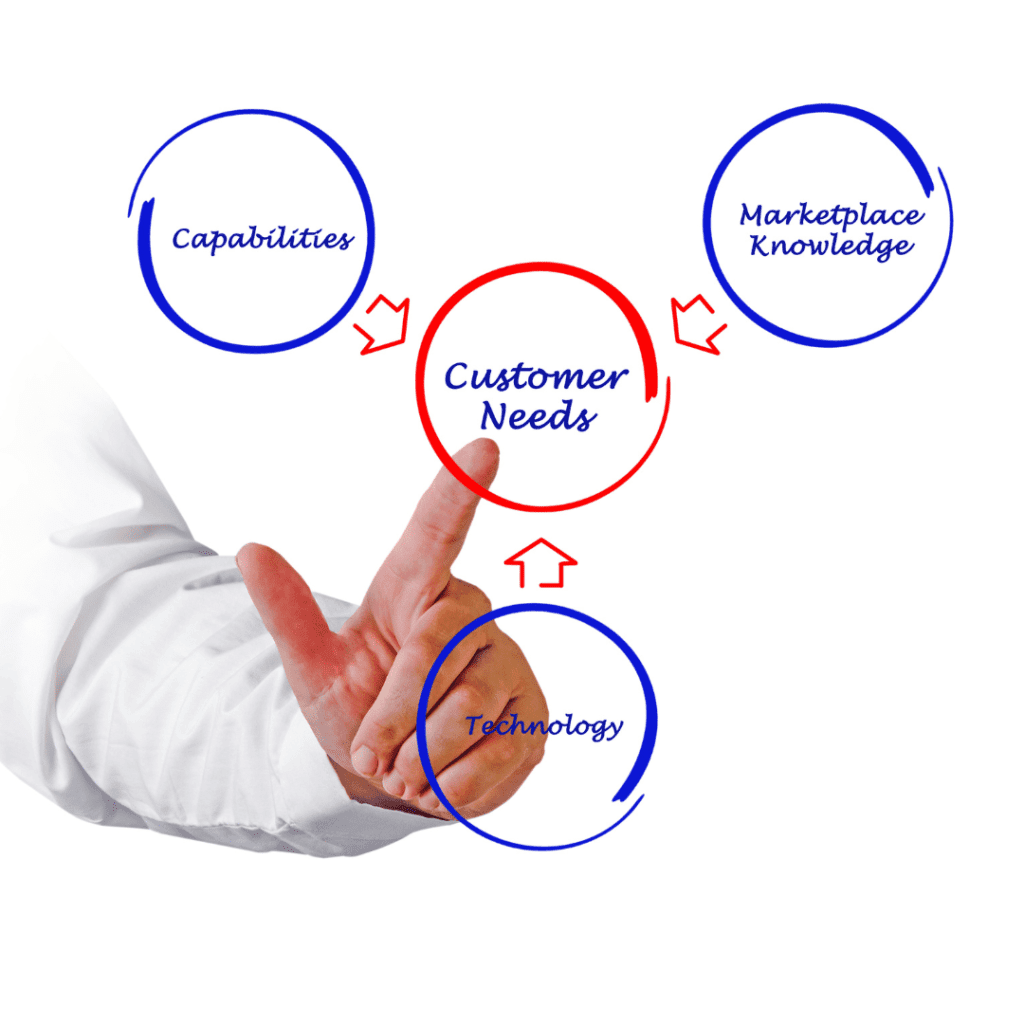
[vc_row type=”in_container” full_screen_row_position=”middle” column_margin=”default” column_direction=”default” column_direction_tablet=”default” column_direction_phone=”default” scene_position=”center” text_color=”dark” text_align=”left” row_border_radius=”none” row_border_radius_applies=”bg” overflow=”visible” overlay_strength=”0.3″ gradient_direction=”left_to_right” shape_divider_position=”bottom” bg_image_animation=”none”][vc_column column_padding=”no-extra-padding” column_padding_tablet=”inherit” column_padding_phone=”inherit” column_padding_position=”all” column_element_direction_desktop=”default” column_element_spacing=”default” desktop_text_alignment=”default” tablet_text_alignment=”default” phone_text_alignment=”default” background_color_opacity=”1″ background_hover_color_opacity=”1″ column_backdrop_filter=”none” column_shadow=”none” column_border_radius=”none” column_link_target=”_self” column_position=”default” gradient_direction=”left_to_right” overlay_strength=”0.3″ width=”1/1″ tablet_width_inherit=”default” animation_type=”default” bg_image_animation=”none” border_type=”simple” column_border_width=”none” column_border_style=”solid”][vc_column_text] In the dynamic landscape of business, the success of product development hinges on the ability to understand and align with customer needs. In this blog post, we delve into the crucial interplay between product development and customer needs, exploring strategies to create products that resonate with target audiences. From understanding customer needs to integrating product management principles, we will navigate the landscape of effective product development strategies. Understanding Customer Needs for Successful Product Development Moreover, the foundation of any successful product development endeavor lies in a profound understanding of customer needs. This understanding transcends the mere identification of functional requirements; it delves into the intricate realms of emotions, desires, and motivations that drive purchasing decisions. Here, we explore in greater detail the steps involved in comprehending and integrating customer needs into the product development process. Comprehensive Market Research on Customer Needs Furthermore, embarking on the journey of understanding customer needs necessitates a robust and comprehensive market research strategy. This involves deploying various methods, including surveys, interviews, and observational research, to gather both quantitative and qualitative data. These research methodologies provide a holistic view of customer preferences, pain points, and aspirations. Consequently, during surveys, businesses can ask targeted questions to gauge customer satisfaction with existing products, identify areas for improvement, and unearth unmet needs. Interviews allow for a deeper exploration of individual experiences and preferences, providing nuanced insights that might not be captured through broader survey data. Observational research involves keenly observing customer behavior in real-world scenarios, offering a direct window into their decision-making processes. Beyond Product Features: Embracing Empathy Towards Customer Needs Understanding customer needs extends beyond the realm of product features—it involves delving into the emotional and psychological aspects of consumer behavior. By adopting an empathetic approach, companies can uncover the underlying motivations that influence purchasing decisions. Therefore, empathy in product development means placing oneself in the shoes of the customer, comprehending their challenges, aspirations, and the emotional context surrounding their decisions. This empathetic understanding becomes a guiding force in shaping not just the functional attributes of a product but also its overall user experience. For example, a company designing a fitness app may not only focus on tracking features but also consider the emotional journey of a user striving for a healthier lifestyle. Crafting Products with Emotional Resonance Towards Customer Needs Armed with insights gained from market research and an empathetic understanding of customers, businesses can craft products that resonate emotionally. This involves aligning the product’s design, messaging, and overall brand experience with the emotional needs of the target audience. For instance, a company developing a smart home device might emphasize not only its technological prowess but also how it simplifies and enriches the daily lives of users. By weaving emotional narratives into product development, businesses create a connection that goes beyond utility, fostering brand loyalty and positive associations. Incorporating customer feedback into the iterative product development process ensures that the final product is not just a reflection of initial assumptions but a response to real-world user experiences. This iterative approach, often associated with Agile methodologies, allows for continuous refinement based on ongoing customer insights. In essence, understanding customer needs is an ongoing process that involves a combination of research methodologies, empathetic insights, and iterative refinement. By embracing this customer-centric approach, businesses lay the groundwork for developing products that not only fulfill functional requirements but also resonate deeply with the emotions and motivations of their target audience. Linking Product Development to Business Strategy for Customer Needs In essence, a successful product development strategy is intrinsically linked to the broader business strategy. Organizations must align their product development efforts with overarching business goals and objectives. This alignment ensures that every product contributes directly to the growth and sustainability of the business. Moreover, to achieve this synergy, companies should establish cross-functional collaboration between product development teams and key stakeholders. Regular communication and strategic planning sessions can foster an environment where product development becomes an integral part of the overall business strategy. This approach not only enhances efficiency but also facilitates the seamless integration of new products into the existing product portfolio. Collecting and Utilizing Customer Feedback in the Product Development Process Furthermore, customer feedback is a goldmine of information for product development. Actively seeking and incorporating customer opinions at various stages of the product development lifecycle is imperative. This includes gathering insights during the ideation phase, prototype testing, and post-launch evaluations. To effectively collect customer feedback, companies can employ a variety of tools such as online surveys, focus groups, and social media listening. The key is to create a feedback loop that allows for continuous improvement. Analyzing customer feedback provides valuable information on what works well and what needs enhancement, enabling iterative refinement of the product. For instance, you can leverage this free AI tool to analyze customer feedback in your product development process. Integrating Product Management Principles with Customer-Centric Approaches Hence, product management principles play a pivotal role in shaping the trajectory of product development. By integrating these principles with a customer-centric approach, companies can optimize their processes and deliver products that align seamlessly with market demands. One fundamental aspect of this integration is the concept of a minimum viable product (MVP). By focusing on the core features that address the most critical customer needs, companies can expedite the development process and get products to market faster. This agile approach allows for quick iterations based on real-world feedback. Moreover, employing tools like product roadmaps and prioritization frameworks helps product managers make informed decisions, ensuring that resources are allocated to features that have the highest impact on customer satisfaction and business objectives. Positioning and Communicating Your Product’s Value Proposition to the Target Market In the highly competitive landscape of today’s market, the significance of effectively communicating
How To Use AI for Customer Feedback Analysis

Customer Feedback Analysis is a crucial aspect of any business striving for growth and customer satisfaction. In today’s dynamic market, understanding customer sentiments and preferences is essential for staying competitive. The integration of Artificial Intelligence (AI) in various industries has revolutionized processes, and customer feedback analysis is no exception. In this article, we will explore how you can leverage the power of AI for effective customer feedback analysis, resulting in enhanced satisfaction and business success. Understanding the Role of AI in Analyzing Customer Feedback AI technology has the capability to process and interpret vast volumes of customer feedback data with unparalleled speed and accuracy. This empowers businesses to extract valuable insights, paving the way for improved customer satisfaction levels. Comprehensive feedback analysis through AI provides companies with a competitive edge by enabling them to identify trends and respond proactively to customer needs. Enhancing Customer Satisfaction with AI-Powered Tools AI-powered tools play a pivotal role in facilitating personalized customer experiences through advanced customization features. Businesses can utilize sentiment analysis techniques to understand and address customer pain points effectively. Real-time insights provided by AI tools enable companies to take prompt actions on critical feedback, further enhancing overall customer satisfaction. Making Data-Driven Decisions based on AI Analysis AI analysis helps businesses make informed decisions by uncovering hidden patterns and themes in customer feedback data. Topic modeling algorithms assist in identifying key discussion areas for improvement, based on customer inputs. This data-driven approach ensures that strategic decisions align with customer expectations and preferences. Leveraging Insight7 AI for Automated Feedback Processing Introducing Insight7, a powerful tool for automating the categorization and tagging of customer feedback, ensures efficient data management. Businesses can leverage Insight7 to generate contextually relevant and personalized responses to customer queries and concerns at scale. This not only saves time but also enhances the overall customer experience. Feel free to give this AI-tool a shot here. The Role of AI in Streamlining Feedback Collection Channels AI techniques contribute to the effectiveness of marketing strategies through NPS surveys and intelligent multi-channel feedback collection mechanisms. Seamless text analysis algorithms enhance sentiment detection and issue categorization, providing valuable insights for refining products or services. Enhancing Visitor Engagement and Brand Perception with AI-Driven Systems AI-driven systems analyze customer feedback on digital platforms, driving meaningful interactions and experiences. Sentiment and emotion analysis shape brand perception, offering businesses an opportunity to address concerns promptly and positively impact customer perception. Improving Customer Experience through Conversational Chatbots and AI Businesses can leverage conversational chatbots powered by AI to deliver seamless and personalized customer experiences. Conversational AI technologies not only enhance customer support but also drive sales growth through proactive engagement, improving overall customer satisfaction. Automating Tasks with AI for Enhanced Customer Engagement Strategies AI automation techniques contribute to improved efficiency in customer engagement, exemplified by automated email follow-ups. AI algorithms predict potential issues or churn risks based on customer behavior data, allowing businesses to address concerns before they escalate. The Future of AI-Driven Customer Feedback Analysis As technology advances, the future of AI in customer feedback analysis looks promising. Explainable AI models are expected to bring transparency and trust to the analysis process, ensuring that businesses understand how AI arrives at its conclusions. Conclusion In conclusion, the integration of AI in customer feedback analysis is a game-changer for businesses aiming to enhance customer satisfaction and drive growth. Encourage readers to leverage AI technology in their own organizations, emphasizing the key benefits discussed in this article. By embracing AI, businesses can stay ahead of the competition and build lasting relationships with their customers in today’s fast-paced and ever-evolving market.
