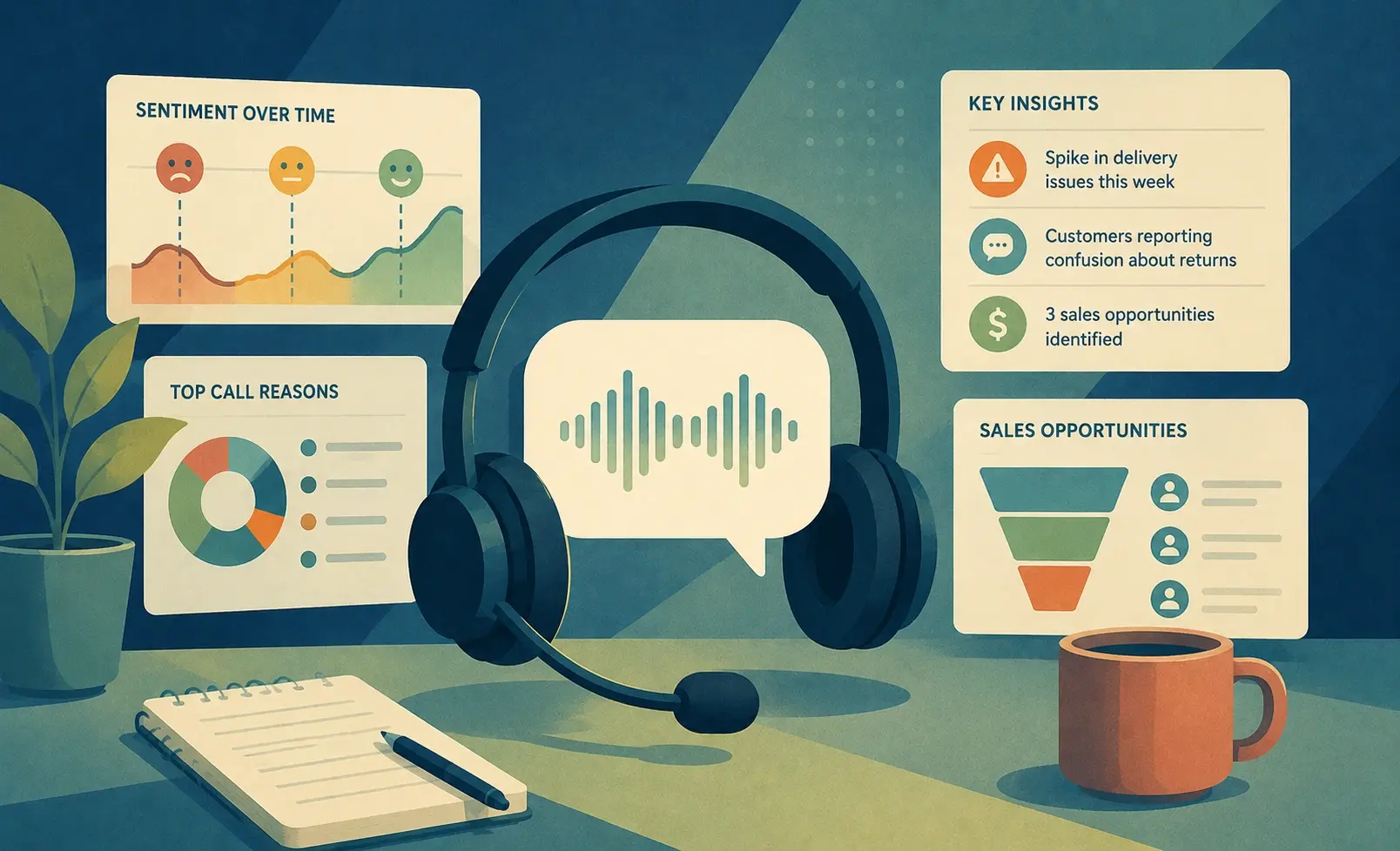
Training managers and L&D teams spend hours reviewing call recordings manually, often covering only a fraction of customer interactions before making coaching decisions. AI feedback analysis tools can surface patterns across hundreds of conversations, helping trainers identify skill gaps, refine programs, and measure improvement over time. This guide covers the best options available in 2026 for teams that need more than sentiment scores.
How we evaluated these tools
| Criterion | Weight | Why It Matters |
|---|---|---|
| Training use case fit | 30% | Does it surface coaching opportunities, not just trends? |
| Feedback source coverage | 25% | Calls, tickets, surveys, reviews, or a combination? |
| Integration depth | 25% | Does it connect to CRMs, LMS platforms, or QA workflows? |
| Ease of implementation | 20% | Can a training team use it without a dedicated data team? |
Quick comparison
| Platform | Best For | Standout Feature |
|---|---|---|
| Insight7 | Call-based training programs | 100% call QA with coaching scenarios |
| Thematic | NPS and survey theme discovery | Auto-grouped themes with sentiment |
| Idiomatic | Support ticket classification | Pre-trained industry models |
| MonkeyLearn | No-code classifier building | Custom ML without engineering support |
| SentiSum | Real-time support routing | Slack and ticketing integrations |
| Chattermill | Unified CX analytics | Cross-channel feedback unification |
| Enterpret | Product feedback for roadmaps | Integration with Jira and Linear |
What should training managers look for in AI feedback analysis tools?
Most training programs rely on manual call review, but research from the Association for Talent Development consistently shows that coaching effectiveness improves when feedback is timely and consistent. The right AI tool surfaces specific, repeatable patterns across all interactions, not just the ones a manager happened to review. Look for tools that produce actionable coaching outputs, not just dashboards.
1. Insight7
Best for: Contact center trainers and L&D teams running call-based coaching programs
Manual QA processes typically cover 3 to 10% of customer calls, which means most coaching decisions are based on a small, unrepresentative sample. Insight7 evaluates 100% of calls automatically, identifying patterns in objection handling, script adherence, and conversation quality across the full dataset. Trainers get a clearer picture of where skill gaps actually exist across the team.
The platform generates training scenarios directly from QA findings, so reps can practice the specific situations where they struggled. A Fresh Prints training lead noted that reps "can practice right away rather than wait for the next week's call" when QA identifies a gap. That kind of speed compresses the feedback loop and makes coaching more relevant.
Insight7's coaching workflow connects QA scores to individual and team-level performance trends over time. The quality assurance module supports rubric building, scorer calibration, and automated flagging of calls that fall below threshold. The main limitation is that it works post-call and requires existing recordings to generate scenarios.
What makes it different: Insight7 closes the gap between call evaluation and active practice by turning QA findings into ready-to-use training scenarios.
2. Thematic
Best for: L&D teams analyzing survey feedback, NPS results, or post-training evaluations
Thematic automatically groups open-ended feedback into themes and sub-themes, removing the manual tagging work that slows down survey analysis. It handles NPS verbatims, CSAT comments, and long-form survey responses across large datasets. Training teams can use it to identify recurring complaints or requests that signal where programs need adjustment.
The platform tracks how themes shift across time periods, which is useful for measuring whether training initiatives are changing customer or employee sentiment. Themes are surfaced with sentiment scoring, so teams can distinguish between topics that generate frustration versus genuine confusion. The interface is designed for non-technical users, which reduces dependency on data teams.
What makes it different: Thematic's hierarchical theme structure makes it easier to see whether a trend is broad or narrow before deciding how much program weight to give it.
Website: getthematic.com
3. Idiomatic
Best for: Support training teams working with high volumes of tickets across multiple product areas
Idiomatic uses pre-trained models built for specific industries, which means teams spend less time configuring taxonomy before getting useful outputs. It classifies support tickets by issue type, product area, sentiment, and resolution difficulty without requiring a custom training data set from scratch. For training teams, this creates a reliable signal about which ticket categories generate the most agent struggle.
The platform surfaces driver-level analysis rather than surface sentiment, helping trainers connect specific ticket types to the coaching moments that matter. It integrates with Zendesk, Salesforce, and Freshdesk, so it fits into existing support workflows without additional infrastructure. Teams can use the classification outputs to build scenario libraries from real customer language.
What makes it different: Pre-trained industry models reduce the ramp time needed before the tool produces reliable classification outputs.
Website: idiomatic.com
4. MonkeyLearn
Best for: Training teams that want to build custom classifiers without engineering resources
MonkeyLearn lets teams build text classification and extraction models through a no-code interface, using their own feedback data as training input. This is useful when a training team has a specific taxonomy, such as call disposition codes or competency frameworks, that off-the-shelf models do not cover. Models can be trained on small datasets and refined over time as new examples are added.
The platform connects to Google Sheets, Zendesk, and CSV exports through native integrations. Training managers can run analyses on survey results, review text, or exported call transcripts without writing any code. The tradeoff is that model quality depends on the quality and consistency of the labeled data the team provides.
What makes it different: MonkeyLearn gives training teams direct control over classification logic without requiring a data science background.
Website: monkeylearn.com
5. SentiSum
Best for: Support training teams that need real-time feedback routing alongside analysis
SentiSum analyzes incoming support tickets and routes them based on sentiment, urgency, and topic in real time. For training teams, the value is in the pattern data: which topics generate the most negative sentiment, which agents handle specific ticket types best, and where escalation rates are highest. That data directly informs where to focus coaching effort.
The platform integrates with Slack, Zendesk, and Intercom, pushing alerts when sentiment drops below threshold or a new topic cluster emerges. Training managers can use those signals to trigger coaching conversations before a trend becomes a performance problem. It is designed for support-heavy environments where ticket volume makes manual review impractical.
What makes it different: SentiSum connects real-time routing logic to historical pattern analysis, so training decisions are informed by both immediate signals and longer-term trends.
Website: sentisum.com
6. Chattermill
Best for: CX and training teams that need to unify feedback across multiple channels
Chattermill aggregates feedback from surveys, app reviews, support tickets, and social sources into a single analysis layer. Training teams working across customer-facing functions benefit from seeing how feedback patterns differ by channel, product line, or customer segment. The platform uses neural network-based sentiment analysis rather than keyword rules, which handles nuanced language better in complex feedback.
It connects to a wide range of CRM and support platforms and supports custom taxonomy mapping for teams that use internal classification frameworks. Reporting is built around CX metrics like NPS impact and churn risk, which helps training teams make the case for program investment to business stakeholders. The learning curve is higher than lighter tools, but the breadth of data sources justifies it for larger operations.
What makes it different: Chattermill's cross-channel unification makes it the strongest option for training teams managing multiple customer touchpoints simultaneously.
Website: chattermill.com
7. Enterpret
Best for: Product teams using customer feedback to inform training on new features
Enterpret connects customer feedback to product roadmap tools, making it useful for training teams that need to keep reps current on product changes and customer reactions to them. It integrates natively with Jira and Linear, so feedback clusters can be linked directly to in-progress development work. Training managers can use this to anticipate which topics will generate the most customer questions and build content in advance.
The platform uses adaptive AI models that learn from a company's specific product taxonomy over time, improving classification accuracy as more feedback flows through. It handles feedback from app stores, support channels, and sales conversations in a unified view. It is best suited for product-led growth companies where training and product teams work closely together.
What makes it different: Enterpret's roadmap integrations make it the only tool on this list designed to close the loop between customer feedback, product development, and frontline training.
Website: enterpret.com
How does feedback analysis connect to measurable training outcomes?
Research from Training Industry shows that training programs with structured feedback loops produce higher knowledge retention and behavior change rates than those based on periodic reviews alone. The key is connecting analysis outputs to specific coaching actions, not just trend reports. When feedback data drives scenario design and performance benchmarks, training teams can demonstrate impact in terms stakeholders recognize.
How to connect feedback analysis to training programs
Start by identifying the feedback source that most directly reflects agent or rep performance. For contact centers, that is call recordings. For support teams, it is tickets. For product-facing roles, it may be a combination.
Map the tool's output categories to your competency framework before building coaching content. Generic sentiment scores are less useful than classifications tied to specific skills or behaviors your program is designed to build.
Set a review cadence tied to your coaching cycle. Weekly QA outputs align with weekly coaching conversations. Monthly trend data supports program-level decisions about what to add, adjust, or retire.
FAQ
What types of feedback data can these tools analyze?
Most tools handle text-based feedback: support tickets, survey responses, NPS verbatims, and app reviews. Tools like Insight7 also analyze call recordings directly, which is the most relevant source for contact center training programs.
Do these tools require a data team to implement?
Several tools on this list, including MonkeyLearn and Thematic, are designed for non-technical users. Others, like Chattermill and Enterpret, benefit from technical setup support, especially when connecting to multiple data sources.
How long does it take to see useful outputs?
Most tools surface initial patterns within days of connecting a data source. Building reliable trend analysis and training-ready scenarios typically takes two to four weeks as the system processes enough data to distinguish signal from noise.
If your training program is built around call quality, Insight7's coaching and training workflow connects QA findings to practice scenarios so reps improve between sessions, not just after them.