
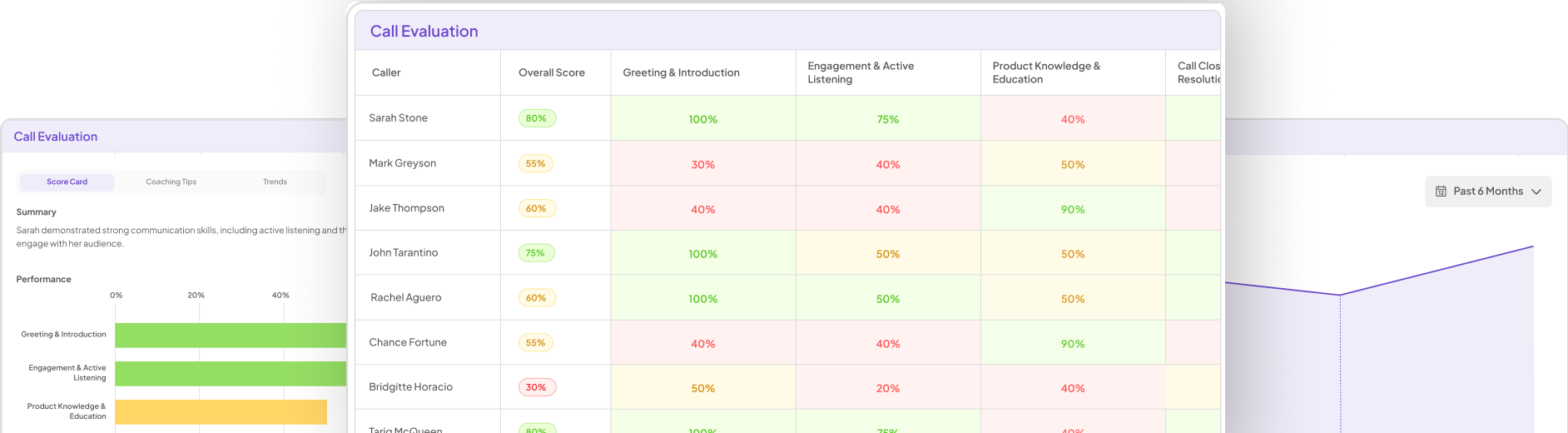
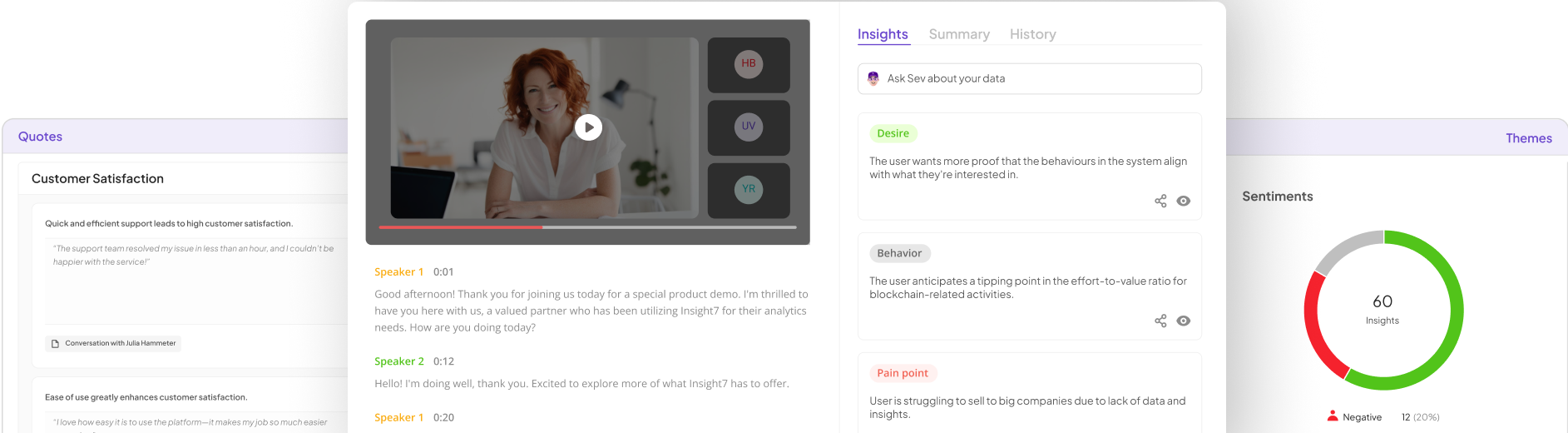


In today's fast-paced world, understanding customers is crucial for success. Effective Interview Insight Visualization helps turn abstract user feedback into clear, actionable insights. By transforming quotes from user testing interviews into visually compelling formats, organizations can easily identify patterns and themes that may otherwise go unnoticed.
Visualizing interview insights not only enhances comprehension but also facilitates collaboration among team members. When insights are presented clearly, decisions become data-driven and strategies more aligned with customer needs. In this document, we will explore methods and tools for effectively visualizing user testing quotes to bolster your organization's understanding of customer voices.
The Art and Science of Showcasing Quotes
Showcasing quotes effectively combines both art and science. First, it requires an acute understanding of the thematic elements present in user interviews, allowing you to distill insights from a wealth of information. By identifying key themes, you can craft narratives that resonate with your audience and make findings more relatable and impactful. This approach elevates the raw data from user interviews into a compelling story that illustrates user sentiments clearly.
Next, employing visual tools, such as infographics or charts, transforms quotes into visually appealing representations. This not only aids in easier digestion of information but also highlights trends and patterns in the feedback received. By juxtaposing user quotes alongside visual elements, Interview Insight Visualization becomes a powerful strategy for presenting insights that encourage deeper understanding and informed decision-making. Using various representation methods bridges the gap between quantitative data and qualitative insights in a meaningful way.
Techniques for Interview Insight Visualization
Techniques for Interview Insight Visualization can significantly enhance how we interpret and present user feedback effectively. One fundamental approach is highlighting key themes, which involves categorizing quotes based on recurring ideas. By organizing insights this way, you create a cohesive narrative that reflects user sentiment, making it easier to identify trends and issues. This method not only showcases the depth of user experiences but also captures the audience's attention.
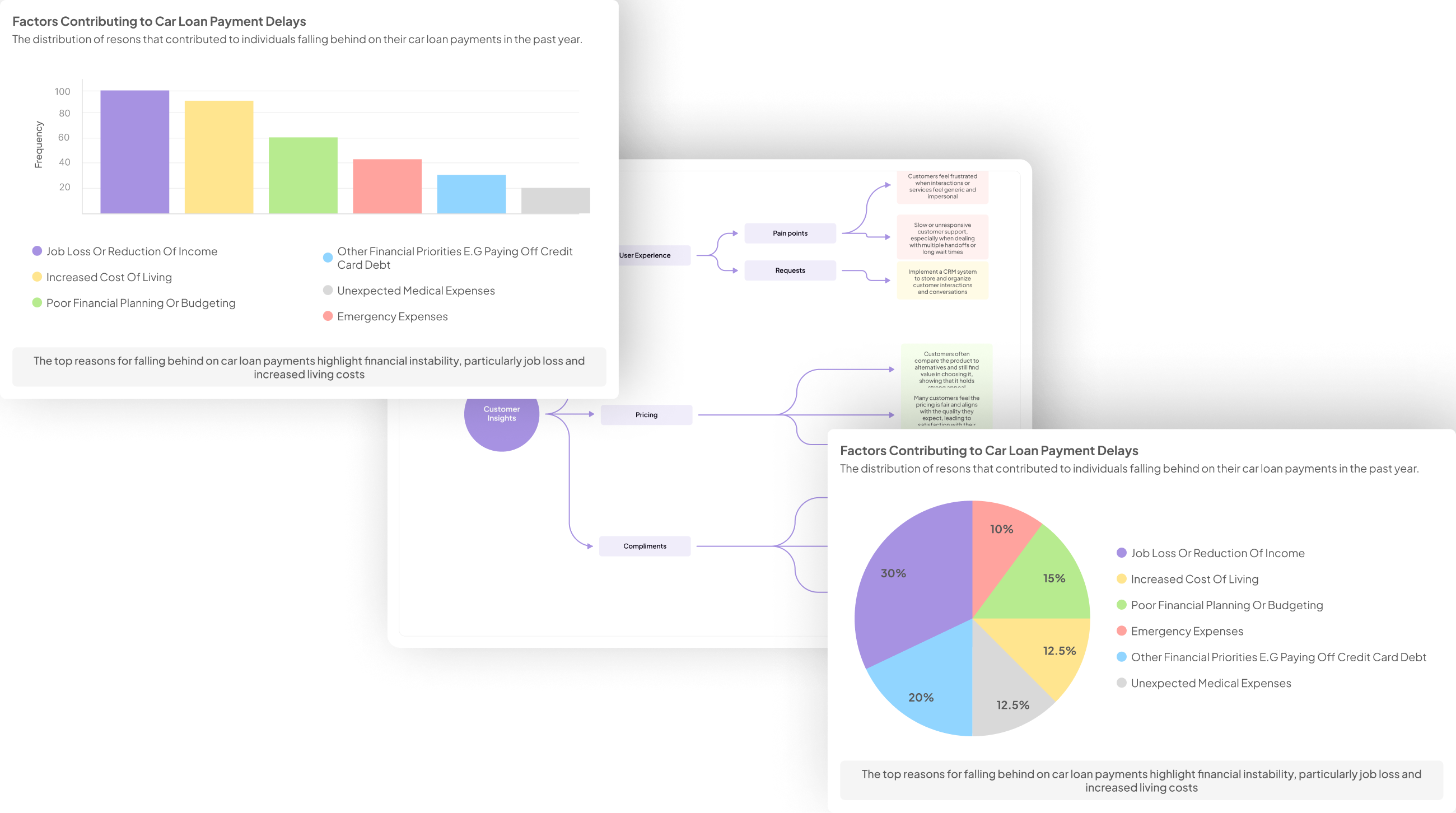
Another valuable technique is utilizing infographics to represent data visually. Infographics transform complex information into engaging visuals, allowing key sentiments and feedback to be conveyed effectively. Charts and diagrams can illustrate satisfaction levels or highlight contrasts between positive and negative comments. By combining these techniques, Interview Insight Visualization becomes a powerful tool, improving clarity and fostering deeper understanding among stakeholders.
- Highlighting Key Themes: How to group quotes by recurring themes to create a compelling narrative.
Grouping quotes by recurring themes is essential in crafting a compelling narrative from interview data. To effectively highlight key themes, start by reviewing all collected quotes and identifying common threads. These threads may include user pain points, desired features, or emotional responses. By clustering similar quotes, you can reveal significant user sentiments and perspectives, enabling a clearer understanding of user needs.
Once you've identified these themes, consider how to visually represent them. Using tools to organize quotes can transform complex data into simple visuals. Color coding, for instance, can help distinguish between themes, making it easier for stakeholders to digest the information. Ultimately, this method of Interview Insight Visualization not only streamlines analysis but also elevates storytelling, showcasing authentic user voices that resonate powerfully with your audience.
- Using Infographics: Designing charts and diagrams to visually represent user sentiments and feedback.
Visual representations can transform complex user sentiments and feedback into engaging, digestible insights. By employing infographics effectively, you can highlight user quotes stemming from testing interviews. This approach not only captures the essence of user experiences but also facilitates a clearer understanding of their emotions. Using various design elements—such as charts, diagrams, and data visualizations—conveys these sentiments in a more understandable format.
To create valuable infographics, focus on three essential elements. First, select key quotes that represent broad user sentiments; this ensures you highlight meaningful feedback. Next, organize the information into thematic groupings, allowing viewers to easily distinguish patterns and trends. Finally, choose appropriate visual elements like bar graphs or pie charts to illustrate quantitative data, which can reinforce qualitative insights. Utilizing these strategies in your Interview Insight Visualization will enhance comprehension for stakeholders, making user feedback more impactful.
Tools for Interview Insight Visualization
When exploring tools for interview insight visualization, it's crucial to select the right software that aligns with your specific needs. Various platforms facilitate the visualization of quotes from user testing interviews, making it easier to pull insights and develop narratives. For instance, tools like insight7 simplify the process with user-friendly features that allow you to organize and curate your data effectively. Such software empowers team members to access insights without needing specialized training.
Another valuable option is Atlas.ti, which excels in analyzing qualitative data while offering robust visualization capabilities. NVivo serves a similar purpose, providing comprehensive categorization tools that enhance insight showcase. Additionally, platforms like Dovetail and Reframer stand out for their intuitive interfaces that simplify complex data interpretation through clear visuals. By leveraging these tools, you can transform user quotes into meaningful insights that drive informed decisions and enhance product development.
Essential Tools for Effective Visualization
To effectively visualize quotes from user testing interviews, various essential tools play a crucial role in helping you convey insights clearly. First, consider utilizing software tailored for qualitative research. Platforms like NVivo offer robust features to categorize and analyze vast amounts of qualitative data efficiently. These tools can help transform user quotes into compelling visual narratives, making it easier for stakeholders to grasp essential insights.
Next, eye-catching infographics can significantly enhance how quotes are understood. Using tools like Dovetail allows for seamless integration of user feedback into visual formats. By designing charts or diagrams, you illustrate user sentiments in an engaging manner. This combination of quote visualization and data analysis not only enriches understanding but also drives informed decisions. Adopting the right tools for interview insight visualization can make a substantial difference in how insights are communicated and acted upon.
- insight7: Streamlining the visualization process with user-friendly features.
Streamlining the visualization process involves making tools accessible and intuitive for all users. This adaptability is crucial when working with user insights from interviews. By focusing on user-friendly features, teams can engage with the data more effectively. Easy navigation and straightforward interfaces foster a better understanding of key insights, transforming complex data into actionable representations.
To achieve this, consider the following aspects:
Intuitive Interface: A simple layout allows users to jump right into data analysis without technical training. This democratizes access to valuable insights.
Visual Contextualization: Incorporating various visual formats, such as insight cards, enhances understanding of distinct customer voices.
Searchable Transcripts: Highlighting key quotes enables teams to pinpoint significant feedback, facilitating targeted actions.
By focusing on these user-centric features, organizations can effectively streamline the interview insight visualization process. This approach enhances collaboration while ensuring that critical insights are readily accessible and easily comprehensible.
- Atlas.ti: Analyzing and visualizing qualitative data seamlessly.
Analyzing and visualizing qualitative data seamlessly transforms raw interview quotes into actionable insights. With effective tools, you can synthesize extensive feedback from user testing interviews and represent this data visually. This enables researchers and marketers to uncover patterns, themes, and sentiments that might otherwise remain hidden in lengthy transcripts. By using intuitive interfaces and robust analytical features, users can easily navigate through vast amounts of data, focusing on what truly matters.
Quantifying user experiences through visual representation enhances the storytelling aspect of qualitative research. It helps teams communicate insights clearly, making it easier for stakeholders to grasp user sentiments. Organizing quotes by significant themes streamlines discussions and aids in decision-making processes. The ability to visualize these insights leads to a more profound understanding of user needs, ultimately guiding product development and marketing strategies. Embracing effective analysis and visualization techniques can significantly enhance the overall quality of user insights derived from interviews.
- NVivo: Comprehensive tools for categorizing and showcasing user insights.
Comprehensive tools like NVivo play a crucial role in categorizing and showcasing user insights effectively. With NVivo, you can streamline the process of analyzing qualitative data from user testing interviews, allowing for a more engaging visualization of quotes. By organizing insights and themes, NVivo enables researchers to uncover meaningful patterns that might otherwise go unnoticed. This platform supports various file types and allows for easy transcription of interviews, ensuring that no valuable information slips through the cracks.
Within NVivo, users can extract critical insights from interviews and group them based on specific themes. The intuitive interface simplifies the process further, encouraging even users without technical backgrounds to delve into data analysis. By utilizing NVivo, you can transform raw interview data into compelling visual narratives that effectively communicate user sentiments and behaviors. Ultimately, employing NVivo for interview insight visualization ensures that vital user perspectives are highlighted and readily accessible for decision-making and reporting.
- Dovetail: Simplifying the process through intuitive interface and analytics.
The Dovetail platform transforms the way teams visualize quotes from user testing interviews, making the process not only accessible but also engaging. With its intuitive interface, anyone within an organization can easily navigate the platform. Users don't need extensive training to start compiling valuable insights. The design prioritizes simplicity, enabling teams to generate insightful reports or analyze various aspects of user experience effortlessly.
In addition to its user-friendly interface, Dovetail incorporates advanced analytics that highlight pertinent themes and quotes. By visualizing user sentiments and behaviors, teams can effectively identify pain points and desires. This feature encourages collaboration across departments, enabling members to extract actionable insights and build a comprehensive understanding of user needs. Thus, with Dovetail, the journey from raw interviews to visualized insights becomes seamless, empowering organizations to make informed decisions based on Interview Insight Visualization.
- Reframer: Enhancing data interpretation with powerful visualization options.
Incorporating powerful visualization techniques can significantly enhance how we interpret insights gathered from user testing interviews. When we visualize quotes effectively, we can transform raw data into compelling narratives that resonate with stakeholders. By using tools and frameworks designed for visual representation, we create clearer paths toward understanding user sentiments. For instance, infographics can effectively illustrate themes that emerge from user quotes, showcasing both positive and negative feedback.
Moreover, employing interactive visual elements enables teams to drill down into specifics and understand patterns within the data. This granularity can reveal critical insights that dictate product development and adjustments. The focus on Interview Insight Visualization can lead to more informed decisions, ensuring that every voice is heard and reflected in the end-user experience. Ultimately, powerful visualization fosters a deeper connection between user feedback and actionable strategies, paving the way for enhanced outcomes.
Conclusion: Enhancing Understanding Through Interview Insight Visualization
In conclusion, Interview Insight Visualization plays a crucial role in making user feedback accessible and comprehensible. By translating quotes from user testing interviews into visually engaging formats, organizations can foster a clearer understanding of customer sentiments and needs. This process not only streamlines communication but also highlights essential themes from customer conversations, empowering teams to act effectively.
Moreover, effective visualization enhances collaboration within teams. By presenting insights in a structured manner, stakeholders can engage more meaningfully with the data. This ultimately leads to informed decision-making that can significantly improve products and services, ensuring they resonate with users. Embracing Interview Insight Visualization is a step towards more responsive and customer-centric approaches.