
Automated Call Transcript Summarization: Achieving Precision with Configurable Templates

The problem – Teams came to us for speed. They had call transcripts and needed a fast way to extract what mattered – a quick TL;DR they could act on. Our summarization service delivered that, and customers relied on it heavily. But as usage grew, the same request kept coming up: “Can we control the format?” Instead of a generic summary, customers wanted outputs that matched how they already worked —- an email follow-up ready to send, an executive one-pager for leadership, or a checklist with prioritised action items. They weren’t asking for more text. They were asking for predictable structure. What they needed were summaries that came back in the exact format they specified, every time. Why does this matter? Customers needed to feed summaries into downstream systems like CRMs and ticketing platforms. When field names changed or required sections were missing, those integrations broke. Customers couldn’t build reliable automations on top of unpredictable outputs. Before we solved this, enterprise customers were manually editing generated summaries to fix formatting issues, wasting time on work that should have been automated. Legal and compliance teams couldn’t rely on summaries when format consistency wasn’t guaranteed. What’s the benefit of solving it? After implementing our solution, we achieved 92% structural adherence – summaries now reliably match customer templates. The business impact was significant: 75% reduction in manual edits: Enterprise customers stopped spending time reformatting AI outputs Reliable automation: Customers could now build downstream automations relying on consistent field names and types Faster enterprise adoption: Customers who needed CRM and ticketing system integration adopted the feature quickly Increased trust: Legal and compliance teams gained confidence from audit logs and consistent formatting The difference between 62% and 92% accuracy meant the difference between summaries that required constant human cleanup and summaries that could power business-critical workflows. Our First Attempt Our initial implementation was minimal: accept a free-form template string from users, append it as an instruction to the summarization prompt, and call a single large model (OpenAI GPT-4) with the transcript context. The pipeline looked like: Transcription (Whisper v1) -> transcript text Prompt = “Summarize the call according to this template: [user template]” + transcript One-shot model call -> return text to user This approach worked quickly in demos and solved some cases, but it failed in the real world for several reasons: Prompt sensitivity: Outputs varied based on subtle template wording. When a customer used imprecise language (e.g., “Make it sound like an email but not too formal”), the model interpreted that differently each run. Structural drift: Headings were renamed, placeholders were dropped, or sections were merged. We saw ~62% structural adherence (heading names + presence of required placeholders) across a 1,000-template test set. Malicious / invalid templates: Templates with embedded HTML, code, or attempts to override system instructions could produce unexpected output or security concerns. Uncontrolled token usage: Long templates + long transcripts led to high token use and unpredictable costs. User error: Many users submitted templates with ambiguous placeholders or filler words, increasing “garbage in, garbage out” failure modes. We tried several incremental fixes: stricter front-end validation, examples to users, and a longer prompt telling the model to “follow headings exactly”. None of these reliably fixed the core problem. The more we leaned on the single-model approach, the more we saw variable fidelity across template styles and transcripts. The Solution We adopted a layered, deterministic pipeline that treats the user template as a first-class artifact: parse → sanitize → canonicalize → plan → generate → validate. The core idea: don’t hand raw user text to the generative model and hope. Instead, turn the template into a machine-checked specification (a schema), use a controlled “meta-prompt” to convert the template into strict generation instructions, and validate output against that schema. We split responsibilities across smaller, specialized components so each step is auditable and testable. Architecture overview (components and tools) Ingress: API (Kubernetes 1.26, FastAPI on Python 3.11) Storage: S3 for transcripts, PostgreSQL 15 for metadata Workers: Celery 5.2, Redis 7 for task queue and caching Models: OpenAI GPT-4 / gpt-4o-mini for generation, GPT-4-Fast for meta-prompting when we needed speed Libraries: pydantic v1.10, jsonschema 4.17, spaCy 3.5 for NER, bleach for sanitization Monitoring: Prometheus + Grafana, Sentry for errors Key pipeline stages Template Sanitization Strip HTML, disallowed control characters, and executable code with bleach and regex filters. Enforce length limits: template body < 4,096 chars (configurable). Extract explicit placeholders (we support simple placeholder syntax: {{name}}, {{action-items}}, etc.). Template Parsing & Schema Generation We convert the cleaned template into a JSON Schema / “blueprint” that captures required sections, headings, and data types (string, list, bullets, optional/required). We validate that the template contains at least one stable anchor (e.g., at least one heading or placeholder). If not, we return a friendly error with suggested fixes. Example conversion rule: a line starting with “###” becomes a required object property; a bullet-list instruction becomes an array type. Meta-Prompting (Prompt-of-a-Prompt) We generate a compact, deterministic instruction for the generator model by combining: The normalized schema (short). Example outputs that match the schema (we keep a library of 60 curated examples). Constraints: JSON-only output when requested, strict heading names, maximum token lengths for sections. We use a small, faster model (gpt-4o-mini or an optimized instruction-tuned variant) to turn the user’s natural-language template into the canonical meta-instructions if parsing heuristics cannot deterministically infer the full schema. Constrained Generation We ask the model to produce output that either: Emits JSON conforming to the schema, OR Emits text with exact headings and clearly delimited sections. We favor JSON output when downstream systems need to programmatically consume summary fields. Validation & Repair We validate the model output against the schema using jsonschema. If it fails, we run a repair pass: Identify missing required fields and call the model with a focused prompt: “You missed X. Fill it using transcript references. Answer only the field X.” We allow up to two repair attempts before falling back to a deterministic extractor (rule-based NER + regex) for
A Week, an Idea, and an AI Evaluation System: What I Learned Along the Way

How the Project Started I remember the moment the evaluation request landed in my Slack. The excitement was palpable—a chance to delve into a challenge that was rarely explored. The goal? To create a system that could evaluate the performance of human agents during conversations. It felt like embarking on a treasure hunt, armed with nothing but a week’s worth of time and a wild idea. Little did I know, this project would not only test my technical skills but also push the boundaries of what I thought was possible in AI evaluation. A Rarely Explored Problem Space Conversations are nuanced; they’re filled with emotions, tones, and subtle cues that a machine often struggles to decipher. This project was an opportunity to explore a domain that needed attention—a chance to bridge the gap between human conversation and machine understanding. What Needed to Be Built With the clock ticking, the mission was clear: Create a conversation evaluation framework capable of scoring AI agents based on predefined criteria. Provide evidence of performance to build trust in the evaluation. Ensure that the system could adapt to various conversational styles and tones. What made this mission so thrilling was the challenge of designing a system that could accurately evaluate the intricacies of human dialogue—all within just one week. What Made the Work Hard (and Exciting) This project was both daunting and exhilarating. I was tasked with: Understanding the nuances of human conversation: How do you capture the essence of a chat filled with sarcasm or hesitation? Developing a scoring rubric: A clear, structured approach was essential to avoid ambiguity in evaluations. Iterating quickly: With a week-long deadline, every hour counted, and fast feedback loops became my best friends. Despite the challenges, the thrill of creating something groundbreaking kept me motivated. The feeling of building something new always excites me—it’s unpredictable, and there was always a chance the entire system could fail. Lessons Learned While Building the Evaluation Framework Through the highs and lows of this intense week, I gleaned valuable insights worth sharing: Quality isn’t an afterthought—it’s a system. Reliable evaluation requires clear rubrics, structured scoring, and consistent measurement rules that remove ambiguity. Human nuance is harder than model logic. Real conversations involve tone shifts, emotions, sarcasm, hesitation, filler words, incomplete sentences, and even transcription errors. Teaching AI to interpret this required deeper work than expected. Criteria must be precise or the AI will drift. Vague rubrics lead to inconsistent scoring. Human expectations must be translated into measurable and testable standards. Evidence-based scoring builds trust. It wasn’t enough for the system to assign a score—we had to show why. High-quality evidence extraction became a core pillar. Evaluation is iterative. Early versions seemed “okay” until real conversations exposed blind spots. Each iteration sharpened accuracy and generalization. Edge cases are the real teachers. Background noise, overlapping speakers, low empathy moments, escalations, or long pauses forced the system to become more robust. Time pressure forces clarity. With only a week, prioritization and fast feedback loops became essential. The constraint was ultimately a strength. A good evaluation system becomes a product. What began as a one-week sprint became one of our most popular services because quality, clarity, and trust are universal needs. How the System Works (High-Level Overview) The evaluation system operates on a multi-faceted, evidence-based approach: Data Collection: Conversations are transcribed and analyzed in over 60 languages. Evaluation on Rubrics: The AI evaluates transcripts against structured sub-criteria using our Evaluation Data Model. Scoring Mechanism: Each criterion is scored out of 100, with weighted sub-criteria and supporting evidence. Performance Summary & Breakdown: Overall summary Detailed score breakdown Relevant quotes from the conversation Evidence that supports each evaluation This approach streamlines evaluation and empowers teams to make faster, more informed decisions. Real Impact — How Teams Use It Since launching, teams across product, sales, customer experience, and research have leveraged the evaluation system to enhance their operations. They are now able to: Identify strengths and weaknesses in AI interactions. Provide targeted training to improve agent performance. Foster a culture of continuous, evidence-driven improvement. The real impact lies in transforming conversations into actionable insights—leading to better customer experiences and stronger business outcomes. Conclusion — From One-Week Sprint to Flagship Product What started as a one-week sprint has now evolved into a flagship product that continues to grow and adapt. This journey taught me that the intersection of human conversation and AI evaluation is not just a technical pursuit—it’s about understanding the essence of communication itself. “I build intelligent systems that help humans make sense of data, discover insights, and act smarter.” This project became a living embodiment of that philosophy. By refining the evaluation framework, addressing the nuances of human conversation, and focusing on evidence-based scoring, we created a robust system that not only meets our needs but also sets a new industry standard for AI evaluation.
Understanding Real-Time Call & Chat Assist: When to Use It – and When to Skip It
Real-time call and chat assist tools promise to be the “co-pilot” for your team, guiding agents or sales reps live during interactions. But are they always the right choice? The truth is more nuanced. While real-time assist can be a lifesaver in certain situations, it can also be distracting, underutilized, or even counterproductive if applied in the wrong context. Here’s a clear breakdown of where real-time assist shines – and where you’re better off focusing on post-call coaching and skill development. What Real-Time Assist Actually Does Unlike traditional training or playbooks, real-time assist provides live prompts during a conversation. These can include: Suggested responses Compliance reminders Objection-handling scripts Knowledge-base snippets The goal: improve performance on the spot. When Real-Time Assist Truly Shines Real-time assist is most useful in high-stakes, high-volume, or high-complexity situations where the cost of mistakes is high or new reps need just-in-time guidance. Key scenarios include: 1. Compliance-Critical Environments Industries like finance, healthcare, insurance, and utilities often require strict adherence to scripts and disclaimers. A small error can trigger fines or legal issues. Real-time prompts help ensure reps stay compliant in every conversation. 2. High-Volume, Scripted Work Transactional roles in customer support (billing, tech troubleshooting, password resets) benefit from real-time prompts. They reduce ramp-up time for new agents and ensure uniformity across thousands of similar calls. 3. New-Hire Ramp / Just-in-Time Training When turnover is high, new hires may not yet know the product or objection-handling playbooks. Real-time assist provides scaffolding until skills are internalized. 4. Complex Technical Support Tier 2 or Tier 3 support teams often need to pull detailed product information on the fly. Live KB prompts prevent long hold times and unnecessary escalations. 5. Language or Regional Variability Global teams supporting multiple languages or markets can use real-time assist for translation, terminology checks, and cultural phrasing guidance, reducing miscommunication. Where Real-Time Assist Falls Short For high-value, relationship-driven conversations — enterprise sales, delicate escalations, leadership coaching — real-time assist can hurt more than it helps. Reasons include: Cognitive overload: Prompts can distract from the conversation. Unnatural dialogue: Reps may sound robotic if following scripts too closely. Low adoption: Experienced reps often ignore live guidance. Skill stagnation: Teams may rely on prompts rather than building real skills. In these cases, post-call coaching and evaluation offers more long-term value. Teams reflect, practice, and internalize skills — compounding performance over time rather than just surviving the moment. Real-Time Assist vs. Coaching: Choosing the Right Approach Think of it this way: Approach Best For Outcome Real-Time Assist Compliance, high-volume/transactional work, new hires Avoid mistakes, uniform execution, faster ramp Post-Call Coaching Sales, relationship-driven calls, skill development Skill growth, compounding performance, higher long-term stickiness The takeaway: Real-time assist fixes the moment. Coaching fixes the rep.
Spotting Call Issues Quickly: Why Speed Is Critical for Call Quality
In most teams, evaluating calls is like playing detective in the dark. You press play. You listen. You rewind. You take notes. You make a few guesses. And maybe, just maybe, you catch that one thing someone said that actually matters. But by then, the moment has passed. And if you’re leading a team, you know this well: inconsistency in call evaluation can quietly erode everything from sales performance to customer trust. It’s not just about missing data, it’s about misjudging it. Let’s step back. Why Call Issue Detection Is So Slow Most companies rely on one of two things: gut feel or fragmented notes. A call might be reviewed by three different people, each spotting different issues, labeling them inconsistently, and wasting precious time debating what was actually said. No shared language. No structure. No speed. This lack of calibration is where calls go to die. Or worse, become false evidence in decision making. The Cost of Missing the Moment When issues are spotted late, downstream damage piles up: A churn signal is caught only after the renewal window closes. A poor sales pitch is repeated across five more demos. A compliance error goes unnoticed until a real audit. Spotting issues faster doesn’t just save time. It protects revenue, performance, and brand reputation. So, How Long Should It Take? The top 1% of teams don’t wait days. They don’t rely on one person’s memory. And they definitely don’t rewatch entire calls for one insight. Instead, they structure every evaluation around themes: what was said, how it was said, what was missed, and what it signals. It’s a framework. Not a guessing game. What Slows Down Detection? Unstructured Calls: No consistent format means every call feels like a new challenge. It’s hard to know what to look for when every call is a maze. Manual Note Taking: Notes are great, but they’re often biased, partial, and disorganized. They help the note-taker, but rarely the team. Delayed Reviews: By the time calls are reviewed, the urgency is gone. What was a live issue is now a stale anecdote. Lack of Scoring Rubrics: Without consistent criteria, two people listening to the same call will rate it differently. A Faster, Sharper Alternative This is where structured evaluation matters. Frameworks that tag parts of a conversation – issue raised, solution offered, objection surfaced, outcome confirmed – cut through the noise. You don’t need to listen to the entire call to catch the red flag. You go straight to the parts that matter. What That Looks Like in Practice Imagine this: You upload a call. Within minutes, it’s segmented into key sections. Risk signals are highlighted. Objections are tagged. Sentiment is mapped. Now, instead of “What did they say?” the question becomes “What does this mean for us?” That’s a shift from review to action. At Insight7, we’ve seen how fast teams change when call issue detection becomes automatic. Our evaluation platform doesn’t just transcribe. It evaluates: Pulling themes from the conversation Highlighting what was missed Offering structured scoring that teams can align on This means your team can go from listening for signals to acting on them, without waiting for a human to finish listening. Faster decisions. Sharper coaching. Consistent quality. The Real Question Isn’t How Long It Takes… It’s what it’s costing you while you wait. Because for every issue you miss, there’s a competitor moving faster, a customer growing colder, or a teammate repeating the same mistake. You can’t afford to spot issues late. Build a culture of evaluation that starts with structure. Not memory. Not luck. Not delay. Structure. Because clarity isn’t optional anymore. It’s a competitive edge.
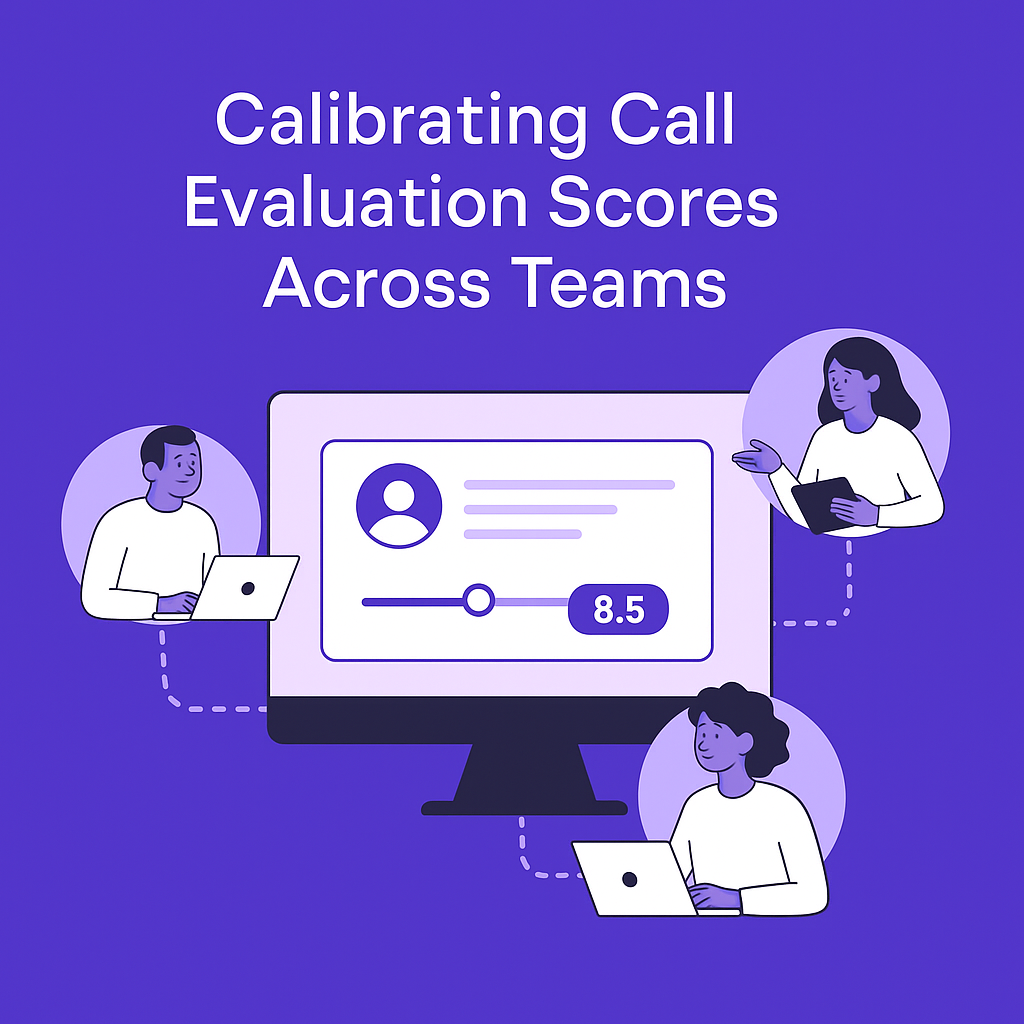
How to Calibrate Call Evaluation Scores Across Dispersed Teams
You’ve just wrapped a call. You thought it was decent, maybe even great. Clear next steps. Good rapport. No major issues. Then your teammate, on the same call, gives it a 5/10. You’re staring at their notes wondering: Did we even attend the same meeting? That’s what happens when there’s no calibration. In growing teams, especially those juggling sales, success, and support across time zones, evaluating the quality of calls is crucial. But when everyone’s scoring based on their own standards, your data becomes noise. There’s no alignment. No shared baseline. No way to trust the feedback loop. You end up managing feelings and not performance. Why alignment matters When scores mean different things to different people, they’re useless. Imagine two managers using the same 1–10 scale. One thinks an 8 means “room for improvement.” The other sees it as a badge of excellence. Multiply that confusion across a 15 person team scattered across 5 cities, and suddenly your data isn’t just inconsistent, it’s dangerous. Why? Because you’re making decisions based on it. You’re promoting reps. You’re flagging calls for review. You’re adjusting your onboarding playbook. And it’s all built on sand. Call evaluation alignment isn’t just about being fair. It’s about creating a shared reality your team can work from. One where feedback isn’t subjective. One where expectations are understood and measurable. What misalignment looks like in practice Two managers watch the same recording. One flags it for follow up training. The other approves it as a model example. Sales reps are confused about what “good” even means. New hires get conflicting feedback, and don’t improve as fast as they should. Leadership gets evaluation dashboards full of conflicting numbers and inconsistent tags. Nobody trusts the scorecards. At best, this slows your team down. At worst, it breeds confusion, demotivation, and missed opportunities. Where teams get it wrong Scoring without shared definitions Teams often have evaluation criteria, like “rapport” or “clarity of next steps”, but no clear, agreed upon examples of what a 3 looks like vs a 9. No continuous calibration Even if your team starts aligned, standards drift. Especially with new hires. Without regular calibration exercises, everyone reverts to their own preferences. Using static forms for dynamic conversations Checklists don’t capture nuance. Calls are fluid. If your scoring sheet doesn’t flex to context – discovery vs support vs crisis – your evaluations won’t reflect reality. Relying on memory If people are scoring based on what they remember, not what they hear, it’s game over. Everyone remembers different parts. Nobody remembers the tone. How to fix it: Aligning in real life Create anchor clips Pick real calls and annotate them together. What makes this a 5? Why is this a 9? Discuss until there’s consensus. Save those examples in a shared knowledge base. They become your anchors. Run blind calibration sessions Play the same call to different team members. Have them score it independently. Compare results. Where scores diverge, dig into why. Is it expectations? Interpretation? Clarity of the rubric? Redesign your rubric Every item on your scorecard should come with: A simple definition A scale (1 – 5 or 1 – 10) Clear, practical examples for low, medium, and high scores Remove anything vague or overly subjective. “Good energy” means nothing unless it’s defined. Add a feedback layer Scorecards aren’t just numbers. Add a comment box after each section. Force evaluators to explain why they gave that score. It surfaces reasoning, and patterns. Use real time evaluation tools Tools like Insight7 let you evaluate calls in context. Pull up themes, categorize pain points, map emotional tones, all automatically. This reduces bias, speeds up the process, and creates shared baselines across teams. Review the reviewers Just like calls get evaluated, so should evaluations. Set a cadence – monthly or quarterly – where you review how consistent scoring is across the team. Tighten gaps as needed. Where Insight7 fits in Manual calibration takes time. And in fast moving teams, speed matters. Insight7’s evaluation removes the bottlenecks by automating the hard parts, like surfacing repeated issues across calls, identifying which reps need attention, and standardizing evaluation criteria across the board. It doesn’t just help you score faster. It helps you score better. With suggested themes and alignment triggers, teams spend less time debating and more time improving. It’s the difference between “we think this call was off” and “here’s why it was off, backed by consistent patterns across 20+ conversations.” Make calibration part of your culture Don’t treat calibration like a one off project. It’s not a checkbox. Build it into your team rituals: Include a calibration session in onboarding. Schedule monthly reviews of evaluation examples. Celebrate when alignment improves, just like you would for hitting sales targets. If your team knows that calibration matters as much as performance, they’ll treat it seriously. The cost of poor alignment isn’t just operational. It’s cultural. People don’t just want feedback. They want clarity. Give it to them.
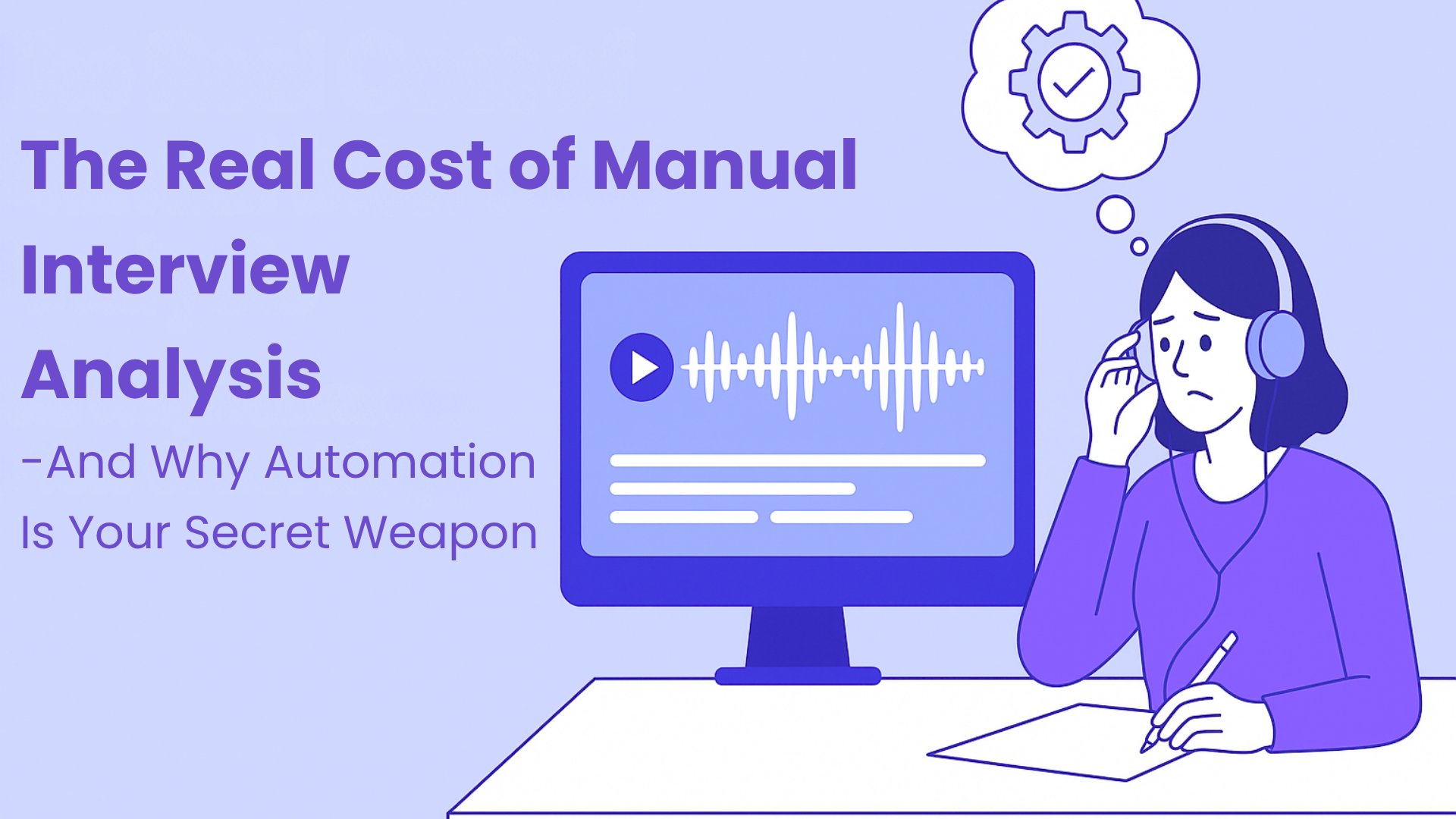
The Real Cost of Manual Interview Analysis and How Automation Improves Decision Making Speed
In every company, there’s a hidden tax, paid not in dollars, but in hours. It’s the time teams lose analyzing customer interviews manually. On paper, it doesn’t look like much: a few hours spent transcribing, then more time tagging, summarizing, sharing in Slack or Notion. But when stacked over time, the real cost becomes impossible to ignore. Manual analysis drags your team into a cycle of inefficiency. Valuable insights sit in files that no one revisits. Stakeholders misinterpret or ignore insights altogether. Product and marketing teams waste weeks guessing what customers really mean. Meanwhile, your competitors, who’ve already adopted automated workflows, are outlearning you. This is the unspoken danger of relying on manual analysis in a world that runs on speed. Why Manual Analysis Is Slowing You Down Manual methods are romanticized. Some teams still believe that the only way to extract true insight is to listen to every second of every recording and personally code each theme. But the trade off is brutal: It doesn’t scale. If you’re running 10+ interviews per week, your research team becomes a bottleneck. Insights get stale. By the time the report is ready, stakeholders have moved on. Quality drops. Rushed teams overlook key patterns, over focus on quotes, and miss what really matters. And when you try to speed things up manually, accuracy suffers. Patterns go unnoticed. Teams make decisions based on intuition, not evidence. What You’re Actually Paying for Manual Analysis Think about what goes into analyzing just one interview: Transcription: 45 minutes Reviewing and tagging: 1 – 2 hours Synthesizing: 1 hour Sharing insights: 30 minutes Even at the low end, that’s over 3 hours per interview. Now multiply that by 20 interviews a month. You’re looking at 60+ hours monthly. That’s someone’s full time job, not generating insight, but wrestling with raw data. That’s one person. Now think about what happens when those insights are delayed: Sales teams misread buyer objections. Product teams build for the wrong use case. Marketing misses what actually motivates your audience. Those aren’t soft costs. They’re missed revenue, increased churn, and wasted spend. The Automation Advantage Automation doesn’t mean giving up control. It means eliminating the grunt work that slows you down. With automated evaluation, your interviews go from raw recording to organized insights in minutes. Instead of spending hours categorizing data, your team can immediately: Surface recurring themes Track sentiment across interviews Identify blockers and opportunities Share insights with stakeholders instantly Instead of playing catch up, you’re setting the pace. This Isn’t About Saving Time. It’s About Moving Faster Than the Market. Speed isn’t a luxury anymore. It’s a competitive advantage. The fastest growing companies today aren’t just listening to customers, they’re evaluating every call and acting on it within the same week. They’re making product bets based on truth, not gut. They’re scaling insight, not headcount. Manual methods simply can’t keep up with that pace. What Happens When You Automate? Your team stops drowning in recordings and starts acting on insights. You catch red flags before they cost you customers. You give your GTM team real reasons why buyers aren’t converting. Your product roadmap reflects what users actually need, not what you think they need. And suddenly, your team is no longer reactive. You’re proactive, strategic, and fast. This Isn’t Just a Productivity Hack. It’s a Mindset Shift. The best teams don’t do more work. They do better work, faster. Automation helps you focus on what matters: Decision making Strategy Execution Not tagging, summarizing, and formatting. If you’re still doing that manually, you’re wasting time, and leaving opportunities on the table. You don’t need more data. You need to see the story clearly, and move. And that’s what evaluation is for. We built Insight7 to help teams like yours stop guessing, and start evaluating. Start evaluating today at insight7.io
Why “Great Job” Isn’t Good Enough in Sales Calls
Why surface level feedback is stalling your sales team (and what to do instead) You know the drill.Your rep gets off a sales call. They’re upbeat. Confident.You ask how it went. “Pretty good!” “They were super engaged.”“I think we’re close!” You nod and respond: Great job.Except… it wasn’t. When You Actually Listen to the Call… Things look a little different. The client brought up pricing – twice – and the rep dodged it. There was no clear agreement on next steps. And somewhere in the middle, they talked over the client three times. All of this happened in a single 30 minute call. The worst part? The rep had no idea.And because you didn’t either, you told them “great job.” The Problem :Not Coaching Based On Evidence This is the gap most revenue teams are missing: We assume a call went well because the rep felt good.We reinforce behaviors based on tone, confidence, or anecdotal wins.We miss what was actually said and what wasn’t. That’s how underperformance hides in plain sight. It’s not always loud. It’s quiet, consistent red flags that slip through unnoticed. What You’re Not Catching Is Costing You Let’s break it down. When these red flags go unspotted: Objections aren’t handled: deals stall Features are misrepresented: trust erodes Next steps aren’t locked in: follow-up dies Feedback loops are weak: reps plateau Multiply that across a team of 10 reps, 5 calls a day, and you’re looking at thousands in missed revenue every week. It’s not a rep problem. It’s a coaching visibility problem. The Fix: Coaching With Receipts This is where Insight7 changes the game. Instead of asking “how did the call feel?” You look at how the call actually went, with: Call scorecards that highlight key moments Red flag detection across talk time and objection handling. Transcripts and audio snippets that point to real coachable moments A clear trail of improvement across reps and calls Suddenly, you’re not guessing. You’re coaching with receipts. “You missed the pricing objection at 12:43. Let’s talk about how to tackle that.”“You did great here – the way you reframed their concern at 18:12 was really good” This is targeted feedback. And it works. What Happens When You Coach With Evidence? You build a system where: Reps improve faster Managers coach better Leaders trust the data Revenue teams actually scale You’re no longer guessing why some reps win and others don’t. You’re building a coaching culture that compounds. Ready to Level Up? It’s time to stop relying on “great job.” Start using Insight7 to catch the red flags before they cost you the deal. Let’s build smarter, stronger, revenue teams – one receipt backed coaching session at a time.
How to Calibrate Call Evaluation Scores for Your Team
Getting everyone on the same page when evaluating calls can be tough. Inconsistent call evaluation scores create confusion, reduce trust, and make coaching less effective. But calibrating call evaluation scores doesn’t have to be complicated. This post will guide you through practical steps to align your team’s call scoring and improve the quality of your coaching sessions. Plus, we’ll share why technology is a game changer in this process. Why Calibrating Call Evaluation Scores Matters Calibration makes sure all team members use the same standards when scoring calls. When evaluation scores are consistent, teams build trust in the feedback process. It also helps leaders coach their teams better, leading to improved customer experiences. Without calibration, scores can vary wildly, even when team members listen to the same calls. This inconsistency hurts morale and makes it hard to identify real performance issues. Step 1: Nail Down Clear Scoring Criteria The first step is to define clear and objective scoring criteria. Everyone should understand what “excellent,” “good,” or “needs improvement” means in your context. Ambiguity causes confusion, so keep your criteria simple and measurable. Step 2: Score Calls Together Hold team calibration sessions where members score the same calls independently, then come together to discuss differences. This practice highlights where opinions vary and helps align understanding. Open conversations encourage learning and build consistency. Step 3: Use Benchmark or “Gold Standard” Calls Create a library of benchmark calls with agreed-upon scores. These “gold standard” calls act as reference points that evaluators can return to when they’re unsure. Over time, this reduces subjectivity and keeps scoring consistent. Step 4: Schedule Regular Calibration Meetings Calibration is not a one time event. Schedule regular check ins to review scoring trends and make adjustments as needed. As your team grows or your products evolve, these sessions help maintain alignment. Step 5: Leverage Technology to Spot Inconsistencies Modern call evaluation tools offer features that compare scores side by side and track scoring patterns over time. Using technology reduces manual work and makes it easier to identify scoring discrepancies quickly. This leads to faster calibration and more reliable results. Step 6: Provide Feedback and Support When you spot inconsistencies, offer constructive feedback to evaluators. Treat calibration as a team learning opportunity rather than a policing exercise. Encouraging continuous improvement helps your team stay motivated and aligned. Final Thoughts Calibrating call evaluation scores leads to fairer assessments, better coaching, and stronger teams. It also improves the customer experience by ensuring consistent service quality. If you’re ready to take your calibration process to the next level, stay tuned – we’re launching a new solution designed to make call evaluation simpler and smarter!
Call Reviews Take Too Long – Here’s How Customer Support Teams Can Spot Issues Faster

For customer support teams, call reviews are crucial for improving service quality, ensuring compliance, and identifying sales opportunities. However, traditional call review processes are slow and inefficient, often requiring teams to manually listen to and analyze lengthy conversations. This delay means that critical insights are missed, performance issues go unaddressed, and customer experience suffers. Every customer support team knows the drill: hours spent listening to calls, taking notes, and trying to identify patterns. It’s a time-consuming process that often feels like searching for a needle in a haystack. The challenges are real and pressing: Massive volumes of customer interactions Limited ability to review more than a tiny fraction of calls Inconsistent evaluation methods Delayed identification of systemic issues To keep up with growing call volumes and rising customer expectations, support teams need faster, more efficient ways to evaluate calls. By leveraging automation and AI-driven call evaluation, teams can reduce review time, quickly identify key issues, and take immediate action, all without sacrificing accuracy. Why Traditional Call Reviews Fall Short The old approach to call reviews is too slow to keep up with the demands of modern customer support. Support managers often spend hours manually reviewing calls, struggling with inconsistencies, and falling behind on high call volumes. This delays feedback, makes it harder to address issues in real time, and ultimately impacts customer satisfaction and compliance. Manual Listening is Time-Consuming: Reviewing calls one by one takes hours, making it nearly impossible for teams to analyze all interactions effectively. Subjectivity and Human Error: Different reviewers may interpret the same conversation differently, leading to inconsistent feedback and missed insights. High Call Volume Overload: With customer support teams handling hundreds or thousands of calls daily, manually reviewing even a fraction of them becomes impractical. Delayed Feedback Hurts Performance: By the time an issue is identified, the opportunity to resolve customer concerns or coach agents has often passed. Lack of Real-Time Insights: Traditional reviews don’t allow teams to catch problems as they happen, leading to prolonged customer dissatisfaction and compliance risks. How to Spot Issues Faster with Automated Call Evaluation To improve efficiency and effectiveness, customer support teams need a smarter, faster approach to call evaluation. AI-powered call evaluation eliminates delays by analyzing conversations instantly and flagging critical issues in real time. Imagine being able to: Analyze 100% of customer calls instead of a small sample Detect frustration indicators instantly, such as tone shifts and repeated complaints Flag critical keywords like “cancel” or “refund” before churn happens Spot recurring issues across multiple calls before they escalate Here’s how automation speeds up issue detection: Real-Time Transcription & Sentiment Analysis : AI doesn’t just transcribe calls, it monitors conversations as they happen, detecting frustration indicators like tone changes, long pauses, and rising voice levels. It flags critical keywords and phrases such as “angry,” “unhappy,” or “speak to a manager” and identifies escalation risks where an issue is likely to worsen. How this helps: Teams no longer have to wait for manual reviews to catch unhappy customers. AI alerts them immediately. Automated Categorization & Issue Tagging: Instead of sifting through call logs, AI automatically tags calls based on recurring issues like billing or product confusion. It groups similar complaints together to reveal systemic problems and prioritizes urgent concerns so managers can act fast. How this helps: Support teams can spot trends quickly instead of reviewing calls one by one. Predictive Problem Solving: Beyond reviewing past calls, AI anticipates future issues by detecting early signs of churn from negative interactions, identifying training gaps where agents need support, and recommending proactive solutions before customers escalate complaints. How this helps: Instead of reacting to problems after they’ve hurt customer satisfaction, teams can prevent them. Faster Issue Detection Leads To Better Customer Support : With AI-powered call evaluation, support teams don’t just analyze calls, they prevent issues from escalating. Instead of spending hours on manual reviews, managers get instant insights that help them resolve concerns faster, improve agent performance, and boost customer satisfaction. Practical Implementation Strategies Transitioning to AI-powered call reviews doesn’t happen overnight. Consider these steps: Choose the Right Tools: Look for solutions that integrate seamlessly with your existing systems. Train Your Team: Help support staff understand and leverage AI insights. Maintain Human Oversight: Use AI as an enhancement, not a replacement for human judgment. Start Small: Begin with a pilot program to demonstrate value. Modern AI-driven tools eliminate the inefficiencies of manual review, allowing support teams to analyze calls at scale, uncover trends, and improve performance. One example of an AI-driven tool that streamlines call evaluation is Insight7. It automates quality assessments, tracks key phrases, and generates actionable insights, helping teams improve customer support without the manual effort. Looking Ahead The future of customer support is intelligent, proactive, and data-driven. AI-powered call reviews are no longer just a trend, they are becoming essential for teams that want to stay competitive. By embracing AI, businesses can move beyond reactive problem-solving and create seamless, customer-centric experiences that drive loyalty and long-term success.
