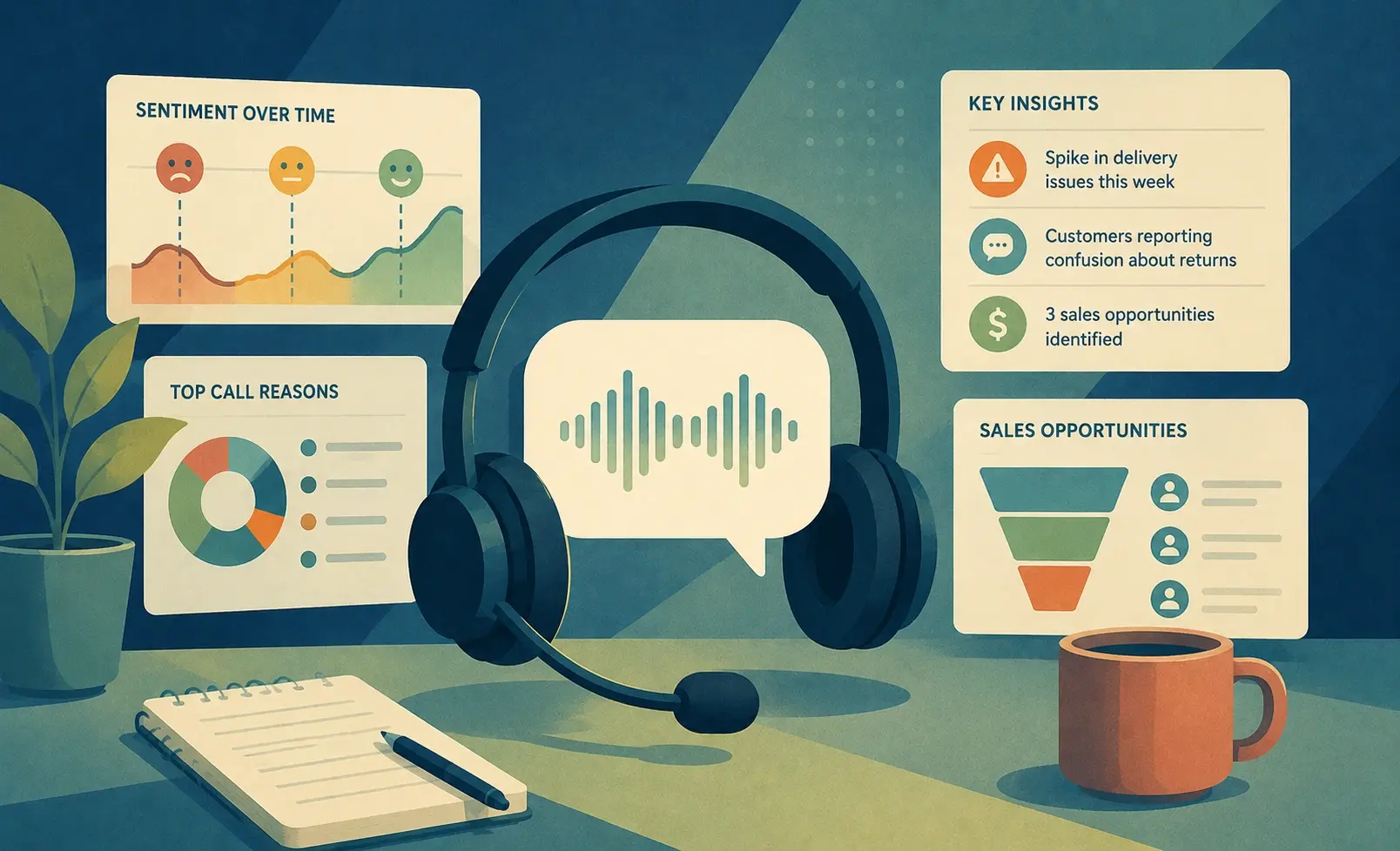
In today's fast-paced business environment, understanding client needs through effective communication is paramount. Call Data Visualization plays a crucial role in this process, helping organizations analyze and interpret client interactions with clarity. By turning raw call data into visual representations, businesses can identify trends and insights that might otherwise go unnoticed.
Harnessing the power of Call Data Visualization allows teams to evaluate the effectiveness of their communication strategies and adjust their training accordingly. Additionally, it empowers decision-makers with the information needed to improve customer experience and enhance overall service quality, ultimately leading to better outcomes for both clients and organizations.
In todays data-driven world, leveraging insights from client interactions is crucial. Call Data Visualization enables businesses to extract meaningful patterns and trends from client calls, driving informed decision-making.
In today's data-driven environment, understanding client interactions is vital for business success. Call Data Visualization plays a pivotal role in unlocking key insights from client calls, revealing underlying patterns and trends. This approach allows organizations to transform raw conversation data into actionable intelligence, facilitating informed decision-making. By effectively visualizing call interactions, businesses can pinpoint pain points, common questions, and emerging customer needs.
To start, it’s essential to collect and structure the relevant call data properly. Once organized, the next step is to analyze the information, focusing on identifying recurring themes or issues highlighted by clients. This groundwork forms the basis for creating meaningful visualizations. From there, organizations can utilize various tools to streamline the visualization process. By doing so, they enhance their capability to derive insights that promote growth and improve customer experiences. Ultimately, leveraging insights from call data empowers businesses to respond proactively to client needs and foster lasting relationships.
Steps to Generate Effective Call Data Visualizations
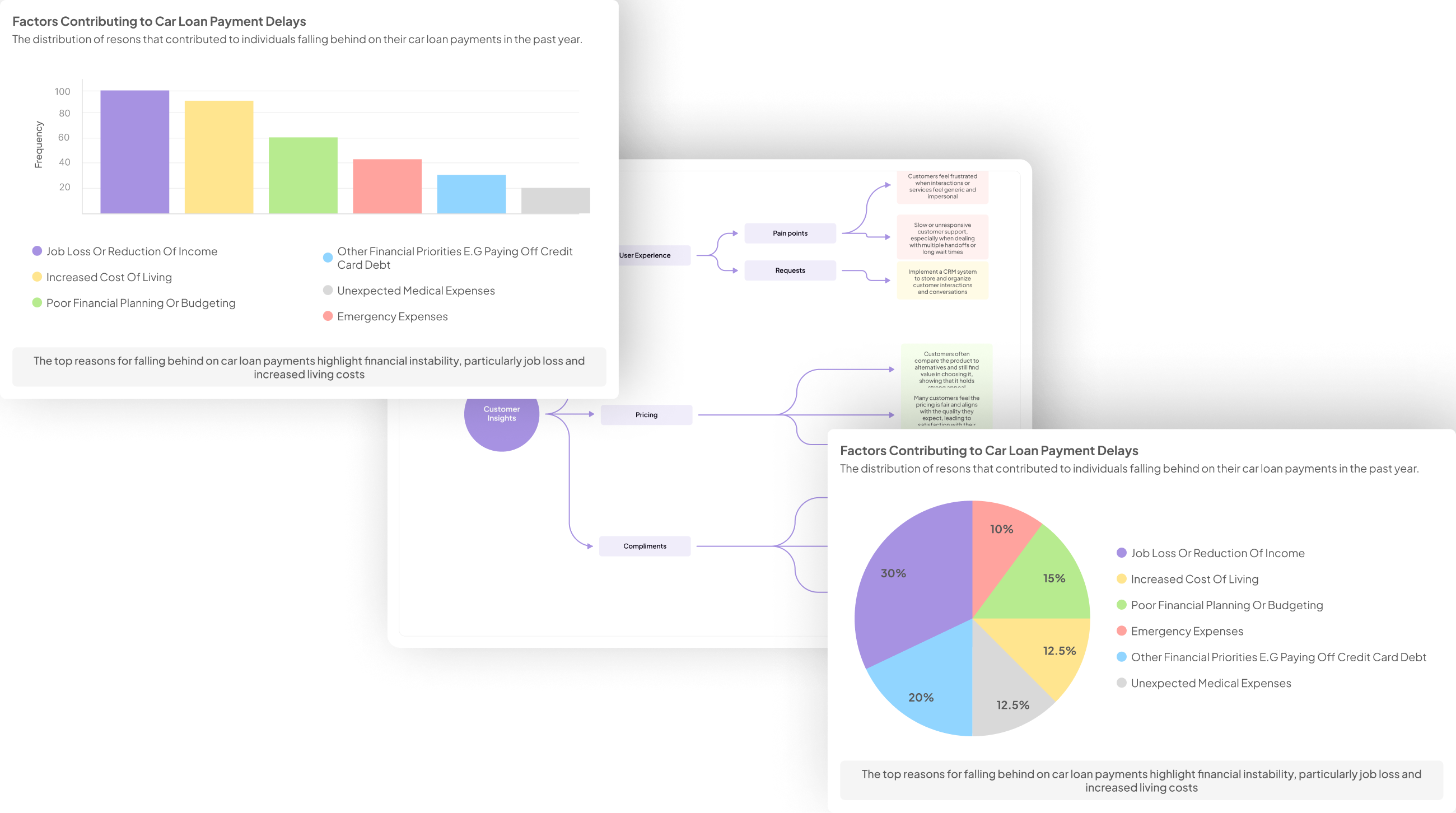
Transforming raw data from client calls into actionable visual insights requires a systematic approach. First, focus on collecting and organizing call recordings and transcripts effectively. Structuring your data ensures you have a solid foundation for analysis, allowing you to visualize the information accurately.
Next, analyze the organized call data to uncover key insights. Look for consistent patterns, common customer concerns, and frequently discussed topics. This analysis serves as the backbone for your visualizations, enabling you to highlight crucial trends. Once identified, utilize tools designed for effective Call Data Visualization. These tools can enhance your ability to communicate insights clearly and efficiently. The next step is to create visual representations, such as charts and graphs, which can help stakeholders quickly grasp important information. By following these guidelines, you can generate meaningful Call Data Visualization that truly drives business decisions.
Transforming raw call data into actionable insights requires a structured approach. Lets explore the step-by-step process to achieve this.
Transforming raw call data into actionable insights requires a structured approach. Begin by collecting and organizing all relevant call data, including recordings and transcripts. This initial step is crucial for ensuring accuracy in the subsequent analysis and visualization processes. It enables the identification of various patterns and themes prevalent in customer interactions, ensuring that no valuable insight goes unnoticed.
Next, analyze the organized data to distill key insights, focusing on recurring customer concerns, desires, and highlights from the conversations. This step lays the groundwork for effective Call Data Visualization, as it provides the context necessary for meaningful interpretations. After extracting insights, employ various tools to create visual representations that depict trends and significant findings. By following this structured approach, you can transform raw call data into a compelling narrative that enhances decision-making and fosters improved customer experiences.
Step 1: Collect and Organize Call Data
To begin the process of Call Data Visualization, the first step is to collect and organize all relevant call data. Start by gathering call recordings and transcripts that are essential for analysis. Ensure that you include a diverse sample of calls to properly represent client interactions. This collection lays the groundwork for effective analysis and visualization, allowing you to identify critical insights later on.
Next, focus on organizing this data systematically. Consider categorizing calls by various parameters such as date, call duration, customer inquiries, or specific issues discussed. This structured organization is vital, as it enhances your ability to extract insights and patterns when you begin analyzing the data. Properly organized call data will not only streamline the analysis phase but also contribute significantly to the accuracy and relevance of your visualizations. Remember, the more organized your data is, the more insightful your visual representation will be.
Begin by gathering all relevant call recordings and transcripts. Structuring this data systematically is vital for accurate visualization.
To start generating impactful visualizations from client calls, the first step is to gather all relevant recordings and transcripts. This foundational process lays the groundwork for effective call data visualization. You should ensure that every call is well-documented, capturing both audio and transcriptions. This allows you to weave together a comprehensive narrative, providing you with the necessary context to extract valuable insights.
Once you have collected the data, the next essential step is to structure it systematically. Organizing this information not only makes it easier to analyze but also ensures accuracy in visual representation. Divide the recordings and transcripts into categories based on themes or topics discussed during the calls. By doing so, you can pinpoint patterns and trends that emerge from client conversations, which will greatly enhance the quality of your visualizations in subsequent steps.
Step 2: Analyze Call Data for Key Insights
Analyzing call data for key insights is a critical step in transforming raw information into valuable visualizations. This process begins with transcribing your recorded calls to convert voice data into text, making it easier to identify important themes. Once you have organized transcripts at your fingertips, sift through the data to uncover recurring patterns, customer feedback, and topical discussions. Focusing on common concerns and frequent requests helps you build a clearer understanding of clients’ needs.
To enhance your analysis, consider employing analytical tools to filter and extract specific insights. For example, you can categorize insights based on customer sentiment, pain points, or satisfaction levels. This structured approach not only makes it easier to visualize the data but also allows for meaningful connections to be drawn between trends that might otherwise remain hidden. By meticulously analyzing call data, you lay a solid foundation for creating impactful visualizations that inform strategic business decisions.
Dive into the organized data to identify consistent patterns, customer concerns, and frequently discussed topics. This analysis forms the foundation of your visualizations.
To effectively transform your call data into insightful visualizations, it’s essential to delve into the organized data. Start by identifying consistent patterns, which can reveal shared customer experiences and common feedback. By sifting through the information gathered from client calls, you can pinpoint prevalent concerns that customers frequently express. These insights serve as the bedrock for your visualizations, guiding the narratives you wish to communicate.
Next, pay attention to frequently discussed topics within the calls. This not only highlights what matters most to your customers but also aids in shaping targeted responses in your visual reports. Utilize tools that can systematically categorize and summarize these findings, transforming raw data into digestible formats. Doing so will ensure that your visualizations effectively communicate vital insights, ultimately driving better business decisions and enhancing customer satisfaction.
Tools to Streamline Call Data Visualization
Optimizing your Call Data Visualization process often requires the use of specialized tools designed for efficient analysis and display of complex data sets. A few essential tools can significantly enhance your ability to extract and present valuable insights from client calls. These include platforms that enable bulk transcription, easy data organization, and powerful visualization features.
First, consider utilizing transcription tools that can process multiple recordings simultaneously. This initial step allows you to convert call recordings into valuable text formats, which serve as a foundation for further analysis. After transcription, tools like insight7 provide intuitive analytics, allowing you to visualize trends and identify key insights effortlessly. Importantly, they also enable you to summarize conversations, highlight significant quotes, and filter information based on specific themes or pain points.
Furthermore, Tableau and Power BI are excellent graphic visualization tools that can take your analyzed data and convert it into interactive, shareable dashboards. This streamlining of Call Data Visualization ultimately contributes to more informed decision-making and improved business strategies.
Optimizing your Call Data Visualization process often involves leveraging specialized tools. Here are some top tools to consider:
Optimizing your process for visualizing call data often relies on specialized tools designed to streamline and enhance the analysis. First, tools can efficiently transcribe recordings, turning audio into accessible text. This step is crucial, as having transcriptions allows for deeper analysis and easier extraction of insights. A user-friendly interface is also essential, enabling users to upload multiple files at once and receive organized transcripts for further examination.
Second, advanced analytical tools help identify key themes and sentiments from the data. Platforms that offer customizable dashboards allow users to visualize trends and pinpoints like customer pain points or frequently discussed topics. Tools such as Tableau and Power BI excel in creating interactive visualizations, making it easier to convey insights to stakeholders. By incorporating these specialized tools, businesses can significantly enhance their Call Data Visualization, leading to informed decision-making and improved customer experiences.
insight7
To effectively utilize Call Data Visualization, one must first understand the significance of transforming client interactions into visual insights. This process begins by gathering all call recordings and transcripts, allowing for a comprehensive view of customer conversations. Once organized, the next step involves analyzing this data to identify key themes, patterns, and areas of concern. By pinpointing the main topics discussed during calls, businesses can make informed decisions that align with customer needs.
Collaboration is an essential aspect of the Call Data Visualization process. By fostering teamwork and sharing insights gained from customer interactions, organizations can develop stronger strategies. Utilizing specialized tools for visualization streamlines this process, making it easier to present findings in an engaging way. In the end, effective Call Data Visualization not only enhances customer satisfaction but also drives business growth by translating conversations into actionable strategies.
A comprehensive platform that simplifies turning call data into visual insights, offering various customization options and analytical features.
A comprehensive platform that simplifies turning call data into visual insights offers an intuitive user experience, designed for accessibility by all employees, regardless of technical background. The platform eliminates barriers to entry, allowing users to easily upload call recordings or transcripts and generate powerful visualizations quickly. Through a straightforward workflow, users can extract customer experience insights, identifying pain points and areas for improvement without needing extensive training.
Moreover, the analytical features of the platform enable users to dive deeper into the data. By processing individual calls or clustering data from multiple interactions, users can unveil patterns that inform decision-making. Insights are presented in a visually engaging format, highlighting critical themes and customer sentiments with evidence from transcripts. Ultimately, this comprehensive solution revolutionizes Call Data Visualization, promoting informed strategies and driving meaningful enhancements to customer engagement.
Tableau
Tableau is renowned for its advanced data visualization capabilities, making it an essential tool for transforming raw call data into comprehensible visual formats. With Tableau, users can easily create interactive dashboards that provide insights at a glance. The ability to drag and drop data points allows its users to construct visualizations without needing extensive technical skills.
To effectively utilize Tableau in Call Data Visualization, start by importing the organized call data into the platform. This can be done directly from transcriptions or through structured datasets. Once loaded, the integration of filters and parameters enables you to dissect trends, such as customer sentiments or pain points experienced during conversations. Visual aids, like charts and graphs, simplify complex information, allowing teams to spot patterns and insights quickly.
Furthermore, Tableau’s sharing capabilities make it easy to communicate findings across departments. By visually engaging stakeholders with your data, you foster an environment of informed decision-making grounded in actual client experiences. Thus, employing Tableau not only streamlines the analysis but also enhances the overall understanding of client interactions.
A popular choice for its powerful data visualization capabilities, enabling users to create interactive and shareable dashboards.
With its powerful data visualization capabilities, this tool stands out for enabling users to create engaging and shareable dashboards. Call Data Visualization helps organizations convert complex data from client calls into intuitive visuals that highlight key insights. By utilizing vibrant graphics and interactive displays, businesses can effectively communicate trends, customer sentiments, and pain points that emerge from client interactions.
First, users can easily access and visualize transcripts from multiple calls in one streamlined view. This allows for quick identification of frequently mentioned concerns and themes, which are essential for informed decision-making. Additionally, dashboards can be tailored to show specific metrics, making it simple for stakeholders to grasp customer experiences at a glance. Sharing these insights becomes effortless, fostering collaboration and strategy alignment within teams. By leveraging these powerful visualization tools, businesses can create a clear narrative from their call data, transforming raw information into strategic advantage.
Power BI
Power BI is a powerful tool for visualizing call data, making it easier to understand complex information derived from client interactions. By transforming raw transcripts and recordings into intuitive graphics, you can quickly identify trends and insights that drive decision-making. This visual representation allows you to recognize patterns in customer behavior, which enhances your understanding of their needs.
To effectively utilize Power BI in your Call Data Visualization efforts, follow these key steps:
-
Data Integration: Connect Power BI to your call data sources, including recordings and transcripts. This integration ensures a seamless flow of information into the platform.
-
Data Cleaning and Preparation: Organize your call data, making sure to eliminate any irrelevant or redundant information that could skew your findings.
-
Create Visuals: Use Power BI's diverse visualization options—such as charts, graphs, and dashboards—to create clear representations of your analytical findings. Customize these visuals to highlight key insights relevant to your objectives.
-
Share Insights: Leverage Power BI's sharing capabilities to disseminate your findings with stakeholders. This ensures that everyone within your organization can access and act on valuable insights derived from client calls.
By following these steps, you can maximize the benefits of Power BI for Call Data Visualization, enhancing your team’s ability to make informed, data-driven decisions.
Microsofts robust tool integrates seamlessly with other applications, offering extensive data visualization and business intelligence functionalities.
The integration of this robust tool with various applications allows businesses to unlock comprehensive insight from their client call data. By tapping into its extensive data visualization and business intelligence functionalities, users can easily convert raw information into engaging visual representations. This capability is essential for analyzing patterns and trends, making it easier to derive actionable insights from the conversations that matter most.
To achieve effective Call Data Visualization, the process begins by collecting and organizing call data. Once organized, users can delve into the data for key insights, which can be transformed into intuitive dashboards or reports. The integration with other systems ensures that information flows seamlessly, allowing teams to collaborate and make informed decisions based on real-time analysis. Today's organizations can democratize data access, enabling everyone to leverage insights without needing extensive training, thereby fostering a culture of data-driven decision-making.
Conclusion: Leveraging Call Data Visualization for Business Growth
Harnessing the power of Call Data Visualization goes beyond mere data representation; it transforms client conversations into actionable insights that fuel business growth. By analyzing call data, companies can identify key pain points and customer desires, giving them the information needed to improve their offerings and enhance customer experiences.
Moreover, visualizing insights allows teams to engage in informed decision-making, aligning strategies with real customer feedback. This approach not only fosters a data-driven culture but also empowers every employee to contribute towards continuous improvement, ultimately leading to sustainable business success.
Harnessing the power of Call Data Visualization isnt just about generating graphs; its about translating client conversations into strategic business advantages. By effectively analyzing and visualizing call data, companies can enhance customer experience and drive growth.
Effective Call Data Visualization transcends mere graphical representation; it is about transforming nuanced client interactions into strategic insights. By carefully analyzing call information, companies can unveil patterns that may significantly impact customer satisfaction and drive growth. Listening attentively to client conversations reveals their pain points and preferences, allowing businesses to address their needs more effectively.
To harness the potential of Call Data Visualization, organizations should adopt a systematic approach. First, gather and organize all call recordings and transcripts, ensuring they are easily accessible for analysis. Next, delve into this data, extracting consistent patterns and key themes that reflect the voice of the customer. Finally, employ visualization tools to present these insights in a clear and engaging manner—enabling stakeholders to make informed decisions that can enhance customer experiences and ultimately boost profitability. This comprehensive understanding leads not only to improved services but also to lasting client relationships.