User testing interviews offer a wealth of information, but unlocking their full potential requires effective visualization of insights. Interview Insights Visualization transforms complex qualitative data into digestible formats. This process allows teams to identify patterns, pain points, and opportunities for improvement, ultimately guiding better decision-making.
Effective Interview Insights Visualization is not just about presentation; it also enhances understanding. Visualization techniques engage stakeholders, enabling them to grasp key findings more easily. By translating user feedback into clear graphics or thematic maps, organizations can foster deeper discussions and drive actionable outcomes. Ultimately, visualizing insights empowers teams to put user experience front and center in their strategies.
The Importance of Visualizing User Testing Interview Data
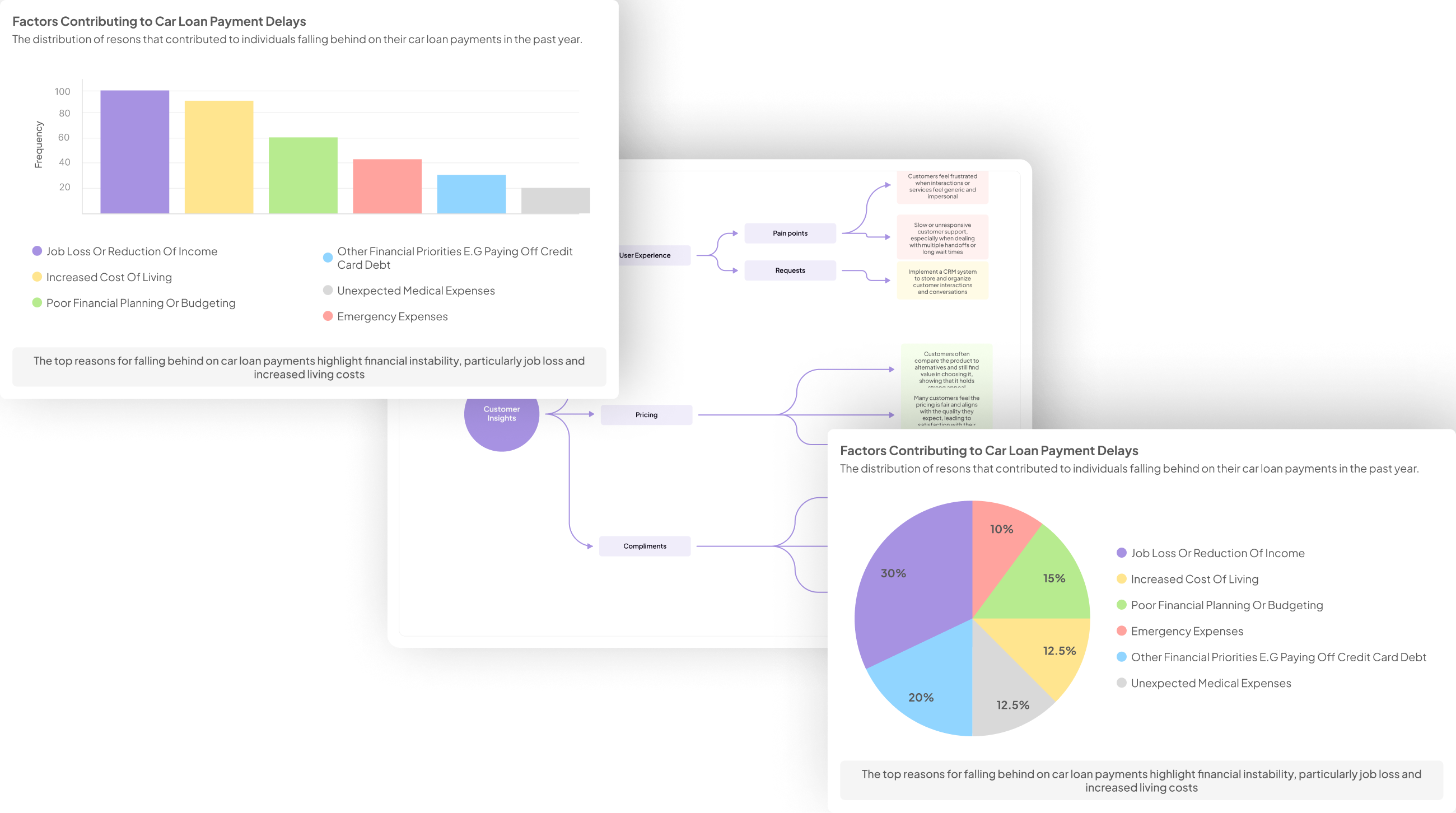
Visualizing user testing interview data is crucial for turning qualitative insights into actionable information. Effective Interview Insights Visualization allows teams to identify patterns and trends that might otherwise be overlooked in raw data. By creating visual representations of this data, such as graphs or charts, one can simplify complex narratives into digestible formats that facilitate easier understanding among team members and stakeholders alike.
Moreover, visualizing interview data fosters collaboration. When insights are presented visually, it invites team discussions, leading to more informed decision-making. For instance, highlighting positive and negative user feedback across various dimensions can help identify focus areas for product development. It is essential to invest time in crafting these visuals, as they not only enhance clarity but also provide a solid foundation upon which strategic decisions can be made. Ultimately, well-executed visualization of user testing data can bridge the gap between user feedback and product enhancement.
Challenges in Interpreting Qualitative Data
Interpreting qualitative data presents several challenges, particularly when visualizing insights from user testing interviews. One core issue is the inherent subjectivity of qualitative research, which can result in varied interpretations of the same data. Analysts may struggle to agree on the significance of different comments, thus complicating the visualization process. Ensuring a clear understanding among team members is vital for effective Interview Insights Visualization.
Additionally, the sheer volume of data collected from user interviews can be overwhelming. Distilling extensive notes and feedback into coherent visual formats requires careful judgment. Extracting themes and patterns while avoiding bias is critical, as overlooking nuances may lead to misrepresentations of user sentiments. Therefore, establishing a structured approach to analyze and visualize data can mitigate these challenges and enhance clarity in presenting qualitative insights effectively.
Effective Approaches for Interview Insights Visualization
Effective Interview Insights Visualization requires a thoughtful approach to transforming qualitative data into clear, actionable insights. Employing storytelling techniques can enhance the visualization process. By weaving narratives around user feedback, designers and stakeholders can better grasp the emotional journeys of users. This method emphasizes key findings while fostering empathy among the audience.
Additionally, utilizing mapping techniques greatly improves the clarity of insights. Visual aids such as mind maps or journey maps allow for a structured representation of data. These tools reveal patterns and relationships that might be overlooked in a purely textual format. They serve not only to organize insights but also to facilitate discussions and decision-making. Combining storytelling and mapping creates a dynamic visualization experience that effectively communicates the essence of user testing interviews.
Utilizing Storytelling to Highlight Key Findings
Storytelling serves as a powerful technique in effectively presenting insights gained from user testing interviews. By weaving narratives around core findings, we can elevate the understanding of complex data points into relatable themes. This approach not only captures attention but ensures that key messages resonate with audiences in a meaningful way. For instance, illustrating users' experiences through specific anecdotes can bring abstract statistics to life, making the implications of the data more tangible.
Additionally, integrating storytelling into the visualization process helps highlight the human aspect behind the data. When interview insights visualization conveys user emotions and motivations, it fosters deeper engagement and encourages action. As you craft these narratives, consider focusing on the overarching themes and patterns that emerge from the data, ensuring that the story serves as a framework to deliver your findings clearly. Engaging storytelling can transform your insights from mere numbers into compelling cases for change, driving decisions that prioritize user-centric development.
Mapping Techniques for Enhanced Insight Clarity
Effective mapping techniques are essential for transforming user testing interviews into clear insights. By organizing qualitative data visually, teams can uncover patterns and trends that might be overlooked. Think of mapping as a tool to synthesize feedback, helping you identify key themes, pain points, and user needs without wading through extensive transcripts. Visual representation makes it easier for stakeholders to engage with findings and promotes a shared understanding of the user experience.
There are a few core methods to enhance insight clarity through mapping. First, create matrices that categorize responses by specific questions, offering an at-a-glance view of responses. Second, utilize thematic mapping to cluster related insights and highlight overarching concepts. Finally, employing journey maps can illustrate customer experiences from start to finish, pinpointing pain points along the way. These techniques not only improve Interview Insights Visualization but also guide actionable strategies based on user feedback.
Tools for Interview Insights Visualization
In the realm of interview insights visualization, selecting the right tools can significantly enhance your understanding and application of data gathered from user testing interviews. Various platforms and software options are available, allowing researchers to create tailored visual narratives that showcase key findings and trends. Utilizing these tools can streamline the process, revealing patterns that may not be immediately apparent through raw data analysis.
Among the recommended tools, NVivo stands out for its ability to handle vast amounts of qualitative data efficiently. Dovetail is another excellent option as it facilitates collaboration and helps in crafting visual stories from user feedback. Lastly, Reframer assists in synthesizing insights, making it easier to identify critical themes and pain points in user interactions. By employing these tools for interview insights visualization, you can present meaningful information that drives decision-making and innovation.
insight7
When visualizing insights from user testing interviews, it's essential to create clarity through structure. Understanding patterns in user feedback can significantly enhance your strategies. One effective way to achieve this is by using visual storytelling techniques. By weaving together customer narratives, you not only present data but also engage stakeholders. Capturing emotions and motivations through visuals generates a stronger connection to the insights discovered in interviews.
Additionally, employing mapping techniques can streamline understanding. Visual maps can emphasize relationships between various insights, revealing trends and gaps in user experience. By laying out information visually, you can transform complex qualitative data into actionable insights. This makes it easier for teams to collaborate and formulate strategies based on user feedback. Prioritizing interview insights visualization is not just about data presentation; it's about fostering a deeper understanding that drives informed decision-making.
Optimal Use of NVivo
Maximizing the benefits of NVivo for Interview Insights Visualization involves leveraging its powerful features to aggregate and analyze qualitative data effectively. Begin by creating projects within NVivo where you can upload transcripts of user interviews. This organization allows for easier data management and streamlined analysis. As you compile these interviews, utilize the platform’s historical queries feature to quickly extract relevant quotes or testimonials that can enhance your reports.
Next, explore NVivo's matrix coding queries to identify patterns or trends prevalent in the interviews. By formulating specific questions, you can generate clear summaries and visual representations of the feedback from your participants. This not only clarifies the insights but also assists in decision-making based on user experiences. Embrace NVivo to enrich your understanding of user feedback, making your visual insights both intuitive and impactful.
Leveraging Dovetail for Visual Narratives
Using Dovetail for visual narratives enhances the process of displaying interview insights. The platform provides users with the ability to transform qualitative data into compelling visuals that can effectively communicate findings. By utilizing various templates and tools available, teams can highlight patterns and trends discovered during user testing interviews.
With intuitive querying options, users can easily sift through large datasets to isolate positive and negative feedback. This capability allows for a granular understanding of user sentiments, enabling informed decision-making. Visual narratives crafted in Dovetail not only engage stakeholders but also facilitate discussions on actionable insights derived from the data. In this way, teams can create a cohesive story around the user experiences that shapes product development and strategy.
Synthesizing Data with Reframer
To synthesize data effectively with Reframer, it's essential to grasp how the tool enhances your capability to visualize insights from user testing interviews. This software streamlines qualitative data organization, allowing you to connect various concepts and themes discovered during interviews. By utilizing Reframer, you are able to distill complex user feedback into easily digestible information through visual formats.
The process begins by importing your raw data into Reframer, where it can be categorized into meaningful segments. Next, the tool enables you to visualize trends with various templates, making it simple to identify patterns in user thoughts or emotions. The result is a clear set of insights presented in a compelling visual narrative, which aids stakeholders in understanding user needs and pain points. Ultimately, synthesizing data with Reframer not only provides clarity but also enhances communication around the insights gained from user testing.
Conclusion: Maximizing Impact with Interview Insights Visualization
Visualizing interview insights effectively can significantly enhance the interpretation and application of user testing data. By transforming qualitative feedback into compelling visuals, stakeholders can grasp essential themes and patterns at a glance. This process fosters deeper understanding and drives informed decision-making that aligns with user needs.
Moreover, utilizing various visualization techniques allows teams to present data in engaging ways, making insights more accessible and actionable. The impact of these visual narratives extends beyond mere presentation; they can influence product development, marketing strategies, and customer engagement approaches. Embracing interview insights visualization is key to maximizing the value derived from user testing discussions.