
Key Takeaways
- Insight7: best for CX teams that want live prompts, QA scoring, and coaching in one platform.
- Balto: best for compliance-heavy voice only teams.
- Observe.AI and Level AI: best for QA-first teams reviewing thousands of calls a day.
- Dialpad: best for teams that want the phone system and the analytics from one vendor.
Ask a CX leader why they run two tools and you’ll hear the same answer: one listens during the call, the other scores it afterward. Two contracts, two admin burdens, two sets of data that never quite reconcile.
Real-time call analytics tools are consolidating that split, though not evenly. Some are guidance-first, some QA-first, and a few now do both.
Here are seven platforms worth your shortlist, what each costs, and where each breaks down.
| Tool | Best for | Standout feature | Starting price (monthly) |
|---|---|---|---|
| Insight7 | Live assist + QA + coaching together | Prompts in 1–2 seconds, then auto-coaching | Free; paid from $99 |
| Balto | Compliance-heavy voice centers, 50–500 agents | Live script and objection prompts | Custom quote |
| Observe.AI | High-volume post-call QA with in-call support | Companion Agent for live guidance | Custom quote |
| Level AI | QA-first CX teams | QA-GPT scoring on 100% of calls | Custom quote |
| Dialpad | Phone system and analytics from one vendor | Native live transcription | From $80 per user |
| Cresta | Enterprise centers, 100+ seats | Knowledge Agent reads screen and call | Custom quote |
| CallMiner Eureka | Regulated enterprises needing deep analytics | Omnichannel speech analytics | Custom quote |
1. Insight7: Best for CX Teams That Want Live Help and Coaching in One Loop
Most customer experience and sales teams operate on a broken feedback loop: agents struggle during live calls, managers review a tiny fraction of recordings days or weeks later, and feedback arrives far too late to save the customer.
Insight7 call analytics tool solves this operational gap by unifying real-time agent support, 100% automated QA, and targeted AI roleplay into a single continuous loop.
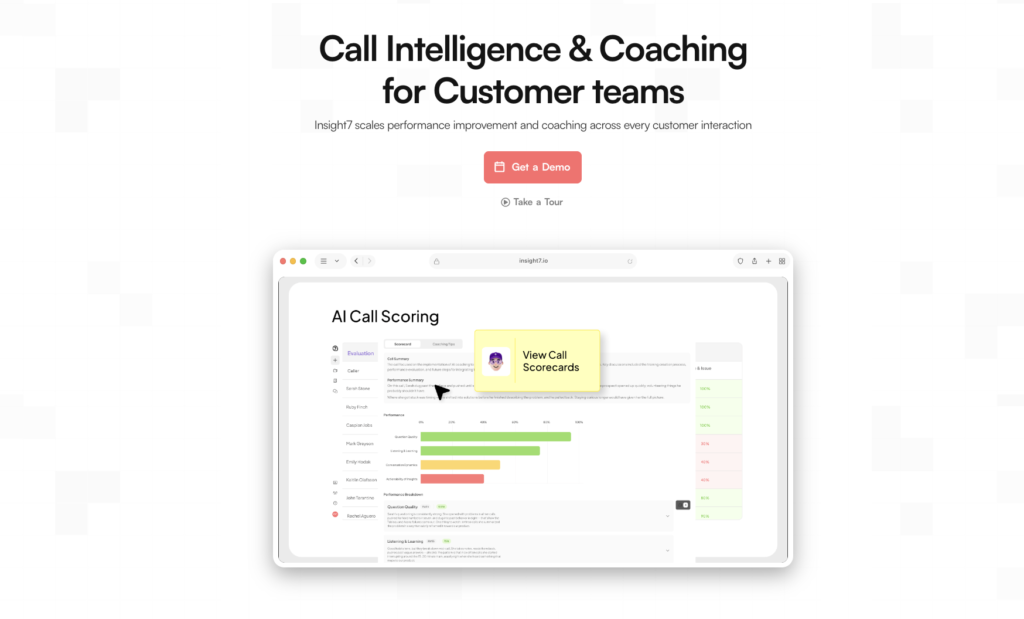
Instead of buying separate point solutions for live guidance, call scoring, and learning management, CX leaders get an end-to-end platform that addresses performance before, during, and after every interaction.
Key Features
1. Live Assist prompts during the call
Insight7 listens to live conversations in the background, instantly detecting critical triggers like pricing objections, competitor mentions, escalation cues, and buying signals. The system then surfaces the exact, approved talk track directly on the agent’s screen.
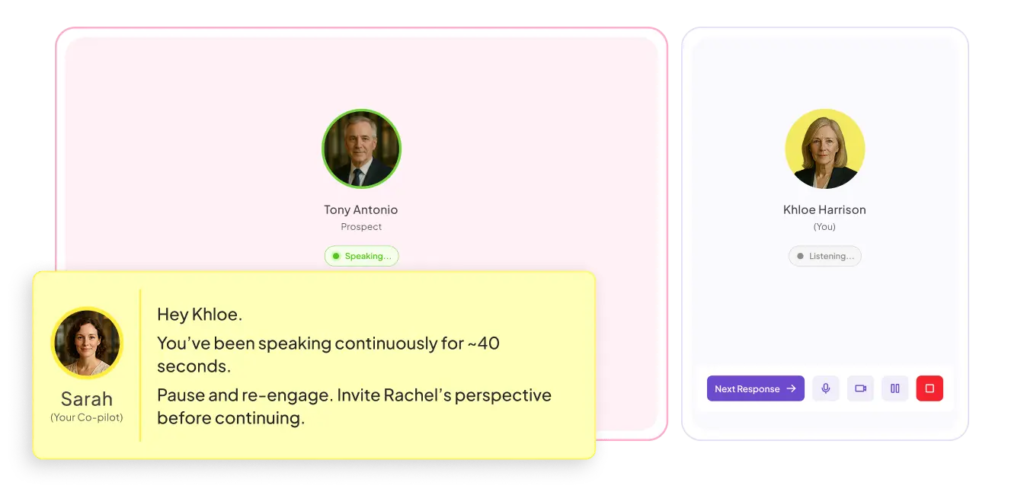
Because it’s an opt-in agent assistant rather than a manager surveillance tool, reps get on-demand confidence without feeling micromanaged.
2. Automated scoring on 100% of calls
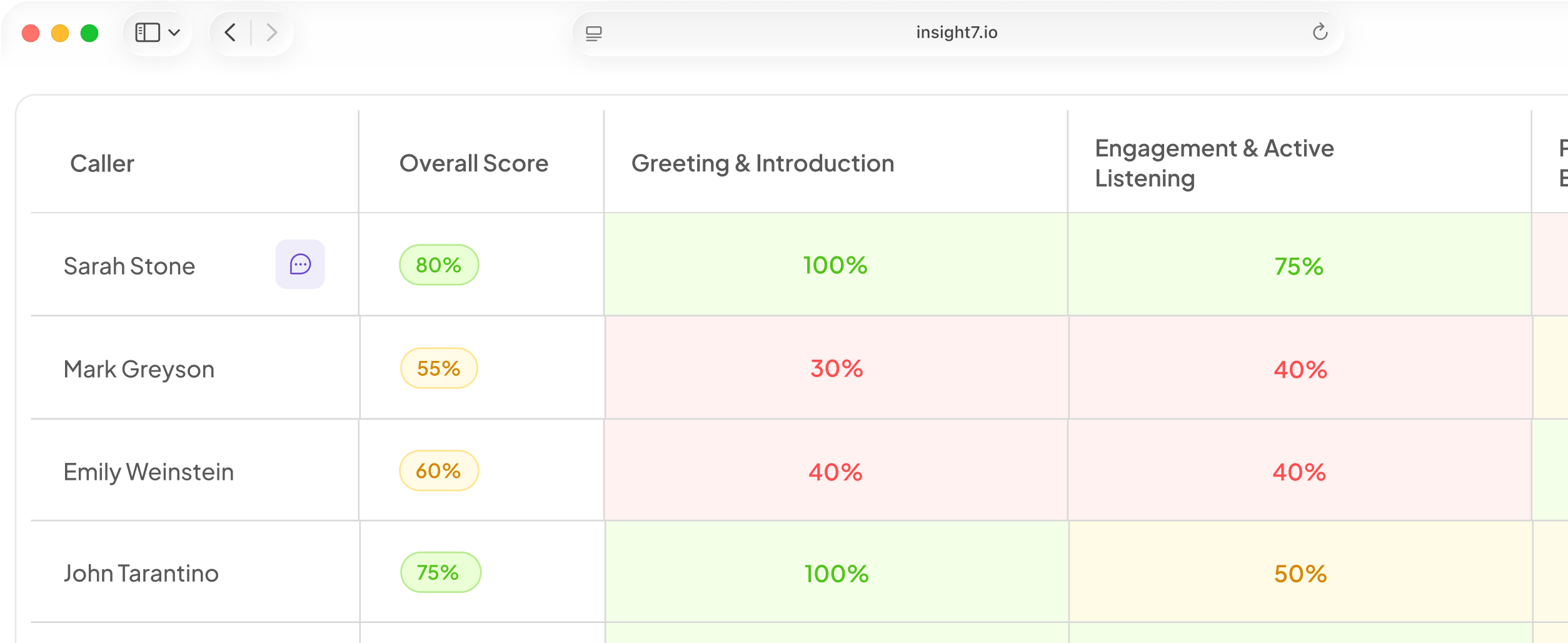
Instead of relying on random manual sampling, every single call is automatically evaluated against your custom, weighted scoring rubrics. Plus every score is hyperlinked directly to the precise line in the transcript that triggered it.
This transforms coaching 1-on-1s from subjective arguments ( e.g.”I feel like you rushed that”) into objective, evidence-based conversations. The engine also handles automated keyword alerts and automatic PII/PHI redaction for strict compliance.
3. Roleplays built from the calls agents lost
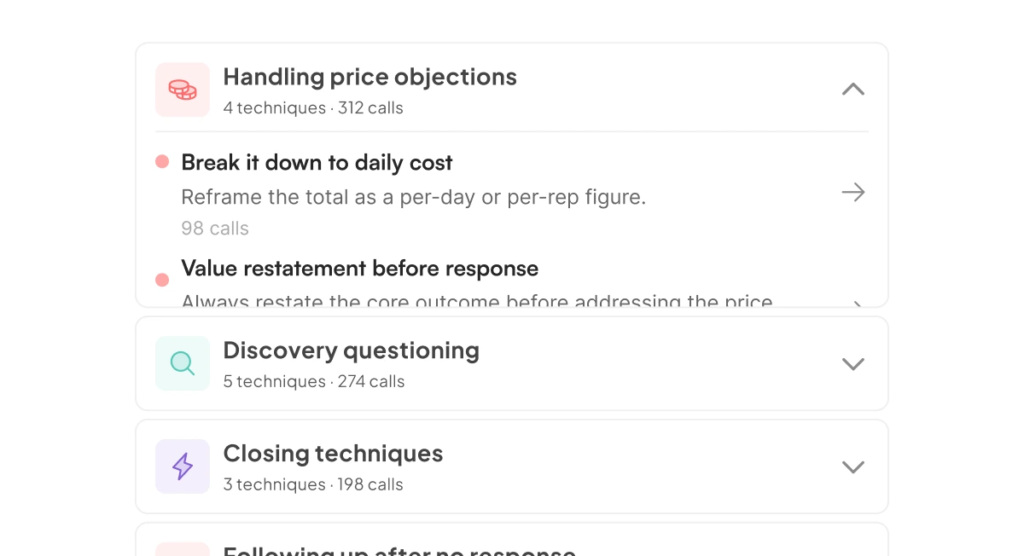
When an agent struggles with a specific call, Insight7’s AI Coaching engine immediately turns that low-scoring interaction into a customized practice scenario.
Apparel brand Fresh Prints adopted this exact workflow when expanding from basic QA into active coaching, allowing reps to practice tricky scenarios immediately while the context was fresh rather than waiting for a weekly review.
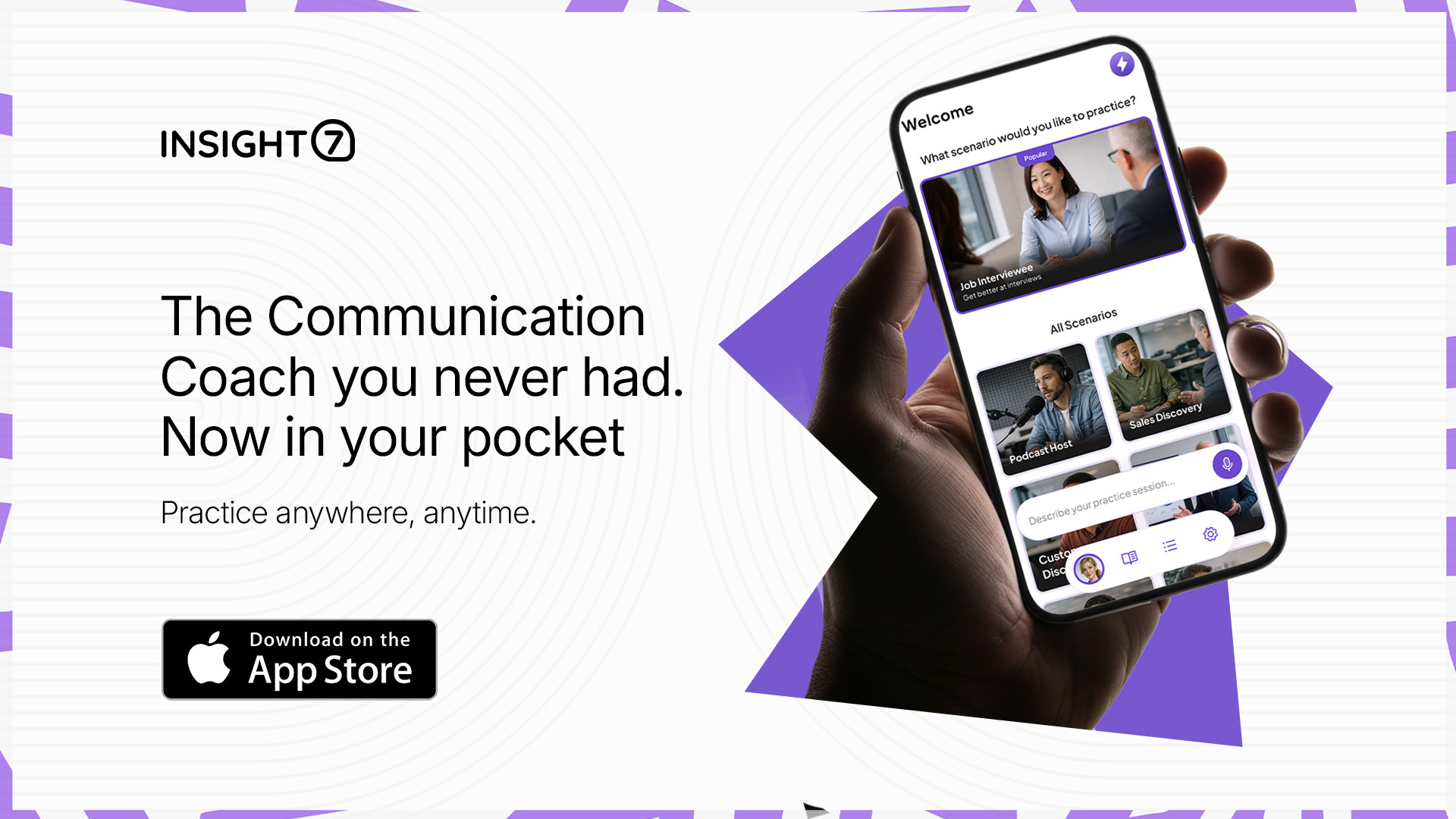
Pro tip: Agents can also hone their delivery on the go using Insight7’s free iOS speaking coach app, which scores pacing, clarity, and tone after every drill.
Pricing
| Plan | Monthly | What you get |
|---|---|---|
| Free | $0 | 1 user, 3 call analyses |
| Pro | $99 | 1 user, 50 calls, scorecards, 60+ languages |
| Business | $299 | 3 users, 200 calls, alerts, redaction, automations |
| Enterprise | Custom | Unlimited calls, APIs, live recording, dedicated AM |
Where Insight7 Shines
- One vendor for the whole loop: live prompt → transcript → score → roleplay.
- Speed to value: teams typically have Live Assist running on a pilot squad inside two weeks.
- Fits your stack: Zoom, Teams, Google Meet, Aircall, Dialpad, Five9, Genesys, RingCentral. Agents install nothing.
Where Insight7 Falls Short
- It isn’t a phone system. May not be the best fit if you want routing and IVR from the same vendor.
Customer Reviews
“I was able to analyze customer calls I had using Insight7 and I did find it valuable! I loved how it showed the sentiment behind each comment that the client made.” — Tobi Oluwole, Co-founder, 3skillz
“Insight7 has saved us analysis time. I’ve been feeding feedback from sales calls, conversations, and emails and it’s been great input into the product roadmap and helped us better address people’s problems.” — Daniel Patricio, CEO, Abra
Who Insight7 Is Best For
- CX and QA leaders at above 50 employee companies: enough volume that sampling fails, not enough budget for a six-figure contract.
- Managers who coach: you want the practice step, not another dashboard.
Start analyzing calls free or see what plans
2. Balto: Best for Compliance-Heavy Voice Teams
Balto listens to both sides of a live call and prompts the agent with what to say next. It’s voice-only by design.
Key Features
- Real-Time Guidance: dynamic checklists and objection prompts as the call moves.
- Real-Time QA: monitors calls against your criteria while they happen.
- Notifications: supervisors get alerts on coachable moments and can join in one click.
- Integrations: 60+ phone systems, including Five9, NICE CXone, and Genesys.
Pricing
Custom quote only.
Where Balto Shines
- Depth on live guidance: this is the product, not a feature bolted onto analytics.
Where Balto Falls Short
- Voice only. No chat or email. If your CX team handles tickets, Balto covers a slice of the work.
Customer Reviews
Reviewers consistently praise accuracy and helpfulness on G2. The recurring complaint is prompt behavior — pop-ups clearing too fast, or alerts that pull focus mid-sentence.
Who Balto Is Best For
- Ops leaders in financial services, insurance, or collections running 50+ phone agents, where one missed disclosure is a real fine.
3. Observe.AI: Best for High-Volume QA With Live Support Added
Observe.AI began as post-call QA and grew into a CX AI platform. Its Companion Agent brings customer context before the call and live guidance during it.
Key Features
- Auto QA: scores 100% of interactions against your scorecards.
- Companion Agent: live knowledge lookup and compliance prompts mid-call.
- VoiceAI Agents: autonomous handling of routine inbound calls.
Pricing
Custom quote.
Where Observe.AI Shines
- QA depth: one reviewer moved from reviewing 1–2% of calls to all of them.
- Enterprise trust: DoorDash and Signify Health are named customers.
Where Observe.AI Falls Short
- Setup friction: auto-scoring needs real tuning to avoid false compliance flags.
- Accent and jargon handling: reviewers flagged accuracy issues on transcripts and keywords.
Customer Reviews
Observe.AI holds 4.6 across 252 G2 reviews. A mid-market reviewer praised how it turns conversations into coaching without manual review. A consulting reviewer flagged the other side: heavy tuning up front, and cost that feels steep at lower call volumes.
Who Observe.AI Is Best For
- QA directors at enterprise contact centers with a dedicated admin to own the platform.
4. Level AI: Best for QA-First CX Teams
Level AI leads with automated QA and layers real-time assist on top. Gartner named it a Cool Vendor in customer service in 2023.
Key Features
- QA-GPT: scores conversations against custom scorecards across voice and digital.
- Real-time agent assist: pushes knowledge base answers based on live customer intent.
- AgentGPT: built on support language rather than a repurposed general model.
Pricing
Custom quote.
Where Level AI Shines
- Reporting depth: frequently cited as a strength in reviews.
- Omnichannel scoring: voice and chat in the same scorecard.
Where Level AI Falls Short
- No mobile app. Managers who coach between meetings stay tied to a desktop.
- Sentiment misfires. Neutral conversations get misclassified, which adds manual checking.
Customer Reviews
Level AI sits at 4.6 across 211 G2 reviews, with reporting and coverage most praised and sentiment accuracy the most common gripe.
Who Level AI Is Best For
- CX quality leaders replacing a manual QA program across both phone and chat.
5. Dialpad: Best If You Want Phone and Analytics From One Vendor
Dialpad is a cloud phone system with AI built in. Live transcription, sentiment tracking, and agent assist run natively, not as a separate subscription.
Key Features
- Live transcription on every call, from the entry tier up.
- AI Agent Assist: suggested responses and knowledge articles mid-conversation.
- AI quality management and real-time supervisor dashboards.
Pricing
| Product | Monthly per user |
|---|---|
| Connect (business phone) | From $27 |
| Sell (outbound sales) | From $49 |
| Support (contact center) | From $80 |
Where Dialpad Shines
- One bill for telephony and analytics.
- Fast rollout: deployments under 50 users typically finish in one to two weeks.
Where Dialpad Falls Short
- The cheap tier is the phone system. Contact center features live in Dialpad Support at $80 per user.
- Metered extras. Support adds per-minute charges, an administrative fee, and international calling beyond 1,500 minutes.
Customer Reviews
TrustRadius reviewers credit efficiency gains; one reported avoiding at least two additional headcount. The steady complaint is billing surprises that inflate the quoted seat price.
Who Dialpad Is Best For
- CX leaders replacing an aging phone system who want AI included rather than bought separately.
6. Cresta
Cresta is built for centers with 100+ seats and counts United Airlines, CVS Health, and Verizon as customers. Its models are fine-tuned on your own conversation data.
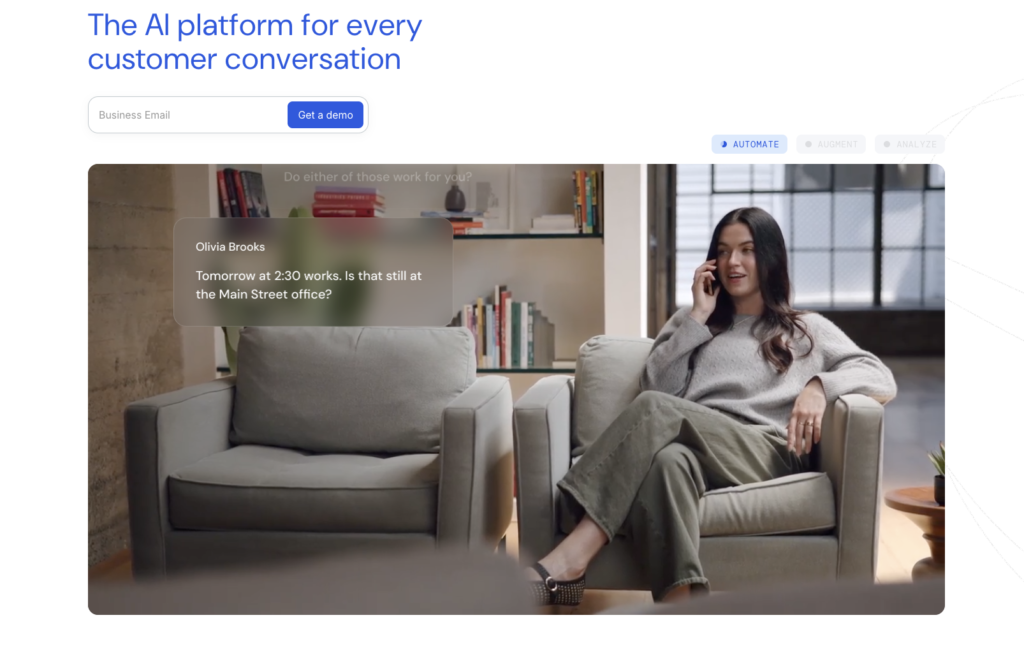
The Knowledge Agent launched in March 2026 reads what the customer says and what’s on the agent’s screen (account status, order history, loyalty tier) then surfaces answers unprompted. Pricing is custom.
7. CallMiner Eureka
CallMiner analyzes 100% of interactions across voice, chat, email, and social, aimed squarely at regulated industries. It holds 4.5 stars across several G2 reviews.
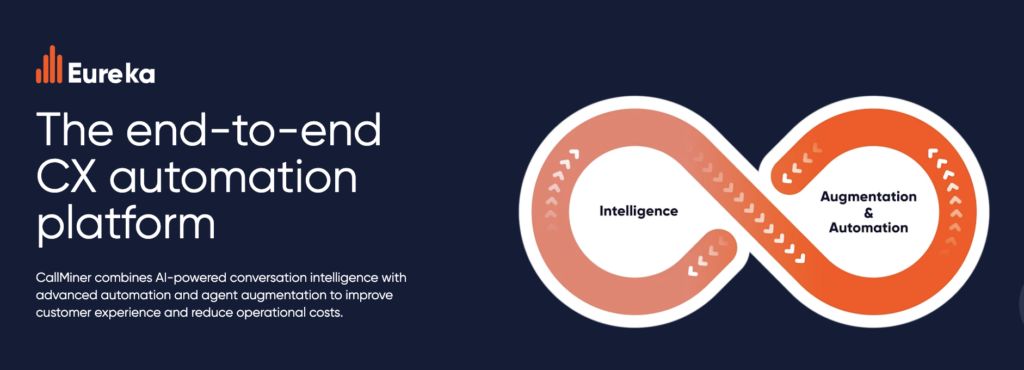
The tradeoff is time: enterprise platforms like CallMiner typically run three to six month implementations, against one to two weeks for mid-market tools. If you need coaching moving next month, it won’t fit.
How to Choose the Right Real-Time Call Analytics Tool
Choosing a real-time call analytics platform is an operational upgrade that’ll directly impact agent confidence, customer retention, and your bottom line. Evaluate platforms against these four critical performance benchmarks:
1. How fast do prompts reach the agent?
Real-time guidance is only valuable if it operates at the speed of conversation. A prompt that arrives five seconds after a customer has changed the subject is just a post-call note with extra steps.
When testing platforms, demand exact latency benchmarks measured in seconds using your team’s real audio streams rather than clean vendor demos.
What to look for: Insight7 surfaces real-time cues within 1 to 2 seconds, well inside the critical window where an agent can fluidly adjust their approach, de-escalate tension, or capture an upsell opportunity before the moment passes.
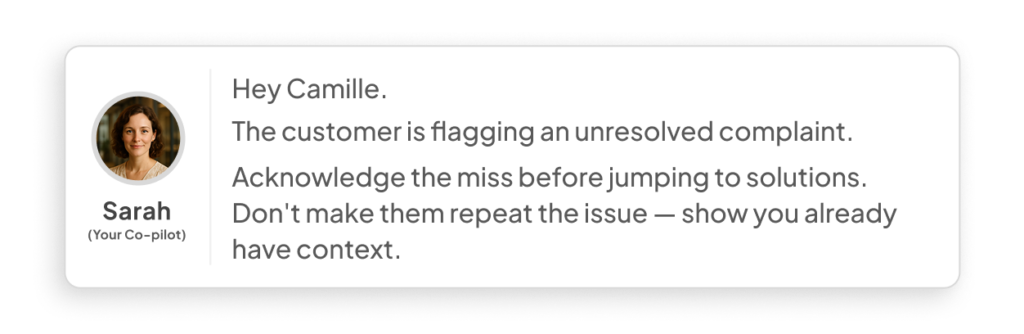
Want to test real-time speed? Schedule a test to see Live Assist run on your team’s actual call audio.
2. What happens to the other 97% of calls?
Traditional QA models rely on manual reviews of roughly 3% of total call volume, meaning your operational picture is built on a statistical rounding error. While modern platforms claim “100% coverage,” the differentiator is how they process that data.
Unstructured transcript dumps don’t help managers pinpoint systemic issues or reward top performers.
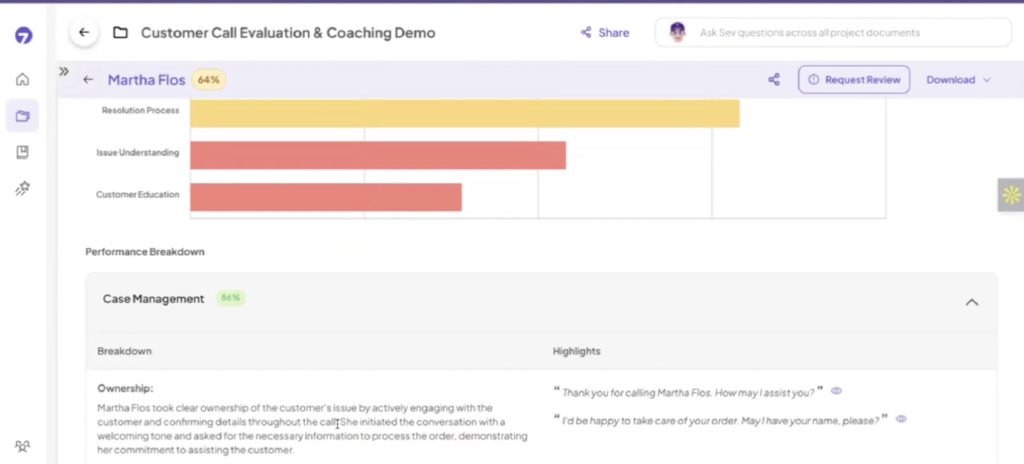
What to look for: Choose solutions that automatically grade 100% of interactions against customized operational criteria. Insight7 links every score directly to specific transcript evidence, replacing subjective manager bias with verified facts so QA teams spend time coaching rather than hunting for context.
3. Does the score lead anywhere?
Analytics that stop at a colorful dashboard function as nothing more than an expensive digital filing cabinet. Identifying that a rep struggled with objection handling on Tuesday is useless if there’s no immediate, scalable way to fix it on Wednesday.
What to look for: Ask vendors whether low QA scores automatically trigger targeted training. Insight7 bridges this gap by letting you generate tailored AI roleplay scenarios directly from low-scoring calls.
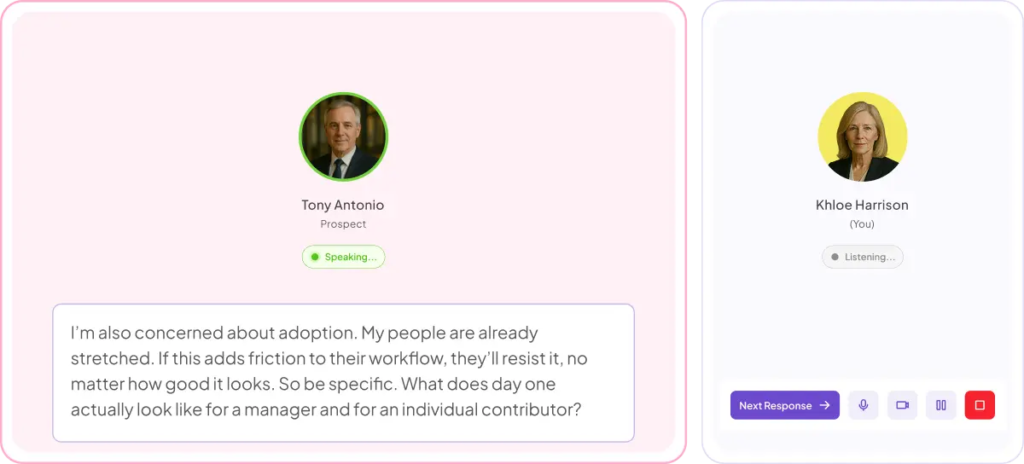
If a rep stumbles on pricing pushback, you can create a practice module matching that exact scenario so the rep can master the response before their next live call.
4. Will your agents trust it?
While more customer interactions are now handled by humans and AI working in tandem, hybrid workflows fail when frontline reps perceive software as managerial surveillance rather than a helpful co-pilot.
What to look for: Choose a platform engineered for agent empowerment.
Insight7 addresses this by making Live Assist opt-in per rep and routing live prompts directly to the agent’s screen, not to a manager’s monitoring feed.
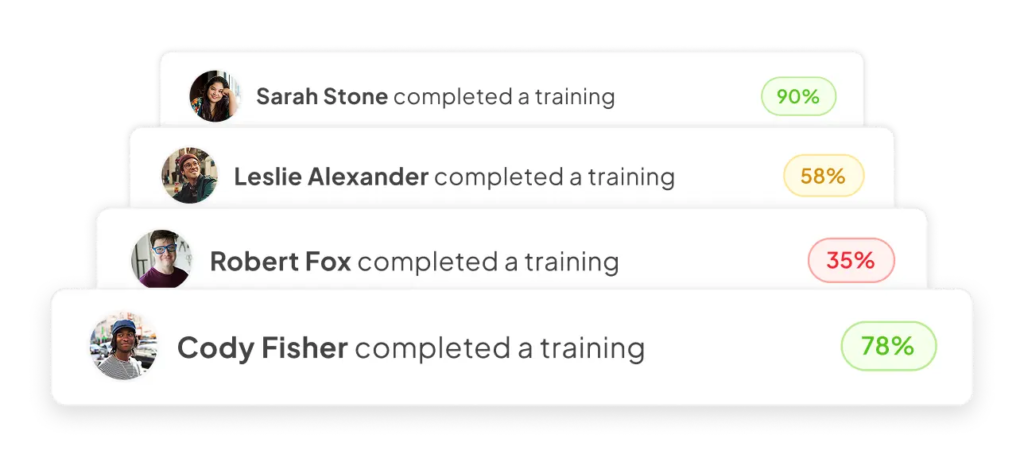
This subtle design choice turns the platform into a trusted assistant, ensuring high adoption rates instead of reps finding workarounds to ignore it.
Recommended: Compare the full market in the Conversational Intelligence Market Map 2026.
Turn Live Calls Into Coaching With Insight7
Analysts expect AI tools to save $80 billion in contact center labor costs, while 75% of customers still prefer a human for anything complex or emotional. Both point the same way: the value sits in making your people better, one call at a time.
If your team is large enough that sampling fails and small enough that a six-figure contract is out of reach, Insight7 sits in that gap. You get live prompts during the call, scoring on every call, and a roleplay built from the ones that went badly.
Start analyzing calls free or see how brands like TripleTen scaled their call evaluation process.
FAQs
What counts as real-time call analytics?
Live transcription plus in-call guidance and supervisor monitoring while the call is active. Post-call platforms return results in minutes.
How fast should live prompts appear?
Within one to two seconds of the trigger. Anything slower lands after the customer has moved on.
Do real-time call analytics tools work with Zoom and Teams?
Yes. Insight7 Live Assist supports Zoom, Teams, Google Meet, Aircall, Dialpad, Five9, Genesys, and RingCentral, with no install for agents.
Will agents feel watched?
That depends on rollout. Opt-in tools that send prompts to the agent get adopted. Tools deployed as trackers get worked around.
How many calls before patterns show up?
Roughly 100 to 200 per theme. Pilots of 20 to 30 calls confirm scoring is calibrated but won’t surface reliable trends.